ToolMage
Sign in

Best 1 App Analytics AI tools for Analytics

Popular App Analytics AI tools in Analytics include searchadsoptimization, helping you work more efficiently.

searchadsoptimization
Freemium

searchadsoptimization

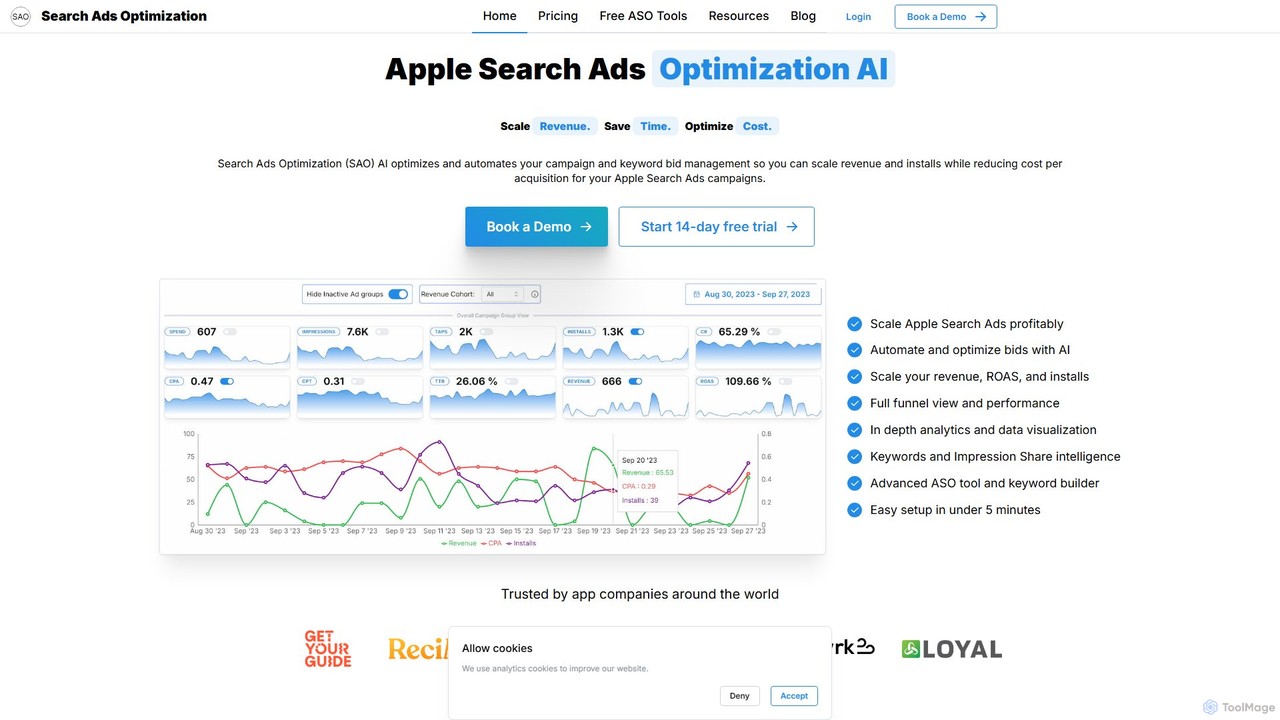
searchadsoptimization (SAO) is an AI-powered platform designed to automate and optimize Apple Search Ads (ASA) campaigns. It helps app developers and marketers scale revenue and installs while reducing acquisition costs. The tool provides 24/7 AI-driven bid management, in-depth analytics, ASO tools, and seamless integration with major attribution partners. By automating tedious manual tasks, SAO allows teams to focus on strategic growth and maximize their return on ad spend (ROAS) with minimal effort.

App Analytics
Visits 3.5KFavorites 147Likes 138

About App Analytics

App Analytics tools are a specialized class of software that uses AI to collect, process, and interpret data from mobile applications. These platforms employ machine learning algorithms to automatically identify user behavior patterns, predict churn, and diagnose performance issues without manual analysis. This provides developers, product managers, and marketers with actionable insights to enhance user engagement, optimize conversion funnels, and boost retention. Unlike general analytics platforms, they are specifically built to handle event-based data, session tracking, and mobile-centric metrics like push notification effectiveness and crash rates.

Core Features

  • User Behavior Analysis: Automatically maps user journeys, creates behavioral cohorts, and visualizes interaction heatmaps to understand how users navigate the app.
  • Predictive Analytics: Forecasts key metrics such as user churn probability, lifetime value (LTV), and the likelihood of conversion for different user segments.
  • Performance Monitoring: Utilizes AI for real-time anomaly detection to identify and alert teams about crashes, latency spikes, and other technical issues.
  • Funnel Optimization: Identifies the most significant drop-off points in critical user flows, such as onboarding or checkout, and suggests potential causes.
  • Automated Insights: Proactively surfaces trends, correlations, and opportunities from raw data that a human analyst might miss.

Use Cases

App Analytics tools are essential for any business with a mobile application. They are widely used in industries like mobile gaming to optimize in-app purchases, e-commerce to personalize shopping experiences, and SaaS to monitor feature adoption. Product teams use them to validate hypotheses with A/B testing, while marketing teams rely on them for attribution and campaign performance measurement.

How to Choose

When selecting an App Analytics tool, consider its platform compatibility (iOS, Android, cross-platform frameworks), the depth of its AI-driven features like predictive modeling, and its integration capabilities with other tools like CRMs or marketing automation platforms. Also, evaluate the data granularity, the ease of implementation (SDK), and the pricing model's scalability as your user base grows.

Featured tool rankings

App Analytics use cases

1

Reducing User Churn in a Subscription App

A product manager for a mobile fitness app notices a high churn rate after the first month. By using an App Analytics tool, they leverage the AI's predictive churn model to identify users at high risk of unsubscribing. The model analyzes behavior patterns like decreased session frequency, ignored features, and incomplete workouts. Based on these insights, the team creates a targeted re-engagement campaign, sending personalized push notifications with workout tips and special offers to the at-risk segment. This proactive approach helps reduce monthly churn by 15% and improves user lifetime value.

2

Optimizing In-App Purchase Funnels for Mobile Games

A monetization manager at a gaming studio aims to increase the conversion rate from free players to paying users. They use an App Analytics tool to visualize the entire in-app purchase funnel, from viewing an item to completing the payment. The AI-powered funnel analysis automatically highlights the biggest drop-off point: a complex payment information screen. The tool suggests that users are abandoning purchases due to too many required fields. The team A/B tests a simplified, one-click payment option for a segment of users, resulting in a 25% increase in first-time purchases and a significant uplift in overall revenue.

3

Improving Feature Adoption and User Engagement

A UX designer for a productivity app observes that a powerful new feature is underutilized. Using an App Analytics tool, they analyze user journey maps and session recordings. The AI-driven behavioral analysis reveals that users are not discovering the feature because it's hidden behind a confusing icon in a menu. The designer creates a new icon and adds a brief, contextual in-app tutorial that appears on the third session. After deploying the changes, they track feature adoption rates within the analytics tool, observing a 40% uplift in usage and a 10% increase in average session duration, indicating higher overall engagement.

4

Proactive Crash and Performance Monitoring

A mobile developer for an e-commerce app receives user complaints about random crashes during checkout. Reproducing the issue is difficult. The App Analytics tool's AI-powered anomaly detection automatically flags a spike in crashes correlated with a specific Android OS version and a recent third-party payment SDK update. The system groups all related crash reports, providing detailed stack traces and device information. This allows the developer to quickly identify the root cause—an incompatibility with the new SDK—and roll out a hotfix within hours, instead of days of manual debugging. This improves the app's stability rating and prevents significant revenue loss.

5

Personalizing the Onboarding Experience

A mobile marketing specialist for a news app wants to increase Day 1 retention. They use an App Analytics tool to segment new users based on their acquisition source (e.g., social media ad, organic search, referral). By analyzing the onboarding funnel for each segment, they discover that users from social media prefer to immediately browse headlines, while users from organic search are more likely to complete the topic personalization steps. The team then creates dynamic onboarding flows: social media users are taken directly to the main feed, while others are guided through personalization. This tailored experience increases the onboarding completion rate by 30% and boosts Day 1 retention by 20%.

6

Measuring Push Notification Campaign Effectiveness

A CRM manager for an e-commerce app needs to understand the true ROI of their push notification campaigns. They use an App Analytics tool to go beyond simple open rates. The tool provides full-funnel attribution, tracking users from the moment they tap a notification, through their in-app browsing session, to the final purchase. The AI model attributes revenue directly to specific campaigns and even identifies which message variants are most effective for different user segments. This data allows the manager to optimize notification content and timing, resulting in a 30% increase in revenue generated from push campaigns and a reduction in user opt-outs due to irrelevant messages.

App Analytics FAQ

What are App Analytics tools?

App Analytics tools are specialized software platforms that use AI to track, measure, and analyze user behavior and performance within a mobile application. Unlike general analytics, they focus on mobile-specific, event-based data. Their primary goal is to provide actionable insights for product managers, marketers, and developers to improve user engagement, increase retention, and optimize monetization strategies. Key features often include user journey mapping, churn prediction, crash reporting, and A/B testing analysis.

What's the difference between App Analytics and Web Analytics?

The primary difference lies in the platform and user interaction model. Web Analytics focuses on websites, tracking metrics like page views, sessions, bounce rates, and traffic sources, which are well-suited for browser-based navigation. App Analytics is designed for mobile apps, focusing on event-based tracking of in-app actions, user journeys, screen views, session length, and mobile-specific data like crash reports and push notification engagement. App analytics tools are built to understand user behavior within a closed, interactive environment, whereas web analytics often centers on content consumption and acquisition channels.

How do I choose the right App Analytics tool?

Choosing the right tool depends on your specific needs. Consider these key factors:

  • Business Goals: Are you focused on improving engagement, increasing revenue, or ensuring technical stability? Select a tool that excels in your priority area.
  • Technical Stack: Ensure the tool's SDK is compatible with your app's platform (e.g., iOS, Android, React Native, Flutter).
  • AI & Automation Features: Compare the sophistication of predictive analytics, anomaly detection, and automated insight generation.
  • Integration Capabilities: Check if it connects with your existing marketing, CRM, and support tools to create a unified data ecosystem.
  • Scalability and Pricing: Choose a plan that can grow with your user base without becoming prohibitively expensive.
What key metrics do App Analytics tools track?

App Analytics tools track a wide range of metrics. Some of the most critical ones include:

  • Engagement Metrics: Daily/Monthly Active Users (DAU/MAU), session duration, screen flow, and feature adoption rates.
  • Retention Metrics: User retention rate over different time periods (Day 1, Day 7, Day 30) and churn rate.
  • Performance Metrics: App crash rate, API latency, and app load time.
  • Monetization Metrics: Average Revenue Per User (ARPU), Lifetime Value (LTV), and conversion rates for in-app purchases or subscriptions.
  • Acquisition Metrics: Tracking downloads and user behavior by acquisition channel to measure campaign ROI.
Who should use App Analytics tools?

App Analytics tools are valuable for various roles within a mobile-first organization:

  • Product Managers: To understand user behavior, validate hypotheses with A/B tests, and prioritize feature development based on usage data.
  • Mobile Marketers: To measure campaign effectiveness, track user acquisition channels, personalize user communication, and optimize marketing spend.
  • Developers & Engineers: To monitor app stability, diagnose crashes, track performance metrics, and ensure a smooth user experience.
  • UX/UI Designers: To analyze user flows, identify friction points in the interface, and make data-driven design improvements.
  • Business Leaders: To track high-level KPIs like revenue, user growth, and overall app health to make strategic decisions.