ToolMage
Sign in

Best 2 Custom Chatbots AI tools for Chatbots

Popular Custom Chatbots AI tools in Chatbots include Soopra and BuzzWork.ai, helping you work more efficiently.

BuzzWork.ai
Freemium

BuzzWork.ai

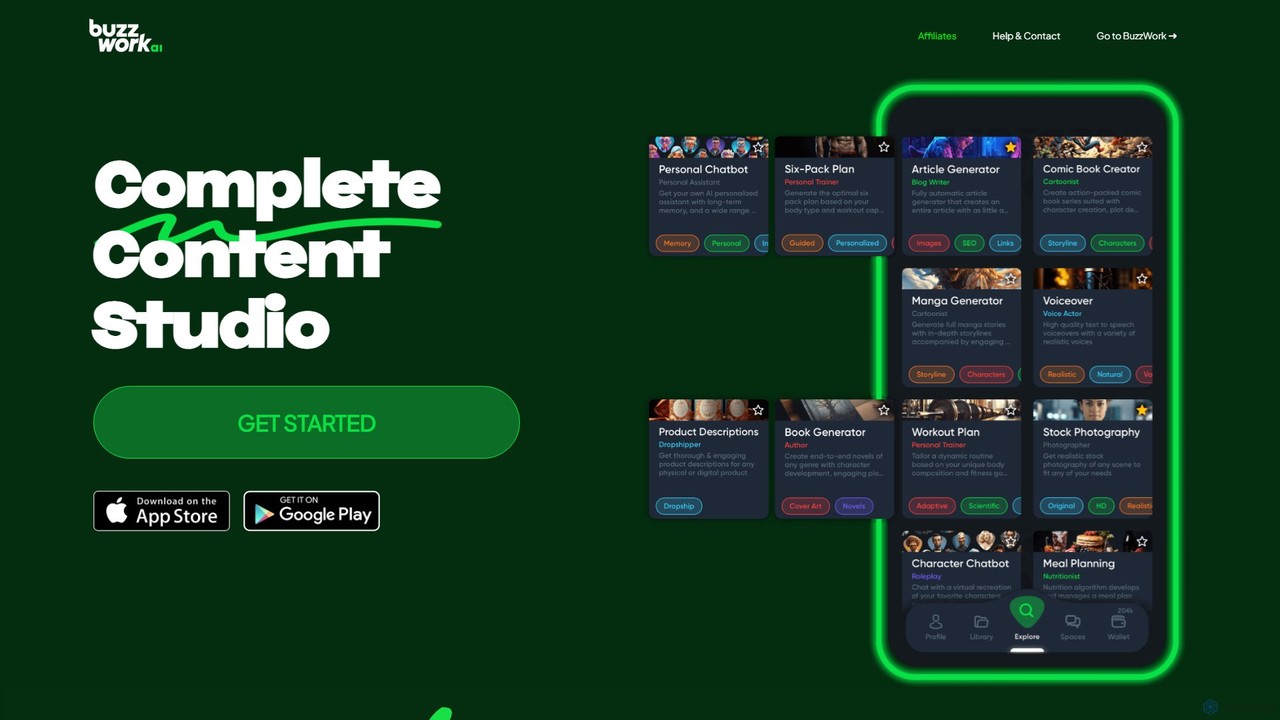
BuzzWork.ai is a comprehensive AI content suite designed to streamline your digital workflow. It features a powerful set of tools, including a full story and book generator, an SEO-optimized article writer, long-term memory chatbots, personalized fitness plan creators, and lifelike text-to-speech voiceover actors. This all-in-one platform empowers creators, marketers, and professionals to produce high-quality content efficiently, from entire novels to engaging blog posts and realistic audio.

Text To Speech
Visits 3.4KFavorites 126Likes 119
Soopra
Freemium

Soopra

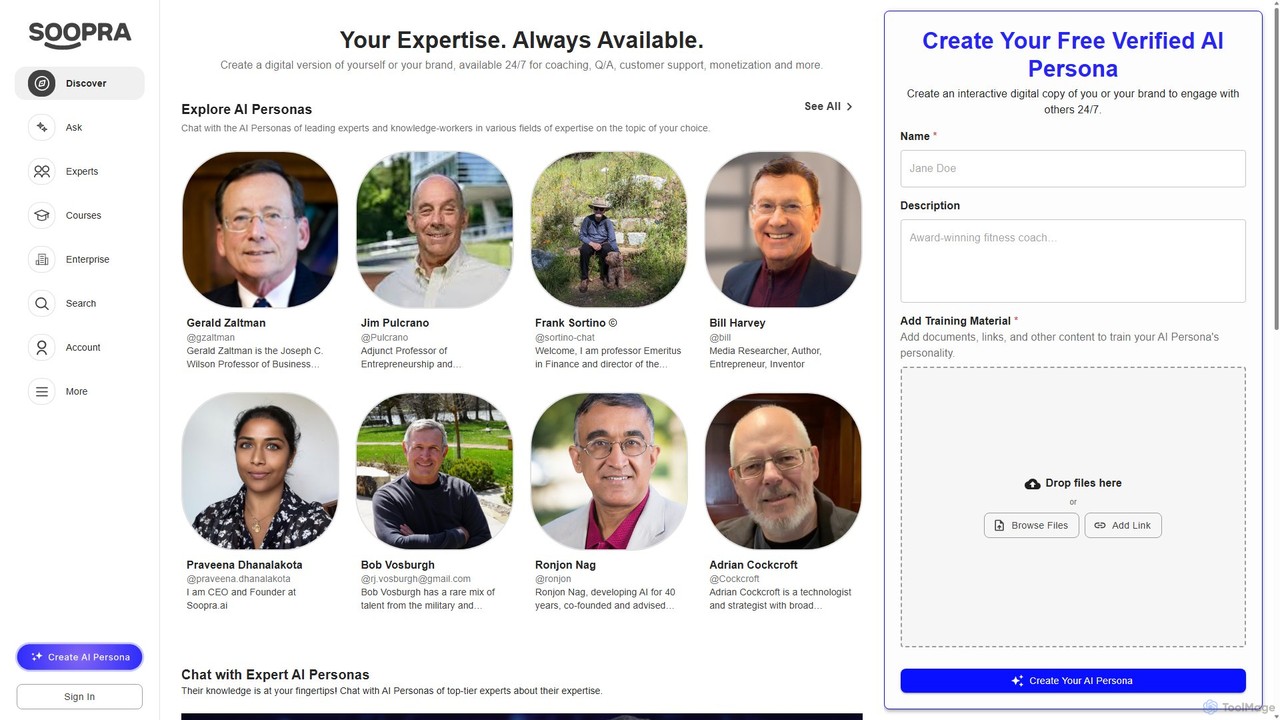
Soopra is an AI platform that enables experts, creators, and brands to build a verified AI Persona—a digital twin of their knowledge. This allows them to engage with their audience 24/7, scale their influence, and monetize their expertise through interactive chats and AI-assisted courses.

Custom Chatbots
Visits 20.2KFavorites 100Likes 93

About Custom Chatbots

Custom Chatbots are AI-powered conversational agents that you can train on your own specific data and tailor to your unique brand identity. Unlike pre-built bots with fixed responses, these tools use your documents, website content, or knowledge bases to provide highly relevant and context-aware answers. This allows businesses to create specialized assistants for customer support, internal knowledge management, or lead generation that perfectly align with their operational workflows and communication style. The key advantage is the ability to build a truly bespoke conversational experience without extensive coding.

Core Features

  • Data Source Training: Ingest and learn from various sources like websites, PDFs, and text documents.
  • Customizable Persona: Define the chatbot's personality, tone of voice, and conversational style.
  • Visual Flow Builder: Design complex conversation paths and logic using a no-code, drag-and-drop interface.
  • API Integration: Connect with external services like CRMs, databases, or other business applications.
  • Brand Alignment: Customize the appearance of the chat widget to match your website's design.

Use Cases

These tools are ideal for businesses wanting to automate specific interactions. For example, an e-commerce store can build a bot trained on its product catalog for sales assistance, while a SaaS company can create an onboarding bot using its help documentation. They are also widely used for internal purposes, such as HR bots that answer employee questions based on company policies.

How to Choose

When selecting a Custom Chatbot tool, evaluate the supported data sources (websites, files, APIs). Consider the ease of use of the conversation flow builder and the level of customization available for the bot's persona and appearance. Also, check the integration capabilities with your existing software stack and review the pricing model, which is often based on the number of chats or bots.

Featured tool rankings

Custom Chatbots use cases

1

Automated Customer Support with a Custom Knowledge Base

E-commerce support teams use Custom Chatbots to provide instant, 24/7 answers to customer queries. By uploading their entire knowledge base, including return policies, shipping information, and product FAQs, they create a bot that handles common questions accurately. This frees up human agents to focus on complex issues, reducing response times and improving customer satisfaction. The bot can answer specific questions like "What is the warranty on product X?" by referencing the uploaded documents directly.

2

Internal HR and IT Helpdesk Automation

HR and IT departments in large organizations deploy Custom Chatbots to streamline internal support. The bot is trained on employee handbooks, IT security policies, and internal process documents. Employees can ask questions like "How do I request vacation time?" or "What are the steps to reset my password?" and receive immediate, consistent answers. This reduces the repetitive workload on support staff and empowers employees with self-service access to information.

3

Interactive Lead Generation and Qualification on Websites

Marketing teams embed Custom Chatbots on their websites to engage visitors and qualify leads. Instead of a static form, the bot initiates a conversation, asks targeted questions based on a custom-designed flow (e.g., "What is your company size?", "What is your main challenge?"). It can then route qualified leads directly to the sales team's calendar or CRM. This conversational approach increases engagement and gathers more detailed lead information than traditional methods.

4

Personalized Student Onboarding for Educational Institutions

Universities and online course providers use Custom Chatbots to guide new students through the onboarding process. The bot is trained on course catalogs, campus maps, and registration guides. It can answer personalized questions like "Where is the computer science building?" or "What are the prerequisites for course CS101?". This provides students with a single, reliable source of information, reducing administrative overhead and improving the student experience from day one.

5

SaaS Product Support and User Guidance

SaaS companies integrate Custom Chatbots within their applications to offer in-context help. Trained on the product's official documentation and tutorials, the bot can answer user questions like "How do I create a new project?" or "How to integrate with Slack?". This provides immediate assistance without forcing users to leave the application to search for help articles, leading to higher user retention and product adoption rates.

6

Real Estate Inquiry and Property Matching Bot

Real estate agencies use Custom Chatbots to handle initial client inquiries. The bot is trained on property listings, neighborhood data, and financing guides. It can ask potential buyers about their preferences (e.g., budget, number of bedrooms, desired location) and instantly suggest matching properties from its database. This pre-qualifies leads and provides instant value to website visitors, scheduling viewings or connecting them with a human agent for serious inquiries.

Custom Chatbots FAQ

What are Custom Chatbots?

Custom Chatbots are AI conversational tools that can be trained on your specific, proprietary data to answer questions and automate tasks. Unlike generic chatbots, their knowledge is not pre-defined; you provide the source material, such as your website content, product manuals, or internal documents. This allows them to provide highly accurate, context-specific responses that align perfectly with your brand's voice and information.

How do Custom Chatbots differ from standard or pre-built chatbots?

The main difference lies in the knowledge source and flexibility. Standard chatbots often rely on pre-programmed rules or a general knowledge base, limiting them to generic conversations or simple FAQs. Custom Chatbots are built on your unique data, making them experts in your specific domain. They offer deeper customization in terms of personality, conversation flows, and integration with your business systems, providing a much more tailored and capable solution.

What kind of data can I use to train a Custom Chatbot?

You can use a wide variety of data sources. Common options include:

  • Website Content: Simply provide a URL, and the tool will crawl and learn from your site.
  • Documents: Upload files like PDFs, Word documents, or text files (e.g., FAQs, policies, manuals).
  • Plain Text: Directly paste text content into the tool.
  • Knowledge Bases: Connect to existing helpdesk platforms like Zendesk or Intercom.

The more comprehensive and well-structured your data, the more effective the chatbot will be.

How do I choose the right Custom Chatbot builder?

When selecting a tool, consider these factors:

  • Data Sources: Ensure it supports the types of data you have (website, PDF, etc.).
  • Ease of Use: Look for a user-friendly interface, especially if you have no coding experience.
  • Customization: Check the options for customizing the bot's appearance, personality, and conversation logic.
  • Integrations: Verify if it can connect with essential tools you use, like your CRM or messaging platforms.
  • Pricing: Understand the cost structure—whether it's based on messages, bots, or features.
Who can benefit from using a Custom Chatbot?

A wide range of users can benefit. Businesses of all sizes use them for customer support, lead generation, and internal knowledge management. E-commerce stores can automate product questions. SaaS companies can provide instant in-app support. Educational institutions can guide students. Essentially, any organization that needs to provide specific, repetitive information to an audience can significantly benefit from the efficiency and accuracy of a Custom Chatbot.