FixThisBug
FixThisBug is an AI-powered debugging assistant for developers. It instantly analyzes your code and error messages to provide …
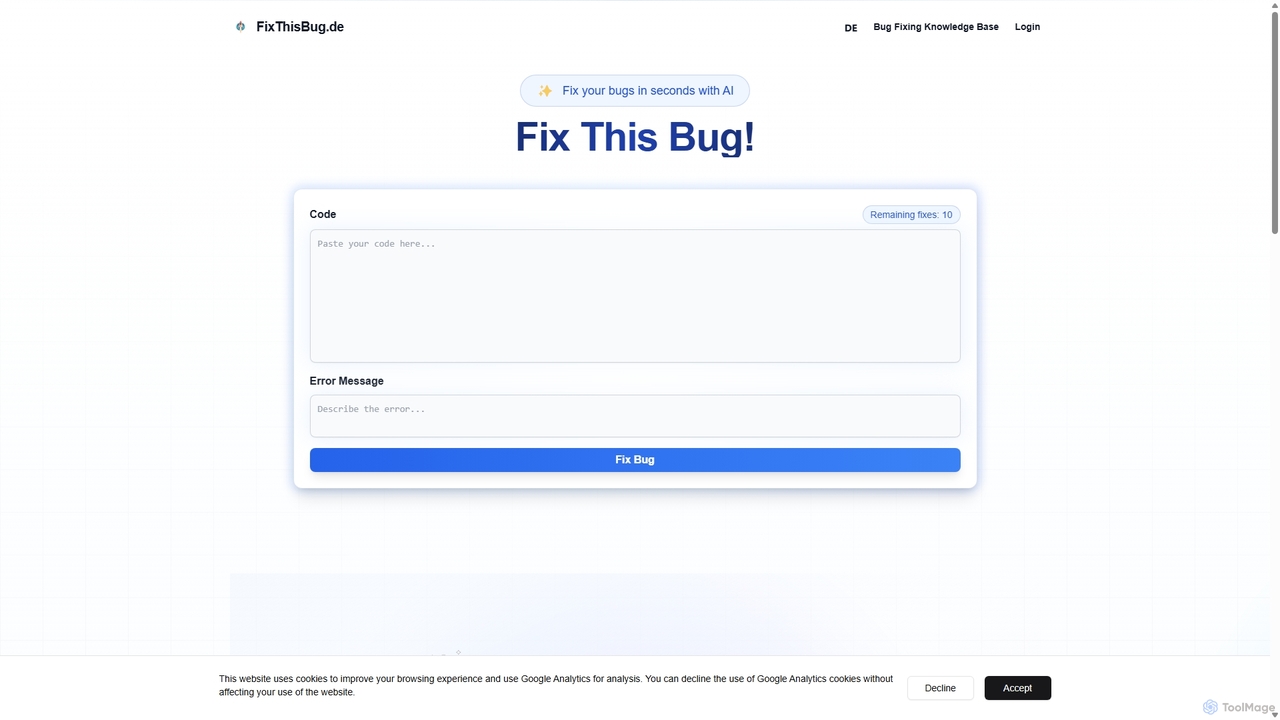
FixThisBug is an AI-powered debugging assistant for developers. It instantly analyzes your code and error messages to provide accurate fixes and detailed explanations. Supporting all major programming languages, it prioritizes privacy with self-hosted models on German servers, ensuring 100% GDPR compliance. Fix bugs faster and learn as you code.
About Code Correction
AI Code Correction tools are specialized utilities designed to automatically detect, diagnose, and fix errors in source code. Leveraging advanced static analysis and machine learning models trained on vast code repositories, these tools go beyond traditional linters by understanding code context and logic. They significantly accelerate the development process by reducing manual debugging time, improving overall code quality, and enforcing consistent coding standards. This focus on automated fixing and intelligent suggestions distinguishes them within the broader category of AI Code tools.
Core Features
- Automated Bug Fixing: Automatically identifies and suggests one-click fixes for common bugs, null pointer exceptions, and logical errors.
- Style & Formatting Enforcement: Reformats code to comply with predefined style guides (like PEP 8, Google Style Guide) for consistency.
- Vulnerability Detection: Scans code for common security weaknesses, such as SQL injection or cross-site scripting (XSS), and offers remediation advice.
- Code Refactoring Suggestions: Recommends improvements to code structure for better readability and maintainability without altering its functionality.
- IDE & CI/CD Integration: Seamlessly integrates into development environments (IDEs) and continuous integration pipelines for real-time feedback.
Use Cases
These tools are invaluable for individual developers, software teams, and DevOps engineers. In a team setting, they automate parts of the code review process, ensuring a baseline quality for all submissions. For junior developers, they act as an interactive mentor, providing instant feedback. In CI/CD pipelines, they serve as an automated quality gate, preventing buggy or non-compliant code from being deployed.
How to Choose
When selecting a Code Correction tool, consider the programming languages it supports and the depth of its analysis. Evaluate its integration capabilities with your existing toolchain, including your IDE and version control system. Assess the customizability of its rule sets to match your team's specific coding standards. Finally, consider the balance between analysis speed and the accuracy of its suggestions to ensure it enhances, rather than hinders, your workflow.

Code CorrectionUse Cases
Automating Code Reviews in CI/CD Pipelines
A tech lead integrates an AI Code Correction tool into their team's CI/CD pipeline. For every pull request submitted, the tool automatically scans the new code. It checks for logical errors, security vulnerabilities, and deviations from the team's coding style guide. The tool then posts comments directly on the pull request with specific suggestions for fixes. This process ensures a consistent quality baseline before any human review, freeing up senior developers to focus on architectural and logic-based feedback rather than routine style checks.
Accelerating Junior Developer Onboarding
A junior developer uses an AI Code Correction tool integrated directly into their IDE. As they write code, the tool provides real-time feedback, highlighting syntax errors, potential null pointer exceptions, and inefficient code patterns. Instead of just flagging an error, it offers explanations and suggests the correct implementation. This acts as a persistent, automated mentor, helping the developer learn best practices and avoid common pitfalls, significantly reducing the time it takes for them to become a productive member of the team.
Modernizing a Legacy Codebase
A team is tasked with refactoring a large, aging application. They run a powerful AI Code Correction tool across the entire codebase. The tool identifies and catalogs issues such as dead code, overly complex methods, and outdated library usage. It provides concrete refactoring suggestions, like breaking down large functions into smaller, more manageable ones, or replacing deprecated API calls. This automated analysis gives the team a clear, prioritized roadmap for modernization, saving weeks of manual code inspection and planning.
Enforcing Security Standards Across an Organization
A security engineer configures a company-wide policy in an AI Code Correction tool. This policy includes rules against common vulnerabilities like hardcoded secrets, insecure deserialization, and SQL injection patterns. The tool is then deployed to all developers' IDEs and integrated into the central CI pipeline. Now, any code that violates these security standards is immediately flagged in real-time during development and fails the build process if committed, creating a robust, automated security gate for the entire organization.
Debugging Complex Logical Errors
A developer is stuck on a bug that only appears under specific conditions. They input the problematic function into an advanced AI Code Correction tool. The tool analyzes the code's logic paths and data flow, comparing it against millions of open-source examples of similar functions. It highlights a subtle off-by-one error in a loop condition that was causing the issue. By providing this deep logical analysis, the tool helps the developer find a bug that would have otherwise taken hours of manual tracing and testing to identify.
Improving Code Readability for Team Collaboration
A software team notices that inconsistent code formatting is making collaboration difficult. They adopt an AI Code Correction tool and configure it with a shared style guide. Before any developer commits their code, they run the tool, which automatically reformats files, standardizes variable naming conventions, and adds missing documentation stubs. This simple, automated step ensures that all code entering the repository is clean, consistent, and easy for other team members to read and understand, reducing friction in code reviews and improving overall team velocity.