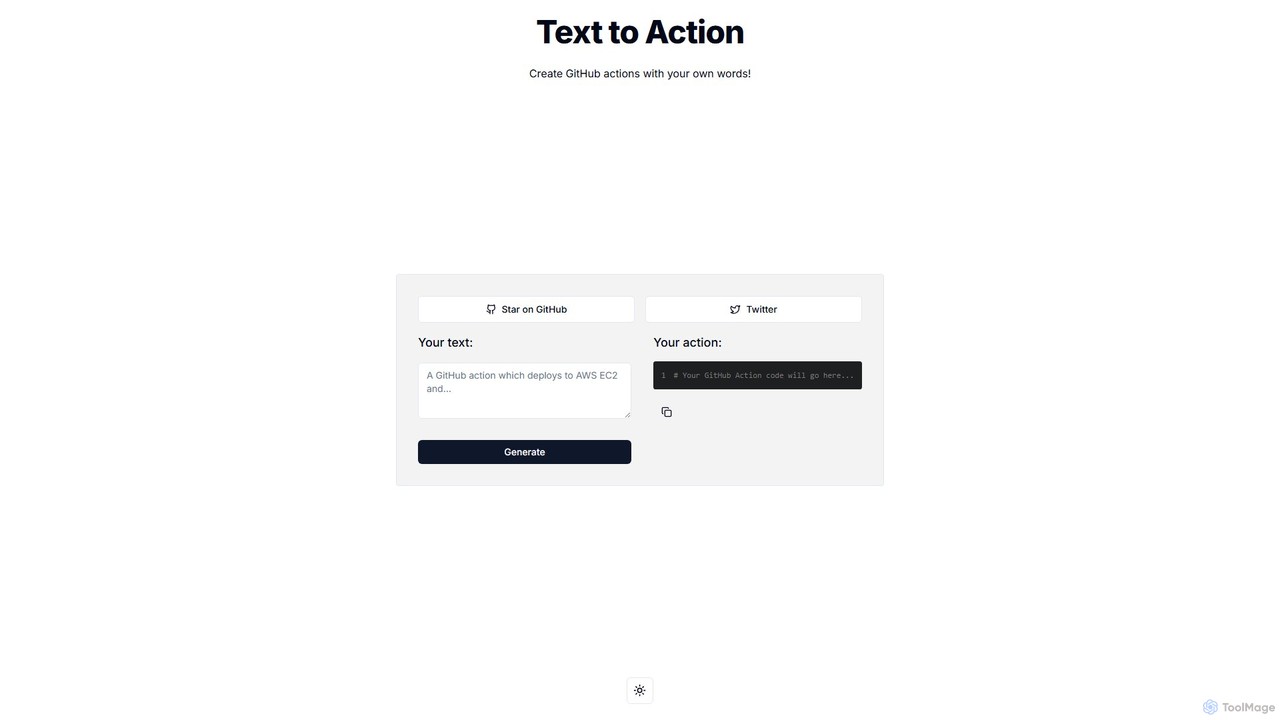
Text to Action
Text to Action is an AI-powered tool that translates natural language descriptions into functional GitHub Actions code. Simply …
Text to Action is an AI-powered tool that translates natural language descriptions into functional GitHub Actions code. Simply describe your desired workflow in plain English, and the tool will generate the corresponding YAML configuration file, streamlining the CI/CD and automation process for developers.
About Ci Cd
CI/CD tools are platforms that automate the software development lifecycle, from code integration to production deployment. These tools orchestrate a sequence of automated steps, known as a pipeline, that builds, tests, and releases software changes. By implementing Continuous Integration (CI) and Continuous Delivery/Deployment (CD), development teams can deliver high-quality code faster and more reliably. This automation minimizes manual errors, improves developer productivity, and enables rapid iteration based on user feedback.
Core Features
- Automated Builds: Automatically compile source code, run dependencies, and package the application upon every code commit.
- Continuous Testing: Execute various tests (unit, integration, end-to-end) automatically to validate code quality and functionality.
- Deployment Automation: Automate the release process to various environments like staging and production with strategies like blue-green or canary deployments.
- Pipeline as Code (PaC): Define the entire build and release pipeline using code (e.g., YAML files), enabling version control and collaboration.
- Monitoring and Rollbacks: Provide visibility into pipeline status and deployment health, with mechanisms for automatic or one-click rollbacks in case of failure.
Use Cases
CI/CD tools are fundamental for modern software development teams of all sizes. They are extensively used by DevOps engineers to build and maintain robust delivery pipelines, by backend developers for deploying microservices, and by mobile developers to automate app store releases. Enterprises rely on them to ensure governance and consistency across multiple development teams.
How to Choose
When selecting a CI/CD tool, consider its hosting model (cloud-based SaaS vs. self-hosted), compatibility with your programming languages and frameworks, and the breadth of its integration ecosystem (e.g., with Git providers, artifact repositories, cloud platforms). Also evaluate its scalability, security features like secrets management, and the complexity of its pipeline configuration.

Ci CdUse Cases
Automating Web Application Deployment
A web development team connects their Git repository to a CI/CD tool. Every time a developer pushes a code change, the tool automatically triggers a pipeline. This pipeline compiles the code, runs a suite of automated tests, and if all tests pass, deploys the application to a staging server for review. A manual approval step then promotes the same build to the production environment, ensuring a consistent and error-free release process and reducing deployment time from hours to minutes.
Streamlining Mobile App Releases
Mobile app developers use CI/CD tools to automate the complex build and release process for iOS and Android. The pipeline automatically builds the app for different platforms, signs the code with the correct certificates, and runs unit and UI tests on virtual devices. Successful builds are then automatically uploaded to services like TestFlight for beta testers or the Google Play Console for internal testing tracks, significantly accelerating the feedback loop.
Managing Infrastructure as Code (IaC)
A DevOps team manages their cloud infrastructure using Terraform. They store their configuration files in a Git repository linked to a CI/CD pipeline. When a change is proposed, the pipeline automatically runs `terraform plan` to preview the changes. After approval, the pipeline executes `terraform apply` to safely and consistently update the infrastructure. This ensures all infrastructure changes are version-controlled, reviewed, and auditable.
Continuous Delivery for Microservices
For a system built with a microservices architecture, each service has its own CI/CD pipeline. This allows development teams to work independently. When a team updates a single service, its dedicated pipeline builds, tests, and deploys it without affecting other services. This autonomy enables teams to release new features and bug fixes for their specific service multiple times a day, increasing overall development velocity.
Integrating Automated Security Scans
In a DevSecOps workflow, security is integrated directly into the CI/CD pipeline. After the build stage, the pipeline automatically triggers Static Application Security Testing (SAST) tools to scan the source code for vulnerabilities. It also runs dependency checkers to identify known security issues in third-party libraries. If critical vulnerabilities are found, the pipeline fails, preventing insecure code from being deployed and providing immediate feedback to developers.
Automating Database Schema Migrations
A development team uses a CI/CD pipeline to manage database changes safely. When a developer commits a new schema migration script, the pipeline first applies it to a temporary, clean database to verify it runs without errors. It then runs integration tests against this updated schema. Only after all checks pass is the migration script automatically applied to the staging database, and later, with manual approval, to the production database, preventing breaking changes.