ToolMage
Sign in

Best 1 Boilerplate AI tools for Code

Popular Boilerplate AI tools in Code include FinetuneFast, helping you work more efficiently.

FinetuneFast
Paid

FinetuneFast

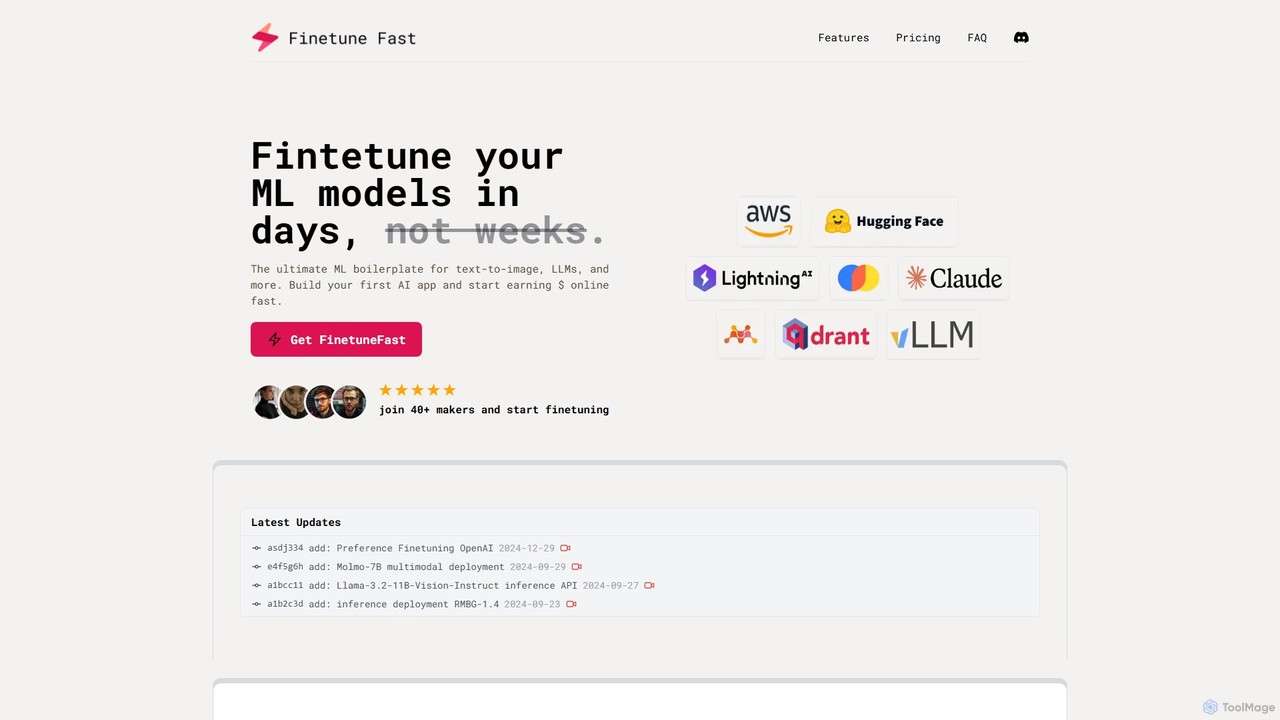
FinetuneFast is a comprehensive ML boilerplate for developers and ML engineers. It provides production-ready code templates to rapidly fine-tune, deploy, and scale AI models like LLMs and text-to-image generators, cutting development time from weeks to days.

Boilerplate
Visits 3.3KFavorites 101Likes 96

About Boilerplate

AI Boilerplate tools are a specialized category of code assistants that automatically generate foundational code structures and project templates. By analyzing user requirements for frameworks, languages, and databases, these tools produce ready-to-use starter kits for new software projects. This significantly accelerates the initial setup phase, allowing developers to focus on unique business logic rather than repetitive configuration. Unlike general-purpose code generators, boilerplate tools excel at creating complete, well-organized project skeletons with all necessary dependencies and configurations integrated from the start.

Core Features

  • Custom Project Scaffolding: Generates complete directory structures based on selected tech stacks like React, Node.js, or Python.
  • Configuration File Generation: Automatically creates essential config files such as package.json, tsconfig.json, or Dockerfile.
  • Dependency Management: Includes and configures necessary libraries and dependencies for the chosen framework.
  • Best Practice Integration: Implements industry best practices for folder structure, linting rules, and testing setups.

Use Cases

These tools are widely used by web developers, mobile app developers, and DevOps engineers. Common applications include rapidly starting new web applications, setting up standardized microservices, creating consistent project environments for teams, and quickly prototyping new ideas without manual setup overhead.

How to Choose

When selecting an AI Boilerplate tool, consider the breadth of its tech stack support (languages, frameworks). Evaluate the level of customization available for project structure and configurations. Check for integrations with popular IDEs like VS Code or JetBrains to ensure a smooth workflow. Finally, assess the quality and variety of available templates.

Featured tool rankings

Boilerplate use cases

1

Rapid Web Application Prototyping

A full-stack developer needs to build a proof-of-concept for a new SaaS product. Instead of spending hours on manual setup, they use an AI boilerplate tool. They specify their stack: Next.js with TypeScript, Tailwind CSS for styling, Prisma as the ORM, and an authentication provider. Within minutes, the tool generates a complete, runnable project with a logical folder structure, all dependencies installed, and basic configuration files created. This allows the developer to immediately start building core features and business logic.

2

Standardizing Microservice Architecture

A DevOps team in a large enterprise wants to ensure all new microservices adhere to a consistent structure and include standard observability tools. They use an AI boilerplate generator to create a custom template for their Node.js services. This template includes pre-configured settings for logging, metrics collection with Prometheus, and a standardized Dockerfile. When a developer needs to create a new service, they simply use this template, guaranteeing compliance and saving significant setup time on every new project.

3

Setting Up a Data Science Project Environment

A data scientist is starting a new machine learning project. They use a boilerplate tool to generate a Python project structure. The tool creates a standardized layout with folders for data (raw, processed), notebooks, source code, and models. It also generates a `requirements.txt` file pre-populated with common libraries like Pandas, NumPy, and Scikit-learn, and sets up a virtual environment. This ensures project organization, reproducibility, and allows the scientist to focus on data analysis and model building from day one.

4

Creating a Mobile App Starter Kit

A mobile developer is building a new cross-platform app using React Native. To avoid the repetitive setup of integrating essential libraries, they use an AI boilerplate tool. The tool generates a starter kit that includes React Navigation for routing, Redux Toolkit for state management, and a basic UI component library. This pre-configured setup saves the developer from the tedious process of manually installing and configuring these foundational pieces, allowing them to focus on building the app's unique screens and features.

5

Generating a Browser Extension Template

A frontend developer wants to create a Chrome extension. The initial setup, including creating the manifest.json file, background scripts, content scripts, and popup files, can be confusing. They use a boilerplate tool that specializes in browser extensions. The tool generates all the necessary files with the correct structure and includes a build process with hot-reloading. This significantly lowers the barrier to entry and allows the developer to focus directly on the extension's functionality rather than the complex build configuration.

6

Building a Headless CMS Backend

A backend developer is tasked with setting up a backend for a headless CMS like Strapi or Directus. Using an AI boilerplate tool, they can generate a complete project with a pre-configured database connection (e.g., PostgreSQL), user authentication models, and basic API roles and permissions. This provides a solid, secure foundation, saving the developer from writing repetitive setup code for user management and database integration. They can then immediately begin defining content types and building out the custom API endpoints required by the frontend.

Boilerplate FAQ

What are AI Boilerplate tools?

AI Boilerplate tools are applications that automatically generate the initial code and structure for a new software project. Unlike simple code snippets, they create a complete, organized project skeleton, including folder structures, configuration files (like `package.json`), and necessary dependencies based on user-selected technologies (e.g., React, Django, Vue). Their primary purpose is to eliminate the repetitive setup work, allowing developers to start coding business logic faster.

How to choose the right AI Boilerplate tool?

When selecting an AI Boilerplate tool, consider these factors:

  • Technology Support: Ensure it supports your preferred programming languages, frameworks (e.g., Next.js, Laravel), and databases.
  • Customization: Check how much control you have over the generated structure, dependencies, and configuration files.
  • Template Variety: Look for a wide range of pre-built templates for different application types, such as web apps, APIs, or mobile apps.
  • Integration: Consider if it integrates with your development environment (like VS Code plugins) for a seamless workflow.
What's the difference between an AI Boilerplate tool and a general AI code assistant?

The main difference lies in their scope. An AI Boilerplate tool operates at the project level (macro). It's used at the very beginning to create the entire project structure, directories, and initial configuration. A general AI code assistant (like GitHub Copilot) operates at the file or line level (micro). It works inside an existing project to suggest code snippets, complete lines, and write functions, but it doesn't set up the initial project scaffolding.

Who can benefit from using AI Boilerplate generators?

A wide range of developers and teams can benefit. Solo developers and freelancers can rapidly prototype ideas. Startups can accelerate their time-to-market by quickly setting up new projects. Large enterprise teams can use them to enforce coding standards and ensure consistency across multiple projects and services. Even students and beginners can use them to learn best practices for project structure and setup.

Is the code generated by AI Boilerplate tools customizable?

Yes, absolutely. The code generated by these tools is intended to be a starting point, not a final product. Most tools offer a high degree of customization during the generation process, allowing you to select specific libraries, configurations, and architectural patterns. After generation, the code is fully editable and owned by you, so you can modify, extend, and adapt it to fit the precise needs of your project.