ToolMage
Sign in

Best 1 Code Visualization AI tools for Code

Popular Code Visualization AI tools in Code include Adrenaline, helping you work more efficiently.

Adrenaline
Paid

Adrenaline

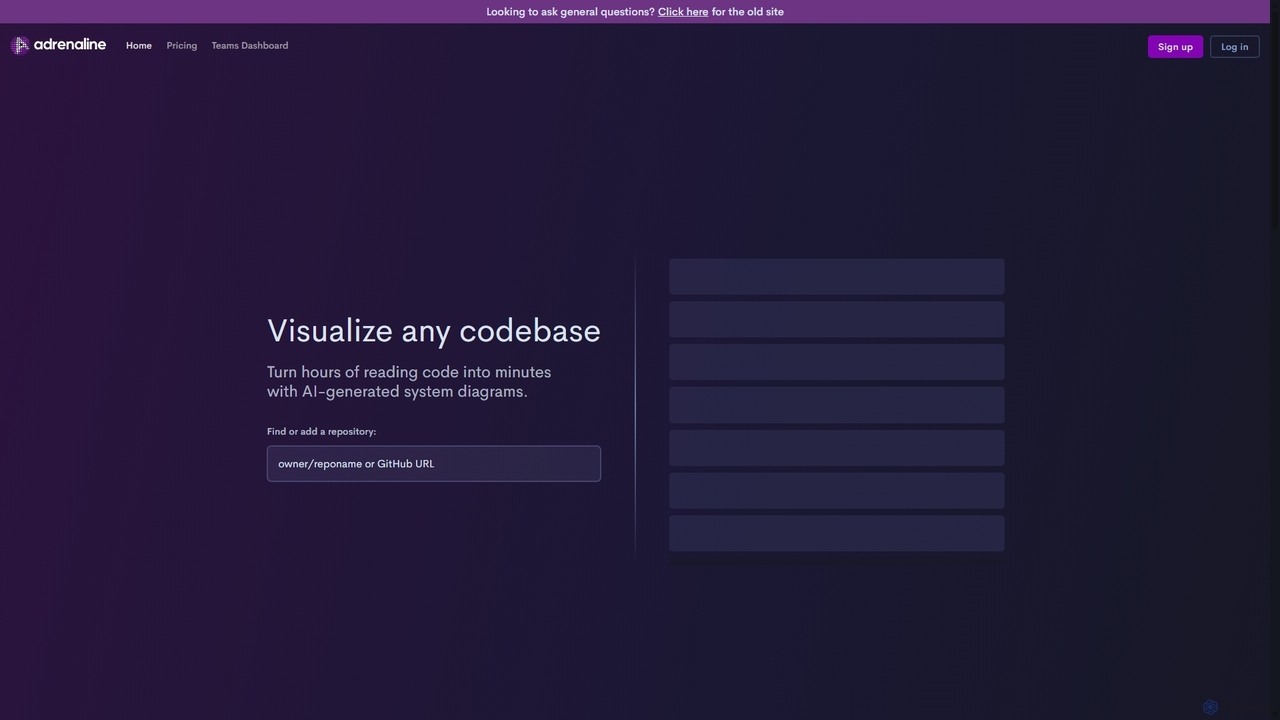
Adrenaline is an AI-powered tool that transforms complex codebases into interactive, visual system diagrams. It automatically generates UML, sequence diagrams, and flowcharts, helping developers understand, document, and navigate any repository in minutes instead of hours.

Code Visualization
Visits 9.3KFavorites 121Likes 111

About Code Visualization

Code Visualization tools are AI-powered solutions that transform complex source code, algorithms, and software architectures into intuitive graphical representations. These tools leverage AI to analyze code structure, dependencies, and execution flow, generating diagrams, charts, and interactive models. They significantly enhance understanding, debugging, and documentation of software projects, making intricate codebases more accessible to developers and stakeholders alike.

Core Features

  • Automated Diagram Generation: Automatically creates flowcharts, UML diagrams, dependency graphs, and architecture maps from source code.
  • Code Structure Analysis: Identifies classes, functions, variables, and their relationships, presenting them visually.
  • Execution Flow Simulation: Animates code execution paths, helping to trace logic and identify bottlenecks.
  • Dependency Mapping: Visualizes inter-module and inter-component dependencies within a software system.
  • Refactoring Suggestions: Highlights areas for code improvement based on visual complexity and patterns.

Use Cases

Software development teams utilize Code Visualization to onboard new members faster by providing visual maps of existing codebases. Project managers use these tools to communicate system architecture to non-technical stakeholders, ensuring alignment and clarity. Debugging complex issues becomes more efficient as developers can visually trace execution paths and data flow.

How to Choose

When selecting a Code Visualization tool, consider its compatibility with your programming languages and IDEs. Evaluate the range and quality of diagrams it generates, ensuring they meet your specific documentation or analysis needs. Look for features like interactive exploration, real-time updates, and integration with version control systems. Finally, assess the learning curve and community support.

Code Visualization use cases

1

Accelerating New Developer Onboarding

A new software engineer joins a large project with millions of lines of legacy code. Instead of spending weeks manually reading documentation and source files, they use a Code Visualization tool. The tool generates interactive dependency graphs and class diagrams, allowing the engineer to quickly grasp the system's architecture, module interactions, and key data flows within days, significantly reducing ramp-up time and increasing productivity.

2

Identifying Code Refactoring Opportunities

A senior developer is tasked with improving the performance and maintainability of a critical application. They feed the codebase into a Code Visualization tool, which highlights areas of high complexity, deep inheritance hierarchies, and circular dependencies through visual metrics and heatmaps. This visual insight helps the developer pinpoint specific modules or functions that require refactoring, leading to cleaner, more efficient code.

3

Generating Up-to-Date Architecture Documentation

A software architect needs to present the current system architecture to a client and internal stakeholders. Manually creating and updating diagrams is time-consuming and prone to errors. Using a Code Visualization tool, the architect automatically generates accurate, real-time UML component diagrams and deployment diagrams directly from the source code, ensuring documentation always reflects the latest codebase state and facilitates clear communication.

4

Visually Tracing Code Execution for Debugging

A developer encounters an elusive bug that only appears under specific conditions in a multi-threaded application. Traditional debugging is challenging. They use a Code Visualization tool to animate the execution flow, visualize variable states at each step, and highlight thread interactions. This visual trace helps them quickly identify the exact point of failure and the sequence of events leading to the bug, drastically shortening debugging cycles.

5

Streamlining Code Review with Visual Context

During a code review, a team lead needs to understand the impact of a large pull request on the existing system. Instead of just reading diffs, they use a Code Visualization tool to see how the proposed changes alter class relationships, introduce new dependencies, or modify data flow. This visual context allows for a more thorough and efficient review, catching potential issues that might be missed in text-based comparisons.

6

Visualizing Algorithms for Learning

A computer science student is struggling to understand complex data structures like binary trees or sorting algorithms. Their instructor uses a Code Visualization tool to create animated demonstrations of these algorithms in action. By visually observing how data moves, comparisons are made, and structures are modified step-by-step, students gain a much deeper and more intuitive understanding of abstract programming concepts.

Code Visualization FAQ

What are Code Visualization tools?

Code Visualization tools are software applications that transform source code, algorithms, and software architectures into graphical representations such as diagrams, charts, and interactive models. They leverage AI to analyze code structure, dependencies, and execution flow, making complex codebases easier to understand, analyze, and debug for developers, architects, and project managers. This visual approach simplifies the comprehension of intricate software systems.

How do I choose the right Code Visualization tool for my project?

When selecting a Code Visualization tool, consider several factors. First, check its compatibility with your primary programming languages and development environment. Evaluate the types of diagrams it generates (e.g., UML, dependency graphs, flowcharts) and their quality. Look for features like real-time updates, interactive exploration, and integration with version control systems. Finally, assess its ease of use, performance on large codebases, and pricing model to ensure it fits your team's needs and budget.

What are the main benefits of using Code Visualization tools?

The main benefits of Code Visualization tools include enhanced code comprehension, especially for complex or legacy systems, which accelerates new developer onboarding. They aid in identifying refactoring opportunities by visually highlighting complexity and dependencies. These tools also improve debugging efficiency by allowing visual tracing of execution paths and data flow. Furthermore, they facilitate clearer communication of software architecture to both technical and non-technical stakeholders, improving documentation and project alignment.

What common features do Code Visualization tools offer?

Common features of Code Visualization tools include automated diagram generation (e.g., class diagrams, sequence diagrams, dependency graphs), code structure analysis to identify relationships between components, and execution flow simulation to animate code logic. Many tools also offer dependency mapping, complexity metrics visualization, and integration with popular IDEs and version control systems. Some advanced tools provide refactoring suggestions based on visual analysis.

How do Code Visualization tools differ from Static Code Analysis tools?

While both analyze code, Code Visualization tools primarily focus on transforming code into visual representations to aid human understanding and exploration of structure and flow. Static Code Analysis tools, on the other hand, automatically examine code without executing it to detect potential bugs, security vulnerabilities, and coding standard violations. Visualization helps see the code's architecture, while static analysis helps find issues within the code's quality and correctness. They are complementary, often used together.