ToolMage
Sign in

Best 1 Task Management AI tools for Code

Popular Task Management AI tools in Code include Storylist, helping you work more efficiently.

Storylist
Freemium

Storylist

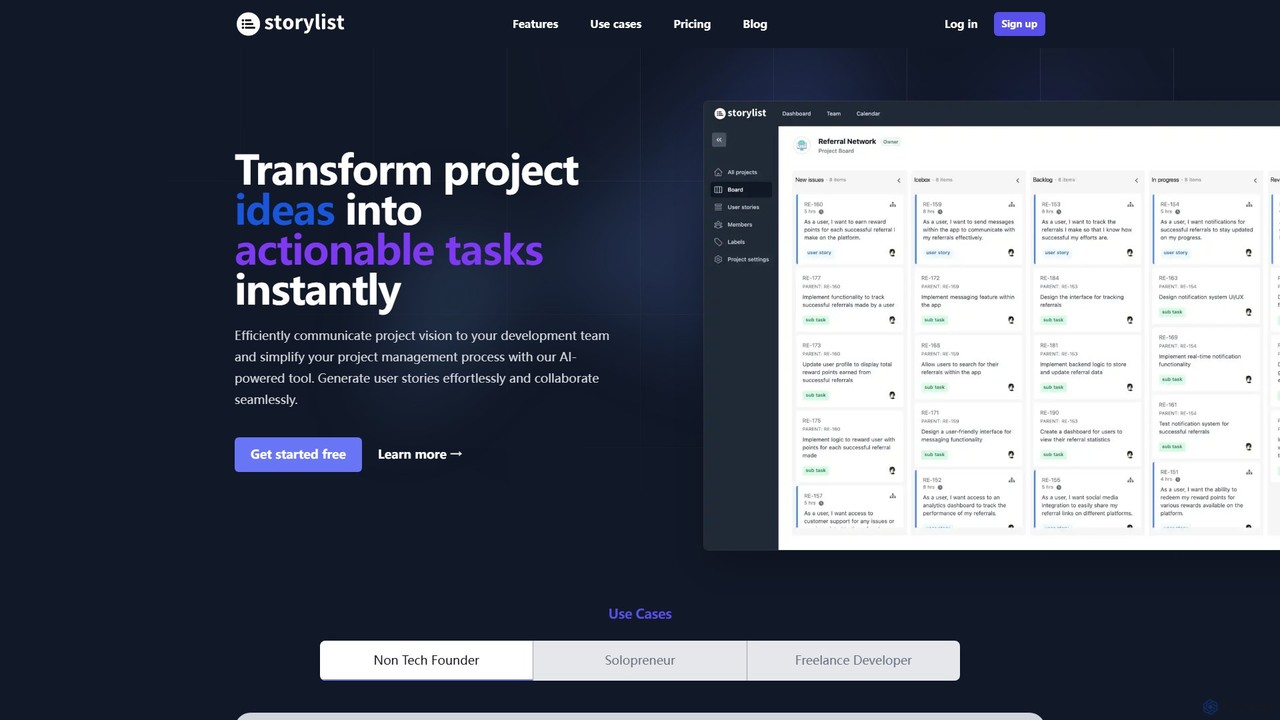
Storylist is an AI-powered project management tool that instantly transforms project ideas into actionable user stories and tasks. It streamlines communication between teams, provides automatic time estimates, and integrates seamlessly with GitHub to accelerate development workflows.

Task Management
Visits 3.6KFavorites 100Likes 103

About Task Management

AI Task Management tools for code are specialized platforms that help development teams organize, track, and automate software development workflows. They leverage artificial intelligence to predict task durations, prioritize issues, and suggest optimal code reviewers based on historical data and code context. This streamlines the entire development lifecycle, from sprint planning to deployment, by providing intelligent insights and reducing manual administrative overhead. Unlike general task managers, these tools offer deep integration with code repositories and CI/CD pipelines.

Core Features

  • AI-Powered Sprint Planning: Automatically suggests task assignments and estimates story points based on team velocity and task complexity.
  • Intelligent Bug Triage: Analyzes bug reports to predict severity, identify duplicates, and assign them to the most relevant developer.
  • Automated Workflow Updates: Updates task statuses automatically based on events in the code repository, such as commits and pull requests.
  • Code Reviewer Suggestions: Recommends appropriate reviewers for pull requests by analyzing code ownership and expertise.
  • Predictive Analytics: Forecasts project completion dates and identifies potential bottlenecks in the development cycle.

Applicable Scenarios

These tools are primarily used by software development teams, DevOps engineers, and project managers within technology companies. They are particularly effective for teams practicing Agile or Scrum methodologies, managing complex codebases, and coordinating work across distributed or remote developers.

Selection Criteria

When choosing a tool, consider its integration depth with your version control system (like GitHub or GitLab), the sophistication of its AI features (e.g., predictive vs. basic automation), its flexibility to adapt to your team's specific workflow, and its ability to connect with your CI/CD pipeline for end-to-end visibility.

Featured tool rankings

Task Management use cases

1

Automating Sprint Planning for an Agile Team

A Scrum Master for a mobile development team uses an AI task management tool to prepare for the next sprint. Instead of manually estimating each user story, the tool analyzes the backlog, compares tasks to similar ones from past sprints, and provides AI-generated estimates for story points. It also suggests an optimal distribution of tasks among developers based on their current workload, skills, and historical performance. This process reduces the time spent in planning meetings by over 40% and leads to more accurate and achievable sprint goals.

2

Intelligent Bug Triage and Prioritization

A Quality Assurance engineer files a new bug report from a customer ticket. The AI tool automatically parses the report's text, analyzes attached logs, and compares it to the existing issue database. It correctly identifies the issue as 'critical' severity, flags it as a potential duplicate of a known problem, and assigns it to the developer who has the most context on that specific module of the application. This eliminates the manual triage step, ensuring critical bugs are addressed up to 75% faster.

3

Streamlining Code Review Assignments

A junior developer submits a pull request for a new feature. Instead of manually pinging senior developers, the AI task management tool analyzes the changed files and their history. It identifies two senior developers who have recently worked on this area of the codebase and are marked as 'available'. The tool automatically assigns them as reviewers and posts a notification in the team's chat channel. This ensures that pull requests are reviewed by the most qualified people promptly, reducing merge times and improving code quality.

4

Managing Technical Debt with AI Insights

A tech lead wants to proactively address technical debt. They use an AI task management tool that integrates with a code quality scanner. The AI analyzes patterns across bug reports and code complexity metrics, identifying 'hotspots' in the code that are frequent sources of issues. It then automatically creates and suggests refactoring tasks in the backlog, complete with context and links to the problematic code sections. This data-driven approach helps the team prioritize the most impactful refactoring work during their dedicated tech debt sprints.

5

Predicting Project Delays for Stakeholder Reporting

A project manager needs to provide an updated release timeline to stakeholders. They use the AI tool's predictive analytics feature. The tool analyzes the team's current velocity, the remaining tasks in the milestone, and historical data on task completion times. It generates a probabilistic forecast, such as an '85% chance of completion by July 15th', and highlights specific tasks that are at high risk of causing delays. This allows the project manager to communicate realistic timelines and proactively allocate resources to mitigate risks.

6

Connecting Code Commits to Task Progress

A developer is working on a bug fix, tracked as ticket 'PROJ-451'. When they are ready to commit their changes, they use a structured commit message like 'fix(auth): resolve incorrect password validation for PROJ-451'. The AI task management tool, which is integrated with their Git repository, automatically parses this message. It then moves the ticket 'PROJ-451' from 'In Progress' to 'In Review', links the specific commit to the ticket, and notifies the QA team that a fix is ready for verification. This creates a seamless, traceable link between code changes and project tasks.

Task Management FAQ

What is AI Task Management for Code?

AI Task Management for Code refers to a class of software development tools that use artificial intelligence to enhance and automate the process of managing coding tasks. Unlike general-purpose task managers, these tools are specifically designed for development workflows. They integrate deeply with code repositories (like Git) and CI/CD pipelines to provide context-aware features such as intelligent bug assignment, automated sprint planning, code reviewer suggestions, and predictive project timeline analysis. Their primary goal is to reduce manual overhead and provide data-driven insights to help teams ship code faster and more reliably.

How to choose an AI Task Management tool for a dev team?

When selecting an AI Task Management tool for a development team, focus on these key factors:

  • Integration Depth: Ensure it offers deep, native integration with your version control system (e.g., GitHub, GitLab, Bitbucket) and communication tools (e.g., Slack, Teams). The ability to link commits and pull requests to tasks is crucial.
  • AI Feature Relevance: Evaluate the specific AI capabilities. Does it offer predictive analytics for deadlines, or just basic automation? Look for features that solve your team's biggest pain points, such as bug triage or sprint planning.
  • Workflow Customization: The tool must be flexible enough to adapt to your team's methodology, whether it's Scrum, Kanban, or a hybrid model. Check if you can customize workflows, statuses, and fields.
  • Developer Experience: A good tool should reduce friction for developers, not add to it. Consider its IDE integration, command-line interface (CLI) accessibility, and overall ease of use.
How does AI Task Management differ from traditional tools like Jira?

Traditional project management tools like Jira provide a robust framework for manually creating, organizing, and tracking tasks. AI Task Management tools build upon this foundation by adding a layer of intelligence and automation. The key difference is proactivity. While Jira requires users to manually update statuses, assign tasks, and estimate timelines, AI tools automate these processes. For example, an AI tool can automatically update a task's status when a related pull request is merged or predict a project's completion date based on current progress, whereas in Jira, these actions rely entirely on human input.

What are the key features of AI-powered Task Management tools for developers?

Key features of AI-powered Task Management tools for developers typically include:

  • Automated Task Creation: Generating tasks from external events, such as customer support tickets or alerts from monitoring systems.
  • Intelligent Prioritization: Analyzing tasks to suggest priorities based on factors like severity, business impact, and dependencies.
  • Predictive Sprint Planning: Using historical data to forecast team capacity and suggest achievable sprint goals.
  • Automatic Status Updates: Syncing task status with repository actions, like moving a task to 'In Review' when a pull request is opened.
  • Context-Aware Suggestions: Recommending relevant documentation, code snippets, or team members who can help with a specific task.
Who benefits most from using AI Task Management tools in coding?

While the entire development organization benefits, specific roles see distinct advantages:

  • Project Managers & Scrum Masters: They gain access to more accurate, data-driven forecasts for project timelines and sprint planning, reducing guesswork and improving stakeholder communication.
  • Team Leads & Engineering Managers: These tools provide insights into team workload distribution, identify process bottlenecks, and help automate task assignments, freeing them up to focus on mentorship and technical strategy.
  • Developers: They spend less time on administrative tasks like updating tickets and finding information, and more time coding. AI suggestions for reviewers or related tasks can also accelerate their workflow.