ToolMage
Sign in

Best 1 Team Productivity AI tools for Collaboration

Popular Team Productivity AI tools in Collaboration include Sana, helping you work more efficiently.

Sana
Freemium

Sana

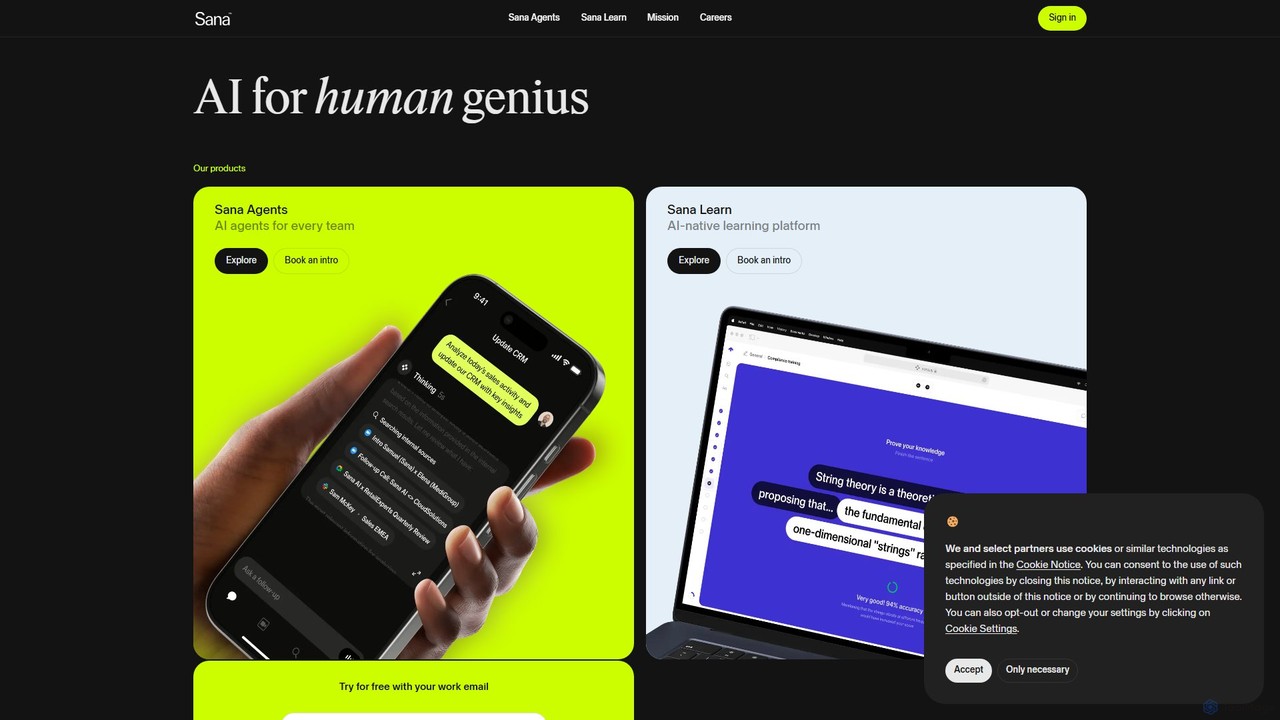
Sana is an all-in-one AI platform designed for the workplace. It combines a powerful knowledge assistant with an AI-native learning platform, enabling teams to find information, automate tasks, and accelerate learning. By connecting to all your company's apps, Sana acts as a central intelligence layer to unlock your organization's collective genius.

Ai Assistant
Visits 507.2KFavorites 140Likes 126

About Team Productivity

Team Productivity tools are a specialized category of collaborative software designed to structure, automate, and optimize team workflows. They leverage AI to manage tasks, track project progress, and provide data-driven insights into team performance. These tools help teams move beyond simple communication to achieve measurable output and efficiency gains. Key AI features often include intelligent task assignment, predictive deadline analysis, and automated status reporting.

Core Features

  • Intelligent Task Management: AI-powered task creation, assignment, and prioritization based on team member workload and skills.
  • Automated Workflow & Reporting: Automatically generates progress reports, tracks key performance indicators (KPIs), and visualizes project timelines.
  • Centralized Knowledge Hub: A unified space for documents, discussions, and tasks, often with AI-powered search and summarization.
  • Performance Analytics: Provides insights into team efficiency, identifies process bottlenecks, and suggests improvements.

Use Cases

These tools are ideal for agile development teams, marketing agencies, and remote-first companies managing complex projects with multiple dependencies. Common applications include sprint planning, multi-channel campaign execution, and client project delivery, where structured coordination and clear progress tracking are essential.

How to Choose

When selecting a tool, evaluate its integration capabilities with your existing software stack (e.g., Slack, GitHub). Assess the sophistication of its AI-driven analytics, its scalability for growing teams, and the intuitiveness of its user interface. Prioritize platforms that align with your team's specific workflow, whether it's Kanban, Scrum, or a custom methodology.

Team Productivity use cases

1

Automating Agile Sprint Planning and Tracking

A software development team uses an AI productivity tool to analyze their backlog and suggest sprint compositions based on team capacity and historical velocity. During the sprint, it automatically tracks task progress from code commits, identifies potential blockers, and generates daily stand-up summaries. This frees up the Scrum Master to focus on strategic problem-solving rather than administrative tracking.

2

Managing Multi-Channel Marketing Campaigns

A marketing team coordinates a product launch using a centralized productivity platform. The AI helps create a project timeline with dependencies, assigning tasks for content creation, social media, and email marketing. It tracks campaign performance metrics from integrated platforms, provides real-time ROI analysis, and automatically generates weekly stakeholder reports, ensuring all team members are aligned and accountable.

3

Centralizing Remote Team Project Coordination

A fully remote consulting firm relies on a team productivity tool as a single source of truth for all project documents, communications, and deliverables. AI features summarize long discussion threads, transcribe meeting notes into actionable tasks, and monitor team workload to prevent burnout. This ensures seamless collaboration and project clarity across different time zones.

4

Streamlining Client Project Delivery and Reporting

A creative agency uses the platform to manage multiple client projects simultaneously. The tool provides client-facing dashboards with real-time progress updates. AI automates the process of time tracking and invoicing based on completed tasks. It also predicts potential project delays, allowing project managers to proactively communicate with clients and manage expectations effectively.

5

Automating HR Onboarding and IT Workflows

An HR department uses a team productivity tool to automate the new employee onboarding process. A predefined template automatically creates and assigns tasks to HR, IT, and the hiring manager—from setting up accounts to scheduling orientation. The AI monitors progress, sends reminders for overdue tasks, and ensures a consistent and efficient onboarding experience for every new hire.

6

Tracking R&D Project Milestones and Knowledge

An R&D team uses the tool to manage long-term innovation projects. It functions as a centralized knowledge base where research findings and experimental data are stored and indexed. The AI's semantic search helps researchers quickly find relevant past experiments, while automated timeline features track progress against key scientific milestones and funding deadlines, ensuring accountability and focus.

Team Productivity FAQ

What are AI Team Productivity tools?

AI Team Productivity tools are advanced platforms that help teams manage projects, automate workflows, and track performance. Unlike simple task managers, they use artificial intelligence to provide predictive insights, automate reporting, intelligently assign tasks, and summarize complex information. Their primary goal is to increase a team's overall output and efficiency by reducing manual administrative work.

How do Team Productivity tools differ from general Collaboration tools?

General collaboration tools (like chat or video conferencing) focus primarily on communication. Team Productivity tools are a subset that focuses on structured work and measurable output. They integrate communication with project management, task tracking, and performance analytics to not only help teams talk, but to help them execute and deliver more effectively.

How do I choose the right Team Productivity tool?

To choose the right tool, consider these key factors:

  • Integration: Does it connect seamlessly with your essential apps (e.g., Slack, Google Drive, GitHub)?
  • Scalability: Can it support your team as it grows in size and project complexity?
  • Core Features: Does it have the specific functions you need, such as Gantt charts, Kanban boards, or advanced analytics?
  • User Experience: Is the interface intuitive for all team members, regardless of their technical skill?
What are the main benefits of using an AI Team Productivity tool?

The main benefits include enhanced efficiency through workflow automation, improved decision-making from data-driven performance insights, and better resource allocation via AI-powered task management. They also increase transparency across all projects and reduce the time spent on manual administrative work, allowing teams to focus on high-value, strategic tasks.

Who should use Team Productivity tools?

These tools are ideal for any team managing complex projects or structured workflows. This includes software development teams using Agile/Scrum, marketing agencies coordinating campaigns, and operational departments like HR or IT automating internal processes. They are particularly valuable for remote and hybrid teams that need a central hub for coordination and a single source of truth for project information.