
ToolMage
Sign in

Best 1 Video Conferencing AI tools for Collaboration

Popular Video Conferencing AI tools in Collaboration include Eyre, helping you work more efficiently.

Eyre
Freemium

Eyre

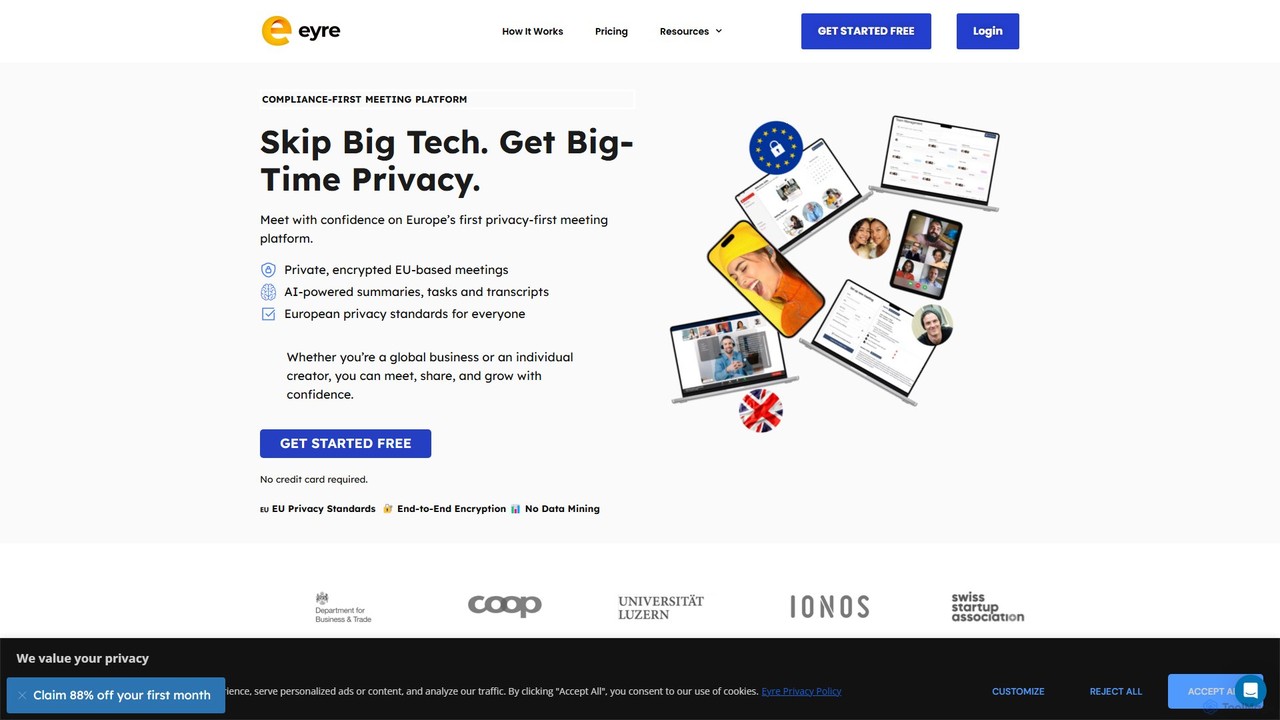
Eyre is a privacy-first, EU-based video conferencing platform designed as a secure alternative to mainstream services. It offers end-to-end encrypted meetings with AI-powered features like summaries, transcripts, and task management. By keeping all data within Europe under strict GDPR compliance and a zero-knowledge architecture, Eyre ensures your conversations remain private and your data is never mined for advertising or AI training.

Video Conferencing
Visits 6KFavorites 170Likes 151

About Video Conferencing

AI Video Conferencing tools are platforms that enhance real-time video communication with artificial intelligence. These tools go beyond simple streaming by using AI to automate tasks like real-time transcription, translation, and generating meeting summaries. Their primary value lies in increasing meeting productivity, improving accessibility for global teams, and transforming spoken conversations into structured, searchable data. This allows teams to capture key decisions and action items without manual note-taking.

Core Features

  • Real-time Transcription: Automatically converts spoken dialogue into text during the meeting, creating a live record.
  • Automated Meeting Summaries: AI analyzes the transcript to identify key topics, decisions, and action items, generating a concise summary post-meeting.
  • Intelligent Noise Cancellation: Uses AI algorithms to isolate human voices and suppress distracting background noises like typing or traffic.
  • Real-time Translation: Provides live captions translated into multiple languages, breaking down communication barriers for international teams.
  • Speaker Tracking: AI-powered cameras automatically identify and frame the person who is currently speaking.

Use Cases

AI Video Conferencing is widely used by remote and hybrid teams for daily stand-ups and project meetings. Global enterprises leverage these tools for multilingual sales calls and corporate training. It's also valuable in online education for creating accessible lecture content and in telehealth for documenting patient consultations accurately.

How to Choose

When selecting an AI Video Conferencing tool, evaluate the accuracy of its transcription and translation services. Consider its integration capabilities with your existing calendar, CRM, or project management software. Assess the quality and customizability of the AI-generated summaries. Finally, review security protocols to ensure your meeting data is handled confidentially.

Video Conferencing use cases

1

Automate Meeting Minutes for Project Management

A project manager leads a weekly sync with clients and internal teams. Instead of assigning someone to take notes, they use an AI video conferencing tool. The tool automatically transcribes the entire conversation in real-time. After the meeting, it generates a summary highlighting key decisions, identifies action items with assigned owners, and provides a searchable transcript. This saves over 30 minutes of manual work per meeting and ensures no critical tasks are missed, directly improving project accountability.

2

Conduct Multilingual Global Sales Presentations

A sales representative for a global SaaS company is presenting a product demo to potential clients in Japan and Germany. The AI video conferencing platform provides real-time translated captions for both Japanese and German. This allows the clients to follow the presentation comfortably in their native language, leading to higher engagement and better understanding of the product's value. The feature eliminates the need for a human interpreter, reducing costs and logistical complexity for international sales calls.

3

Create Accessible Content for Online Education

An online course instructor records a two-hour lecture on a complex subject. The AI video conferencing tool, used for the recording, automatically generates a complete and accurate transcript. The instructor then embeds this transcript alongside the video on the course platform. This benefits students with hearing impairments, non-native speakers who need to review the text, and all students who want to quickly search for specific keywords within the lecture without re-watching the entire video, thus improving the overall learning experience.

4

Streamline Candidate Interviews for HR Teams

An HR department conducts dozens of remote interviews weekly. Using an AI video conferencing tool, each interview is recorded and transcribed. The AI identifies key questions asked and summarizes the candidate's responses. This allows hiring managers to quickly review multiple candidates by reading concise summaries instead of watching full-length videos. It also helps in maintaining an objective record, reducing unconscious bias and ensuring a fair comparison between candidates based on their transcribed answers.

5

Improve Documentation in Telehealth Consultations

A physician conducts a remote consultation with a patient. The telehealth platform, integrated with an AI conferencing tool, securely transcribes the conversation in real-time. The AI helps to structure the notes by identifying symptoms, medications mentioned, and the doctor's recommendations. This automated documentation reduces the administrative burden on the physician, allowing them to focus more on the patient. It also creates a precise and searchable medical record, improving the quality of care and follow-up.

6

Enhance Focus with Intelligent Noise Cancellation

A marketing professional works from a busy home environment with background noise from family and pets. During an important client presentation, the AI video conferencing tool's intelligent noise cancellation feature activates. It isolates their voice and filters out all other sounds. The client hears only a clear, professional voice, free from distractions. This ensures the message is delivered effectively and maintains a professional image, regardless of the user's physical environment.

Video Conferencing FAQ

What is AI Video Conferencing?

AI Video Conferencing refers to online meeting platforms enhanced with artificial intelligence. Unlike standard video conferencing that only transmits audio and video, AI-powered tools actively analyze the meeting content. Key features include real-time transcription, automated summaries with action items, intelligent noise cancellation, and live translation. The primary goal is to increase meeting productivity, automate administrative tasks like note-taking, and make meeting content accessible and searchable after the event.

How to choose the right AI Video Conferencing tool?

When selecting an AI video conferencing tool, consider these factors:

  • Accuracy: Evaluate the accuracy of the real-time transcription and translation features, as this is a core function. Look for tools that support various accents and technical jargon relevant to your industry.
  • Integration: Check if the tool integrates with your existing workflow, such as calendars (Google, Outlook), communication platforms (Slack, Teams), and project management tools (Jira, Asana).
  • AI Features: Assess the quality of AI-generated summaries. Does it effectively identify action items and key decisions? Some tools offer more advanced analytics on meeting engagement.
  • Security and Compliance: Ensure the platform meets your organization's security standards, especially if you discuss sensitive information. Look for features like end-to-end encryption and compliance with regulations like GDPR or HIPAA.
What's the difference between standard and AI video conferencing?

The main difference lies in the processing of meeting content. Standard video conferencing tools (like basic tiers of Zoom or Google Meet) focus on reliably transmitting audio and video streams between participants. Their job is to facilitate the live conversation. AI video conferencing tools do that as well, but they add an intelligent layer on top. This AI layer actively listens, transcribes, translates, and analyzes the conversation to provide additional value, such as automated summaries, action item tracking, and searchable archives. In essence, standard tools are for communication, while AI tools are for communication and knowledge management.

What are the key features of AI Video Conferencing platforms?

The most common and impactful features include:

  • Automated Transcription: Creates a real-time, text-based record of the entire conversation.
  • Meeting Summaries & Chapters: AI analyzes the transcript to generate a short summary, identify key topics, and create chapters for easy navigation of the recording.
  • Action Item Detection: The system automatically identifies tasks and decisions discussed during the meeting.
  • Intelligent Noise & Echo Cancellation: AI filters out background sounds to ensure clear audio for all participants.
  • Real-time Translation & Captions: Breaks down language barriers by providing live translated subtitles.
Who can benefit from using AI Video Conferencing tools?

A wide range of professionals and organizations can benefit. Remote and hybrid teams use them to improve meeting efficiency and keep everyone aligned. Global companies leverage real-time translation to foster better cross-cultural collaboration. Sales and customer success teams use transcripts and summaries to analyze client calls and improve their strategies. Educators and trainers create more accessible and reusable learning content. Essentially, anyone who frequently participates in important meetings and wants to extract more value from those conversations will find these tools highly beneficial.