ToolMage
Sign in

Best 1 Data Processing AI tools for Data Analysis

Popular Data Processing AI tools in Data Analysis include sheety.ai, helping you work more efficiently.

sheety.ai
Freemium

sheety.ai

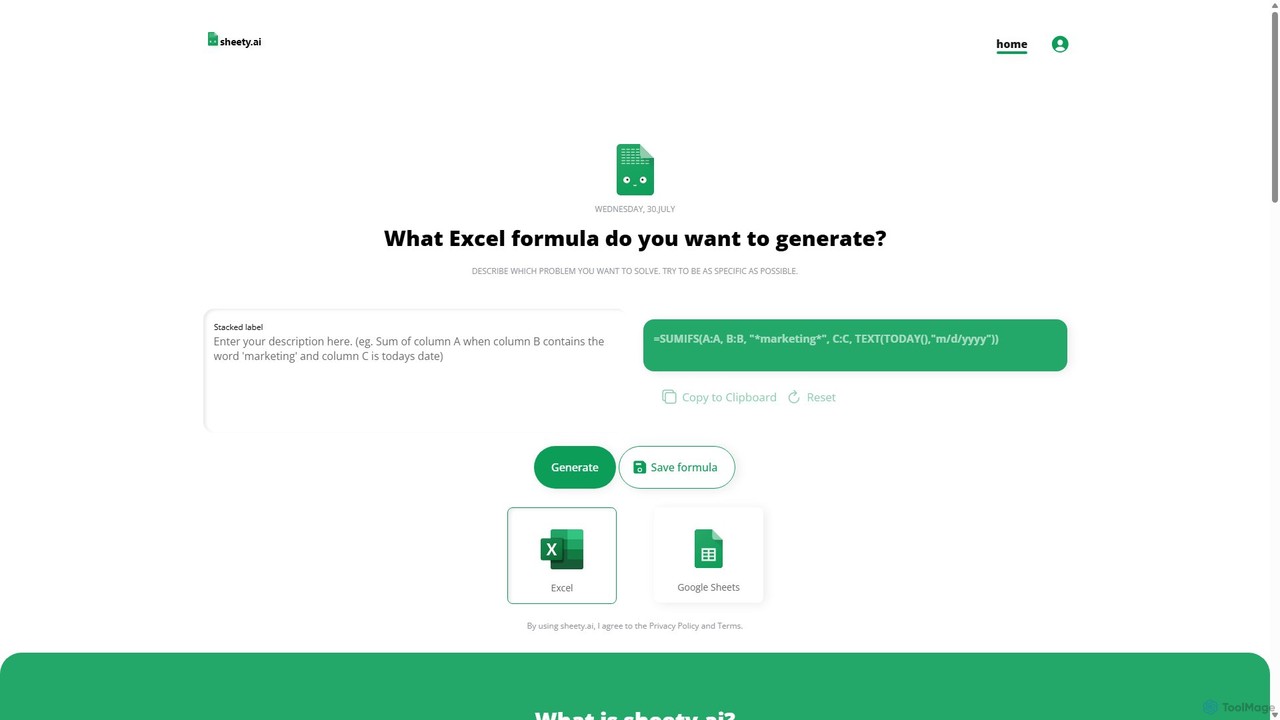
sheety.ai is an AI-powered tool that instantly generates complex spreadsheet formulas for Excel and Google Sheets from natural language descriptions. Simply describe the problem you want to solve, and the AI will provide the correct formula, saving you time and eliminating the need to memorize syntax. It's designed for everyone from students to financial analysts, boosting productivity and data accuracy.

Data Processing
Visits 6.3KFavorites 110Likes 136

About Data Processing

Data Processing tools are a class of AI-powered software designed to clean, transform, and structure raw data into a usable format for analysis. These tools automate the essential preliminary steps of the data analysis workflow, using algorithms to handle missing values, correct inconsistencies, and standardize diverse data sources. Their primary value lies in significantly improving data quality and reliability, ensuring that subsequent analysis and machine learning models are built on a solid foundation. This preparation phase is critical for extracting accurate insights and making informed decisions.

Core Features

  • Data Cleaning: Automatically identifies and corrects errors, removes duplicates, and handles missing values to enhance data integrity.
  • Data Transformation: Converts data into a consistent format, including normalization, aggregation, and changing data types for compatibility.
  • Data Structuring: Parses unstructured or semi-structured data, such as text logs or JSON files, into a structured tabular format.
  • Workflow Automation: Allows users to build and schedule repeatable data processing pipelines, saving time on routine tasks.

Use Cases

These tools are indispensable for data scientists, data engineers, and business analysts who work with raw data from various sources like databases, APIs, or web scrapes. For example, a marketing team might use a data processing tool to consolidate customer data from CRM and social media into a single clean dataset for segmentation. Similarly, an e-commerce company can process raw transaction logs to prepare them for fraud detection analysis.

How to Choose

When selecting a Data Processing tool, consider its connectivity options for different data sources (databases, APIs, files). Evaluate its scalability to handle your data volume, from small spreadsheets to big data. Assess the extent of its automation capabilities and whether its interface (code-based, visual, or hybrid) matches your team's technical skills. Finally, check its integration with downstream data analysis and visualization tools.

Featured tool rankings

Data Processing use cases

1

Cleaning Customer Feedback for Sentiment Analysis

A marketing analyst needs to understand customer sentiment from thousands of online reviews. The raw data contains typos, irrelevant HTML tags, and inconsistent formatting. Using a data processing tool, the analyst builds a workflow that automatically removes tags, corrects common misspellings, and standardizes all text to lowercase. This clean, uniform dataset is then fed into a sentiment analysis model, resulting in significantly more accurate insights into customer satisfaction and product feedback.

2

Structuring Web Scraped Data for Market Research

A data scientist is tasked with analyzing competitor pricing from various e-commerce websites. The scraped data is in a messy, semi-structured JSON format with nested objects and inconsistent field names. The data processing tool is used to parse the JSON, extract key fields like product name, price, and stock status, and flatten the structure into a simple table. The tool also standardizes currency symbols and converts price strings to numerical values, creating a structured dataset ready for competitive analysis and visualization.

3

Preparing IoT Sensor Data for Predictive Maintenance

An industrial engineer collects data from hundreds of machine sensors to predict equipment failure. The raw data streams contain missing readings due to network issues, and different sensors report temperature in Celsius and Fahrenheit. A data processing tool is set up to run automatically, filling in missing values using interpolation, converting all temperature readings to a single scale (Celsius), and aggregating the data into hourly averages. This consistent, time-series dataset is crucial for training an accurate predictive maintenance model.

4

Automating Sales Report Consolidation

A business analyst spends hours each week manually exporting data from Salesforce, Google Sheets, and a SQL database to create a consolidated sales report. By using a data processing tool, they build an automated pipeline. The tool connects to all three sources, pulls the latest data, standardizes column names (e.g., 'Lead Source' vs 'Source'), merges the datasets based on a common customer ID, and outputs a single, clean CSV file. This process, scheduled to run daily, saves the analyst over 5 hours of manual work per week and eliminates human error.

5

Anonymizing User Data for GDPR Compliance

A data engineer needs to prepare a user activity dataset for a third-party analytics service while complying with GDPR. The raw logs contain personally identifiable information (PII) such as names, email addresses, and IP addresses. Using a data processing tool, the engineer sets up a pipeline that uses pattern matching (regex) to identify and mask PII fields. For instance, emails are replaced with a unique, non-identifiable hash. This ensures that the data shared for analysis is fully anonymized, protecting user privacy and meeting regulatory requirements.

6

Feature Engineering for a Credit Scoring Model

A financial analyst is building a machine learning model to predict credit risk. The initial dataset only contains raw transaction history. To improve the model's accuracy, the analyst uses a data processing tool for feature engineering. They create new, more informative features, such as 'average transaction amount in the last 30 days', 'number of transactions per week', and 'ratio of nighttime to daytime spending'. The tool automates these complex calculations across millions of records, generating a richer dataset that significantly boosts the predictive power of the credit scoring model.

Data Processing FAQ

What are AI Data Processing tools?

AI Data Processing tools are applications that use artificial intelligence to automate the cleaning, transformation, and structuring of raw data. Unlike traditional scripts, they can intelligently handle complex tasks like identifying and correcting inconsistent data entries, parsing unstructured text, and suggesting data quality improvements. Their main purpose is to prepare high-quality, reliable data for use in data analysis, business intelligence, and machine learning models, significantly reducing manual effort.

What is the difference between Data Processing and Data Analysis?

Data Processing and Data Analysis are two distinct stages in the data workflow. Data Processing is the foundational step that comes first; it focuses on cleaning, transforming, and organizing raw data to make it suitable for analysis. Data Analysis, on the other hand, is the subsequent step of inspecting, modeling, and interpreting the processed data to discover useful information and support decision-making. In short, processing prepares the data, while analysis extracts insights from it.

How do I choose a suitable Data Processing tool?

To choose the right tool, consider these factors:

  • Data Sources: Ensure the tool can connect to all your data sources, such as databases (SQL, NoSQL), cloud storage (S3, Azure Blob), APIs, and file formats (CSV, JSON, Parquet).
  • Scalability: Assess whether the tool can handle your current and future data volumes. Some tools are better for small datasets, while others are built for big data processing.
  • Ease of Use: Choose an interface that matches your team's skills. Options range from no-code visual workflows for business users to code-centric environments (Python, R) for data scientists.
  • Automation & Scheduling: Look for features that allow you to build and schedule recurring data pipelines to automate repetitive tasks.
What are the key functions of AI Data Processing tools?

The core functions revolve around preparing data for analysis. Key functions include:

  • Data Ingestion: Connecting to and importing data from diverse sources.
  • Data Cleaning: Automatically detecting and handling anomalies like duplicates, missing values, and outliers.
  • Data Transformation & Normalization: Standardizing data formats, converting data types, and scaling numerical values to a common range.
  • Data Structuring: Parsing unstructured data (e.g., text from PDFs or emails) into structured rows and columns.
  • Data Enrichment: Augmenting existing data by joining it with other datasets or using third-party APIs.
Who benefits most from using Data Processing tools?

Data Processing tools are valuable for a wide range of professionals. Data scientists and engineers use them to build robust data pipelines for machine learning. Business analysts and data analysts rely on them to prepare clean datasets for reporting and visualization. Marketing and sales operations teams use them to consolidate customer data from multiple systems. Essentially, anyone who works with raw, messy, or disparate data sources and needs to turn them into reliable information can benefit significantly.