ToolMage
Sign in

Best 1 Photography AI tools for Design & Art

Popular Photography AI tools in Design & Art include Aftershoot, helping you work more efficiently.

Aftershoot
Freemium

Aftershoot

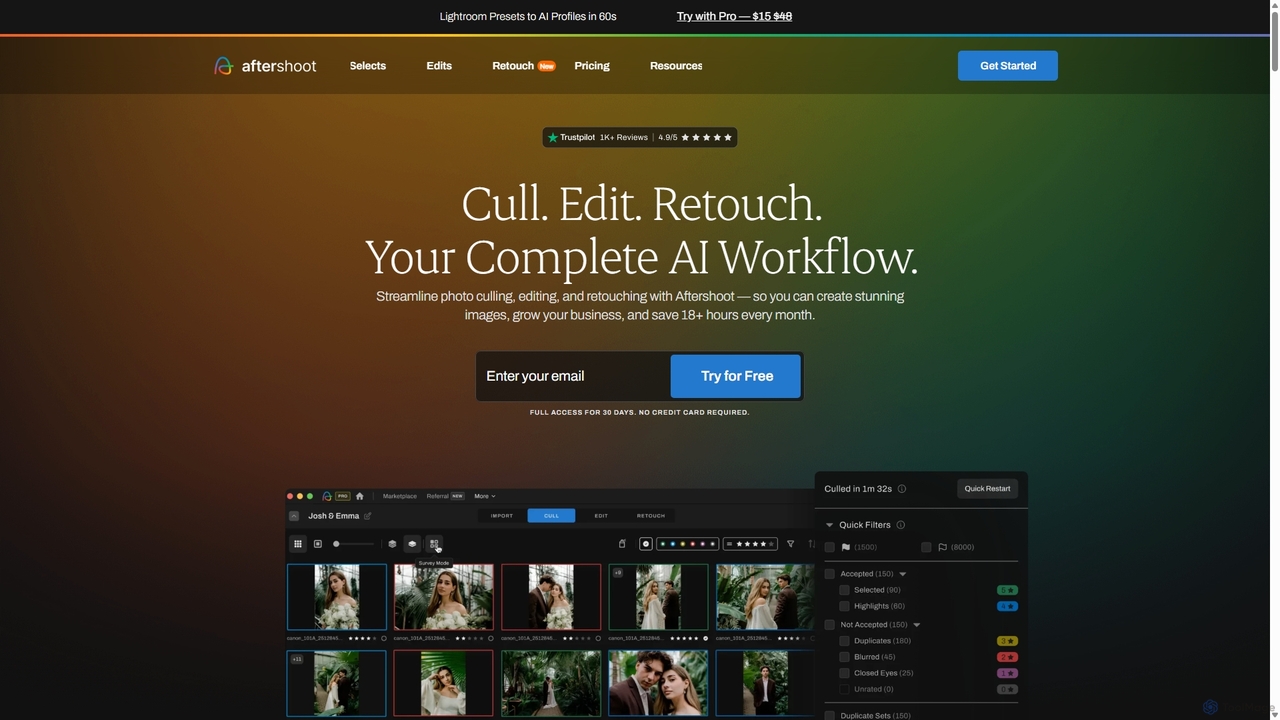
Aftershoot is an all-in-one AI software for photographers, designed to automate and streamline the post-production workflow. It offers intelligent culling to select the best photos, personalized AI editing that learns your style, and advanced AI retouching for portraits. By handling tedious tasks, Aftershoot saves photographers over 18 hours per month, ensuring consistent results and allowing them to focus on creativity and business growth.

Photography
Visits 388.7KFavorites 157Likes 140

About Photography

AI Photography tools are a class of software that use machine learning to automate and enhance the photo editing and management workflow. These tools analyze image content to perform complex tasks like intelligent culling, advanced retouching, and noise reduction with minimal user input. They empower photographers to significantly reduce post-production time, maintain consistency across large photo sets, and achieve professional-quality results more efficiently. Unlike basic filters, AI photography tools provide deep, context-aware adjustments that understand the subjects and scenes within a photograph.

Core Features

  • AI-Powered Culling: Automatically identifies and groups blurry, out-of-focus, or poorly composed shots from large batches of photos.
  • Intelligent Retouching: Performs one-click portrait enhancements such as skin smoothing, eye brightening, and blemish removal.
  • Advanced Noise Reduction & Sharpening: Uses AI to remove digital noise and sharpen details without creating unwanted artifacts.
  • AI Scene Enhancement: Automatically adjusts lighting, color, and tone based on the recognized scene, such as replacing skies or enhancing foliage.
  • Super-Resolution Upscaling: Increases image resolution for large prints or crops while intelligently preserving and reconstructing details.

Use Cases

These tools are widely used by professional photographers specializing in events, weddings, and portraits, where processing thousands of images is common. Real estate photographers use them for HDR blending and sky replacement, while e-commerce businesses rely on them for consistent product photo editing. Hobbyist photographers also use these tools to elevate the quality of their work without a steep learning curve.

How to Choose

When selecting an AI Photography tool, consider its integration with your existing workflow (e.g., Lightroom or Photoshop plugins). Evaluate the specific feature set—whether you need culling, editing, or upscaling most. Also, assess the processing speed, batch processing capabilities, and the pricing model, such as a one-time purchase versus a recurring subscription.

Photography use cases

1

Accelerate Wedding Photography Culling

A wedding photographer returns from an event with over 3,000 photos. Manually reviewing each image to find the best shots, identify duplicates, and discard blurry or closed-eye photos could take 8-10 hours. By using an AI Photography tool with culling features, they can upload the entire set. The AI analyzes focus, composition, and facial expressions, grouping similar shots and highlighting the best options. This reduces the initial selection process to under an hour, allowing the photographer to spend more time on creative editing and delivering the final gallery to clients faster.

2

Batch Retouching for Corporate Headshots

A corporate photographer needs to deliver 50 edited headshots for a company's website. Each photo requires consistent skin smoothing, blemish removal, and teeth whitening. Doing this manually in Photoshop for each individual would be time-consuming and prone to inconsistencies. Using an AI Photography tool, the photographer can apply a consistent retouching profile across all 50 images simultaneously. The AI detects faces and applies natural-looking enhancements automatically, completing the bulk of the work in minutes. This ensures a uniform, professional look for the entire team's photos and saves hours of repetitive work.

3

Enhancing Real Estate Photography

A real estate agent has photos of a property taken on an overcast day, resulting in a dull sky and flat lighting. To make the listing more appealing, they use an AI photography tool. With a single click, the AI's sky replacement feature swaps the grey sky with a realistic blue sky with light clouds. Another feature automatically adjusts the exposure and contrast to simulate bright, natural sunlight, making the property look more inviting. This process takes less than five minutes per photo, dramatically improving the visual appeal of the listing and potentially attracting more buyers without needing an expensive reshoot.

4

Restoring and Upscaling Old Family Photos

An individual has scanned a collection of old, faded family photos from the 1970s. The digital files are low-resolution, noisy, and have color casts. They want to print a large photo book. Using an AI photography tool, they first apply an AI noise reduction feature to clean up the grain. Next, an auto-color correction function removes the yellow cast and restores natural skin tones. Finally, they use the super-resolution feature to upscale the images to 4x their original size, making them suitable for high-quality printing. The AI intelligently adds detail, turning low-quality scans into sharp, vibrant memories ready for preservation.

5

Sharpening Wildlife Photography Details

A wildlife photographer captures a shot of a distant bird but, due to the long lens and atmospheric conditions, the image is slightly soft and noisy. The fine details of the bird's feathers are not clear. Instead of discarding the photo, they use an AI photography tool specifically designed for sharpening and noise reduction. The AI model, trained on thousands of images, distinguishes between noise and actual detail. It selectively sharpens the feathers and the eye of the bird while smoothing the noisy background, resulting in a crisp, clean, and impactful image that was previously unusable.

6

Creating Consistent E-commerce Product Photos

An online store owner needs to add 100 new products to their website. To maintain a professional and consistent look, all product photos must have a pure white background and uniform lighting. Photographing each item perfectly is difficult. Using an AI photography tool, they can batch process all the photos. The AI accurately removes the original background from each image, even around complex shapes like clothing or jewelry. It then applies a preset that adjusts brightness, contrast, and color balance to ensure every photo looks like it was shot in the same professional studio, creating a clean and cohesive online catalog.

Photography FAQ

What are AI Photography tools?

AI Photography tools are software applications that use artificial intelligence and machine learning algorithms to automate and enhance photo editing and management. Unlike traditional editors that require manual adjustments, these tools can analyze image content to perform complex tasks with a single click. Key functions include intelligent photo culling, automated portrait retouching, advanced noise reduction, and scene-aware enhancements like sky replacement. They are designed to speed up the post-production workflow for both professional and amateur photographers, enabling them to achieve high-quality results more efficiently.

How to choose the right AI Photography tool?

Choosing the right AI Photography tool depends on your specific needs and workflow. Consider the following factors:

  • Primary Function: Identify your biggest bottleneck. Do you need help culling thousands of photos (event photography), performing detailed retouching (portrait photography), or reducing noise and sharpening (wildlife/low-light photography)?
  • Workflow Integration: Check if the tool works as a standalone application or as a plugin for software you already use, like Adobe Lightroom, Photoshop, or Capture One. Seamless integration saves time.
  • Batch Processing: If you work with large volumes of images, ensure the tool has robust and efficient batch processing capabilities.
  • Performance: Look for reviews or trials to assess the tool's processing speed on a computer with similar specs to yours. Some AI processes can be resource-intensive.
  • Pricing Model: Decide whether a one-time purchase or a recurring subscription fits your budget and usage frequency better.
What's the difference between AI Photography tools and traditional photo editors?

The main difference lies in automation and control. Traditional editors like Adobe Photoshop provide a comprehensive suite of tools that offer granular, manual control over every aspect of an image. They require skill and time to achieve complex results. AI Photography tools, on the other hand, are built for automation and efficiency. They use AI to analyze the photo and apply complex adjustments (like skin retouching or noise removal) automatically with minimal user input. Many photographers use them together: an AI tool for initial, time-consuming tasks like culling and basic enhancements, followed by a traditional editor for fine-tuning and creative work.

Can AI Photography tools replace a professional photographer?

No, AI Photography tools are not a replacement for professional photographers. They are powerful assistants that handle the tedious and time-consuming aspects of post-production. The core skills of a photographer—composition, lighting, timing, directing subjects, and creative vision—cannot be replicated by AI. These tools enhance a photographer's workflow, allowing them to focus more on the creative aspects of their job and less on repetitive editing tasks. The AI assists in executing a vision more efficiently; it does not create the vision itself.

What are the key features to look for in AI Photography tools?

While features vary, several key capabilities are common in top-tier AI Photography tools. Look for:

  • AI Culling/Selection: Automatically rates and groups photos based on focus, composition, and subject expressions to speed up selection.
  • Intelligent Adjustments: One-click enhancements for exposure, color, and contrast that are context-aware.
  • Portrait Enhancement: Automated tools for skin smoothing, blemish removal, eye and teeth whitening that produce natural results.
  • Noise Reduction & Sharpening: Advanced algorithms that can differentiate noise from detail, providing clean and sharp images without artifacts.
  • Sky Replacement: The ability to seamlessly replace a dull sky with a more dramatic one while automatically adjusting the scene's lighting to match.