Novice
Novice is a local-first AI assistant that runs powerful language models like Llama 3.2 and Phi directly on …
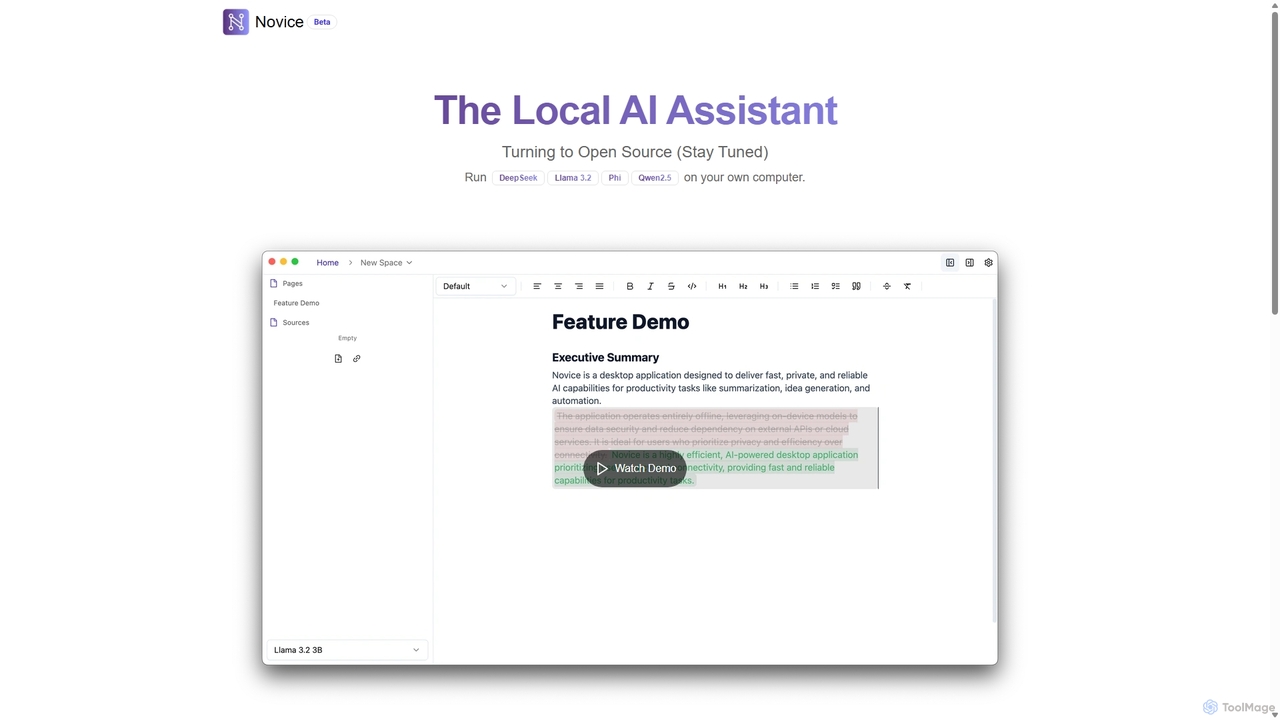
Novice is a local-first AI assistant that runs powerful language models like Llama 3.2 and Phi directly on your computer. It transforms your documents into a private, offline knowledge base, allowing you to analyze, summarize, and query information with complete data privacy. Every answer is backed by clear citations from your sources, ensuring accuracy and trust.
About Local Ai
Local AI tools are applications that run artificial intelligence models directly on your personal computer, independent of cloud servers. These desktop-based tools leverage your machine's own processing power (CPU/GPU) to ensure complete data privacy and offline functionality. They are ideal for handling sensitive information, working without an internet connection, and avoiding recurring subscription fees. This approach gives users maximum control over their data and AI models.
Core Features
- Data Privacy: All processing occurs on your device, meaning your data never leaves your computer.
- Offline Accessibility: Function fully without an internet connection, perfect for travel or areas with poor connectivity.
- No Usage-Based Costs: After an initial purchase or setup, there are no per-query or subscription fees for processing.
- Full Control & Customization: Users can often modify, fine-tune, or swap the underlying AI models to fit specific needs.
- Performance Dependency: Utilizes local hardware resources, allowing powerful machines to achieve high performance without cloud-based throttling.
Use Cases
Local AI is particularly valuable for professionals like developers, researchers, lawyers, and journalists who handle confidential code, proprietary data, or sensitive client information. It also appeals to content creators and hobbyists who require uninterrupted access to AI tools for writing or image generation, regardless of internet status, and wish to experiment with open-source models freely.
How to Choose
When selecting a Local AI tool, first assess your hardware capabilities, especially GPU and VRAM, as many models are resource-intensive. Consider the tool's ease of installation and use, as some require command-line knowledge. Also, evaluate the range of supported AI models and the strength of its community for support and updates. Finally, check the licensing, whether it's open-source or a one-time purchase.

Local AiUse Cases
Analyze Confidential Business Documents
A legal professional or financial analyst needs to analyze hundreds of pages of sensitive contracts or financial reports. Using a cloud-based AI would pose a significant security risk. With a Local AI tool running a powerful language model, they can perform tasks like summarization, entity extraction, and sentiment analysis directly on their encrypted laptop. The entire process is air-gapped from the internet, ensuring client confidentiality and compliance with data protection regulations like GDPR. This allows for rapid insights without compromising security.
Offline Creative Work and Content Generation
A content creator is traveling on a long flight with no Wi-Fi. They need to draft several blog posts and generate concept art for a new project. Using a Local AI writing assistant and an image generation tool like Stable Diffusion running on their laptop, they can continue their work seamlessly. There are no interruptions due to poor connectivity, and they face no usage limits or pay-per-image fees. This empowers creators to be productive anywhere, maintaining their creative flow without relying on an internet connection.
Private Coding Assistance for Proprietary Code
A software developer at a tech company is working on a highly confidential, proprietary codebase. Using a cloud-based AI code assistant would mean sending snippets of their code to a third-party server, which is forbidden by company policy. By setting up a Local AI code assistant, the developer gets intelligent code completion, bug detection, and documentation help, all while the code remains securely on their local machine. This boosts productivity without violating security protocols or risking intellectual property leaks.
Experiment with and Fine-Tune Open-Source Models
An AI enthusiast or researcher wants to experiment with the latest open-source Large Language Models (LLMs). They aim to fine-tune a model on a specific dataset, such as their own writings, to create a personalized chatbot. A Local AI environment provides the perfect sandbox. They can download various models, run them without restrictions, and perform fine-tuning using their own GPU. This offers complete freedom to innovate and learn about AI technology firsthand, without the costs and limitations imposed by commercial API providers.
Secure Audio Transcription of Sensitive Interviews
A journalist conducts an interview with a confidential source containing sensitive information. Uploading the audio file to a cloud transcription service is not an option due to the risk of leaks. By using a Local AI transcription tool, the audio is processed directly on their laptop. The tool converts speech to text in minutes, creating a secure, local text file. This workflow protects the source's anonymity and the integrity of the story, allowing the journalist to work with the transcribed text immediately without security concerns.
Cost-Effective Batch Processing for Small Businesses
A small e-commerce business needs to remove the background from thousands of product images. Using a cloud API would incur significant, recurring costs based on the number of images. Instead, they use a Local AI image editing tool on a powerful office desktop. They can set up a batch process to run overnight, processing the entire catalog without any per-image fees. This one-time software investment saves a substantial amount of money compared to ongoing cloud service subscriptions, making advanced AI capabilities accessible on a tight budget.