ToolMage
Sign in

Best 2 Mac Apps for Desktop

Popular Mac Apps in Desktop include superwhisper and Kerlig, helping you work more efficiently.

superwhisper
Freemium

superwhisper

superwhisper is an AI-powered dictation and transcription tool for macOS and iOS. It offers high-accuracy speech-to-text conversion, intelligent formatting modes for different contexts (emails, notes), and supports over 100 languages. It prioritizes privacy with offline, on-device processing and works seamlessly in any application.

Speech To Text
Visits 347.8KFavorites 77Likes 85
Kerlig
Paid

Kerlig

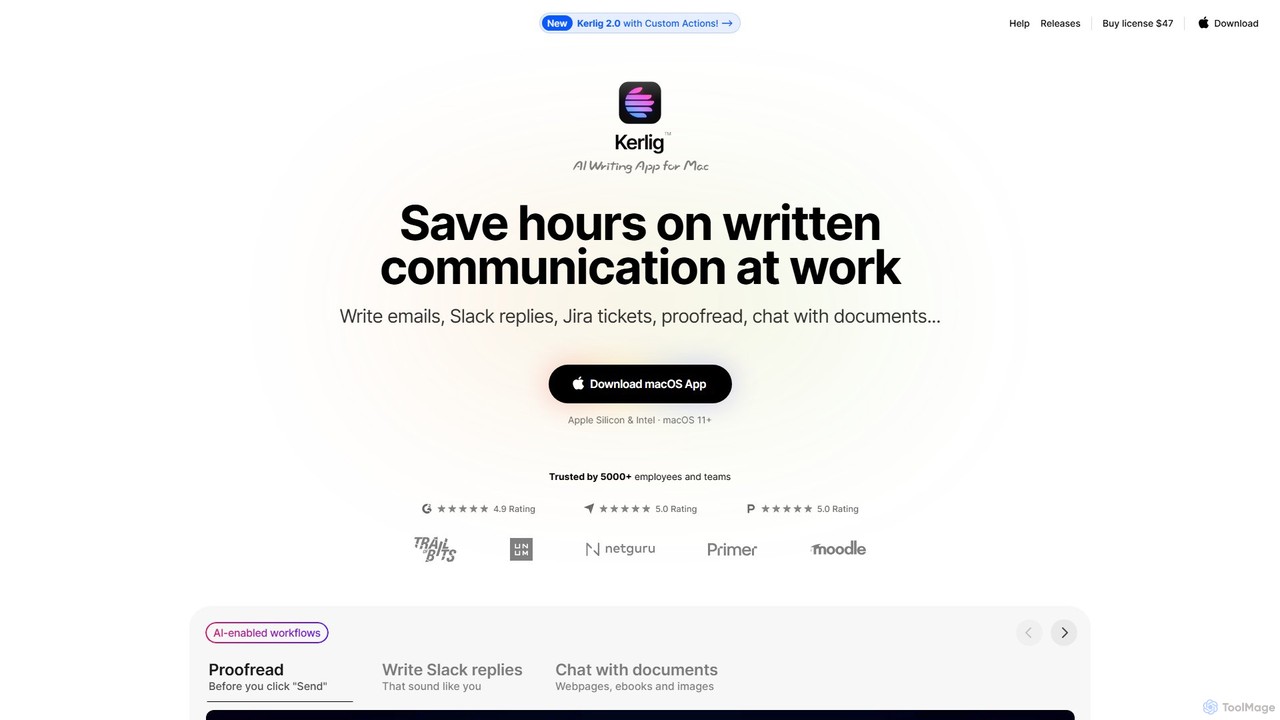
Kerlig is a native AI writing assistant for macOS designed to streamline your communication. It integrates seamlessly into your workflow, allowing you to write emails, proofread text, chat with documents, and generate content using over 350 AI models. With custom actions and a focus on privacy, Kerlig saves you hours by bringing powerful AI to your fingertips, without ever leaving your current application.

Mac Apps
Visits 32.6KFavorites 90Likes 94

About Mac Apps

AI Mac Apps are a class of software specifically designed and optimized for the macOS operating system. These tools leverage Apple's unique hardware, such as the Neural Engine in Apple Silicon chips, and software frameworks like Core ML to deliver superior performance and efficiency. Their primary value lies in deep integration with the macOS ecosystem, offering a seamless, intuitive user experience that feels native to the platform. This often results in enhanced privacy and the ability to perform complex AI tasks directly on the device.

Core Features

  • Native Performance: Optimized for Apple Silicon (M1/M2/M3) to execute AI tasks with remarkable speed and low power consumption.
  • Deep macOS Integration: Seamlessly works with system features like Siri Shortcuts, Spotlight, Finder, and native applications.
  • Unified UI/UX: Adheres to Apple's Human Interface Guidelines for a familiar, clean, and intuitive user experience.
  • On-Device Processing: Many apps can run AI models locally, ensuring faster response times and enhanced user data privacy.
  • Menu Bar & Quick Access: Often provide convenient access to AI functions from the menu bar, accessible across any application.

Use Cases

These applications are ideal for professionals and creatives who work primarily within the Apple ecosystem. Writers can use menu bar assistants for instant drafting and editing, developers can integrate AI code completion directly into Xcode, and designers can leverage AI-powered editing extensions within their native photo and video apps. The focus is on streamlining workflows without leaving the familiar Mac environment.

How to Choose

When selecting an AI Mac App, first consider its level of system integration—does it support Shortcuts or work as a Quick Action? Verify if it is a native Apple Silicon application for optimal performance, as opposed to one running via an emulation layer. Also, evaluate whether it offers on-device processing for privacy-sensitive tasks and check its availability on the Mac App Store, which often implies a security and quality review by Apple.

Featured tool rankings

Mac Apps use cases

1

On-Device Text Summarization for Researchers

An academic researcher needs to review dozens of sensitive PDF papers for a literature review. Instead of uploading these documents to a web service, they use a native AI Mac App. By dragging the files directly into the app, the AI model running locally on their Apple Silicon Mac generates concise summaries in seconds. This process is not only fast due to the Neural Engine but also completely private, as no data ever leaves the machine. The researcher can quickly grasp the key points of each paper, significantly speeding up their research workflow while maintaining confidentiality.

2

Menu Bar Assistant for Quick Content Creation

A social media manager is constantly switching between apps to draft posts, reply to comments, and write emails. They install an AI Mac App that lives in the menu bar. Now, from any application, they can click the menu bar icon or use a keyboard shortcut to open a small window. They can ask the AI to draft a tweet, rephrase a marketing sentence, or check grammar without interrupting their current task. This seamless integration transforms a fragmented workflow into a fluid process, saving time and maintaining focus throughout the day.

3

Automating Image Processing with Siri Shortcuts

A graphic designer frequently needs to perform a series of repetitive tasks on images: remove the background, upscale the resolution, and apply a consistent color filter. They use an AI Mac App that integrates with Siri Shortcuts. They create a new shortcut named "Process Product Shot." This shortcut prompts them to select an image, then automatically runs the AI app's functions in sequence. Now, they can simply right-click an image in Finder, select the shortcut, or even say "Hey Siri, Process Product Shot" to execute the entire workflow in seconds. This deep system automation saves hours of manual work each week.

4

Intelligent File Organization in Finder

A project manager's 'Downloads' folder is a chaotic mix of invoices, reports, images, and project briefs. They use an AI Mac App with Finder integration. The app scans the folder, using AI to understand the content of each file without opening it. It automatically renames files to a consistent format (e.g., 'YYYY-MM-DD_Invoice_ClientName.pdf'), adds relevant Finder tags like 'Finance' or 'Urgent', and moves them to the correct project folders. This turns a manual, time-consuming task into an automated background process, ensuring the file system is always organized and searchable via Spotlight.

5

AI-Powered Code Completion in Xcode

A macOS developer is working on a complex application in Xcode. They use a native AI Mac App that integrates as an Xcode Source Editor Extension. As they type, the AI provides highly relevant, multi-line code suggestions that understand the context of their entire project, not just the current file. It suggests entire function implementations and boilerplate code for Apple's frameworks like SwiftUI and AppKit. Because it runs natively and is optimized for Apple Silicon, the suggestions appear instantly without latency. This accelerates the development cycle, reduces bugs, and helps the developer learn new APIs more efficiently.

6

Seamless AI Editing within the Photos App

A photographer wants to use advanced AI tools, like generative fill or object removal, on images in their iCloud Photo Library. Instead of exporting a photo, editing it in a separate app, and re-importing it, they use an AI Mac App that works as a Photo Editing Extension. From the 'Edit' mode in the native Photos app, they can access the AI tool's full feature set. The edits are applied non-destructively and saved directly back to their library, syncing across all their Apple devices. This creates a powerful, integrated workflow that combines Apple's photo management with cutting-edge AI capabilities.

Mac Apps FAQ

What are AI Mac Apps?

AI Mac Apps are software applications specifically built and optimized for Apple's macOS. Unlike generic desktop or web-based tools, they are designed to integrate deeply with the operating system and take full advantage of Apple's hardware, such as the Neural Engine in M-series chips. This results in better performance, a more intuitive user experience that matches the Mac aesthetic, and enhanced privacy through on-device processing. Common examples include menu bar writing assistants, AI-powered image editors that work as Photos extensions, and developer tools that plug into Xcode.

How do AI Mac Apps differ from web-based AI tools?

The primary differences lie in performance, integration, offline access, and privacy. AI Mac Apps often run faster as they are optimized for specific hardware like Apple Silicon. They integrate deeply with macOS, allowing for features like menu bar access, Siri Shortcuts, and Finder actions that web tools cannot offer. Many Mac apps can function offline by processing data locally on your device, which also significantly enhances privacy compared to sending your data to a third-party server. Web tools, however, offer greater platform accessibility, as they can be used on any device with a browser.

What should I look for when choosing an AI Mac App?

When choosing an AI Mac App, consider these key factors:

  • Native Apple Silicon Support: Check if the app is built to run natively on M-series chips for the best performance and efficiency, rather than through the Rosetta 2 translation layer.
  • macOS Integration: Evaluate how well it integrates with the system. Does it offer menu bar access, support for Siri Shortcuts, or Finder extensions to streamline your workflow?
  • On-Device Processing: For privacy-sensitive tasks, prefer apps that can process your data locally on your Mac instead of requiring it to be sent to the cloud.
  • User Interface (UI): Look for an app that follows Apple's design guidelines. A well-designed native app should feel intuitive and consistent with other Mac applications.
Do AI Mac Apps run better on Apple Silicon (M1/M2/M3) chips?

Yes, significantly. Apple Silicon chips are designed with a System on a Chip (SoC) architecture that includes a powerful Neural Engine. This component is specifically built to accelerate machine learning (AI) tasks. Native AI Mac Apps that are optimized for Apple Silicon can leverage the Neural Engine to perform complex calculations much faster and more energy-efficiently than on older Intel-based Macs. This results in quicker response times for AI features, better battery life on MacBooks, and the ability to run more sophisticated AI models directly on the device.

What are the main functions of AI Mac Apps?

AI Mac Apps cover a wide range of functions, often excelling in areas that benefit from native performance and system integration. Key categories include:

  • Writing & Text Editing: AI assistants for drafting, summarizing, and proofreading, often accessible from the menu bar or within native text editors.
  • Image & Video Enhancement: Tools for upscaling, background removal, and generative editing that integrate with apps like Photos and Final Cut Pro.
  • Developer Tools: Code completion and debugging assistants that work as extensions within Xcode or other Mac-based IDEs.
  • Productivity & Automation: Intelligent file organizers, meeting summarizers, and tools that automate repetitive tasks via Siri Shortcuts.