Desktop Best in category 1 results Launcher AI Tool

Popular AI tools in the Launcher field of Desktop include Curiosity, etc., helping you quickly improve efficiency.

Curiosity

Curiosity

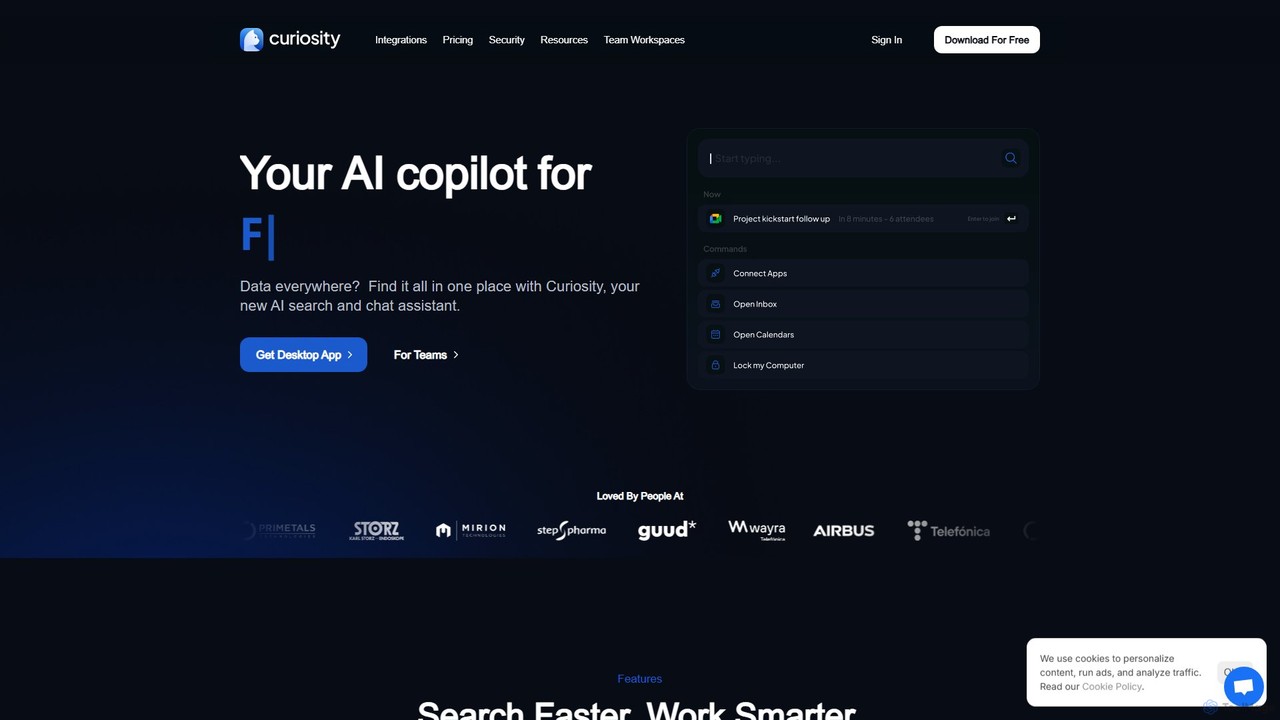
Curiosity is an AI-powered search app that unifies all your local files and cloud apps into one searchable …

24.3K

About Launcher

AI-powered Launchers are a category of desktop tools that leverage artificial intelligence to revolutionize how users interact with their operating system and applications. Unlike traditional launchers, these AI tools offer intelligent search, predictive suggestions, and context-aware actions, significantly streamlining workflow and enhancing productivity. They integrate seamlessly into the desktop environment, providing quick access to files, applications, and information through smart commands and personalized recommendations.

Core Features

  • Intelligent Search: Utilizes AI to understand natural language queries, providing highly relevant results for applications, files, and even web content.
  • Predictive Suggestions: Learns user habits and context to proactively suggest applications, documents, or actions before they are explicitly searched for.
  • Context-Aware Commands: Executes complex tasks or workflows based on the current application, time of day, or user activity, often with a single command.
  • Integrated AI Assistants: Some launchers embed conversational AI, allowing users to ask questions, generate content, or automate tasks directly from the launcher interface.
  • Personalized Automation: Automates repetitive desktop tasks or sequences of actions based on learned user patterns and preferences.

Applicable Scenarios

AI-powered launchers are invaluable for professionals who frequently switch between applications, manage numerous files, or require rapid access to information. They are particularly useful for developers, content creators, and project managers who benefit from accelerated navigation, smart task execution, and a more intuitive desktop experience. These tools reduce cognitive load by anticipating user needs and automating routine interactions.

How to Choose

When selecting an AI launcher, consider its integration capabilities with your existing operating system and frequently used applications. Evaluate the intelligence of its search and prediction algorithms, ensuring they genuinely enhance your workflow rather than adding complexity. Look for customization options, security features for data privacy, and the overall performance impact on your system. Finally, assess the availability of specific AI features like natural language processing for commands or integrated assistant functionalities that align with your daily tasks.

LauncherUse Cases

1

Quickly Access Context-Relevant Files and Apps

For a project manager working on a specific client project, an AI launcher can learn which documents, emails, and applications are frequently used together. When the project manager opens a related file, the launcher proactively suggests other relevant project assets or communication tools, eliminating manual searching and saving valuable time during critical phases.

2

Automate Repetitive Desktop Workflows

A content creator often performs a sequence of actions: opening a design tool, then a browser for stock images, and finally a document editor. An AI launcher can learn this pattern and, with a single command or hotkey, launch all three applications, open specific templates, or even fetch relevant assets, significantly speeding up content creation cycles.

3

Intelligent Search for Local and Cloud Data

A researcher needs to find a specific PDF article that could be on their local drive, in a cloud storage service, or even a recently visited webpage. An AI launcher can process a natural language query like "find that article on quantum computing from last month," and intelligently search across all connected data sources, presenting the most relevant results instantly.

4

Execute Complex System Commands with Natural Language

A developer might need to perform specific system operations, like "clear cache for browser X" or "switch to dark mode and open IDE." Instead of navigating through menus or typing complex commands, an AI launcher allows them to simply speak or type these requests in natural language, which the AI interprets and executes, simplifying system management.

5

Personalized Application and Document Suggestions

An executive frequently uses different applications at different times of the day – email and calendar in the morning, presentation software in the afternoon, and communication tools for evening meetings. An AI launcher observes these patterns and provides personalized suggestions on the desktop, ensuring the right tools are always at their fingertips without conscious effort.

6

Integrate AI Assistant for Quick Information Retrieval

A customer support agent needs quick answers to product questions while on a call. An AI launcher with an integrated AI assistant allows them to type "what are the specs for product X?" directly into the launcher. The assistant then retrieves information from internal knowledge bases or the web, providing immediate answers without switching applications, enhancing response times.

LauncherFrequently Asked Questions