ToolMage
Sign in

Best 1 Ai Coding AI tools for Developer Tools

Popular Ai Coding AI tools in Developer Tools include Prisma Assistant, helping you work more efficiently.

Prisma Assistant
Free

Prisma Assistant

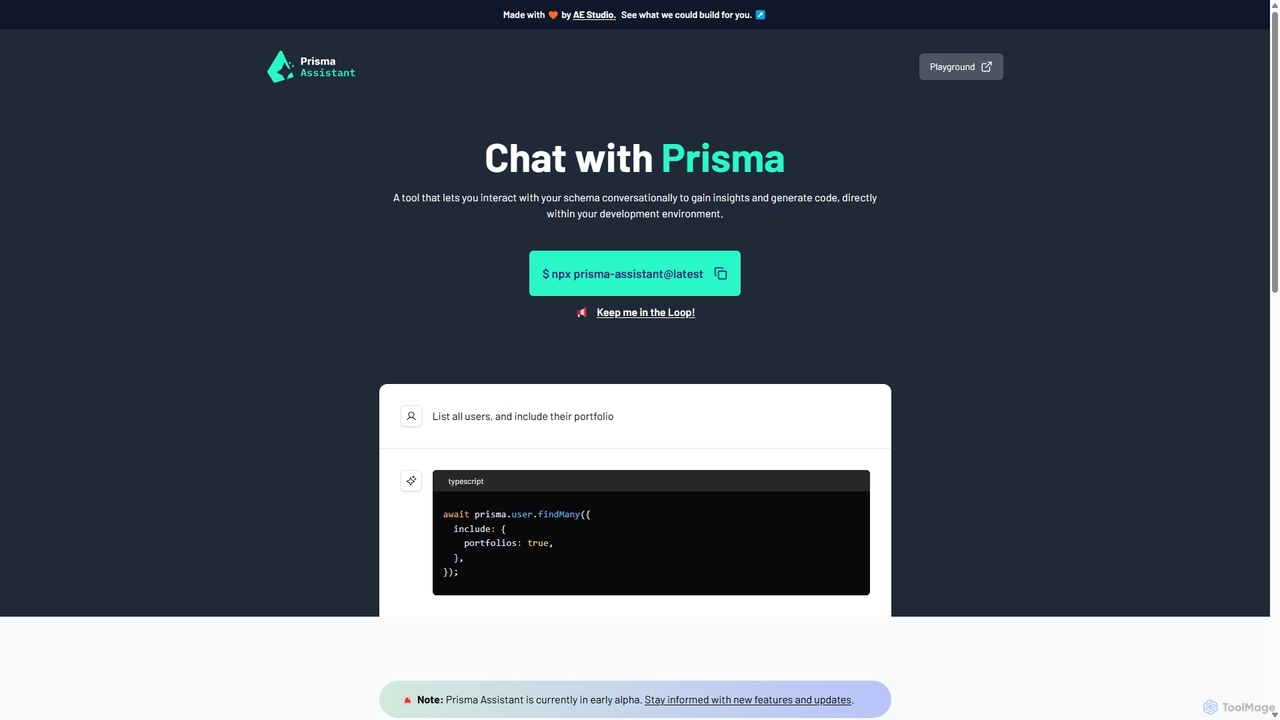
Prisma Assistant is an AI-powered tool for developers that enables conversational interaction with your Prisma schema. Run it locally to gain insights, ask questions in natural language, and automatically generate Prisma queries and mutations, significantly speeding up your backend development workflow.

Ai Coding
Visits 3.5KFavorites 119Likes 105

About Ai Coding

AI Coding tools are intelligent assistants designed to augment the software development process. They leverage large language models (LLMs) trained on vast codebases to provide real-time code suggestions, generate functions from natural language, and identify potential bugs. These tools integrate directly into developers' Integrated Development Environments (IDEs) to accelerate coding, improve code quality, and reduce time spent on repetitive tasks. Their primary value lies in acting as a collaborative partner, allowing developers to focus more on high-level logic and problem-solving.

Core Features

  • Intelligent Code Completion: Offers context-aware suggestions for lines or blocks of code, going far beyond traditional autocompletion.
  • Natural Language to Code Generation: Translates plain English descriptions or comments into functional code snippets.
  • Automated Debugging & Error Analysis: Identifies errors in code, explains their root cause, and proposes concrete solutions.
  • Code Refactoring & Optimization: Suggests improvements to existing code for better performance, readability, and maintainability.
  • Unit Test Generation: Automatically creates test cases for functions and methods to ensure code reliability.

Use Cases

These tools are widely used by individual developers, agile teams, and large enterprises. They are particularly valuable for rapid prototyping, learning new programming languages or frameworks, and maintaining complex legacy codebases. Roles like software engineers, data scientists, and DevOps engineers use them to streamline their daily coding workflows.

How to Choose

When selecting an AI Coding tool, consider its integration with your preferred IDE (e.g., VS Code, JetBrains), the programming languages it supports, and its context awareness—whether it analyzes the entire project or just the open file. Also, evaluate its security policies regarding your code, its performance impact on your system, and whether its pricing model aligns with your individual or team budget.

Featured tool rankings

Ai Coding use cases

1

Accelerate New Feature Development

A software engineer is tasked with building a new data processing module. Instead of writing boilerplate code for file I/O, data parsing, and API connections from scratch, they use an AI Coding assistant. By writing a simple comment like "function to read a CSV, process data, and post to API endpoint", the tool generates a complete, functional code block. This reduces development time for standard components by up to 50%, allowing the engineer to focus on the unique business logic and complex algorithms of the feature.

2

Debug Complex and Unfamiliar Code

A junior developer encounters a cryptic error message from a legacy part of the codebase they didn't write. Instead of spending hours tracing the code, they paste the error and the relevant code snippet into an AI Coding tool. The tool not only explains the error in plain language but also identifies the logical flaw in the code and suggests a specific fix. This process transforms a potential multi-hour debugging session into a 15-minute learning experience, improving both productivity and the developer's understanding of the system.

3

Automate Unit Test Generation

A quality assurance (QA) team needs to increase test coverage for a new API. Manually writing unit tests for every function and edge case is time-consuming. The team uses an AI Coding tool with a test generation feature. They select a complex function, and the AI automatically generates a suite of tests covering successful cases, invalid inputs, and boundary conditions. This automates over 70% of the test writing process, freeing up the QA team to focus on more complex integration testing and exploratory testing scenarios.

4

Learn a New Programming Language or Framework

An experienced Python developer needs to start a new project using Go, a language they are unfamiliar with. They use an AI Coding assistant as a learning companion. When they need to perform a task, like setting up an HTTP server, they write a comment describing their intent. The AI provides the idiomatic Go code, often with explanations. This allows the developer to learn by doing and seeing best practices in action, significantly shortening the learning curve compared to reading documentation alone.

5

Refactor and Modernize Legacy Code

A maintenance team is responsible for a large, aging codebase with outdated practices and inefficient algorithms. Manually refactoring this code is risky and slow. They use an AI Coding tool to analyze sections of the code. The tool identifies 'code smells', suggests modern syntax replacements (e.g., converting old loop structures to more efficient stream-based operations), and proposes refactoring complex functions into smaller, more manageable units. This assists the team in incrementally improving the codebase's health and maintainability with greater confidence.

6

Drafting Documentation and Code Comments

A developer has just finished writing a complex algorithm but needs to document it for team members. Writing clear, comprehensive documentation can be tedious. They highlight the function and ask the AI Coding tool to generate documentation for it. The tool analyzes the code's inputs, outputs, and logic, then produces a well-structured docstring or comment block explaining what the function does, its parameters, and what it returns. This ensures consistent and high-quality documentation across the project with minimal effort.

Ai Coding FAQ

What are AI Coding tools?

AI Coding tools are software applications that act as intelligent assistants for developers, directly within their code editor. They use large language models (LLMs) to understand code context and natural language to provide features like advanced code completion, bug detection, code generation from prompts, and automated test writing. Unlike simple autocompletion, they can generate entire blocks of complex, logical code, making them powerful productivity enhancers in the software development lifecycle.

How do I choose the right AI Coding assistant?

Choosing the right tool depends on your specific needs. Consider the following factors:

  • IDE and Language Support: Ensure it integrates smoothly with your primary code editor (like VS Code, JetBrains, or Neovim) and supports your main programming languages.
  • Context Awareness: A better tool understands the context of your entire project, not just the current file, leading to more relevant suggestions.
  • Security and Privacy: Check how the tool handles your code. Does it use your code for training? Are there options for on-premise deployment or privacy controls?
  • Feature Set: Determine if you need basic code completion or more advanced features like debugging, refactoring, and automated test generation.
Can AI Coding tools replace human developers?

No, AI Coding tools are designed to be assistants, not replacements. They excel at handling repetitive, boilerplate, and well-defined coding tasks, which frees up human developers to focus on more complex, creative, and strategic work. This includes system architecture design, solving novel problems, understanding business requirements, and mentoring other engineers. The relationship is collaborative; the AI handles the 'how' of writing standard code, while the human developer directs the 'what' and 'why' of the overall project.

What's the difference between AI Coding tools and traditional code linters?

The primary difference is scope and intelligence. A traditional code linter is a static analysis tool that checks code against a predefined set of rules for style, formatting, and potential errors (e.g., unused variables). It is rule-based and does not understand the code's intent. An AI Coding tool, powered by an LLM, understands the semantic meaning and context of the code. It can generate new code, explain complex logic, suggest algorithmic improvements, and fix bugs, going far beyond the simple pattern-matching capabilities of a linter.

Is the code generated by AI Coding tools secure and reliable?

The reliability of AI-generated code is generally high for common tasks but requires human oversight. These tools are trained on vast amounts of public code, which may include suboptimal or insecure patterns. Therefore, a developer must always review, test, and understand the generated code before integrating it. It should be treated as a highly-informed suggestion, not a final, infallible product. For security-critical applications, extra scrutiny is essential. Most tools are improving rapidly, but the principle of 'trust but verify' remains crucial.