ToolMage
Sign in

Best 2 Api Utilities AI tools for Developer Tools

Popular Api Utilities AI tools in Developer Tools include Prompttokencounter and token_counter, helping you work more efficiently.

Prompttokencounter
Free

Prompttokencounter

A free, online tool for developers and prompt engineers to accurately count tokens for various OpenAI models like GPT-4o, GPT-4, and GPT-3.5. It helps manage prompt length to stay within model limits, control API costs, and optimize interactions with LLMs. The tool operates entirely in your browser, ensuring your prompts remain private and are never transmitted over the internet.

Text
Visits 16.6KFavorites 148Likes 140
token_counter
Free

token_counter

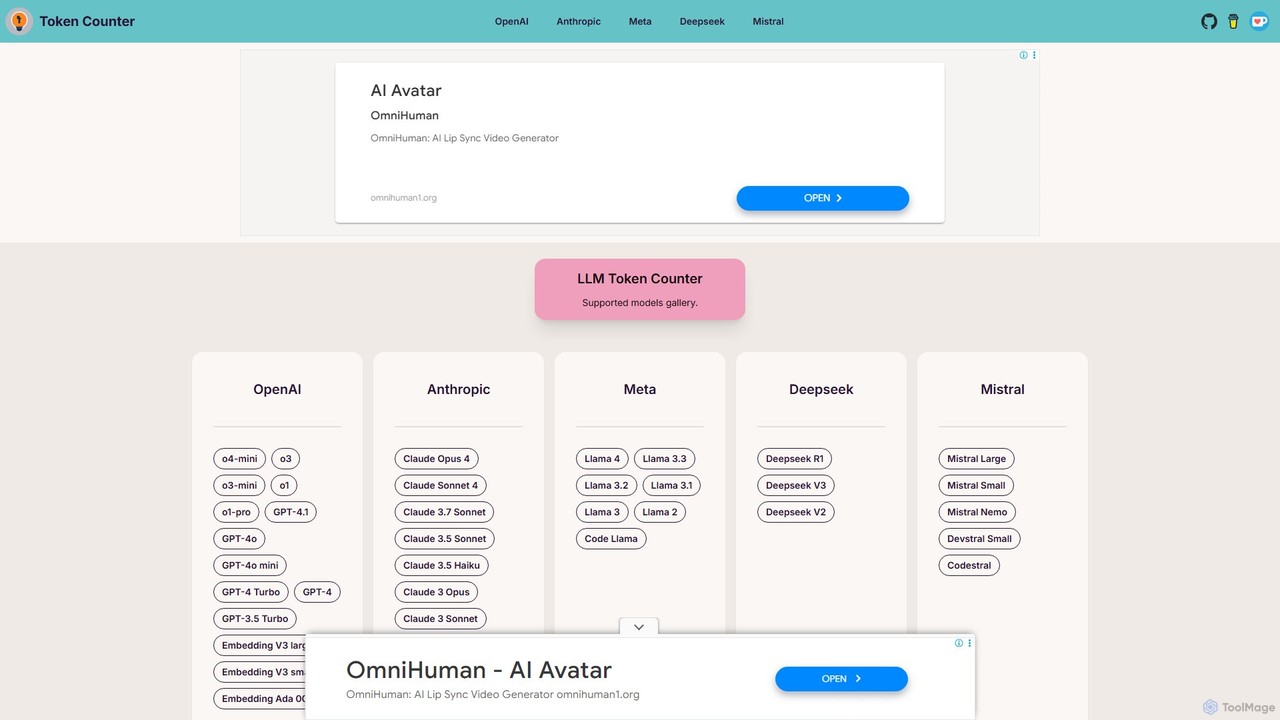
A free, privacy-focused online tool for accurately calculating text token counts for a wide range of Large Language Models (LLMs). It supports popular models from OpenAI, Anthropic, Meta, Mistral, and more. By performing all calculations directly in your browser, it ensures your prompts remain confidential. This is an essential utility for developers, writers, and researchers to manage LLM context windows, prevent errors, and optimize API usage without compromising data security.

Api Utilities
Visits 6.4KFavorites 138Likes 144

About Api Utilities

API Utilities are specialized developer tools that streamline the integration and management of multiple AI model APIs. They function as a unified gateway or middleware, allowing developers to access various models like GPT, Claude, and Gemini through a single, standardized interface. This approach simplifies development, enhances application reliability with features like automatic failover, and provides centralized control over costs, performance, and security. By abstracting the complexity of individual API providers, these utilities accelerate the development of robust, multi-modal AI applications.

Core Features

  • Unified API Endpoint: Access diverse AI models from different providers through one consistent API call.
  • Load Balancing & Fallback: Distribute traffic across models and automatically switch to a backup if a primary API fails.
  • Centralized Logging & Analytics: Monitor usage, costs, latency, and errors for all connected APIs in a single dashboard.
  • Request Caching: Store and reuse responses to common queries to reduce latency and lower API costs.
  • Secure Key Management: Safely store, manage, and rotate API keys without exposing them in the application code.

Use Cases

These tools are primarily used by software developers, AI engineers, and product teams building applications that leverage one or more large language models (LLMs). Common scenarios include creating AI-powered chatbots that need high availability, developing content generation platforms that optimize for cost by using different models for different tasks, and building enterprise systems that require robust monitoring and security for AI API usage.

How to Choose

When selecting an API Utility, consider the range of supported AI models and providers. Evaluate its reliability features, such as load balancing and automatic fallback capabilities. Assess the quality of its analytics dashboard for monitoring costs and performance. Also, review its security features for key management and the ease of integration with your existing development stack.


Api Utilities use cases

1

Build Multi-Provider AI Applications

A startup is developing an AI writing assistant that needs to offer users the flexibility to choose between different high-end models like OpenAI's GPT-4 and Anthropic's Claude 3. Instead of writing separate integration code for each API, their development team uses an API Utility. This provides a single endpoint that can route user requests to the selected model. This approach cuts development time by over 50%, simplifies maintenance, and allows the team to easily add new models in the future without a major rewrite. The standardized format also makes it simple to compare model outputs side-by-side.

2

Optimize API Costs with Smart Routing

A content generation service faces high operational costs from frequent API calls to premium LLMs. To manage expenses, they implement an API Utility with cost-based routing rules. The system automatically directs simple tasks, like generating keywords, to a faster, cheaper model. More complex requests, such as writing a full article, are sent to a powerful but more expensive model. The utility's caching feature also stores common results, further reducing redundant API calls. This strategy allows the service to reduce its monthly API spending by 30-40% without compromising the quality of complex outputs.

3

Ensure High Availability with API Fallback

An enterprise customer support chatbot must maintain 24/7 uptime. Relying on a single AI provider poses a risk of service disruption during outages. The engineering team integrates an API Utility configured with an automatic fallback mechanism. If their primary model provider (e.g., OpenAI) experiences an API outage or high latency, the utility instantly reroutes all traffic to a secondary provider (e.g., Google Gemini). This transition is seamless to the end-user, ensuring the chatbot remains operational and responsive. The utility's dashboard alerts the team to the fallback event, allowing them to monitor the situation without manual intervention.

4

Centralize API Key Management for Teams

A software development agency manages multiple client projects, each with its own set of API keys for various AI services. To prevent security risks and simplify administration, they adopt an API Utility as a central key vault. Developers no longer need to hardcode keys into their applications. Instead, the application calls the utility, which securely handles authentication with the end provider. The agency's administrator can set access permissions, monitor usage per key, and rotate keys centrally without requiring code changes in any project. This enhances security and provides a clear audit trail for all API interactions.

5

A/B Test Different AI Models for Performance

A product team wants to determine which LLM provides the best summaries for user-submitted articles. Using an API Utility, they set up an A/B test to route 50% of summarization requests to Model A and the other 50% to Model B. The utility handles the traffic splitting automatically. The team can then use the integrated analytics dashboard to compare key metrics like response latency, error rates, and API costs for each model. By analyzing this data alongside user feedback on summary quality, they can make a data-driven decision on which model to use permanently, optimizing both user experience and operational cost.

6

Monitor and Debug API Performance Issues

A developer notices that their AI-powered application is experiencing intermittent slowdowns. Instead of manually checking logs from multiple API providers, they use the centralized logging dashboard of their API Utility. The dashboard provides a unified view of all API requests, showing detailed information on latency, status codes, and request/response payloads. By filtering for high-latency requests, the developer quickly identifies that a specific third-party model is causing the bottleneck during peak hours. This insight allows them to implement targeted caching for that model or configure a fallback to a more stable alternative, resolving the performance issue efficiently.

Api Utilities FAQ

What are AI API Utilities?

AI API Utilities are tools designed to simplify how developers work with various AI model APIs. They act as a central management layer between an application and AI service providers like OpenAI, Google, or Anthropic. Key functions include providing a single, unified API to access multiple models, managing API keys securely, monitoring costs and performance, and ensuring application reliability through features like load balancing and automatic failover. Essentially, they handle the complex 'plumbing' of API integration, allowing developers to focus on building application features.

How do I choose the right API Utility tool?

To choose the right API Utility, consider these factors:

  • Model Support: Ensure it supports the specific AI models and providers (OpenAI, Anthropic, Google, etc.) you plan to use.
  • Reliability Features: Look for robust load balancing, automatic fallback, and retry logic to ensure your application remains stable.
  • Observability: A good tool should offer a detailed dashboard for logging, monitoring costs, tracking latency, and analyzing errors.
  • Security and Management: Check for secure API key management, user role permissions, and rate limiting capabilities to control access and spending.
  • Ease of Integration: Evaluate the quality of its documentation and SDKs to see how easily it fits into your existing development workflow.
What's the difference between using an API Utility and directly calling an AI model's API?

The primary difference is the level of abstraction and management. Directly calling an AI model's API (like OpenAI's) ties your application to a single provider. You are responsible for managing API keys, handling errors, monitoring costs, and implementing any fallback logic yourself. An API Utility acts as a middle layer. It provides a single, standardized interface to multiple providers, centralizes key management and cost monitoring, and often includes built-in reliability features like automatic failover. This simplifies development, reduces vendor lock-in, and makes your application more resilient.

What are the main benefits of using an API Utility?

The main benefits are increased development speed, improved application reliability, and better operational control. Developers can build faster by using a single, consistent interface for all AI models instead of learning multiple different APIs. Reliability is enhanced through features like automatic failover and load balancing, which prevent service disruptions. Finally, operational control is improved by having a centralized place to monitor costs across all providers, manage security through unified key management, and analyze performance to make informed decisions about which models to use.

Who are the primary users of API Utilities?

The primary users are software developers, AI/ML engineers, and DevOps teams who are building applications that rely on one or more third-party AI models. Product managers and technical leads also use these tools to monitor performance, manage costs, and A/B test different models to inform product strategy. Essentially, anyone involved in the technical lifecycle of an AI-powered application, from development and deployment to maintenance and optimization, can benefit from using an API Utility.