ToolMage
Sign in

Best 3 Cloud Management AI tools for Developer Tools

Popular Cloud Management AI tools in Developer Tools include Cloudchipr, ChatWithCloud, and VPS Commander, helping you work more efficiently.

VPS Commander
Paid

VPS Commander

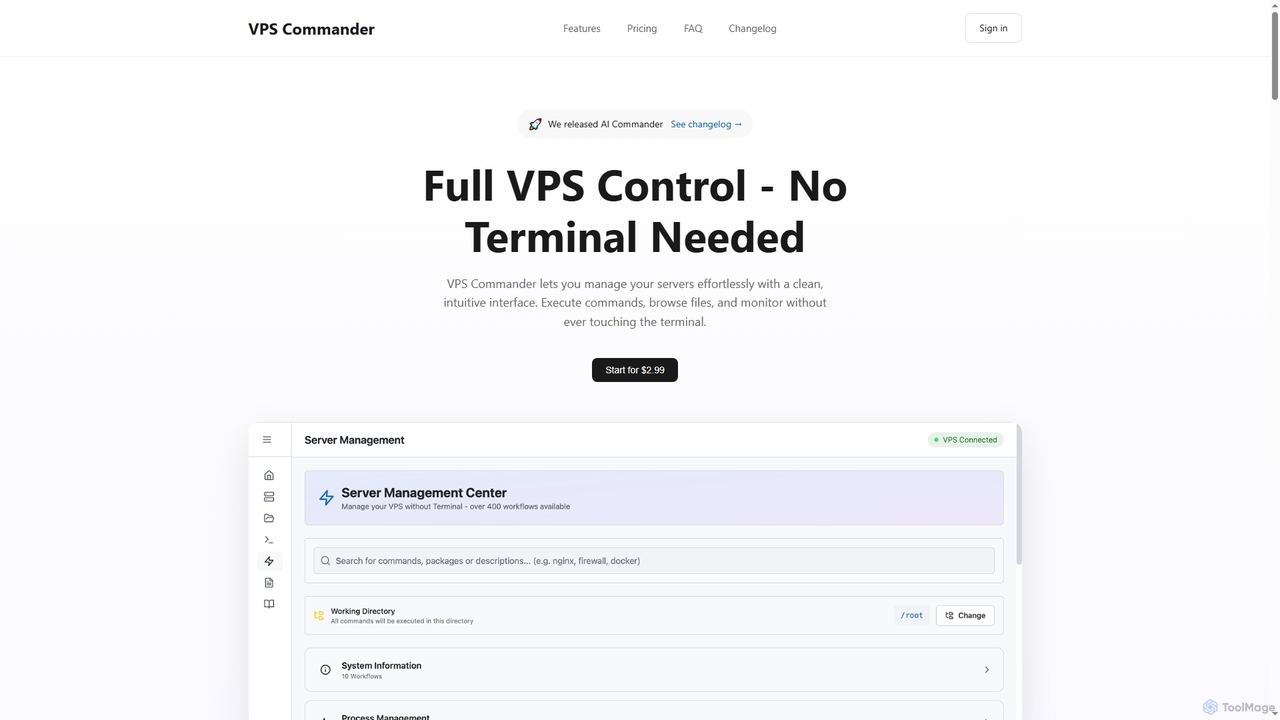
VPS Commander simplifies complex server management, transforming intricate terminal commands into intuitive clicks. It offers a modern interface for managing workflows, files, and processes, empowering anyone to control their Virtual Private Servers without needing command-line expertise.

Cloud Management
Visits 6.4KFavorites 133Likes 123
ChatWithCloud
Freemium

ChatWithCloud

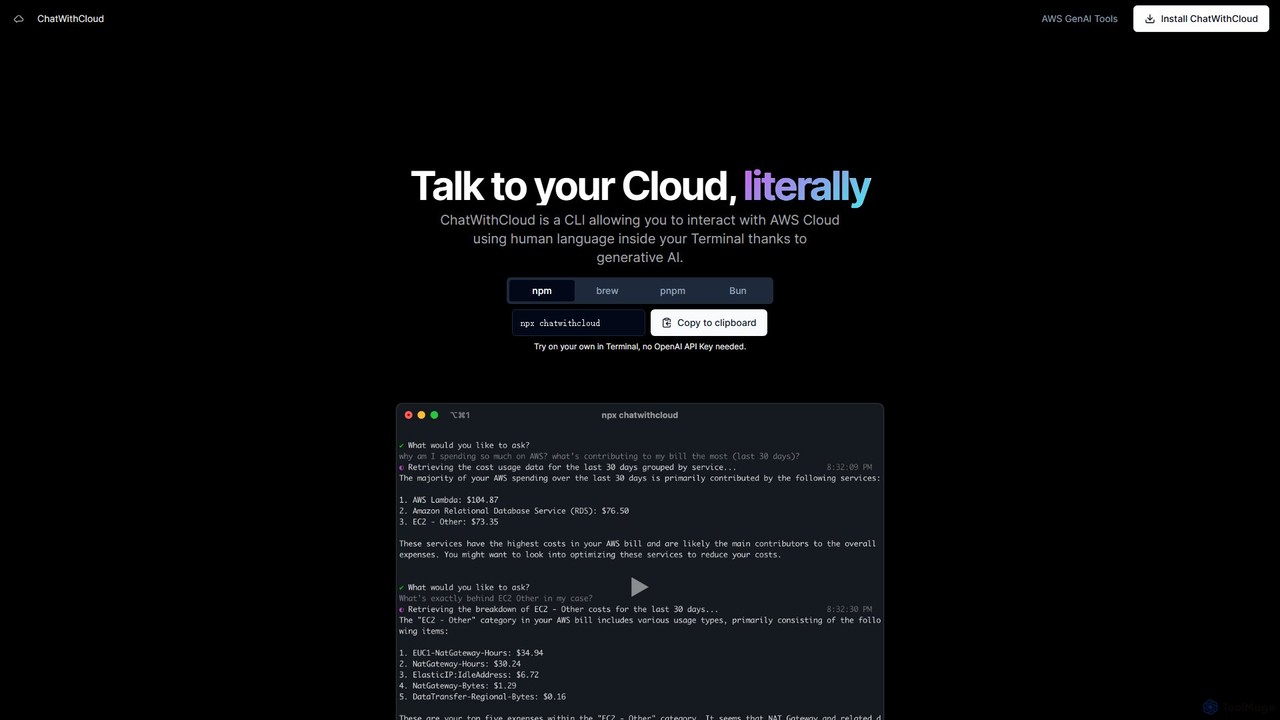
ChatWithCloud is a powerful CLI tool that enables developers and DevOps engineers to manage their AWS cloud infrastructure using natural language. Powered by generative AI, it simplifies cost analysis, security auditing, troubleshooting, and even automates fixes directly from the terminal.

Cloud Management
Visits 7.4KFavorites 138Likes 128
Cloudchipr
Freemium

Cloudchipr

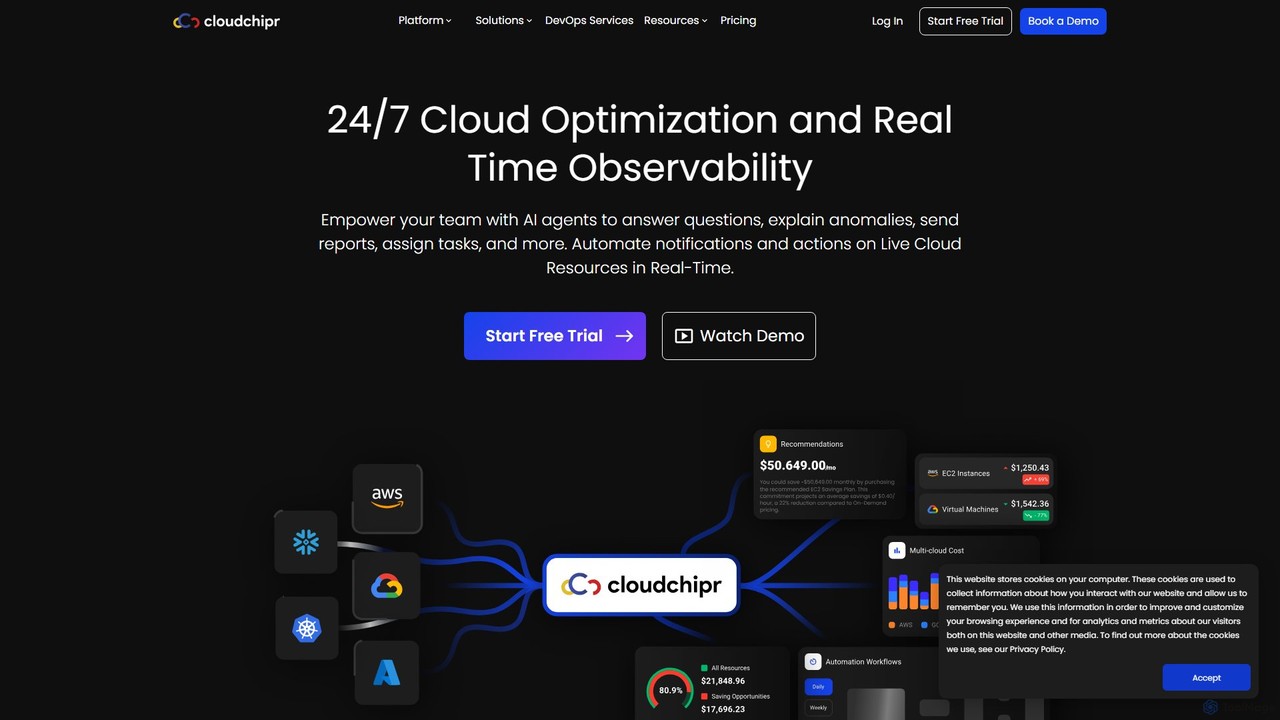
Cloudchipr is a comprehensive cloud optimization platform designed for FinOps, engineers, and leadership. It provides a unified solution for multi-cloud cost visibility, automated savings, and team collaboration across AWS, GCP, and Azure. The platform helps organizations reduce cloud waste, save engineering hours, and gain complete control over their cloud expenditure through real-time insights and actionable recommendations.

Cloud Management
Visits 37.8KFavorites 123Likes 138

About Cloud Management

Cloud Management tools are a class of AI-powered software designed to automate and optimize the administration of cloud infrastructure. These platforms leverage AI algorithms to analyze usage patterns, predict costs, and identify performance bottlenecks across services like AWS, Azure, and GCP. Their primary value lies in simplifying the complexity of multi-cloud or hybrid environments, enabling teams to enhance security, control spending, and ensure operational efficiency. By providing a centralized dashboard for monitoring, provisioning, and governance, they empower developers and IT operations to manage distributed resources effectively.

Core Features

  • Cost Optimization: Analyzes cloud spending, identifies idle resources, and provides actionable recommendations for cost reduction.
  • Automated Provisioning: Deploys and configures cloud resources using predefined templates and policies, ensuring consistency.
  • Performance Monitoring: Tracks the health and performance of applications and infrastructure in real-time with intelligent alerting.
  • Security & Compliance: Continuously scans for misconfigurations and vulnerabilities, enforcing security policies across all cloud assets.
  • Multi-Cloud Governance: Provides a unified control plane to manage resources, policies, and access across different cloud providers.

Use Cases

These tools are widely used by DevOps teams, Site Reliability Engineers (SREs), and IT administrators to maintain the stability and efficiency of cloud-native applications. FinOps professionals also rely on them for cloud financial management, tracking budgets, and allocating costs. Enterprises with hybrid or multi-cloud strategies use them to create a consistent operational model across diverse environments.

How to Choose

When selecting a Cloud Management tool, consider its compatibility with your cloud providers (e.g., AWS, Azure, GCP). Evaluate the depth of its automation capabilities for tasks like resource scaling and remediation. Assess the sophistication of its cost optimization and security features. Finally, check its integration capabilities with your existing CI/CD pipelines and monitoring stacks.

Cloud Management use cases

1

Automated Cloud Cost Optimization

A FinOps team at a growing e-commerce company uses a cloud management tool to control their escalating AWS bill. The tool's AI engine continuously analyzes their spending, automatically identifying idle resources like unattached EBS volumes and oversized EC2 instances. It provides one-click recommendations to terminate or resize these resources. By automating this process, the team reduces manual analysis time by 90% and achieves a consistent 20% reduction in their monthly cloud expenditure, freeing up budget for new feature development.

2

Unified Multi-Cloud Infrastructure Monitoring

A DevOps team manages critical applications deployed across both AWS and Azure. Instead of juggling multiple monitoring consoles, they use a cloud management platform to get a single, unified view. The platform aggregates performance metrics like CPU utilization, latency, and error rates from both clouds into one dashboard. When an anomaly is detected, it sends a consolidated alert to their Slack channel with context from both environments, enabling them to diagnose cross-cloud issues 50% faster and reduce mean time to resolution (MTTR).

3

Enforcing Security and Compliance Policies

A healthcare technology company must adhere to strict HIPAA compliance. Their security team uses a cloud management tool to enforce security policies across their entire cloud environment. The tool continuously scans for compliance violations, such as unencrypted S3 buckets or public-facing database ports. When a violation is detected, it automatically triggers a remediation workflow—for example, revoking public access and notifying the resource owner. This automated governance ensures continuous compliance and provides a detailed audit trail for regulatory reporting.

4

Streamlining Infrastructure as Code (IaC) Workflows

A platform engineering team uses Terraform to manage their infrastructure. They integrate their CI/CD pipeline with a cloud management tool to enhance their IaC process. Before applying any changes, the tool runs a 'dry run' to visualize the potential impact on the infrastructure. It also scans the Terraform code for security vulnerabilities and cost inefficiencies. This pre-deployment check prevents costly mistakes and misconfigurations, ensuring that all infrastructure changes are secure, compliant, and cost-effective before they go live.

5

Cloud Inventory and Asset Tagging

A large enterprise's IT department struggles with tracking thousands of cloud resources across hundreds of accounts. They deploy a cloud management tool to create a comprehensive inventory. The tool automatically discovers and catalogs every resource, from virtual machines to serverless functions. It also enforces a consistent tagging policy, ensuring every asset is tagged with its owner, cost center, and environment. This provides a single source of truth, simplifying audits, enabling accurate cost allocation, and helping to identify and remove 'shadow IT' resources.

6

AI-Powered Performance Anomaly Detection

An SRE team for a popular streaming service needs to ensure high availability. Their cloud management tool uses machine learning to establish a normal performance baseline for their microservices. When a sudden, unexpected spike in API error rates occurs, the tool's AI immediately flags it as an anomaly. It correlates the event with a recent code deployment and a change in database configuration, pinpointing the likely root cause in minutes instead of hours. This proactive detection significantly reduces downtime and improves the user experience.

Cloud Management FAQ

What are Cloud Management tools?

Cloud Management tools are software platforms that help organizations control, monitor, and optimize their cloud infrastructure and services. They provide a centralized interface to manage resources across one or more cloud providers (like AWS, Azure, and GCP). Key functions include cost management, security and compliance enforcement, performance monitoring, and automation of operational tasks like resource provisioning and scaling.

How to choose the right Cloud Management tool?

To choose the right tool, consider these factors:

  • Cloud Support: Ensure it supports all the cloud providers you use (e.g., AWS, Azure, GCP, hybrid).
  • Feature Set: Evaluate its capabilities in key areas: cost optimization, security monitoring, compliance automation, and performance management.
  • Integration: Check if it integrates with your existing toolchain, such as CI/CD pipelines (Jenkins, GitLab), IaC tools (Terraform), and communication platforms (Slack, Teams).
  • Scalability and Usability: Assess whether the platform can scale with your needs and if its user interface is intuitive for your team.
What's the difference between Cloud Management platforms and native cloud tools?

The main difference is scope and perspective. Native cloud tools (like AWS Cost Explorer or Azure Monitor) are specific to a single cloud provider and offer deep but siloed functionality. Cloud Management platforms are provider-agnostic, offering a unified view and consistent control across multiple clouds (multi-cloud) and on-premises infrastructure (hybrid cloud). They excel at providing a single pane of glass for governance, cost management, and operations across a diverse IT landscape.

What are the core functions of AI in Cloud Management?

AI plays a crucial role in modern cloud management by automating complex analysis and decision-making. Key functions include:

  • Predictive Cost Analysis: Forecasting future cloud spend based on historical usage patterns to prevent budget overruns.
  • Performance Anomaly Detection: Using machine learning to identify unusual behavior in application or infrastructure metrics that could indicate a problem.
  • Automated Resource Optimization: Recommending or automatically applying changes, like resizing virtual machines or deleting idle resources, based on real-time demand.
  • Security Threat Intelligence: Identifying potential security threats by analyzing logs and network traffic for anomalous patterns.
Who typically uses Cloud Management tools?

Cloud Management tools are used by a variety of roles within an organization. Key users include:

  • DevOps Engineers and SREs: For automating deployments, monitoring application performance, and ensuring reliability.
  • IT Administrators: For governing cloud resources, managing access control, and maintaining infrastructure health.
  • FinOps Analysts: For tracking cloud spend, optimizing costs, and managing budgets.
  • Security Teams: For enforcing compliance policies, detecting vulnerabilities, and responding to security incidents.
  • Platform Engineers: For building and managing the internal platforms that developers use to deploy applications.