ToolMage
Sign in

Best 2 Code Snippets AI tools for Developer Tools

Popular Code Snippets AI tools in Developer Tools include Karakeep and PromptBox, helping you work more efficiently.

Free

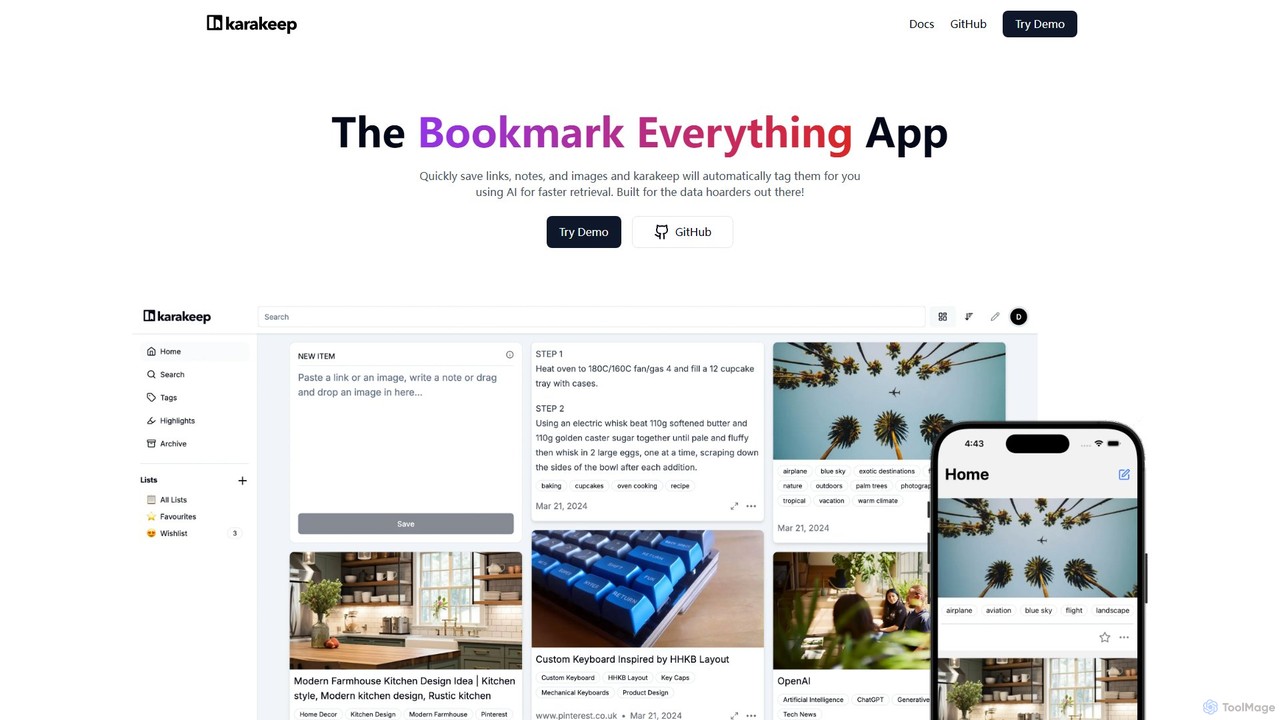
Karakeep

Karakeep is an AI-powered bookmarking and knowledge management app for "data hoarders." It allows you to quickly save links, notes, images, and PDFs. The core feature is its AI engine, which automatically analyzes and tags your content for effortless organization and fast retrieval. With self-hosting options for privacy, mobile apps, and browser extensions, Karakeep provides a seamless and powerful way to build your personal, searchable knowledge base.

Code Snippets
Visits 43.1KFavorites 94Likes 92
Freemium

PromptBox

PromptBox is a cross-platform text snippet manager designed to boost productivity. It allows you to organize, sync, and instantly paste frequently used text, such as AI prompts, email templates, and code snippets, across all your devices and applications using custom shortcuts.

Code Snippets
Visits 17.9KFavorites 108Likes 107

About Code Snippets

Code Snippets are AI-powered tools designed to generate, complete, and optimize small, reusable blocks of code. Leveraging advanced large language models, these tools understand programming context to provide relevant and efficient code suggestions. They significantly accelerate development cycles and improve code quality for developers across various programming languages.

Core Features

  • Intelligent Code Completion: Predicts and suggests code as you type, based on context and common patterns.
  • Snippet Generation from Natural Language: Converts plain language descriptions into functional code snippets.
  • Code Optimization & Refactoring: Identifies areas for improvement and suggests more efficient or cleaner code.
  • Error Detection & Correction: Pinpoints potential bugs or syntax errors and offers solutions.
  • Multi-language Support: Provides assistance across a wide range of programming languages and frameworks.

Applicable Scenarios

Developers frequently use Code Snippets tools to quickly implement common functionalities without writing boilerplate code from scratch. For instance, a web developer can generate a complex CSS animation or a JavaScript function by simply describing the desired outcome. This is particularly useful in agile development environments where rapid prototyping and iterative coding are essential.

How to Choose

When selecting a Code Snippets tool, consider its integration capabilities with your preferred IDE (e.g., VS Code, IntelliJ), the breadth of programming languages it supports, and the accuracy of its suggestions. Evaluate the tool's ability to learn from your codebase for more personalized recommendations and its pricing model, including free tiers or subscription costs.

Featured tool rankings

Code Snippets use cases

1

Accelerating Feature Development

A software engineer needs to implement a new user authentication module. Instead of manually writing all boilerplate code for login, registration, and password reset, they use an AI Code Snippets tool to generate secure, standardized snippets for these functions, significantly reducing development time and ensuring best practices are followed.

2

Automating Repetitive Tasks

A data scientist frequently writes similar data cleaning and transformation scripts. With an AI Code Snippets tool, they can describe the desired data manipulation (e.g., "remove null values from column 'X' and convert 'Y' to datetime"), and the tool generates the appropriate Python or R code, saving hours on routine tasks.

3

Learning New Languages/Frameworks

A developer is learning a new programming language like Rust or a framework like React. They use the Code Snippets tool to generate examples of common patterns, syntax, and component structures, helping them understand and apply new concepts faster without constantly referring to documentation.

4

Improving Code Quality and Consistency

A development team aims to maintain high code quality and adhere to specific coding standards. The AI Code Snippets tool can suggest refactorings, identify potential anti-patterns, and generate code that aligns with the team's style guide, leading to more maintainable and robust software.

5

Rapid Prototyping and Experimentation

A product manager or designer wants to quickly visualize a new UI component or backend logic. A developer can use the Code Snippets tool to rapidly generate functional prototypes based on high-level descriptions, allowing for quick iteration and feedback cycles without investing heavily in full-scale development.

6

Debugging and Error Resolution

When encountering an unfamiliar error message or a complex bug, a developer can feed the error description or problematic code section into an AI Code Snippets tool. The tool can suggest potential fixes, alternative implementations, or relevant code examples, aiding in faster debugging and problem-solving.

Code Snippets FAQ

What are AI Code Snippets tools?

AI Code Snippets tools are applications that leverage artificial intelligence, particularly large language models, to assist developers by generating, completing, and optimizing small, reusable blocks of code. They understand the context of your programming environment and natural language prompts to provide relevant and efficient code suggestions, accelerating the coding process and improving code quality.

How do AI Code Snippets tools work?

AI Code Snippets tools typically work by analyzing the code you're writing, the surrounding context, and any natural language prompts you provide. They use pre-trained large language models (LLMs) that have learned from vast amounts of public code to predict and generate the most probable and relevant code snippets. Some tools also learn from your private codebase to offer more personalized suggestions.

What are the main benefits of using AI Code Snippets tools?

The main benefits include significantly increased development speed by automating repetitive coding tasks and providing instant code suggestions. They also help improve code quality by suggesting optimized, error-free, and idiomatic code. Furthermore, these tools can assist in learning new programming languages or frameworks by providing examples and correcting syntax.

How do Code Snippets tools differ from full-fledged AI Code Generators?

Code Snippets tools primarily focus on generating or completing smaller, reusable blocks of code, functions, or specific logic within an existing project. They act as intelligent assistants for incremental coding tasks. In contrast, full-fledged AI Code Generators aim to create larger, more complete applications, modules, or entire projects from high-level descriptions, often involving multiple files and complex architectures.

What should I consider when choosing an AI Code Snippets tool?

When choosing an AI Code Snippets tool, consider its compatibility with your development environment (IDE integration), the range of programming languages and frameworks it supports, and the accuracy and relevance of its code suggestions. Also, evaluate its ability to understand complex contexts, its data privacy policies, and whether it offers features like code optimization, error detection, or custom snippet management.