ToolMage
Sign in

Best 1 Data Handling AI tools for Developer Tools

Popular Data Handling AI tools in Developer Tools include JSON Formatter, helping you work more efficiently.

JSON Formatter
Free

JSON Formatter

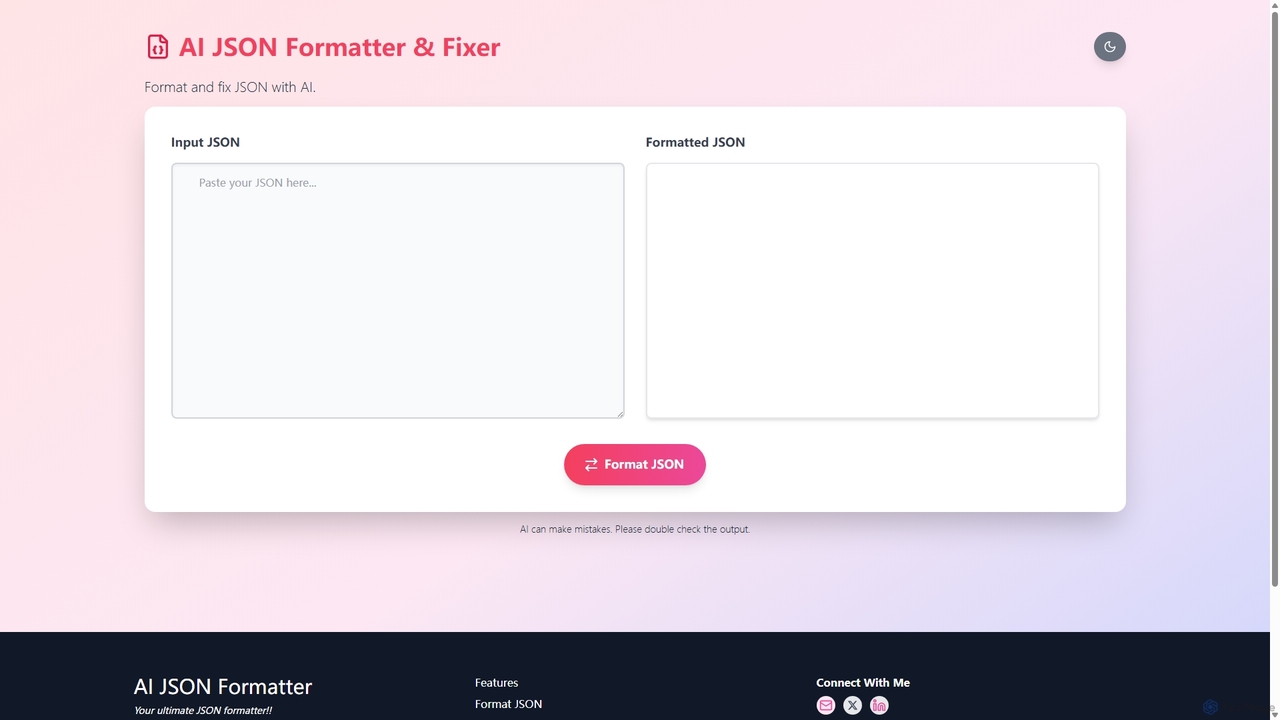
An AI-powered online tool for formatting, validating, and fixing JSON data. It offers instant formatting, intelligent error correction, and file upload capabilities, making it essential for developers to debug and manage JSON efficiently.

Code Assistant
Visits 7.3KFavorites 132Likes 135

About Data Handling

AI Data Handling tools are a specialized category of developer utilities designed to automate and streamline the processing of complex datasets. They leverage machine learning algorithms for tasks like data cleaning, transformation, feature engineering, and validation, forming a critical part of the MLOps lifecycle. These tools are essential for preparing high-quality data for machine learning models, accelerating development cycles, and ensuring data integrity in AI-driven applications. By intelligently identifying patterns and anomalies, they significantly reduce the manual effort typically required in data preparation.

Core Features

  • Automated Data Cleaning: Intelligently identifies and corrects errors, inconsistencies, and missing values in datasets.
  • Intelligent Data Transformation: Converts data formats, normalizes values, and encodes categorical variables based on data context.
  • AI-Powered Feature Engineering: Automatically generates and selects relevant features from raw data to improve machine learning model performance.
  • Anomaly Detection: Uses AI models to detect outliers and unusual patterns that could indicate data quality issues or critical events.
  • Synthetic Data Generation: Creates artificial, statistically representative datasets for testing, training, and privacy preservation.

Use Cases

These tools are primarily used by data scientists, machine learning engineers, and data engineers. Common scenarios include preparing training data for a new predictive model, building robust and adaptive data pipelines for real-time applications, or cleaning large-scale unstructured text data for natural language processing (NLP) tasks.

How to Choose

When selecting an AI Data Handling tool, consider its data source compatibility (databases, APIs, file formats), scalability to handle your data volume, and integration capabilities with your existing MLOps stack (e.g., TensorFlow, PyTorch, cloud platforms). Also, evaluate the level of automation versus the need for custom rule definition to ensure it fits your team's workflow and technical expertise.

Data Handling use cases

1

Preparing Training Data for a Machine Learning Model

A Machine Learning Engineer is tasked with building a fraud detection model. The raw transaction data is inconsistent, with missing values, varied currency formats, and noisy text fields. Using an AI Data Handling tool, the engineer automates the process of imputing missing values based on statistical patterns, standardizing all monetary values to a single currency, and cleaning text descriptions. The tool also suggests and generates new features, such as 'transaction frequency per hour'. This results in a clean, high-quality dataset created in hours instead of days, significantly improving the final model's accuracy and reducing manual preprocessing effort by over 80%.

2

Automating Resilient Data Pipelines

A Data Engineer is responsible for maintaining an ETL/ELT pipeline that ingests data from various third-party APIs into a data warehouse. These APIs frequently have schema drifts or deliver data with unexpected formats. Instead of writing brittle, rule-based scripts, the engineer deploys an AI Data Handling tool. The tool automatically detects schema changes, adapts the transformation logic on the fly, and uses anomaly detection to quarantine bad data before it contaminates the warehouse. This creates a more resilient, self-healing pipeline that requires significantly less manual intervention and ensures higher data reliability for downstream analytics.

3

Cleaning Unstructured Text for NLP Analysis

A data scientist needs to analyze thousands of customer reviews to extract sentiment and key topics. The raw text is filled with typos, slang, and irrelevant HTML tags. Manually cleaning this data would be extremely time-consuming. By using an AI Data Handling tool, they apply pre-built models for tasks like spelling correction, stop-word removal, and named entity recognition. The tool processes the entire corpus of reviews, outputting structured, clean text ready for input into a sentiment analysis model. This accelerates the project timeline from weeks to days and improves the accuracy of the NLP insights.

4

Generating Synthetic Data for Privacy-Compliant Testing

A development team at a healthcare tech company needs to test their new patient management software. Using real patient data is not an option due to strict privacy regulations like HIPAA. The team uses an AI Data Handling tool with synthetic data generation capabilities. They provide the tool with the schema and statistical properties of their real data. The tool then generates a large, artificial dataset of patient records that mimics the real-world distributions and relationships without containing any actual personal information. This allows the QA team to perform robust, large-scale testing while remaining fully compliant with privacy laws.

5

Standardizing Disparate E-commerce Product Data

An e-commerce data analyst needs to merge product catalogs from multiple suppliers. Each supplier provides data in different formats, with inconsistent naming conventions (e.g., 'Color' vs. 'Colour') and varied attribute structures. Using an AI Data Handling tool, the analyst can intelligently map and standardize these disparate fields. The tool's AI recognizes semantic similarities to merge attributes correctly and uses clustering algorithms to group similar products, identifying potential duplicates. This process creates a unified, clean master product catalog, which directly improves on-site search accuracy and enhances the customer's browsing experience.

6

Validating Real-time IoT Sensor Data Streams

An IoT developer is building a predictive maintenance system for industrial machinery, which relies on a constant stream of sensor data (temperature, vibration, pressure). This data can be noisy or contain erroneous readings due to sensor malfunction. An AI Data Handling tool is implemented in the data stream to perform real-time validation. It uses trained models to identify anomalous readings that fall outside expected operational ranges or patterns. The tool can automatically flag, filter, or even correct these outliers before they are fed into the predictive model, preventing false alarms and ensuring the reliability of maintenance alerts.

Data Handling FAQ

What are AI Data Handling tools?

AI Data Handling tools are specialized software for developers that use artificial intelligence to automate and enhance data preparation tasks. Unlike traditional scripts or ETL tools that rely on explicit rules, these tools can learn data patterns to intelligently clean, transform, validate, and even generate features from complex datasets. They are designed to accelerate the most time-consuming part of the machine learning workflow: preparing high-quality data.

How do AI Data Handling tools differ from traditional ETL tools?

The key difference lies in intelligence and adaptability. Traditional ETL (Extract, Transform, Load) tools operate on rigid, predefined rules set by a developer. If the data format changes, the rules break. AI Data Handling tools are more dynamic. They use machine learning to:

  • Infer rules: Automatically suggest transformations based on data content.
  • Adapt to drift: Handle changes in data schema or patterns without manual intervention.
  • Detect subtle anomalies: Find complex outliers that simple rule-based systems would miss.
  • Automate feature engineering: Create new predictive variables, a task beyond the scope of most ETL tools.
In essence, they move from a command-based approach to a learning-based one, reducing manual maintenance.

Who are the primary users of AI Data Handling tools?

The primary users are technical professionals who work directly with data to build applications or models. This includes:

  • Data Scientists: For cleaning data and performing feature engineering to improve model accuracy.
  • Machine Learning Engineers: For creating robust, automated data pipelines as part of MLOps practices.
  • Data Engineers: For building resilient and adaptive ETL/ELT processes that require less maintenance.
  • Software Developers: For generating synthetic data for testing or handling complex data validation within applications.
These tools are generally not designed for non-technical business analysts, as they often require some understanding of data structures and development workflows.

How do I choose the right AI Data Handling tool?

Choosing the right tool depends on your specific needs. Consider these key factors:

  • Data Sources & Formats: Ensure the tool has connectors for your databases, APIs, and supports the file types you use (e.g., Parquet, JSON, CSV).
  • Scalability: Can the tool handle the volume and velocity of your data? Check if it supports distributed processing (like Spark).
  • Integration: How well does it fit into your existing developer ecosystem? Look for integrations with MLOps platforms, cloud services (AWS, GCP, Azure), and code repositories.
  • Use Case Focus: Some tools excel at unstructured text processing, while others are better for tabular data or synthetic data generation. Match the tool's strengths to your primary task.
Start by evaluating tools against a specific, representative data preparation task from one of your projects.

Can AI Data Handling tools work with unstructured data like text and images?

Yes, many advanced AI Data Handling tools are specifically designed to process unstructured or semi-structured data. For text, they offer features like NLP-based cleaning (typo correction, stop-word removal), entity recognition, and topic modeling. For images, they might assist with tasks like automated tagging, resizing, or identifying quality issues (e.g., blurriness). This capability is a significant advantage over traditional data tools that are often limited to structured, tabular data. When choosing a tool, verify its specific capabilities for the type of unstructured data you work with.