FridayGPT
FridayGPT is an AI copilot for Mac that integrates ChatGPT, Claude, and local LLMs directly into your workflow. …
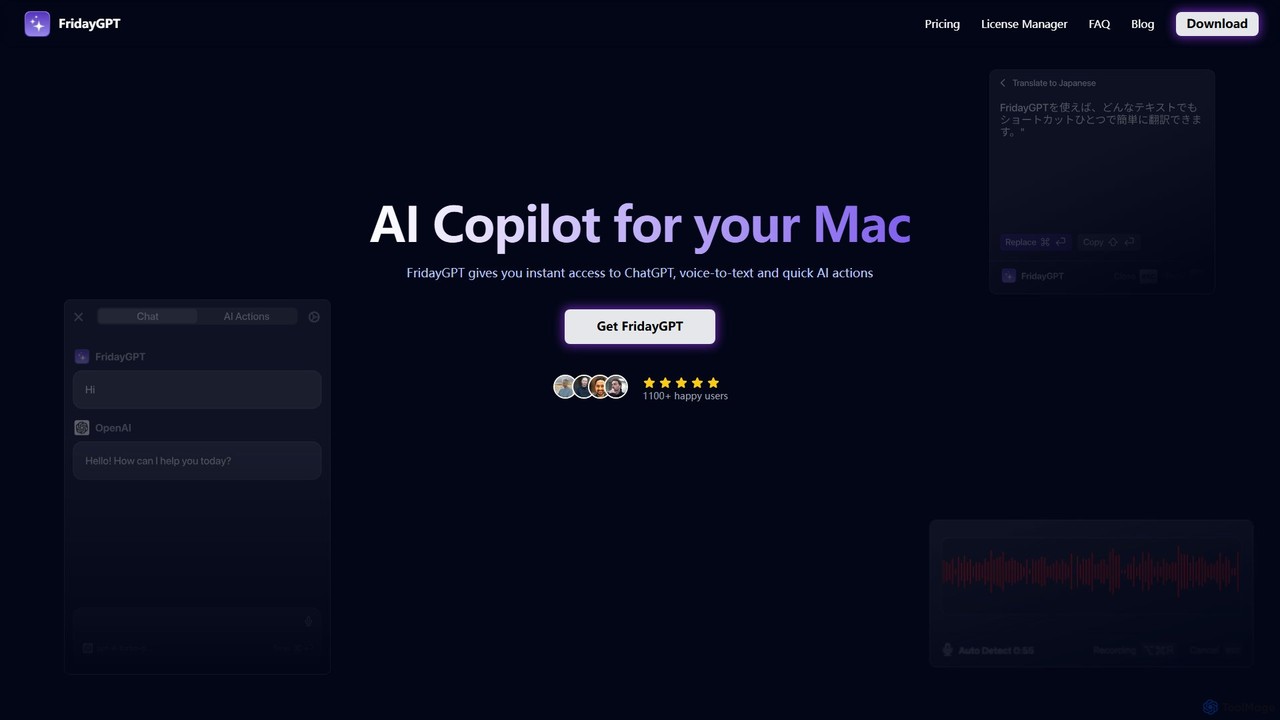
FridayGPT is an AI copilot for Mac that integrates ChatGPT, Claude, and local LLMs directly into your workflow. It offers instant access to AI, advanced voice-to-text transcription in over 100 languages, and one-click actions like grammar correction and text rewriting. Boost your productivity by using AI anywhere on your Mac without switching contexts.
About Desktop Apps
AI Desktop Apps are native software applications that run directly on your computer's operating system, providing developers with powerful AI capabilities. These tools leverage local hardware like CPUs and GPUs for high-performance processing, ensuring faster response times and the ability to work offline. Their primary value lies in enhancing development workflows by offering advanced features for coding, data analysis, and testing with improved security, as sensitive data often remains on the local machine. This direct integration with the OS allows for seamless access to the file system and other native functionalities.
Core Features
- Local Processing: Executes AI models directly on your hardware for maximum speed and privacy, reducing reliance on cloud services.
- Offline Capability: Many core functions are available without an internet connection, enabling productivity anywhere.
- Deep OS Integration: Seamlessly interacts with the local file system, system notifications, and other installed applications.
- Enhanced Security: Processes sensitive code and data locally, minimizing the risk of exposure associated with web-based tools.
Use Cases
These applications are ideal for developers, data scientists, and security engineers. For instance, a developer can use a desktop AI assistant for real-time, private code completion within their IDE. A data scientist can prototype and fine-tune models on their local machine using its full GPU power. Security teams can also analyze sensitive logs on-premises without uploading data to external servers.
How to Choose
When selecting an AI Desktop App, consider its operating system compatibility (Windows, macOS, Linux) and hardware requirements, especially for GPU-intensive tasks. Evaluate its integration with your existing toolchain, such as IDEs and version control systems. Finally, review the data privacy policy to understand how your information is handled, and check if the pricing model aligns with your budget and usage patterns.

Desktop AppsUse Cases
Local AI Code Assistance and Refactoring
A software developer working on a proprietary codebase uses a desktop AI assistant integrated into their IDE. The application analyzes code in real-time on their local machine, providing advanced code completions, identifying potential bugs, and suggesting refactoring improvements. Because all processing happens locally, no sensitive source code is ever transmitted to a third-party server, ensuring compliance with strict company data privacy policies while significantly accelerating the development cycle.
Offline Data Analysis and Visualization
A data scientist on a flight with no internet access needs to analyze a large, confidential dataset. They use a desktop AI application that allows them to load the data, use natural language to ask complex questions, and generate insightful visualizations. The tool's ability to run powerful analytical models entirely offline enables uninterrupted productivity and ensures the sensitive client data never leaves the security of their encrypted laptop.
Secure On-Premises Log Analysis
A cybersecurity analyst needs to investigate a potential security breach by examining gigabytes of sensitive server logs. Instead of uploading these logs to a cloud service, which could violate compliance regulations, they use a desktop AI tool. The application runs locally, using AI to detect anomalies, identify patterns of malicious activity, and correlate events across different log files. This on-premises approach provides powerful analytical capabilities while maintaining the highest level of data security and regulatory compliance.
AI-Powered Git Commit Message Generation
A developer uses a specialized desktop Git client that integrates AI. After staging their changes, the application analyzes the code diff and automatically suggests a concise and descriptive commit message that follows the team's conventional standards. This saves the developer time on every commit, improves the quality and consistency of the project's history, and makes it easier for other team members to understand changes during code reviews. The entire analysis is performed locally for speed and privacy.
Local Database Query Generation from Natural Language
A database administrator uses a desktop application to manage a private, on-premises database. Instead of manually writing complex SQL queries, they type natural language requests like "Show me all users from Germany who signed up last month and made a purchase." The AI tool instantly translates this into an optimized SQL query, which can be reviewed and executed. This process runs entirely on the administrator's workstation, ensuring that no sensitive database schema information or query data is sent over the internet.
Automated Unit Test Generation
A Quality Assurance (QA) engineer uses a desktop AI tool that integrates with their project's source code. They select a specific function or class, and the tool analyzes its logic, inputs, and outputs to automatically generate a comprehensive suite of unit tests. This includes edge cases and potential failure points that a human might overlook. By running this process locally, the engineer can rapidly generate tests for new features without sending any proprietary code to an external service, improving test coverage and code quality efficiently.