Developer Tools Best in category 1 results Figma Plugins AI Tool

Popular AI tools in the Figma Plugins field of Developer Tools include QoQo, etc., helping you quickly improve efficiency.

QoQo

QoQo

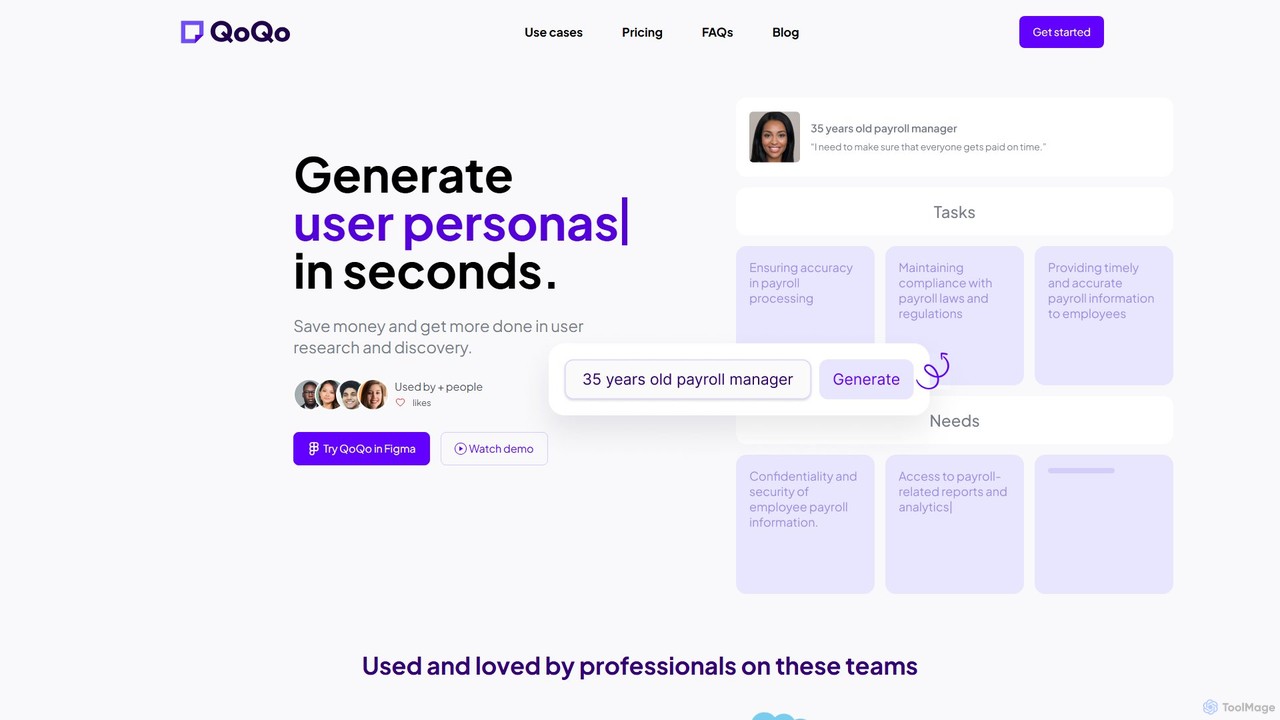
QoQo is an AI-powered user experience companion designed for Figma. It helps designers, agencies, and product teams accelerate …

2.7K

About Figma Plugins

Figma Plugins are extensions that significantly enhance the functionality and capabilities of the Figma design platform. These tools integrate directly into Figma, allowing designers and developers to automate repetitive tasks, streamline workflows, and add specialized features not natively available. They empower users to create more efficiently, maintain design consistency, and bridge the gap between design and development.

Core Features

  • Content Generation: Automatically populate designs with realistic text, images, or data.
  • Design System Management: Enforce brand guidelines, check for inconsistencies, and manage component libraries.
  • Workflow Automation: Automate tasks like renaming layers, organizing frames, or generating multiple variants.
  • Accessibility Checks: Analyze designs for contrast ratios, color blindness simulations, and other accessibility standards.
  • Code Export & Handoff: Generate CSS, React, or other code snippets directly from design elements for developers.

Use Cases

Figma Plugins are indispensable for product designers, UI/UX teams, and front-end developers aiming to optimize their design-to-development pipeline. They are used for rapid prototyping, ensuring design system adherence across large teams, and automating the creation of design assets. These plugins help accelerate the design process, reduce manual errors, and facilitate smoother collaboration.

How to Choose

When selecting Figma Plugins, consider their specific functionality and how well it addresses your workflow gaps. Evaluate compatibility with your existing design system and team processes, check user reviews for reliability and performance, and assess the developer's support. Prioritize plugins that offer clear value, are regularly updated, and integrate seamlessly without performance overhead.

Figma PluginsUse Cases

1

Automate Content Population for Mockups

Product designers often need to fill mockups with realistic data, such as user names, profile pictures, or product descriptions. Figma Plugins like 'Content Reel' or 'Unsplash' allow designers to quickly populate text layers and image placeholders with diverse, relevant content. This saves hours of manual data entry, ensuring mockups look authentic and are ready for user testing or stakeholder reviews much faster.

2

Ensure Design System Consistency Across Projects

For large design teams, maintaining a consistent design system across numerous projects can be challenging. Plugins like 'Stark' or 'Design Lint' help designers identify and fix inconsistencies in typography, colors, spacing, and components that deviate from the established design system. This ensures brand integrity, reduces design debt, and streamlines the handoff process to developers, as all elements adhere to predefined standards.

3

Generate User Flow Diagrams and Sitemaps

UX designers often need to visualize user journeys and website structures. Instead of manually drawing each step, plugins like 'Autoflow' or 'FigJam' (though FigJam is a separate product, many plugins enhance its capabilities) allow designers to quickly create user flow diagrams by connecting frames and elements. This accelerates the documentation process, helps identify potential usability issues early, and provides clear visual communication for stakeholders.

4

Export Design Assets and Code for Developers

Front-end developers often spend time manually inspecting design files to extract specifications like colors, typography, and spacing, or even to write basic CSS. Figma Plugins like 'Figma to Code' or 'Anima' can automate this handoff by generating production-ready code snippets (CSS, React, Vue) directly from design elements. This significantly reduces development time, minimizes errors, and ensures pixel-perfect implementation of designs.

5

Conduct Accessibility Audits and Checks

Ensuring digital products are accessible to all users, including those with disabilities, is crucial. Figma Plugins like 'Stark' provide tools for designers to check contrast ratios, simulate various forms of color blindness, and generate alt text suggestions directly within their Figma files. This proactive approach helps identify and rectify accessibility issues early in the design phase, saving costly rework later in development and ensuring compliance with WCAG standards.

6

Streamline Icon and Asset Management

Designers frequently work with large libraries of icons, illustrations, and other graphic assets. Figma Plugins like 'Iconify' or 'Blush' simplify the process of finding, importing, and managing these assets directly within Figma. They allow for quick searching, drag-and-drop functionality, and often provide options for customization or batch processing. This significantly speeds up the design process, ensures consistent asset usage, and reduces the time spent switching between different tools.

Figma PluginsFrequently Asked Questions