ToolMage
Sign in

Best 1 It Automation AI tools for Developer Tools

Popular It Automation AI tools in Developer Tools include Ansible Collaborative, helping you work more efficiently.

Ansible Collaborative
Freemium

Ansible Collaborative

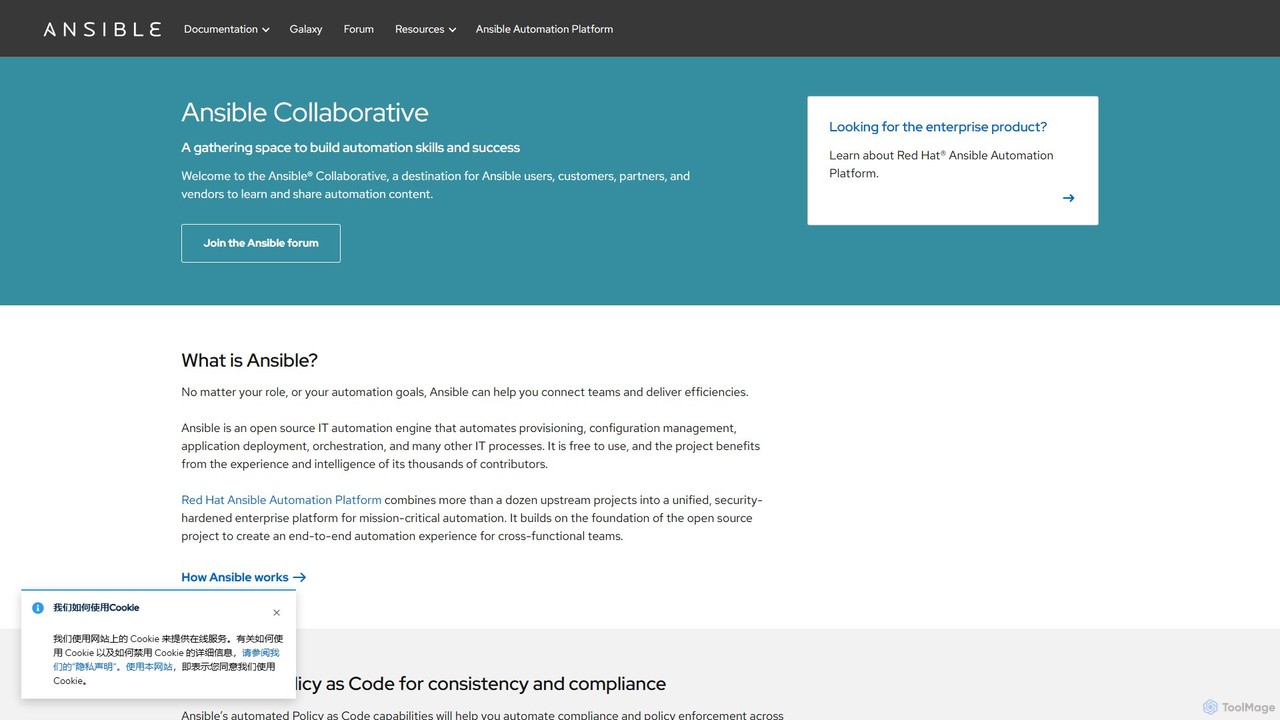
Ansible Collaborative is a central hub for the Ansible open-source community, providing resources for IT automation. It offers documentation, forums, and access to Ansible Galaxy for pre-built content. Users can learn to automate provisioning, configuration management, and application deployment. While the core Ansible project is free, it serves as the foundation for the enterprise-grade Red Hat Ansible Automation Platform, which adds advanced features like generative AI and event-driven automation.

Infrastructure As Code
Visits 3.5MFavorites 176Likes 165

About It Automation

IT Automation tools are AI-powered solutions designed to streamline and execute repetitive IT tasks and workflows with minimal human intervention. As a crucial part of Developer Tools, they leverage scripting, orchestration, and machine learning to manage infrastructure, deploy applications, and respond to operational events automatically. By automating these processes, organizations can significantly enhance operational efficiency, reduce manual errors, and accelerate software delivery cycles, freeing up IT and development teams for more strategic work.

Core Features

  • Infrastructure Provisioning: Automatically sets up and configures servers, networks, and storage resources.
  • Configuration Management: Ensures consistent system configurations across diverse environments.
  • Automated Deployment: Orchestrates the release of applications and updates across various stages.
  • Monitoring & Alerting: Proactively detects system anomalies and triggers predefined responses.
  • Workflow Orchestration: Designs and executes complex, multi-step IT processes and dependencies.

Applicable Scenarios

DevOps teams utilize IT automation for continuous integration and continuous delivery (CI/CD) pipelines, ensuring faster and more reliable software releases. IT operations personnel manage large-scale infrastructure, automate patching, and streamline incident response. Cloud architects leverage these tools for dynamic provisioning and scaling of cloud resources, optimizing performance and cost.

How to Choose

When selecting IT Automation tools, consider their integration capabilities with your existing tech stack, including cloud platforms and monitoring systems. Evaluate scalability and flexibility to handle growing workloads and evolving requirements. Assess the ease of use, learning curve, and availability of pre-built templates. Finally, prioritize security features, compliance adherence, and vendor support to ensure a robust solution.

It Automation use cases

1

Automating CI/CD Pipelines

Developers use IT automation tools to automatically build, test, and deploy code changes from version control to production environments. This ensures rapid, consistent, and error-free software delivery, reducing manual intervention and accelerating time-to-market for new features and bug fixes.

2

Infrastructure as Code (IaC) Management

DevOps engineers leverage these tools to define and provision infrastructure resources (servers, databases, networks) using code. This allows for repeatable, version-controlled infrastructure deployments across development, staging, and production, ensuring consistency and simplifying environment replication.

3

Automated Incident Response

IT operations teams configure automation tools to detect critical system alerts (e.g., high CPU usage, service downtime) and trigger predefined remediation actions. This can include restarting services, scaling resources, or notifying on-call personnel, significantly reducing mean time to recovery (MTTR) and minimizing service disruptions.

4

Patch Management & Security Updates

System administrators utilize IT automation to schedule and execute operating system and application patches across a fleet of servers. This ensures systems are kept up-to-date with the latest security fixes and performance improvements, reducing vulnerabilities and maintaining compliance without manual effort.

5

Cloud Resource Optimization

Cloud architects employ automation to dynamically scale cloud resources up or down based on demand, shut down idle instances, or enforce cost-saving policies. This helps optimize cloud spending, prevent resource waste, and ensure application performance during peak loads.

6

Automated Data Backup and Recovery

IT teams implement automated routines for regular data backups to secure storage locations and orchestrate recovery processes in case of data loss or system failure. This ensures business continuity and data integrity with minimal manual oversight, reducing the risk of human error in critical operations.

It Automation FAQ

What are IT Automation tools?

IT Automation tools are software solutions that automate repetitive and manual tasks within IT operations and development workflows. They aim to improve efficiency, reduce human error, and accelerate processes like infrastructure provisioning, application deployment, and system monitoring. These tools are essential for modern DevOps and IT management practices, enabling organizations to manage complex IT environments more effectively and scale operations with greater agility.

How do IT Automation tools differ from general Developer Tools?

While IT Automation falls under the broader category of Developer Tools, its specific focus is on automating operational aspects of IT infrastructure and software delivery. General Developer Tools encompass a wider range, including IDEs, debuggers, and version control, which aid in coding and development. IT Automation specifically bridges development and operations by automating the deployment, management, and scaling of applications and infrastructure, making it a specialized subset.

What are the key benefits of implementing IT Automation?

Implementing IT Automation offers several key benefits, including increased operational efficiency by eliminating manual tasks, reduced human error leading to more reliable systems, faster time-to-market for new software features, and improved resource utilization. It also enhances security by ensuring consistent configurations and timely patch management, freeing up IT staff for more strategic initiatives and fostering greater agility across the organization.

What types of tasks can be automated with IT Automation tools?

IT Automation tools can automate a wide array of tasks, such as provisioning and de-provisioning virtual machines or containers, configuring servers and network devices, deploying applications across various environments, managing security patches, monitoring system health and performance, and orchestrating complex workflows like incident response or disaster recovery. They also handle routine administrative tasks, data backups, and user access management.

How do I choose the right IT Automation tool for my organization?

When selecting an IT Automation tool, consider your specific automation needs (e.g., infrastructure, deployment, operations), its integration capabilities with your existing tech stack (cloud platforms, CI/CD tools), scalability requirements, and the learning curve for your team. Also, evaluate vendor support, community resources, security features, and pricing models to ensure it aligns with your budget and long-term strategy, providing a robust and future-proof solution.