
ToolMage
Sign in

Best 1 Notebook AI tools for Developer Tools

Popular Notebook AI tools in Developer Tools include marimo, helping you work more efficiently.

marimo
Freemium

marimo

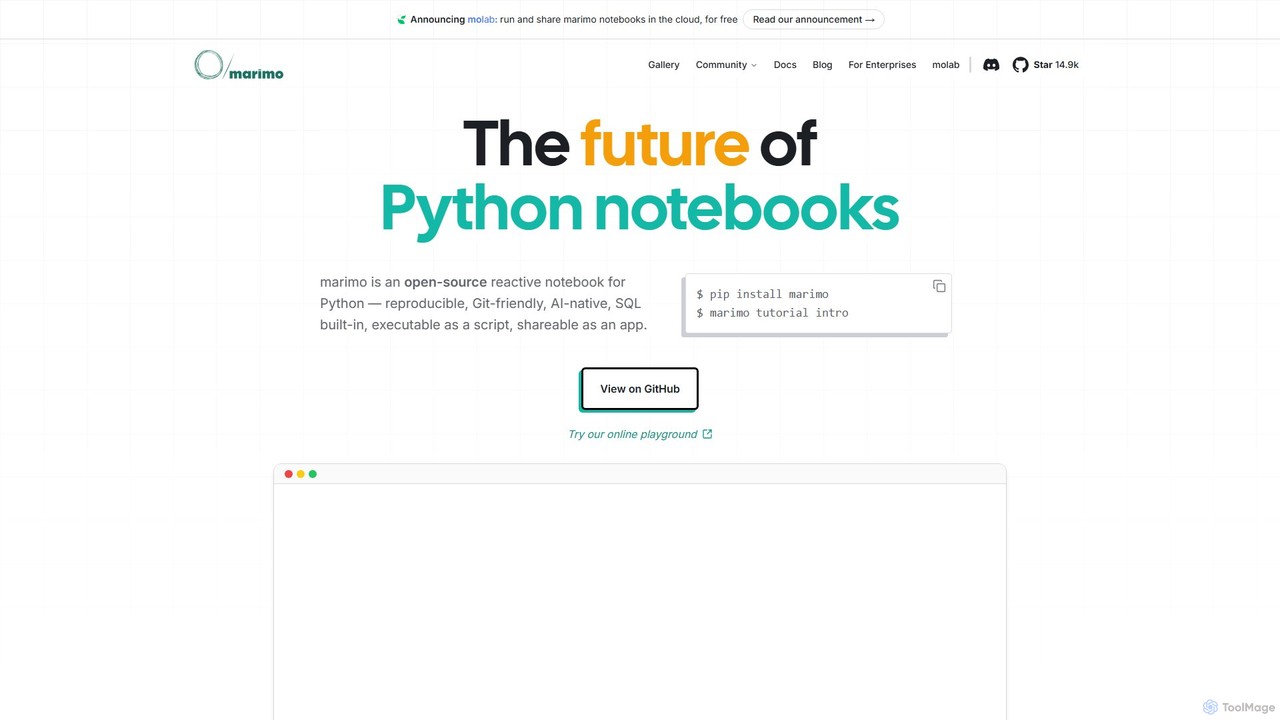
marimo is an open-source reactive Python notebook for modern data science and AI. It offers a reproducible, Git-friendly, and interactive environment where notebooks are pure Python scripts. Features include built-in AI assistance, SQL cells, and the ability to share notebooks as web apps, streamlining the workflow from experiment to production.

Data Visualization
Visits 166.2KFavorites 147Likes 156

About Notebook

Notebooks are interactive computing environments that integrate code, text, and visualizations, primarily used by developers and data scientists. These AI-enhanced platforms facilitate iterative development, experimentation, and documentation of machine learning models and data analysis workflows. They provide a flexible workspace for prototyping AI algorithms, exploring datasets, and sharing reproducible research. Their unique blend of executable code and rich markdown makes them indispensable for modern AI development within the broader developer tools ecosystem.

Core Features

  • Interactive Code Execution: Run code cells incrementally, view outputs immediately, and iterate quickly on AI models and data processing.
  • Rich Text Documentation: Combine code with markdown, LaTeX, and HTML for comprehensive explanations and context for AI projects.
  • Data Visualization: Generate and display plots, charts, and interactive dashboards directly within the document to understand AI model performance and data patterns.
  • Version Control Integration: Seamlessly track changes and collaborate on AI development projects with tools like Git, ensuring reproducibility.
  • AI Model Training & Experimentation: Provide an ideal environment for building, training, and evaluating machine learning models with immediate feedback.

Applicable Scenarios

Data scientists use notebooks for exploratory data analysis and AI model prototyping. Machine learning engineers leverage them for training deep learning models and hyperparameter tuning. Researchers publish reproducible studies by sharing notebooks containing code and results, fostering transparency in AI research.

How to Choose

When selecting an AI Notebook, consider its integration with popular AI frameworks like TensorFlow or PyTorch, and its collaboration features for team projects. Evaluate available computational resources (CPU/GPU) and scalability for intensive AI tasks. Also, assess environment customization options for installing libraries and managing dependencies.

Notebook use cases

1

Exploratory Data Analysis (EDA) for AI Projects

Data scientists use notebooks to load, clean, transform, and visualize large datasets. They can quickly run statistical tests, identify patterns, and prepare data for machine learning model training, documenting each step with explanations and visualizations. This iterative process in a notebook allows for rapid insights into data characteristics before committing to complex model development.

2

Machine Learning Model Prototyping and Training

AI developers leverage notebooks to iteratively build, train, and evaluate machine learning models. They can experiment with different algorithms, adjust hyperparameters, and visualize training progress, making rapid iterations on model architecture and performance. This interactive approach significantly speeds up the development cycle for new AI solutions.

3

Reproducible AI Research and Reporting

Researchers and academics use notebooks to combine their code, experimental results, and explanatory text into a single, shareable document. This enables others to easily reproduce their findings, verify methodologies, and build upon existing AI research. The self-contained nature of notebooks ensures that the entire research process is transparent and verifiable.

4

Interactive AI Algorithm Development

Software engineers develop and test AI algorithms in notebooks, breaking down complex problems into smaller, executable cells. This allows for step-by-step debugging, immediate feedback on code changes, and clear demonstration of algorithm logic. The interactive nature is particularly beneficial for fine-tuning complex AI models and understanding their internal workings.

5

Educational Content Creation for AI/ML

Educators and trainers create interactive learning materials for AI and machine learning courses. Notebooks allow students to execute code examples, modify parameters, and observe results directly, fostering hands-on learning experiences in AI concepts. This makes complex topics more accessible and engaging for learners at various skill levels.

6

Automated AI Workflow Orchestration

DevOps engineers integrate notebooks into automated pipelines for tasks like scheduled model retraining, data preprocessing, or report generation. Notebooks can be executed programmatically, providing a documented and reproducible script for AI operations. This ensures consistency and efficiency in deploying and maintaining AI models in production environments.

Notebook FAQ

What are AI Notebooks?

AI Notebooks are interactive web-based environments that allow developers and data scientists to combine executable code (often Python), rich text, mathematical equations, and visualizations in a single document. They are specifically optimized for AI and machine learning workflows, enabling iterative development, experimentation, and documentation of models and data analysis. They serve as a crucial tool for rapid prototyping and collaborative research in the AI domain.

How do Notebooks differ from traditional IDEs for AI development?

Traditional IDEs (Integrated Development Environments) focus on code editing, debugging, and project management for large-scale software. Notebooks, conversely, excel in interactive, exploratory, and iterative development, particularly for data science and machine learning. They allow for cell-by-cell execution, immediate visualization of results, and inline documentation, making them ideal for rapid prototyping, data exploration, and sharing reproducible AI research, which are less emphasized in traditional IDEs.

What are the key benefits of using Notebooks for Machine Learning?

Notebooks offer several key benefits for machine learning, including interactive experimentation with models and data, immediate feedback on code execution, and easy visualization of results. They facilitate reproducible research by combining code and explanations, simplify collaboration through shared documents, and provide a flexible environment for rapid prototyping and hyperparameter tuning. This integrated approach streamlines the entire ML development lifecycle.

Which programming languages are commonly supported in AI Notebooks?

While Python is overwhelmingly the most popular language due to its extensive libraries for data science and machine learning (e.g., TensorFlow, PyTorch, scikit-learn), many AI Notebook environments also support R, Julia, and even Scala. The choice of language often depends on the specific data science or machine learning task, the available libraries, and the user's preference, with Python being the de facto standard for most AI development.

How can I choose the best AI Notebook platform for my project?

When selecting an AI Notebook platform, consider factors such as integration with your preferred AI frameworks (e.g., TensorFlow, PyTorch), available computational resources (CPU/GPU), and collaboration features for team projects. Also, evaluate the ease of environment setup, data connectivity options, and the platform's scalability for handling large datasets or complex models. Your budget and the community support for the platform are also important considerations.