Developer Tools Best in category 1 results Terminal & Command Line AI Tool

Popular AI tools in the Terminal & Command Line field of Developer Tools include La Terminal, etc., helping you quickly improve efficiency.

La Terminal

La Terminal

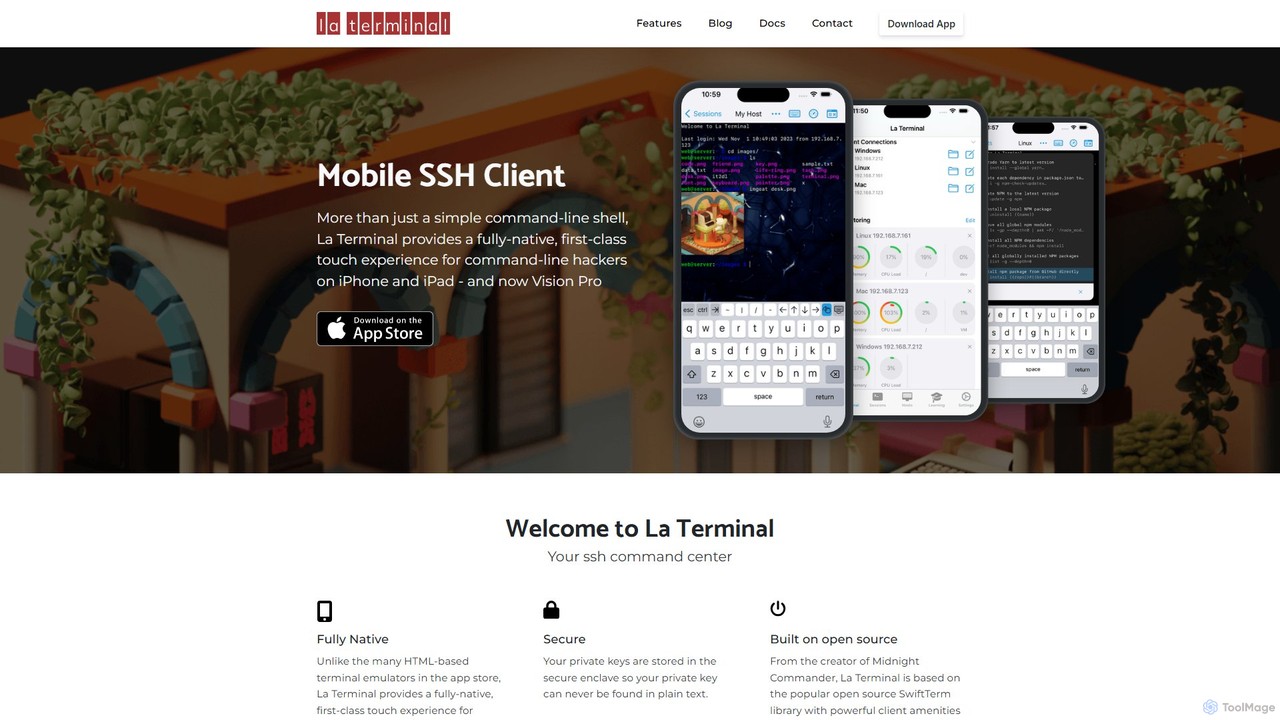
La Terminal is a professional, fully native SSH client for iPhone, iPad, and Vision Pro. It offers a …

4.8K

About Terminal & Command Line

AI Terminal & Command Line tools are applications that integrate artificial intelligence directly into the command-line interface (CLI). They leverage large language models (LLMs) to understand natural language prompts, translating them into executable shell commands, code snippets, or system queries. This enhances the traditional terminal experience for developers and system administrators by automating complex tasks and reducing the need to memorize obscure syntax. As a specialized category within Developer Tools, they transform the CLI from a simple command executor into an interactive, intelligent assistant.

Core Features

  • Natural Language to Command: Translates plain English descriptions into complex shell commands (e.g., `grep`, `awk`, `sed`).
  • AI-Powered Autocompletion: Offers context-aware suggestions for commands, arguments, and file paths.
  • Command Correction & Explanation: Automatically detects and corrects typos in commands and explains what a complex command does.
  • Inline Code Generation: Generates scripts or code snippets in various languages directly within the terminal.
  • Contextual History Search: Uses AI to search command history based on intent, not just the literal text typed.

Applicable Scenarios

These tools are primarily used by software developers, DevOps engineers, and system administrators for tasks like rapid scripting, server management, data manipulation, and debugging. They are particularly valuable in cloud environments and complex container orchestration workflows involving tools like Kubernetes and Docker, where command structures can be intricate.

How to Choose

When selecting an AI terminal tool, consider its compatibility with your preferred shell (Bash, Zsh, Fish, PowerShell), the underlying AI models it supports (e.g., GPT-4, Claude), its performance and response latency, the level of customization available, and its security policies regarding command history and data privacy.

Terminal & Command LineUse Cases

1

Generate Complex Shell Commands from Natural Language

A DevOps engineer needs to find all Docker containers running a specific image and consuming more than 500MB of memory. Instead of manually chaining `docker ps`, `grep`, and `awk`, they type: "show all docker containers using the 'nginx:latest' image with memory usage over 500MB". The AI tool instantly generates the precise, executable command, saving time and preventing syntax errors. This is especially useful for infrequently used but powerful commands.

2

Interactive Debugging and Error Explanation

A Python developer runs a script and encounters a cryptic `KeyError` traceback. They can highlight the error message and ask the integrated AI assistant, "What does this error mean and how can I fix it?". The tool analyzes the traceback in context, explains the cause (e.g., trying to access a non-existent dictionary key), and suggests a specific code modification to resolve the issue, accelerating the debugging cycle without leaving the terminal.

3

Accelerate Scripting and Automation

A data analyst needs a one-off Bash script to download CSV files, extract specific columns, and merge them. They outline the steps in plain language: "create a script that loops through URLs in a file, downloads each with curl, uses awk to get columns 2 and 5, and appends them to results.csv". The tool generates the complete, ready-to-run script, transforming a multi-step scripting task into a single prompt.

4

Simplify System Administration Tasks

A system administrator needs to clean up a server. They can issue a series of natural language commands like "find all files larger than 1GB in /var/log modified over 30 days ago" followed by "compress them into a single tar.gz archive and move it to /mnt/backup". The AI translates these requests into the correct `find`, `tar`, and `mv` commands with the appropriate flags, making system maintenance more intuitive and less error-prone.

5

Learn New CLI Tools On-the-Fly

A junior developer is learning to use `git`. Instead of switching to a web browser to search for documentation, they can ask questions directly in their terminal, such as "how do I discard changes to a specific file since the last commit?". The AI provides the exact command (`git restore `) and a concise explanation, creating an interactive learning environment that doesn't break their workflow.

6

Securely Construct API Calls

A backend developer needs to test an endpoint by sending a POST request with a JSON payload and a bearer token. They can ask the AI terminal: "create a curl command to POST this JSON data to 'api.example.com/users' with my auth token from the AUTH_TOKEN env var". The tool constructs the correct `curl` command, properly setting headers and securely referencing the environment variable, preventing sensitive tokens from being saved in command history.

Terminal & Command LineFrequently Asked Questions