Screpy
Screpy is an all-in-one, AI-powered SEO platform designed to help businesses optimize, monitor, and grow their websites. It …
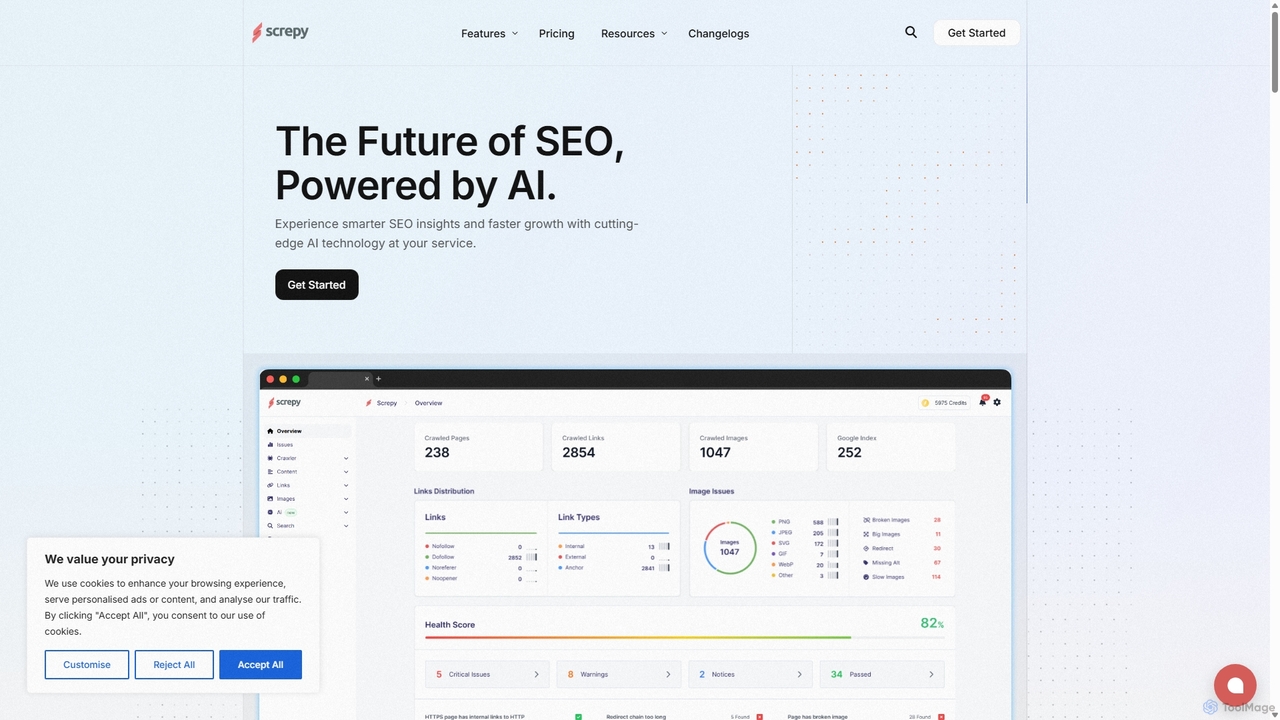
Screpy is an all-in-one, AI-powered SEO platform designed to help businesses optimize, monitor, and grow their websites. It combines essential tools like a keyword rank tracker, AI article generator, competitor analysis, uptime monitoring, and pagespeed insights into a single, user-friendly dashboard. Ideal for marketers, agencies, and business owners seeking data-driven insights for faster growth.
FuturePerfect
FuturePerfect is an AI-powered website guardian that automatically scans your site 24/7 for spelling, grammar, and readability errors. …
FuturePerfect is an AI-powered website guardian that automatically scans your site 24/7 for spelling, grammar, and readability errors. Requiring no integration, it continuously monitors your webpages, sends instant alerts for detected issues, and provides a collaborative dashboard for your team. It supports over 30 languages, helping you maintain a professional and flawless online presence, protect your brand reputation, and ensure content quality without manual effort.
Fibr
Fibr is an AI-powered Conversion Rate Optimization (CRO) platform that acts as a dedicated workforce for marketers. It …
Fibr is an AI-powered Conversion Rate Optimization (CRO) platform that acts as a dedicated workforce for marketers. It utilizes a suite of AI agents—LIV for personalization, MAX for A/B testing, and AYA for performance monitoring—to automate website optimization, run experiments at scale, and deliver personalized user experiences. This helps businesses boost conversions and reduce customer acquisition costs without needing additional staff or complex tools.
About Website Monitoring
Website Monitoring tools are AI-powered solutions designed to continuously track the availability, performance, and security of websites and web applications. Leveraging artificial intelligence, these tools go beyond basic uptime checks, providing deep insights into user experience, server health, and potential vulnerabilities. They enable developers, IT teams, and business owners to proactively identify and resolve issues, ensuring optimal site functionality and a seamless experience for visitors.
Core Features
- Uptime & Availability Monitoring: Real-time checks to ensure your website is accessible globally, with instant alerts on downtime.
- Performance Tracking: Analyzes page load times, server response, and resource utilization to identify bottlenecks and optimize speed.
- Security & Anomaly Detection: Uses AI to detect unusual traffic patterns, potential DDoS attacks, malware, and other security threats.
- User Experience Monitoring: Tracks user journeys, broken links, and slow interactions to ensure a smooth and engaging visitor experience.
- Root Cause Analysis: Provides intelligent insights into the underlying reasons for performance degradation or outages, speeding up resolution.
Applicable Scenarios
E-commerce businesses rely on website monitoring to prevent lost sales due to downtime or slow performance. SaaS providers use these tools to maintain high service level agreements (SLAs) and ensure their applications are always responsive. Developers integrate monitoring into their CI/CD pipelines to catch performance regressions before they impact users, ensuring robust and reliable deployments.
How to Choose
When selecting a Website Monitoring tool, consider its monitoring frequency and global coverage, the depth of performance metrics provided (e.g., Core Web Vitals), and its ability to detect security anomalies. Evaluate the alerting system's flexibility, integration capabilities with existing developer tools (like Slack or PagerDuty), and the clarity of its reporting and dashboard features. Scalability for future growth and pricing models are also crucial factors.
Website MonitoringUse Cases
Proactive Downtime Prevention for E-commerce
An e-commerce manager uses website monitoring to ensure their online store is always accessible, especially during peak sales events. The tool continuously pings the site from multiple global locations, instantly alerting the team via SMS and email if any page becomes unresponsive or returns an error. This allows them to quickly address server issues or broken links, preventing significant revenue loss and maintaining customer trust by ensuring a consistent shopping experience.
Optimizing Web Application Performance
A web developer leverages website monitoring to identify and resolve performance bottlenecks in their SaaS application. The tool tracks page load times, API response speeds, and database query durations in real-time. By analyzing these metrics, the developer can pinpoint slow-performing components, optimize code, or scale server resources, ensuring the application remains fast and responsive for all users, thereby improving user satisfaction and retention.
Detecting Security Threats and Anomalies
An IT security team employs AI-powered website monitoring to safeguard their corporate portal against cyber threats. The system learns normal traffic patterns and immediately flags unusual activities, such as sudden spikes in requests from suspicious IPs, unauthorized file changes, or potential DDoS attacks. This proactive detection allows the team to investigate and mitigate threats before they cause significant damage, protecting sensitive data and maintaining business continuity.
Enhancing User Experience on Content Platforms
A content manager for a news website uses monitoring tools to ensure a smooth reading experience for their audience. The tool checks for broken internal and external links, verifies image loading, and monitors interactive elements like comment sections. By receiving alerts on these issues, the manager can promptly fix them, ensuring readers can navigate the site effortlessly and access all content, which is crucial for engagement and SEO ranking.
Monitoring API and Microservices Health
A backend development team utilizes website monitoring to oversee the health and responsiveness of their critical APIs and microservices. The tool sends synthetic requests to various API endpoints, measuring response times and verifying data integrity. If an API endpoint fails or becomes slow, the team receives immediate notifications, enabling them to diagnose and fix issues in specific services without impacting the entire application, ensuring system stability.
Ensuring Compliance and SLA Adherence
An enterprise IT department uses website monitoring to demonstrate adherence to service level agreements (SLAs) for their internal and external facing applications. The tool generates detailed reports on uptime, performance metrics, and incident response times over specific periods. These reports provide verifiable data for compliance audits and stakeholder communication, proving that the agreed-upon service levels are consistently met, fostering trust and accountability.