ToolMage
Sign in

Best 2 Web Development AI tools for Developer

Popular Web Development AI tools in Developer include Huemint and Connectwell, helping you work more efficiently.

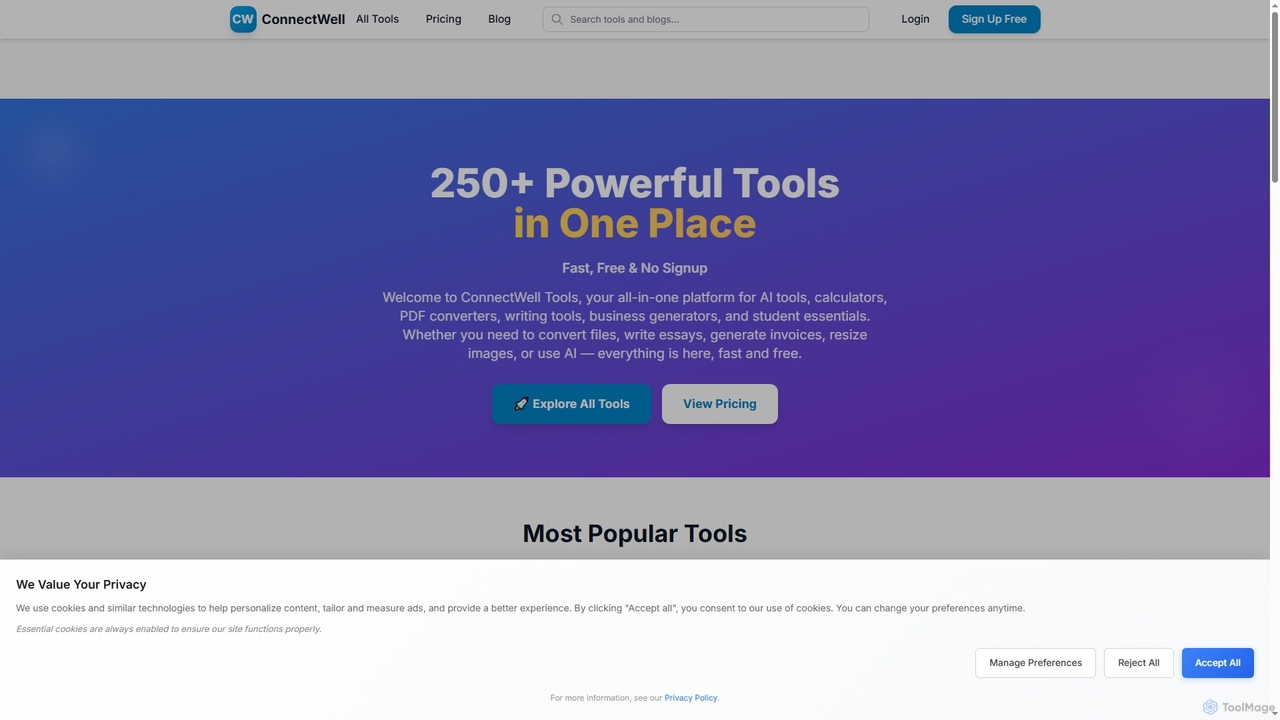
Connectwell
Freemium

Connectwell

An all-in-one suite of over 250 powerful online tools for SEO, content creation, media conversion, and development. Designed for speed and efficiency, it offers a wide range of free utilities without requiring signup, alongside premium plans for advanced users.

Image
Visits 3.4KFavorites 108Likes 90
Huemint
Free

Huemint

Huemint is an AI-powered color palette generator that uses machine learning to create unique and harmonious color schemes for brands, websites, graphics, and illustrations. It provides contextual previews to visualize how colors work together in real-world applications.

Inspiration
Visits 164.5KFavorites 129Likes 119

About Web Development

Web Development AI tools are a class of intelligent applications designed to streamline and enhance the creation, deployment, and maintenance of websites and web applications. Leveraging machine learning and natural language processing, these tools automate repetitive tasks, generate code, optimize performance, and assist with design decisions. They empower developers to build more efficient, robust, and user-friendly web experiences faster.

Core Features

  • AI-Powered Code Generation: Automatically generates boilerplate code, functions, or entire components based on natural language descriptions or design inputs.
  • Intelligent UI/UX Design Assistance: Provides suggestions for layout, color schemes, and component placement, or generates design mockups from text prompts.
  • Automated Testing and Debugging: Identifies potential bugs, security vulnerabilities, and performance bottlenecks, and suggests fixes.
  • Content Management & Optimization: Assists with generating SEO-friendly content, optimizing images, and structuring data for web platforms.
  • Deployment & Infrastructure Automation: Helps configure serverless functions, manage cloud resources, and automate CI/CD pipelines.

Applicable Scenarios

Web Development AI tools are invaluable for front-end and back-end developers, UI/UX designers, and full-stack engineers. They accelerate prototyping, simplify complex coding tasks, and ensure higher code quality. From building responsive e-commerce sites to developing scalable web applications, these tools significantly reduce development cycles and operational overhead.

How to Choose

When selecting Web Development AI tools, consider their integration capabilities with existing tech stacks, the accuracy and relevance of their AI-generated outputs, and the level of customization offered. Evaluate the learning curve, community support, and pricing models to ensure they align with project requirements and team expertise.

Featured tool rankings

Web Development use cases

1

Automated Front-End Component Generation

A front-end developer needs to quickly build a responsive user interface. Using an AI web development tool, they can input design specifications or even hand-drawn sketches. The AI then generates clean, semantic HTML, CSS, and JavaScript components, significantly accelerating the initial UI build phase and ensuring consistency across the application.

2

Intelligent Back-End API Creation

A back-end engineer is tasked with developing a new API for a web application. An AI-powered tool can take a database schema or a natural language description of desired endpoints. It then generates the necessary API routes, data models, and basic CRUD operations, reducing manual coding and potential errors, allowing the engineer to focus on complex business logic.

3

Real-time Code Optimization and Refactoring

A development team is working on a large-scale web application and needs to maintain high code quality and performance. An AI assistant continuously analyzes the codebase, identifying inefficient algorithms, redundant code, or potential security vulnerabilities. It suggests refactoring improvements and automatically applies common optimizations, leading to faster load times and more secure applications.

4

Automated Cross-Browser Compatibility Testing

A QA engineer needs to ensure a web application functions flawlessly across various browsers and devices. AI testing tools can simulate user interactions and automatically run tests on different environments. They detect layout issues, broken functionalities, and performance regressions, providing detailed reports that drastically reduce manual testing effort and improve release confidence.

5

Personalized Content Generation for Web Pages

A content manager for an e-commerce site wants to create dynamic, personalized product descriptions and marketing copy. AI web development tools integrated with content platforms can generate variations of text based on user segments or product attributes. This enhances SEO, improves user engagement, and scales content creation without extensive manual writing.

6

Serverless Function Deployment and Management

A DevOps engineer is deploying a new microservice using serverless architecture. AI-driven tools can assist by analyzing the code, suggesting optimal serverless configurations, and automating the deployment process to cloud providers. They can also monitor performance and cost, ensuring efficient resource utilization and simplified management of complex distributed systems.

Web Development FAQ

What are AI Web Development tools?

AI Web Development tools are software applications that leverage artificial intelligence, such as machine learning and natural language processing, to automate, assist, and optimize various stages of web development. They aim to enhance efficiency, reduce manual effort, and improve the quality of websites and web applications. Key features include code generation, UI/UX design assistance, and automated testing.

How do AI tools assist in web design and UI/UX?

AI tools assist in web design and UI/UX by generating design mockups from text prompts, suggesting optimal layouts and color schemes, and providing real-time feedback on user experience. They can analyze user behavior data to recommend personalized interfaces, automate the creation of responsive designs, and ensure accessibility compliance, significantly speeding up the design process and improving user satisfaction.

What is the difference between AI Web Development tools and traditional development frameworks?

Traditional development frameworks (like React, Angular, Vue) provide structured environments and pre-built components for developers to write code manually. AI Web Development tools, conversely, use AI to generate or assist with code, design, testing, and deployment, often automating tasks that would otherwise require manual coding or configuration within those frameworks. They complement frameworks by adding intelligence and automation, rather than replacing them entirely.

Can AI Web Development tools generate entire websites?

While current AI Web Development tools can generate significant portions of a website, including boilerplate code, UI components, and even basic content, they typically do not create entire, fully customized, and complex websites autonomously from scratch. They excel as powerful assistants that accelerate development, handle repetitive tasks, and provide intelligent suggestions, requiring human oversight and refinement for bespoke features and intricate logic.

Who benefits most from using AI in web development?

A wide range of professionals benefit from AI in web development. Front-end and back-end developers gain efficiency through automated code generation and optimization. UI/UX designers can rapidly prototype and iterate on designs. QA engineers benefit from automated testing and debugging. Even project managers can use AI tools for better resource allocation and project planning, ultimately accelerating delivery for businesses of all sizes.