ToolMage
Sign in

Best 2 Sdk AI tools for Development

Popular Sdk AI tools in Development include AI SDK and LLMRTC, helping you work more efficiently.

LLMRTC

LLMRTC

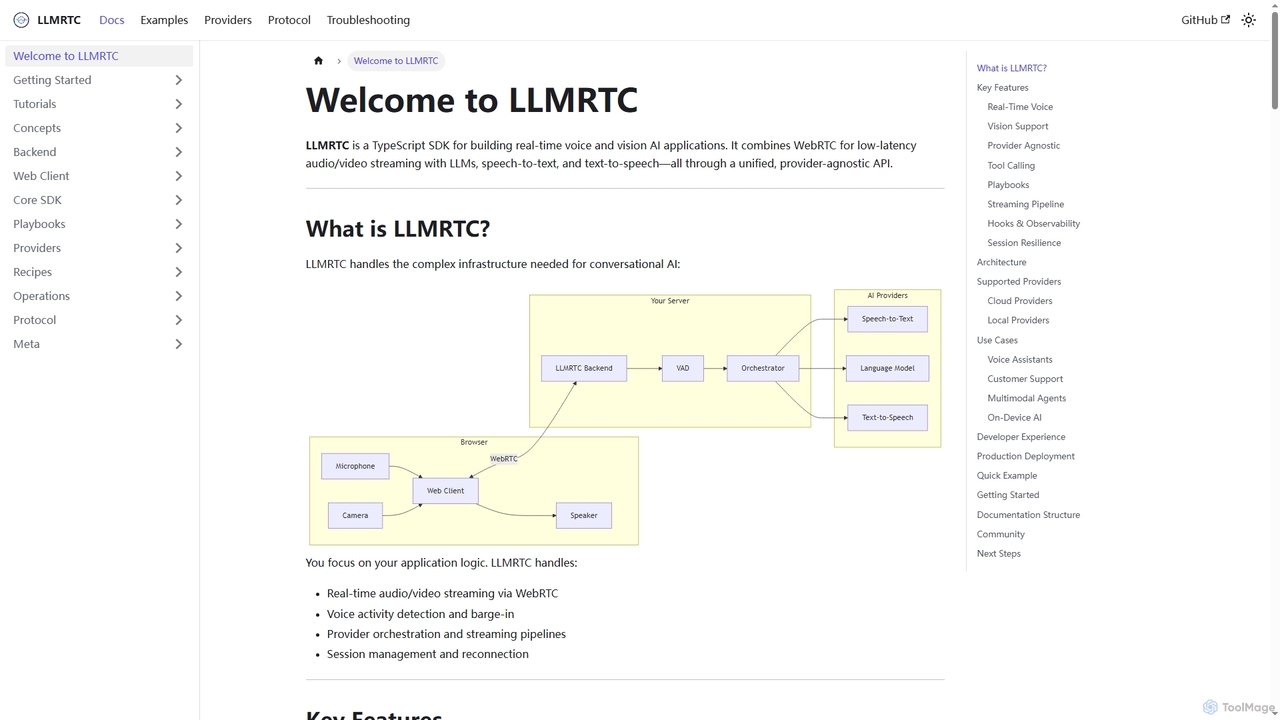
LLMRTC is a TypeScript SDK for building real-time voice and vision AI applications. It integrates WebRTC for low-latency audio/video streaming with LLMs, speech-to-text, and text-to-speech technologies through a unified, provider-agnostic API. Developers can focus on application logic while LLMRTC handles complex conversational AI infrastructure.

Conversational Ai
Visits 6.4KFavorites 51Likes 39
AI SDK
Free

AI SDK

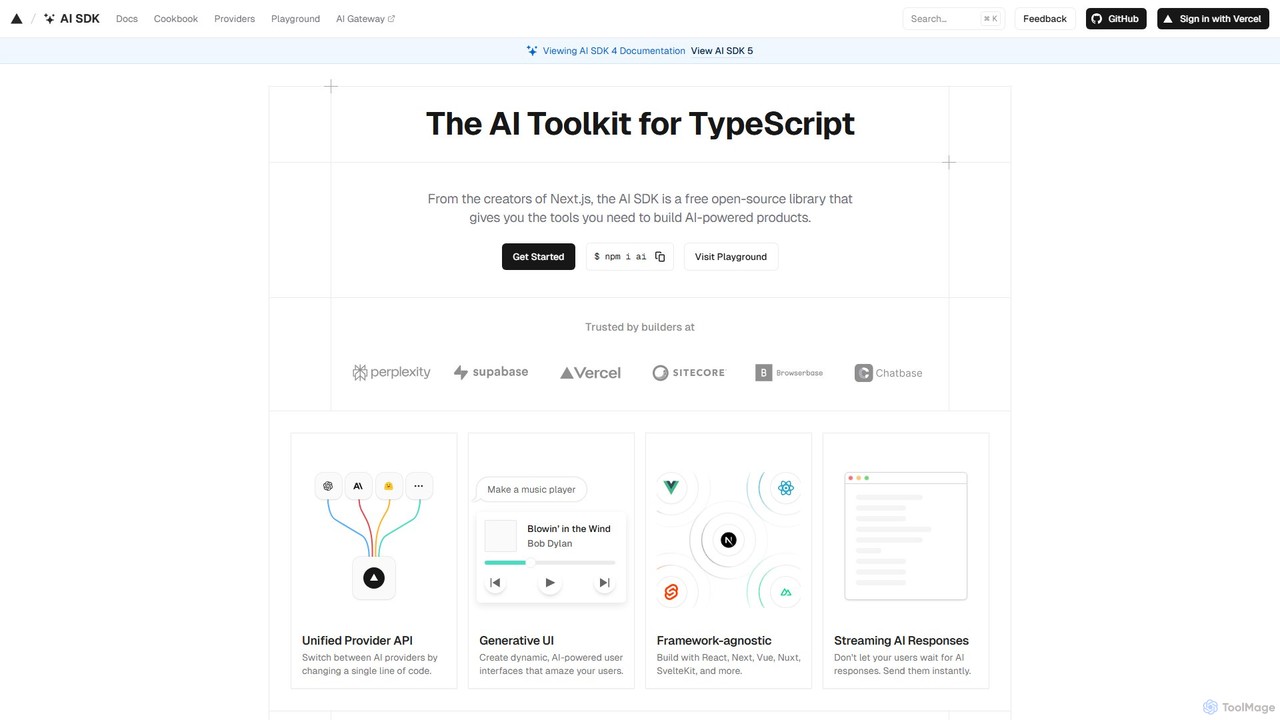
AI SDK by Vercel is a free, open-source TypeScript toolkit for building AI-powered applications. It provides a unified API to seamlessly integrate various large language models (LLMs) like OpenAI, Google, and Anthropic. It simplifies development with features like streaming responses, generative UI components, and tool calling, enabling developers to build and ship AI features faster across frameworks like Next.js, React, and Svelte.

Library
Visits 599.7KFavorites 122Likes 114

About Sdk

An AI SDK (Software Development Kit) is a specialized toolkit that enables developers to integrate artificial intelligence and machine learning capabilities directly into their applications. These kits typically bundle pre-optimized libraries, APIs, code samples, and debugging tools, abstracting the complexity of underlying AI models. They are designed to accelerate the development of AI-powered features, such as computer vision or natural language processing, by providing a streamlined framework for model deployment and inference on various hardware platforms. This allows developers to focus on application logic rather than low-level AI implementation.

Core Features

  • Optimized Inference Engine: Provides high-performance execution of machine learning models on target hardware like CPUs, GPUs, or NPUs.
  • Hardware Abstraction Layer: Automatically leverages specific hardware accelerators without requiring developers to write custom code for each chip.
  • Model Conversion & Quantization: Includes tools to convert models from popular training frameworks (like TensorFlow/PyTorch) into an efficient format for deployment.
  • Pre-built Function Libraries: Offers high-level APIs for common AI tasks, such as object detection, text classification, or face recognition.
  • Cross-Platform Support: Enables developers to write code once and deploy AI features across different operating systems like Android, iOS, Windows, and Linux.

Use Cases

AI SDKs are primarily used by software and application developers who need to embed AI functionalities into their products. This is common in mobile app development for creating features like real-time camera effects, in IoT for on-device data processing, and in enterprise software for automating tasks like document analysis or customer service chatbots. They are essential for projects requiring low-latency, offline AI processing on edge devices.

How to Choose

When selecting an AI SDK, consider the target deployment platform (e.g., mobile, desktop, edge). Evaluate its support for specific AI domains, such as computer vision or NLP, and its compatibility with your chosen machine learning frameworks. Performance benchmarks on your target hardware are critical, as is the quality of documentation and community support. Finally, review the licensing model to ensure it aligns with your commercial or open-source project goals.

Sdk use cases

1

Develop Real-time Object Detection in a Mobile App

A mobile app developer is tasked with adding a feature that can identify and label objects in real-time using the phone's camera. Instead of building a computer vision pipeline from scratch, the developer integrates an AI SDK specialized for mobile vision. They use the SDK's high-level API to load a pre-trained object detection model, configure the camera input stream, and overlay bounding boxes on the identified objects. The SDK handles hardware acceleration on the device's GPU/NPU, ensuring smooth, low-latency performance without draining the battery. This approach reduces development time from months to weeks.

2

Enable On-Device Voice Commands for IoT Products

An embedded systems engineer is working on a smart home device and wants to enable offline voice control. Relying on a cloud API would introduce latency and fail without an internet connection. By using an AI SDK for edge devices, the engineer can deploy a lightweight keyword-spotting and natural language understanding model directly onto the device's microcontroller. The SDK provides tools for model quantization to reduce memory footprint and APIs to process audio streams from the microphone. This results in a responsive, private, and reliable voice interface that works entirely offline.

3

Build a Cross-Platform AI-Powered Photo Editor

A software company wants to create a photo editing application for both iOS and Android that includes advanced AI features like background removal and style transfer. Using a cross-platform AI SDK, their development team can write the core AI processing logic once in a language like C++. The SDK provides wrappers and bindings for Swift (iOS) and Kotlin (Android), allowing them to call the shared AI code from the native UI of each platform. This significantly reduces code duplication and ensures consistent AI feature performance and behavior across both operating systems, speeding up time-to-market.

4

Accelerate Inference for a Desktop Analytics Application

A data scientist has built a complex machine learning model for a desktop analytics tool, but it runs too slowly on standard CPUs. An enterprise developer uses an AI SDK that supports GPU acceleration (e.g., via CUDA or DirectML). The developer integrates the SDK into the Capplication, using it to load the model and run inference on the user's GPU. The SDK's hardware abstraction layer automatically detects and utilizes the available GPU, resulting in a performance increase of over 10x. This makes interactive data analysis with the complex model feasible for end-users.

5

Integrate Intelligent Document Processing into Enterprise Software

A developer is building a feature for an enterprise resource planning (ERP) system to automate invoice processing. They use an AI SDK that provides pre-built models for Optical Character Recognition (OCR) and Named Entity Recognition (NER). The SDK's API allows them to easily send a scanned invoice image and receive structured data in return, such as invoice number, date, and total amount. By using the SDK, the developer avoids the complexity of training and deploying their own OCR/NER models, delivering a high-value automation feature quickly and reliably within the existing software ecosystem.

6

Create a Personalized Recommendation Engine in a Web Service

A web developer for an e-commerce platform wants to implement a real-time product recommendation system. They use an AI SDK that simplifies interaction with a large-scale machine learning model hosted in the cloud. The SDK provides convenient methods for sending user activity data (e.g., clicks, purchases) and retrieving a list of personalized recommendations. It also handles authentication, request batching, and error handling, allowing the developer to focus on integrating the results into the website's user interface rather than managing complex API calls and network communication. This accelerates the launch of a key feature that can significantly boost user engagement and sales.

Sdk FAQ

What is an AI SDK?

An AI SDK (Software Development Kit) is a collection of software tools and libraries that helps developers integrate Artificial Intelligence capabilities into their applications. Unlike a simple API call to a cloud service, an SDK is installed and integrated directly into the application's codebase. It typically includes an inference engine for running models locally, tools for model optimization, and pre-written code for common tasks, significantly speeding up the development of AI-powered features.

What is the difference between an AI SDK and an AI API?

The main difference lies in where the AI processing occurs. An AI API is a cloud-based service you call over the internet; the computation happens on the provider's servers. An AI SDK is a library you integrate into your app, allowing AI computations to run directly on the user's device (on-device/edge AI).
Key distinctions:

  • SDK: Runs locally, works offline, offers lower latency, and gives more control over data privacy. It requires more integration effort.
  • API: Requires an internet connection, can leverage more powerful server-side models, and is often simpler to implement, but has higher latency and data privacy considerations.

How do I choose the right AI SDK for my project?

Selecting the right AI SDK depends on several key factors. First, identify your target platform (e.g., iOS, Android, Windows, Linux, Web). Second, determine the AI task you need to perform (e.g., object detection, text-to-speech, classification). Then, consider the following:

  • Performance: Check benchmarks for speed and accuracy on hardware similar to your target devices.
  • Model Support: Ensure it supports the model formats you use (e.g., TensorFlow Lite, ONNX, Core ML).
  • Ease of Use: Evaluate the quality of the documentation, the simplicity of the API, and the availability of sample code.
  • Licensing: Understand the costs and usage restrictions to ensure they fit your business model.

Do I need to be a machine learning expert to use an AI SDK?

No, one of the primary benefits of an AI SDK is that it abstracts away much of the complexity of machine learning. Developers do not need a deep understanding of model architecture or training algorithms. However, a basic understanding of AI concepts, such as what an inference is and the types of input a model expects (e.g., image dimensions, text format), is beneficial. The SDK provides high-level functions, allowing application developers to treat complex AI models like a standard software library.

What kind of performance can I expect from an AI SDK?

Performance varies greatly depending on the SDK, the hardware, and the model's complexity. A good AI SDK is highly optimized for specific hardware platforms. For example, a mobile SDK might leverage a phone's GPU or Neural Processing Unit (NPU) to accelerate inference, resulting in real-time performance (e.g., 30+ frames per second for video processing) with low power consumption. On desktop systems with powerful GPUs, SDKs can execute very large models in milliseconds. It's crucial to check performance benchmarks provided by the SDK vendor for your specific use case and target hardware.