ToolMage
Sign in

Best 1 Pdf AI tools for Document Management

Popular Pdf AI tools in Document Management include pdfaionline, helping you work more efficiently.

pdfaionline
Freemium

pdfaionline

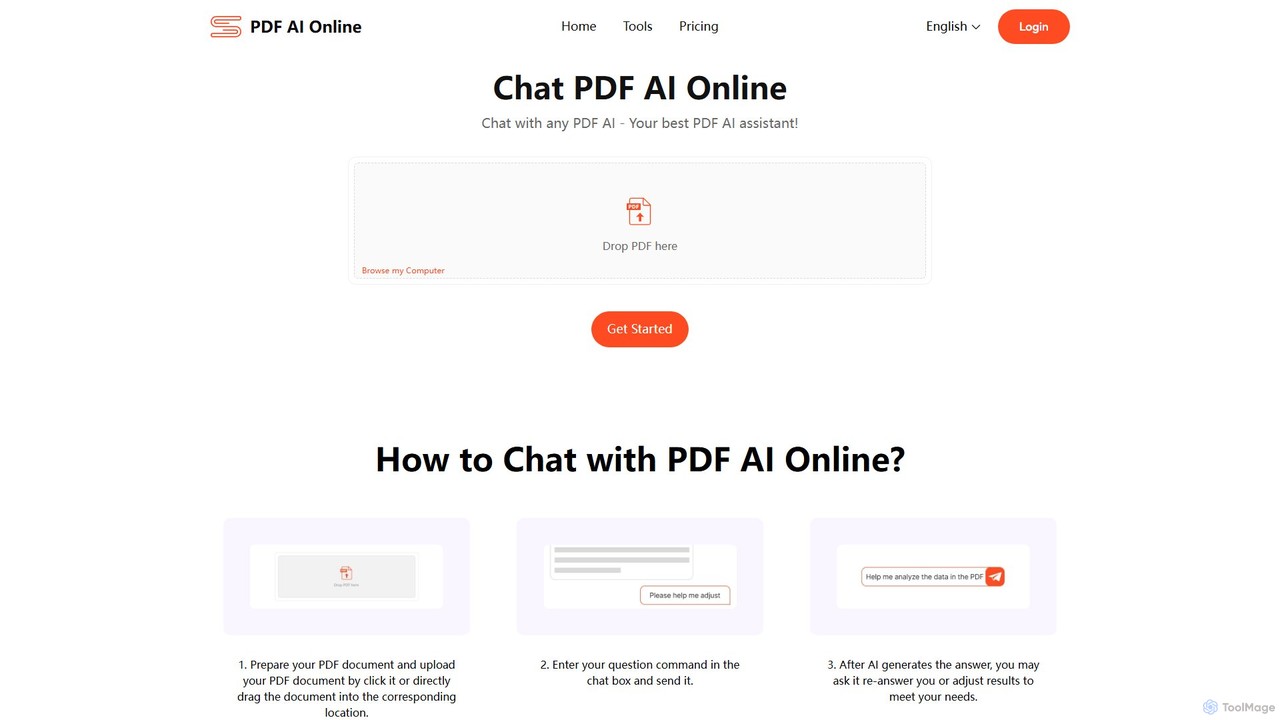
pdfaionline is a comprehensive AI-powered platform for interacting with your PDF documents. Chat with any PDF to get instant answers, summaries, and data analysis. It supports long documents, complex tables, and offers features like editing, mind mapping, and translation to over 100 languages. Powered by advanced models like GPT-4o and Claude-3, it ensures high accuracy and efficiency while prioritizing user data security.

Data Extraction
Visits 5.5KFavorites 79Likes 66

About Pdf

AI PDF tools are a specialized category within document management that leverage artificial intelligence to intelligently process, analyze, and interact with PDF documents. Unlike traditional PDF editors, these tools utilize advanced machine learning and natural language processing to understand document content, extract structured data, summarize information, and even answer questions directly from PDFs. They significantly enhance efficiency and accuracy in handling complex document workflows, transforming static files into dynamic, actionable data sources.

Core Features

  • Intelligent Data Extraction: Automatically identifies and extracts specific data points (e.g., names, dates, amounts) from various PDF layouts, including invoices and contracts.
  • AI-powered Summarization & Q&A: Condenses lengthy PDF documents into concise summaries and allows users to ask natural language questions to retrieve specific information.
  • Advanced OCR & Text Recognition: Converts scanned PDFs and image-based documents into editable, searchable text with high accuracy, even for complex layouts.
  • Automated Content Redaction & Editing: Intelligently identifies and redacts sensitive information or assists in editing content within PDFs while preserving formatting.
  • Layout Preservation & Conversion: Maintains original document formatting during conversion to other file types (e.g., Word, Excel) and ensures consistent presentation.

Applicable Scenarios

These tools are invaluable for professionals dealing with high volumes of PDF documents. Legal teams use them for rapid contract review and clause extraction, while financial analysts leverage them for automated invoice processing and data reconciliation. Researchers and academics benefit from quick summarization of papers, and businesses streamline compliance checks by identifying key terms across numerous documents.

How to Choose

When selecting an AI PDF tool, prioritize its core AI capabilities, such as OCR accuracy for diverse document types and the sophistication of its natural language processing for summarization and Q&A. Consider its integration with your existing document management systems, security features for sensitive data, and scalability to handle your document volume. Evaluate the user interface for ease of use and ensure it supports the specific output formats you require.

Featured tool rankings

Pdf use cases

1

Legal Document Review & Analysis

Legal professionals can upload large volumes of contracts, case files, or discovery documents in PDF format. AI PDF tools automatically identify and extract key clauses, terms, dates, and parties, summarize complex legal texts, and highlight potential risks or discrepancies, significantly reducing manual review time and improving accuracy in legal due diligence.

2

Automated Financial Data Extraction

Accountants and financial departments use AI PDF tools to process invoices, receipts, and bank statements. The AI intelligently extracts specific data points like vendor names, invoice numbers, amounts, and dates, then exports them into structured formats (e.g., Excel or accounting software), automating data entry and reconciliation processes and minimizing human error.

3

Academic Research & Content Summarization

Researchers and students utilize AI PDF tools to quickly digest lengthy academic papers, journals, and textbooks. By uploading PDF documents, they can generate concise summaries of key findings, methodologies, and conclusions, or ask specific questions about the content to rapidly grasp core concepts and accelerate literature reviews.

4

Streamlined Contract Management

Businesses leverage AI PDF tools to manage their contract lifecycle more efficiently. These tools can automatically analyze new and existing contracts to identify critical terms, renewal dates, and compliance requirements. They can also compare different contract versions, flag deviations, and extract specific clauses for reporting, ensuring better governance and risk mitigation.

5

Enhanced Customer Support with Document Q&A

Customer service teams can integrate AI PDF tools to create intelligent knowledge bases from product manuals, FAQs, and policy documents. When a customer asks a question, the AI can quickly search and extract the most relevant answer directly from the PDF content, providing faster, more accurate responses and reducing agent workload.

6

Accessibility Enhancement for Digital Documents

Organizations aiming for digital accessibility use AI PDF tools to automatically enhance their PDF documents. The AI can analyze document structure, add appropriate tags for headings, lists, and images, and ensure proper reading order, making the content accessible to users relying on screen readers and other assistive technologies, thus meeting compliance standards.

Pdf FAQ

What are AI PDF tools?

AI PDF tools are software applications that use artificial intelligence, including machine learning and natural language processing, to perform advanced operations on PDF documents. They go beyond basic editing by intelligently understanding, extracting, summarizing, and interacting with the content, transforming static PDFs into dynamic, actionable data sources for enhanced productivity and accuracy.

How do AI PDF tools differ from standard PDF editors?

Standard PDF editors primarily focus on manual tasks like text editing, page manipulation, and basic annotations. AI PDF tools, however, leverage AI to automate complex tasks such as intelligent data extraction, content summarization, natural language Q&A, and advanced OCR for scanned documents. They "understand" the content, not just its visual representation, offering deeper insights and automation.

What are the key benefits of using AI PDF tools?

The main benefits include significant time savings through automation of repetitive tasks like data entry and document review. They enhance accuracy by minimizing human error in data extraction and analysis. Furthermore, they enable deeper insights by summarizing complex documents and allowing natural language interaction, leading to improved decision-making and operational efficiency across various industries.

What should I consider when choosing an AI PDF tool?

When selecting an AI PDF tool, evaluate its core AI capabilities, such as the accuracy of its OCR for your specific document types and the sophistication of its natural language processing for summarization and Q&A. Consider its integration options with your existing software, robust security and compliance features, scalability for future needs, and the overall ease of use and user interface design.

Can AI PDF tools handle scanned documents?

Yes, a core strength of advanced AI PDF tools is their ability to process scanned documents effectively. They utilize intelligent Optical Character Recognition (OCR) technology, often enhanced by AI, to accurately convert image-based text from scanned PDFs into editable and searchable digital text. This allows for data extraction, summarization, and other AI-powered functions even on non-native digital documents.