ToolMage
Sign in

Best 1 Ai Document Analysis AI tools for Document Management

Popular Ai Document Analysis AI tools in Document Management include Macro, helping you work more efficiently.

Macro

Macro

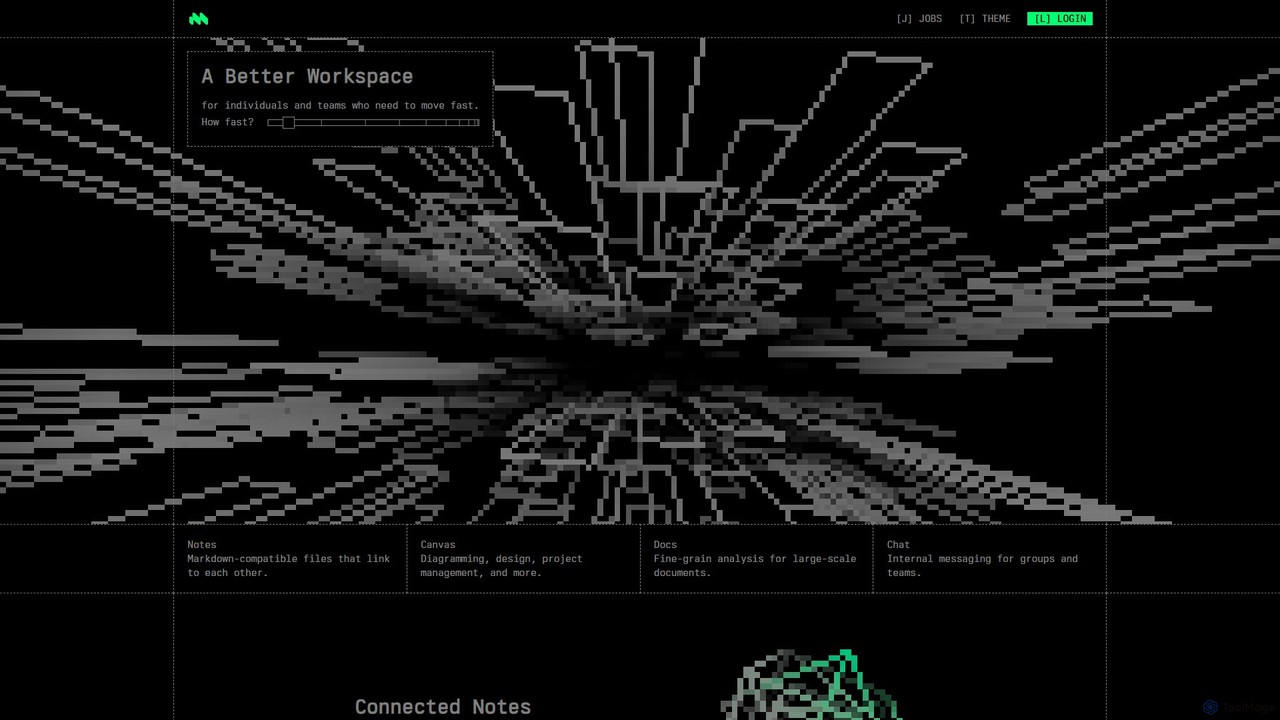
Macro is an AI-powered, unified workspace designed for speed and collaboration. It integrates linkable notes, an infinite canvas for brainstorming, intelligent document analysis, and threaded team chat into a single, secure, and enterprise-ready platform.

Ai Document Analysis
Visits 75.3KFavorites 104Likes 126

About Ai Document Analysis

AI Document Analysis tools are a specialized category of software that uses artificial intelligence, particularly Natural Language Processing (NLP) and computer vision, to automatically extract, interpret, and structure information from various document types. Unlike simple OCR which just digitizes text, these tools understand context, identify key entities like names and dates, and analyze content. They are crucial for automating data entry, accelerating legal contract review, and gaining insights from large volumes of unstructured text such as reports and invoices. This focus on semantic understanding distinguishes them from general document management systems, which primarily handle storage and organization.

Core Features

  • Intelligent Data Extraction: Automatically identifies and extracts specific data points like invoice numbers, client names, or contract clauses from unstructured text.
  • Entity Recognition (NER): Pinpoints and categorizes key entities such as people, organizations, locations, dates, and monetary values.
  • Sentiment & Topic Analysis: Gauges the emotional tone of text and identifies the main themes or topics discussed within a document.
  • Document Classification: Automatically categorizes documents based on their content (e.g., invoice, contract, resume) to streamline workflows.
  • Summarization: Generates concise summaries of long documents, highlighting the most critical information for quick review.

Use Cases

These tools are widely used in industries like legal, finance, healthcare, and research. Professionals such as paralegals, financial analysts, and medical researchers use them to automate invoice processing, speed up due diligence by reviewing contracts, and analyze vast amounts of patient records or scientific papers efficiently.

How to Choose

When selecting a tool, evaluate its support for your specific document formats (PDF, scanned images, etc.) and layouts. Assess the extraction accuracy for your required data fields. Check for API and integration capabilities with your existing systems (e.g., ERP, CRM). Finally, consider if the model can be custom-trained on your documents to improve accuracy for unique cases.

Featured tool rankings

Ai Document Analysis use cases

1

Automated Invoice Processing for Finance Teams

An Accounts Payable Specialist often spends hours manually entering data from hundreds of supplier invoices into an ERP system. This process is tedious and prone to errors. By using an AI Document Analysis tool, they can automate this entire workflow. The tool automatically scans incoming invoices in formats like PDF or email, extracts key fields such as invoice number, vendor name, amount due, and line items. This extracted data is then validated and populated directly into the accounting software, reducing manual data entry by over 90% and significantly accelerating payment cycles.

2

Accelerating Legal Contract Review

During due diligence or contract management, a paralegal or corporate lawyer must review dozens of lengthy contracts for specific clauses, risks, or non-standard terms. This is a meticulous and time-intensive task. An AI analysis tool can ingest multiple contracts at once, automatically identifying and flagging key clauses related to liability, termination, or confidentiality. It can also extract party names and effective dates, and even compare clauses against standard company templates. This reduces review time from hours to minutes per document, ensures consistency, and minimizes the risk of overlooking critical information.

3

Streamlining Customer Feedback Analysis

A product manager needs to understand user sentiment by analyzing thousands of survey responses, support tickets, and online reviews. Manually reading and categorizing this feedback is impractical. By feeding this unstructured text data into an AI analysis tool, the manager can get immediate insights. The AI performs sentiment analysis to classify feedback as positive, negative, or neutral, and uses topic modeling to identify recurring themes like 'feature requests' or 'bug reports'. This provides actionable, data-driven insights for product improvement without weeks of manual effort.

4

Digitizing and Analyzing Medical Records

A medical researcher needs to extract structured data from vast archives of unstructured patient records, lab reports, and physician's notes for a clinical study. Manual extraction is slow and error-prone. An AI tool specialized for healthcare can scan these documents, recognize and extract key medical entities like diagnoses (ICD codes), medications, and lab values. This process creates a structured, queryable database from messy, unstructured text, enabling large-scale data analysis for research, improving clinical trial recruitment, and ultimately supporting better patient care decisions.

5

Automating Resume Screening for HR

An HR recruiter is often overwhelmed by hundreds of resumes for a single job opening. Manually sifting through them to find qualified candidates is a major bottleneck. An AI document analysis tool can parse resumes in various formats (PDF, DOCX), automatically extracting key information like contact details, work history, education, and specific skills (e.g., 'Python', 'Project Management'). The system can then score and rank candidates based on their relevance to the job description, allowing recruiters to focus their time on the most promising applicants. This shortens the time-to-hire and reduces potential human bias in initial screening.

6

Enhancing Academic Research with Literature Analysis

An academic researcher conducting a literature review must process and synthesize information from hundreds of scientific papers. This is a foundational but extremely time-consuming part of research. By uploading a corpus of research papers to an AI analysis tool, the researcher can accelerate this process significantly. The AI can summarize each paper, extract key findings and methodologies, identify recurring themes across the literature, and even map out citation networks between different authors and studies. This provides a high-level, structured overview of the field, helping to identify research gaps and synthesize information more efficiently.

Ai Document Analysis FAQ

What is AI Document Analysis?

AI Document Analysis is a technology that uses artificial intelligence, such as Natural Language Processing (NLP) and computer vision, to automatically read, understand, and extract structured information from documents. Unlike basic OCR which just converts images to text, it interprets the context to identify key data points (like names or invoice totals), classify document types, and analyze content for insights. Its primary goal is to turn unstructured document data into actionable, structured information.

How does AI Document Analysis differ from standard OCR?

Standard Optical Character Recognition (OCR) is a technology that converts scanned images or PDFs into machine-readable text. Its job ends there. AI Document Analysis starts where OCR leaves off. It uses the digitized text to understand context, identify specific entities (like names, dates, invoice numbers), classify the document's purpose (e.g., contract vs. invoice), and even analyze sentiment. In short, OCR digitizes the text, while AI Document Analysis interprets its meaning and structure.

What types of documents can these tools analyze?

AI Document Analysis tools are versatile and can handle a wide range of structured, semi-structured, and unstructured documents. Common examples include:

  • Financial: Invoices, purchase orders, receipts, bank statements.
  • Legal: Contracts, agreements, court filings, deeds.
  • HR: Resumes, employee contracts, performance reviews.
  • Healthcare: Patient records, lab reports, insurance claims.
  • General: Emails, customer feedback forms, research papers, and handwritten notes.
How do I choose the right AI Document Analysis tool?

When selecting a tool, consider these four key factors:

  • Accuracy & Specialization: Does the tool have pre-trained models for your specific document type (e.g., invoices, legal contracts)? Check its accuracy rates for your use case.
  • Integration: Can it easily connect with your existing software (ERP, CRM, cloud storage) via APIs or native integrations to create a seamless workflow?
  • Scalability: Can the tool handle your expected volume of documents efficiently and cost-effectively as your business grows?
  • Customization: Does it allow you to train custom models on your unique documents to improve performance for non-standard layouts or specific terminology?
Who can benefit from using AI Document Analysis tools?

A wide range of professionals and businesses can benefit. Finance departments use them to automate accounts payable and expense reporting. Legal teams accelerate contract review and due diligence. HR departments streamline resume screening. Healthcare providers digitize patient records for analysis. Essentially, any role or organization that deals with high volumes of documents and needs to extract specific, actionable data can significantly improve efficiency and accuracy by using these tools.