Peridot
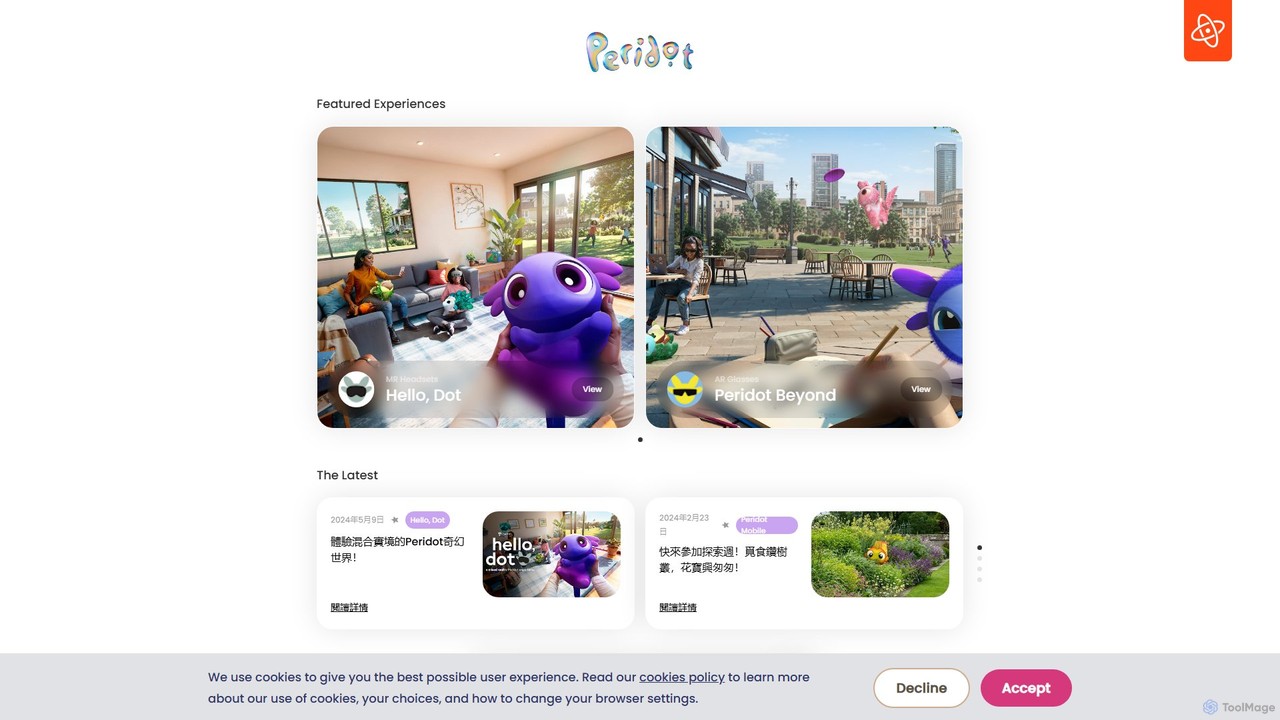
A real-world augmented reality pet game from Niantic. Raise, care for, and breed one-of-a-kind virtual pets, each with …
A real-world augmented reality pet game from Niantic. Raise, care for, and breed one-of-a-kind virtual pets, each with unique DNA powered by generative AI. Explore the world with your companion, discover new traits, and create new generations of Dots.
About Augmented Reality
Augmented Reality (AR) tools are AI-powered platforms that overlay digital information, such as 3D models, videos, and interactive elements, onto the real-world environment in real-time. These tools leverage advanced computer vision, machine learning, and spatial tracking technologies to seamlessly blend virtual content with physical surroundings, enhancing user perception and interaction. Within the broader gaming category, AR tools specifically transform traditional gameplay by enabling deeply immersive experiences where virtual characters, game objects, and interactive narratives appear to exist and respond within the player's physical space. This creates novel forms of entertainment and engagement, moving beyond the confines of a screen to offer dynamic, location-aware adventures and social interactions.
Core Features
- Real-time Environment Mapping: Accurately understands and maps the physical environment, including surfaces and obstacles, to enable realistic placement and interaction of virtual objects. This allows for dynamic lighting and shadow casting that matches the real world.
- Spatial Tracking & Anchoring: Tracks user movement, device orientation, and specific real-world points to maintain the correct perspective and stable positioning of virtual content, ensuring a consistent and believable AR experience.
- Object & Surface Recognition: Identifies specific real-world objects, images, or planar surfaces (like floors and walls) to trigger and anchor AR experiences, enabling marker-based or markerless AR applications.
- Interactive Virtual Objects: Provides functionalities for users to manipulate, resize, rotate, and interact with digital elements overlaid on reality, often through touch gestures or gaze interaction, making the virtual content feel tangible.
- Cross-Platform Compatibility: Supports deployment across a wide range of devices, including modern smartphones, tablets (iOS ARKit, Android ARCore), and dedicated AR headsets, maximizing reach and accessibility for developers.
Applicable Scenarios
AR tools are extensively utilized by game developers to create highly interactive mobile games, location-based AR experiences, and educational games, allowing players to engage with virtual elements directly in their physical surroundings, from battling virtual monsters in their living room to solving puzzles in a city park. Beyond gaming, these tools empower educators to bring abstract scientific concepts and historical events to life in classrooms, assist retailers in offering virtual product try-ons for clothing or furniture, and enable industrial designers to visualize prototypes in real-world contexts, significantly enhancing engagement and understanding across diverse sectors.
How to Choose
When selecting Augmented Reality tools, it is crucial to consider the accuracy and robustness of their spatial tracking and environment understanding capabilities, as these directly impact the realism and stability of AR experiences. Evaluate the ease of content creation and integration with your existing game engines (e.g., Unity, Unreal Engine) or development frameworks. Assess device compatibility across target platforms, performance optimization for various hardware specifications, and the availability of comprehensive SDKs that offer features like persistent AR experiences and cloud anchors. Additionally, investigate the community support, documentation quality, and the licensing models to ensure long-term viability, scalability, and cost-effectiveness for your specific project needs.

Augmented RealityUse Cases
Create Immersive AR Gaming Experiences
Game developers utilize AR tools to design and build interactive games where virtual characters and game elements are overlaid onto the player's real-world environment. For instance, a developer can create a mobile AR game where players hunt virtual creatures appearing in their park or living room, using their smartphone camera as a window. This enhances player engagement by blending digital narratives with physical exploration, offering a unique and dynamic gameplay experience that leverages the player's surroundings.
Enhance Retail & E-commerce with Virtual Try-ons
Retail businesses leverage AR tools to offer customers virtual try-on experiences for products like clothing, eyewear, or furniture. A furniture retailer, for example, can enable customers to visualize how a sofa would look in their living room before purchase, using their smartphone camera. This significantly reduces return rates and boosts customer confidence by providing a realistic preview, bridging the gap between online browsing and physical product interaction.
Facilitate Interactive Educational Content
Educators and content creators use AR tools to develop engaging learning materials that bring abstract concepts to life. A science teacher, for instance, can project a 3D model of the human heart onto a desk, allowing students to interact with it from all angles. This hands-on, visual approach significantly improves comprehension and retention of complex subjects, making learning more dynamic and accessible for students of all ages.
Streamline Industrial Training & Maintenance
Industrial companies deploy AR tools to provide hands-on training and maintenance support for complex machinery. A technician, for example, can wear an AR headset that overlays step-by-step repair instructions directly onto a piece of equipment, highlighting specific parts and procedures. This reduces training time by up to 50% and minimizes errors, ensuring efficient and safe operations without the need for physical manuals or extensive prior knowledge.
Visualize Architectural & Design Projects
Architects and interior designers utilize AR tools to present and refine their projects in real-world contexts. An architect, for example, can use an AR application to project a 3D model of a new building onto a construction site or an empty plot, allowing clients to walk through and experience the design at scale. This facilitates better communication, reduces costly revisions by identifying issues early, and helps secure client approval with compelling, immersive visualizations.
Create Interactive Marketing & Advertising Campaigns
Marketing professionals leverage AR tools to develop highly engaging and memorable advertising campaigns. A brand, for example, can create an AR filter for social media that allows users to interact with their product virtually or transform their surroundings with branded elements. This boosts brand awareness and customer engagement by offering a novel, shareable experience that captures attention and encourages direct interaction with marketing content, leading to higher conversion rates.