ToolMage
Sign in

Best 2 Character Creator AI tools for Gaming

Popular Character Creator AI tools in Gaming include Squareface and avumi, helping you work more efficiently.

Squareface
Free

Squareface

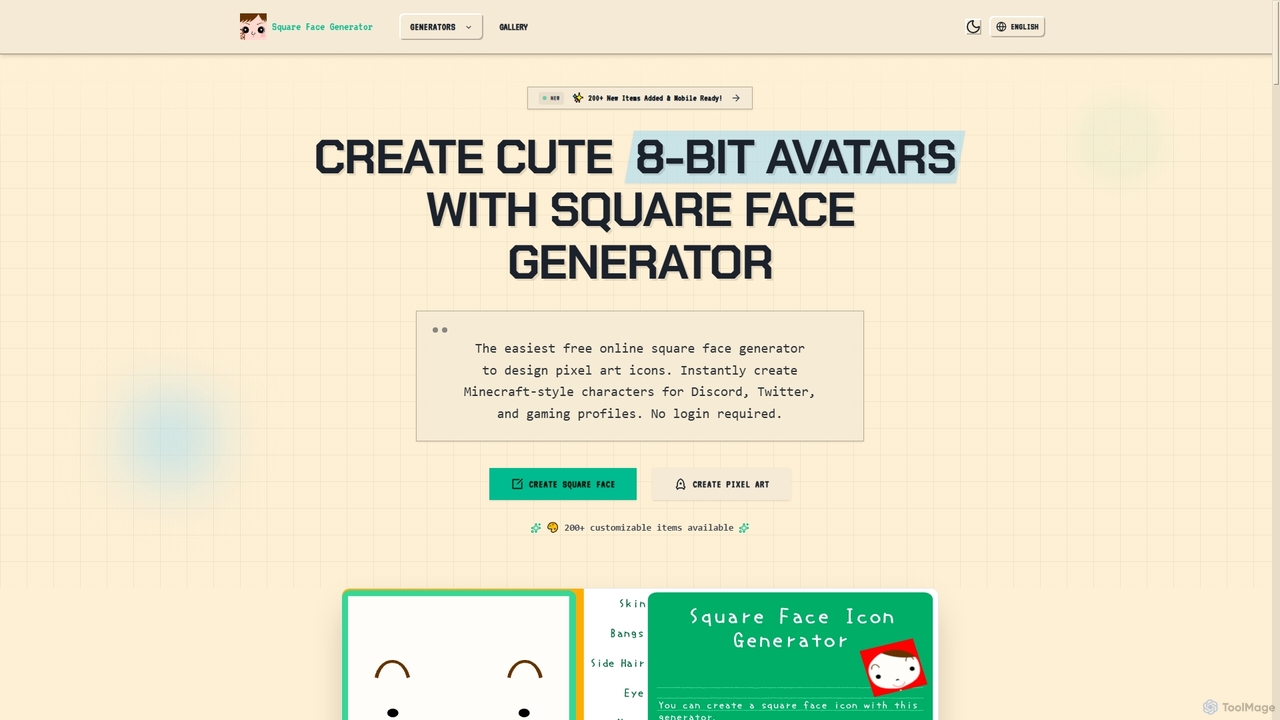
Squareface is a free online pixel avatar generator that allows users to create unique 8-bit characters and Minecraft-style faces. It offers over 200 customizable items, fast generation, and prioritizes user privacy by processing everything client-side.

Avatar Generator
Visits 106.3KFavorites 30Likes 30
avumi
Freemium

avumi

Avumi is an AI-powered platform for creating stunning, customizable digital avatars. Generate unique avatars from text prompts or photos, perfect for social media, gaming, virtual worlds, and professional branding. Express your digital identity with unparalleled creative freedom.

Generative Art
Visits 4.9KFavorites 146Likes 155

About Character Creator

AI Character Creators are tools that generate unique, customizable characters for games, animations, and virtual worlds. Leveraging generative AI models, these tools can produce 2D or 3D characters from text prompts, sketches, or parameter adjustments. They significantly accelerate the concept art and modeling process for game developers, animators, and virtual reality creators. Many creators offer fine-grained control over attributes like art style, anatomy, clothing, and accessories, enabling rapid iteration.

Core Features

  • Text-to-Character Generation: Create detailed characters from descriptive text prompts.
  • Style Customization: Adjust art styles, from realistic to anime, cartoon, or pixel art.
  • 3D Model Export: Generate and export models in standard formats like FBX or OBJ for game engines.
  • Attribute Control: Fine-tune details such as facial features, body type, clothing, and gear.
  • Animation-Ready Rigs: Produce characters with built-in skeletons (rigs) for immediate animation.

Applicable Scenarios

These tools are primarily used in the gaming industry for rapid prototyping of player characters and non-player characters (NPCs). They are also valuable for indie developers, animation studios creating pre-production concepts, and creators in the metaverse designing unique avatars.

Selection Criteria

When selecting a tool, consider the output format (2D vs. 3D), the level of customization offered, and compatibility with your game engine (e.g., Unreal, Unity). Also, evaluate the art styles it can generate and the licensing terms for commercial use of the created characters.

Character Creator use cases

1

Rapid Prototyping of Game NPCs

A game designer needs to populate a fantasy world with diverse non-player characters (NPCs). Using an AI Character Creator, they input prompts like "old male wizard with a long beard and glowing staff" or "female elven archer in leather armor." The tool generates dozens of visual concepts in minutes, saving days of manual sketching. The team can then select the best designs for further refinement and 3D modeling.

2

Creating Unique Avatars for the Metaverse

A user wants a personalized avatar for a VR social platform. Instead of using generic templates, they use an AI creator to generate a unique 3D avatar based on a selfie or detailed text descriptions. They can customize everything from hairstyle and eye color to futuristic clothing, ensuring their virtual identity is one-of-a-kind and ready for import into the platform.

3

Generating Character Sprites for 2D Games

An indie developer working on a 2D pixel art RPG needs a large cast of characters. They use an AI Character Creator with a pixel art style filter. By defining base parameters (class, gender, equipment), they can generate hundreds of character sprite variations automatically, complete with walking animations, which drastically reduces the time spent on pixel-by-pixel drawing.

4

Concept Art for Animation and Film

An animation studio is in the pre-production phase for a new animated series. The art director uses an AI tool to quickly explore different character designs. By inputting the script's character descriptions, the team can visualize main characters in various styles (e.g., cartoon, anime, semi-realistic) and poses, facilitating creative discussions and finalizing the visual direction much faster.

5

Customizing Characters for Tabletop RPGs

A Dungeon Master (DM) or player in a TTRPG like Dungeons & Dragons wants to visualize their characters. They use an AI Character Creator to generate a portrait or full-body image based on their character's race, class, and description. This provides a high-quality visual aid for the game session, enhancing immersion for all players without requiring any artistic skill.

6

Generating 3D Models for VTubing

An aspiring virtual YouTuber (VTuber) needs a 3D avatar for streaming. Using an AI Character Creator, they design a unique anime-style character and export it as a rigged 3D model (VRM format). This model is then imported into tracking software, allowing them to start their streaming career with a professional-looking avatar without the high cost and long wait times of commissioning a model from a human artist.

Character Creator FAQ

What is an AI Character Creator?

An AI Character Creator is a specialized tool that uses generative AI to produce 2D images or 3D models of characters. Unlike simple avatar makers with pre-set options, these tools can generate entirely new designs from text prompts or sketches. They are primarily used in game development, animation, and virtual worlds to accelerate the creative process and rapidly generate visual concepts.

How to choose the right AI Character Creator?

To choose the right tool, consider these key factors:

  • Output Type: Do you need 2D concept art, 2D sprites, or fully rigged 3D models?
  • Style Control: Does the tool support the specific art style you need (e.g., realistic, anime, pixel art)?
  • Integration: Can you easily export the characters into your workflow, such as a game engine like Unity or Unreal?
  • Commercial Rights: Check the licensing terms to ensure you can use the generated characters in your commercial projects.
What's the difference between an AI Character Creator and standard 3D modeling software?

The main difference is the creation process. Standard 3D modeling software (like Blender or ZBrush) requires manual sculpting and texturing from scratch, which is time-consuming and requires technical skill. An AI Character Creator automates the initial design phase, generating a complete character based on high-level inputs. This allows for rapid iteration and concepting, with the output often serving as a starting point for further refinement in standard software.

Can I create animated characters with these tools?

Many advanced AI Character Creators can generate characters that are "animation-ready." This means the 3D models come with a digital skeleton, or "rig," which is necessary for posing and animation. Some tools may even generate basic animation cycles (like walking or idling). However, complex custom animation typically still requires dedicated animation software for full control.

Are the characters generated by AI unique and copyright-free?

The uniqueness depends on the AI model and your input; they are designed to create novel combinations. The copyright status is complex and varies by tool and jurisdiction. Many services grant you a commercial license to use the characters you generate, but you may not own the copyright to the underlying AI-generated asset itself. It is crucial to read the terms of service for each specific tool before using its output in a commercial project.