Image Best in category 1 results Mockup Generation AI Tool

Popular AI tools in the Mockup Generation field of Image include Mock It AI, etc., helping you quickly improve efficiency.

Mock It AI

Mock It AI

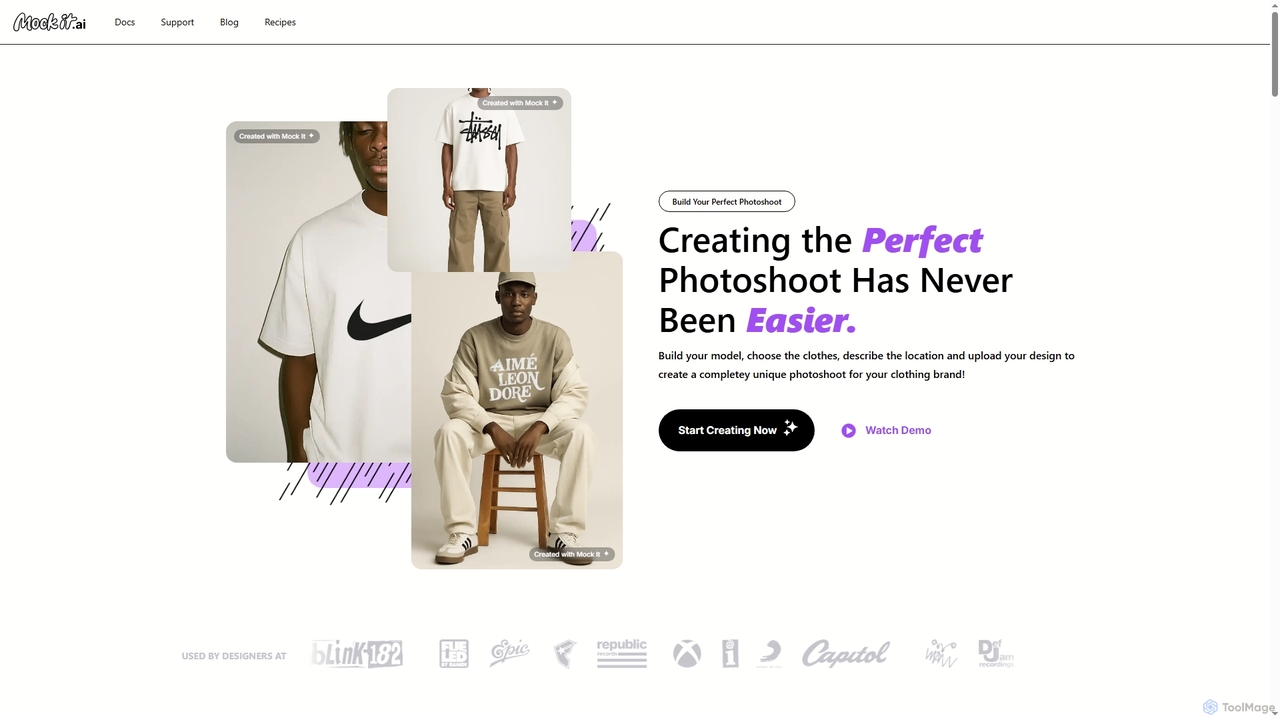
Mock It AI is an AI-powered photoshoot generator designed for clothing brands. It allows users to create unique, …

9.8K

About Mockup Generation

Mockup Generation tools are a specialized category of AI image utilities that automatically place your designs, logos, or screenshots onto pre-made, high-quality product photos. These tools use AI to realistically adjust for perspective, lighting, shadows, and textures, creating a professional presentation in seconds. This eliminates the need for expensive photoshoots and complex editing software, enabling creators and businesses to visualize their products in a real-world context effortlessly. The core value lies in transforming flat designs into tangible-looking product images for marketing and client presentations.

Core Features

  • Extensive Template Library: Access a wide range of scenes for apparel, devices, print, and packaging to fit various branding needs.
  • Realistic Scene Integration: AI automatically adjusts lighting, shadows, and angles to make the design blend naturally with the object.
  • Customization Options: Modify background colors, object textures, and scene elements to match brand aesthetics.
  • High-Resolution Exports: Generate print-ready and web-optimized images suitable for e-commerce stores and marketing campaigns.
  • Batch Processing: Apply a single design to hundreds of different mockup scenes simultaneously to save time.

Applicable Scenarios

These tools are widely used by e-commerce store owners, graphic designers, UI/UX designers, and marketing teams. For instance, a print-on-demand seller can showcase a new t-shirt design on various models and colors without any physical inventory. A UI designer can present an app interface on a realistic smartphone screen to give clients a clear visual of the final product.

Selection Criteria

When choosing a Mockup Generation tool, consider the size and diversity of its template library to ensure it covers your product types. Evaluate the realism of the final output, particularly the quality of shadows and textures. Check for customization capabilities, supported export formats, and whether the pricing model (e.g., subscription vs. per-export) aligns with your usage frequency and budget.

Mockup GenerationUse Cases

1

E-commerce Product Visualization

An e-commerce entrepreneur running a print-on-demand t-shirt store needs to display new designs quickly without costly photoshoots. Using an AI Mockup Generator, they upload their design file once. The tool then automatically applies the design to dozens of templates, including different models, settings, and apparel colors. Within minutes, they generate a complete set of professional, realistic product images for their online store and social media, significantly reducing time-to-market and marketing costs.

2

UI/UX Design Client Presentation

A UI/UX designer has just completed the interface design for a new mobile app. To present it to the client, instead of showing flat screen designs, they use a mockup tool. They place their app screens onto high-resolution images of various smartphones held by hands or placed on desks. This provides the client with a realistic preview of how the app will look and feel in a real-world context, making the presentation more impactful and helping to secure client approval faster.

3

Marketing Content for Digital Products

An author is launching a new e-book and needs compelling visuals for social media and their website. Using a mockup generator, they can create realistic 3D images of their book cover on tablets, e-readers, and as a physical paperback. This transforms a flat 2D cover image into a tangible-looking product, making it more appealing to potential readers. They can generate dozens of variations for different marketing channels in under an hour, without needing any 3D modeling skills.

4

Brand and Logo Design Presentation

A graphic designer needs to present a new logo concept to a corporate client. To showcase the logo's versatility, they use a mockup generator to apply it to various real-world items like business cards, storefront signage, coffee mugs, and company uniforms. This helps the client visualize the brand identity in action and understand how the logo functions across different mediums. The professional presentation builds client confidence and facilitates a quicker decision-making process compared to showing a simple logo on a white background.

5

Creating Social Media Lifestyle Content

A social media manager for a cosmetics brand wants to create engaging lifestyle posts featuring their new product. Instead of organizing a full photoshoot, they use an AI mockup tool with a library of lifestyle scenes. They can place their product packaging into scenes like a bathroom vanity, a flat lay with accessories, or inside a handbag. This allows them to generate a high volume of diverse, on-brand content quickly and cost-effectively, keeping their social media feed fresh and visually appealing without repetitive product shots.

6

Automating Print-on-Demand Store Listings

A print-on-demand (POD) business owner manages hundreds of designs across various products like hoodies, mugs, and phone cases. Manually creating a mockup for each design on each product is extremely time-consuming. By integrating a mockup generator with their e-commerce platform via an API, they can automate this process. When a new design is uploaded, the system automatically generates a full gallery of mockups for all relevant products and pushes them live to the store, saving hundreds of hours of manual work and enabling rapid scaling of their product catalog.

Mockup GenerationFrequently Asked Questions