ToolMage
Sign in

Best 2 Ios App for Mobile

Popular Ios App in Mobile include Draw Things and Enclave AI, helping you work more efficiently.

Enclave AI
Paid

Enclave AI

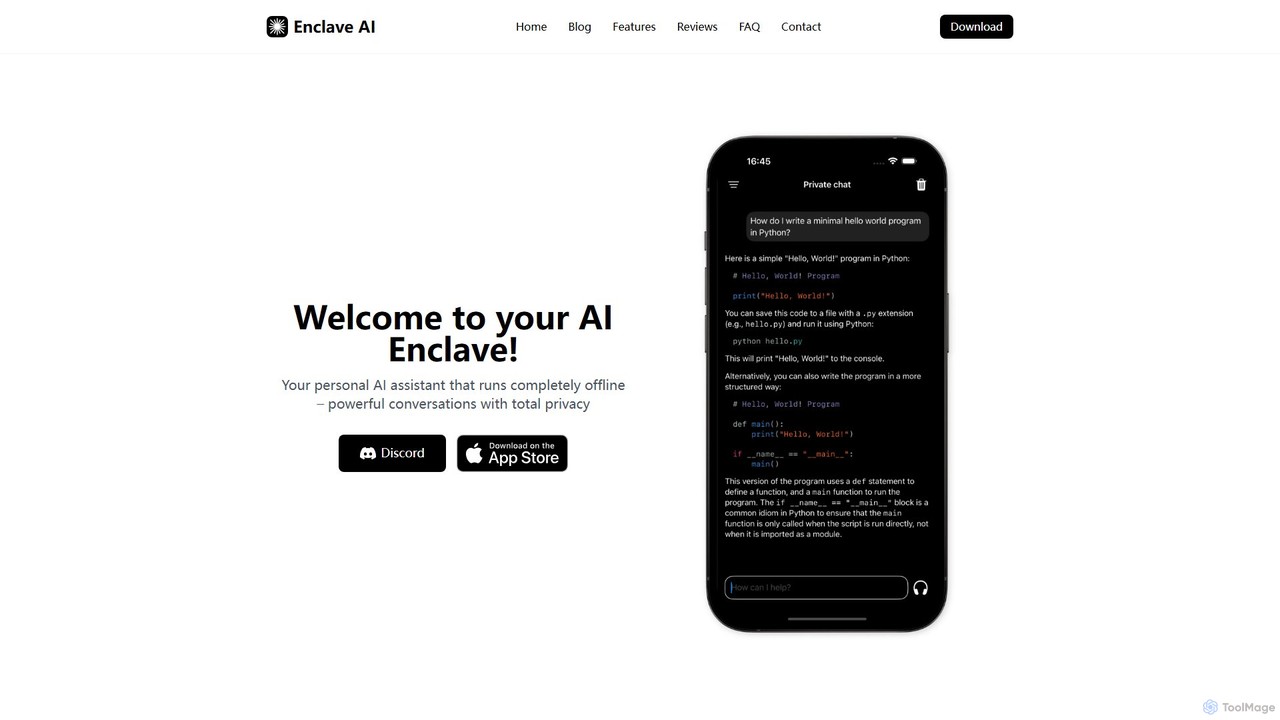
Enclave AI is a private, local, and offline AI assistant for macOS and iOS. It runs powerful open-source models directly on your device, ensuring your conversations, documents, and data remain 100% private and secure, with no internet connection required.

Local Models
Visits 13.9KFavorites 114Likes 113
Draw Things
Freemium

Draw Things

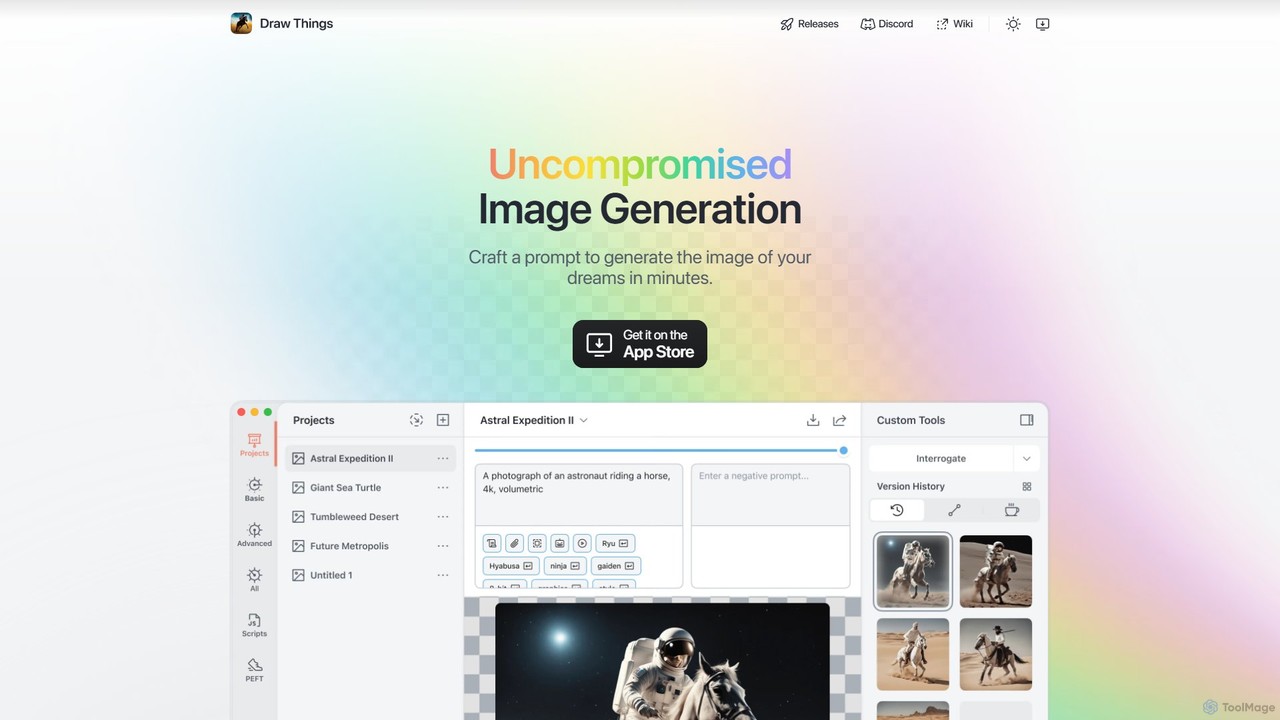
Draw Things is a powerful, free AI image generation app for iPhone, iPad, and Mac. It runs entirely offline on your device, ensuring 100% privacy. Create stunning art from text prompts, edit with advanced tools like in-painting, out-painting, and pose control, and manage your creative process with a non-destructive workflow. It's a full-featured art studio in your pocket, with no subscriptions or server costs.

Digital Art
Visits 140.2KFavorites 117Likes 123

About Ios App

iOS apps are applications specifically designed and optimized for Apple's iOS operating system, running on devices like iPhones and iPads. These tools leverage the robust iOS SDK and hardware capabilities, offering a seamless and intuitive user experience within the Apple ecosystem. They enhance productivity, provide entertainment, facilitate communication, and offer specialized functionalities, all distributed primarily through the secure Apple App Store.

Core Features

  • Optimized Performance: Engineered to take full advantage of Apple's powerful A-series and M-series chips, ensuring smooth and responsive operation.
  • Intuitive UI/UX: Adheres to Apple's Human Interface Guidelines, providing a consistent, user-friendly, and aesthetically pleasing experience.
  • Deep Ecosystem Integration: Seamlessly integrates with Apple services like iCloud, Siri, Apple Pay, and HomeKit, enhancing cross-device functionality.
  • Enhanced Security & Privacy: Benefits from iOS's robust security architecture, including app sandboxing, Face ID/Touch ID authentication, and strict App Store review processes.
  • Rich Multimedia & AR Capabilities: Utilizes advanced camera, graphics, and ARKit frameworks for immersive photo/video editing, gaming, and augmented reality experiences.

Use Cases

iOS apps are indispensable across various sectors, from personal use to professional environments. They are widely used by individuals for daily tasks, entertainment, and communication, and by professionals for mobile productivity, creative work, and specialized industry applications. Their integration with the Apple ecosystem makes them ideal for users who rely on multiple Apple devices for a cohesive digital experience.

How to Choose

When selecting an iOS app, consider its compatibility with your specific iOS version and device, ensuring optimal performance. Evaluate the app's feature set against your needs, checking for essential functionalities and potential integrations with other tools. Prioritize apps with strong privacy policies, positive App Store reviews, and a history of regular updates for security and new features. Also, assess the pricing model, whether it's a one-time purchase, subscription, or freemium, to align with your budget.

Featured tool rankings

Ios App use cases

1

Enhancing Mobile Productivity on iPad Pro

A graphic designer uses an iOS app like Procreate on their iPad Pro with an Apple Pencil to create detailed illustrations and designs while commuting or away from their desktop. This allows them to capture inspiration instantly and work on projects flexibly, significantly boosting their mobile creative output and client responsiveness.

2

Streamlining Health & Fitness Tracking with Apple Health

An individual uses various iOS health and fitness apps (e.g., for running, meditation, nutrition) that seamlessly integrate with Apple Health. This centralizes all their health data, providing a comprehensive overview of their well-being. The apps leverage iPhone sensors and Apple Watch data to offer personalized insights and motivate consistent healthy habits.

3

Creating Immersive AR Experiences for Retail

A furniture retailer develops an iOS app utilizing Apple's ARKit to allow customers to virtually place furniture items in their homes before purchasing. Users can view 3D models of products in real-time, adjust sizes, and change colors, significantly enhancing the online shopping experience and reducing product returns due to size or style mismatches.

4

Secure Communication and Collaboration for Teams

Teams utilize iOS apps for secure messaging and video conferencing, leveraging features like Face ID/Touch ID for quick, secure access and end-to-end encryption. These apps are optimized for mobile networks and Apple's hardware, ensuring reliable communication even on the go. This enables seamless collaboration among team members, enhancing responsiveness and decision-making speed.

5

Managing Smart Home Devices with HomeKit Integration

Homeowners use dedicated iOS apps to control and automate their smart home devices that are integrated with Apple HomeKit. From adjusting lighting and thermostats to monitoring security cameras, these apps provide a centralized, secure, and intuitive interface. The deep integration allows for voice control via Siri and automated scenes, simplifying daily routines and enhancing home security.

6

Professional Video Editing on iPhone for Content Creators

A social media content creator uses a powerful iOS video editing app on their iPhone to shoot, edit, and publish high-quality videos directly from their device. Leveraging the iPhone's advanced camera capabilities and the app's optimized performance, they can add effects, transitions, and music, producing professional-grade content quickly without needing a desktop setup, ideal for fast-paced digital platforms.

Ios App FAQ

What are iOS apps?

iOS apps are software applications specifically developed for Apple's iOS operating system, which powers iPhones, iPads, and iPod Touch devices. They are designed to integrate seamlessly with Apple's hardware and software ecosystem, offering a unique user experience. These apps are primarily distributed and managed through the Apple App Store, adhering to Apple's strict guidelines for quality, security, and privacy.

How to choose the right iOS app?

To choose the right iOS app, first define your specific needs and desired functionalities. Check the App Store for apps with high ratings and positive reviews, indicating reliability and user satisfaction. Prioritize apps that offer strong privacy policies and regular updates, ensuring security and compatibility with the latest iOS versions. Consider the app's integration with other Apple services you use, and evaluate its pricing model (free, one-time purchase, subscription) to fit your budget.

What are the key differences between iOS apps and Android apps?

The key differences between iOS and Android apps lie primarily in their operating systems, design philosophies, and ecosystem integration. iOS apps are exclusive to Apple devices, known for their stringent App Store review process, emphasis on user privacy, and consistent, intuitive user interface guided by Apple's Human Interface Guidelines. Android apps, conversely, run on a wider range of devices from various manufacturers, offering greater customization options and more flexible app distribution, though with varying levels of security and design consistency across devices.

What unique features do iOS apps offer?

iOS apps offer several unique features due to their tight integration with Apple's hardware and software. These include deep integration with Apple services like Siri Shortcuts, Apple Pay, and iCloud for seamless data syncing. They also leverage advanced hardware capabilities such as Face ID/Touch ID for enhanced security, Haptic Touch for tactile feedback, and ARKit for robust augmented reality experiences. Furthermore, iOS apps benefit from Apple's consistent design language, ensuring a polished and intuitive user experience across devices.

Are iOS apps generally more secure than other mobile apps?

iOS apps are generally considered to have a higher baseline of security compared to apps on other mobile platforms, primarily due to Apple's stringent control over its ecosystem. This includes a rigorous App Store review process that screens apps for malware and privacy violations, mandatory app sandboxing that isolates apps from each other, and robust privacy features that give users granular control over data access. While no system is entirely impenetrable, Apple's approach significantly reduces common security risks.