ToolMage
Sign in

Best 1 Photo & Video Apps for Mobile

Popular Photo & Video Apps in Mobile include RetouchMe, helping you work more efficiently.

RetouchMe
Freemium

RetouchMe

RetouchMe is a unique photo and video editing service that connects users with a team of professional graphic designers. Through its user-friendly app, you can get high-quality, natural-looking retouches for body, face, makeup, background, and more. It combines the convenience of an app with the expertise of real human editors.

Photo Retouching
Visits 260.4KFavorites 139Likes 132

About Photo & Video Apps

Photo & Video Apps are AI-powered tools designed for mobile devices that leverage artificial intelligence to enhance, edit, and generate visual content. These applications utilize advanced algorithms for tasks like automatic image correction, intelligent object recognition, and creative video synthesis, making professional-grade editing accessible on smartphones and tablets. They empower users, from casual photographers to content creators, to transform their mobile captures into stunning visuals with unprecedented ease and speed.

Core Features

  • AI Enhancement: Automatically improves image quality, color, and lighting, or upscales resolution.
  • Smart Editing: Enables precise object removal, background changes, and facial retouching with AI assistance.
  • Automated Content Creation: Generates short videos from photos, applies artistic filters, or creates dynamic slideshows.
  • Intelligent Organization: Categorizes media by faces, objects, or scenes, simplifying content management.
  • Real-time Effects: Applies AI-driven filters and effects during live recording or photo capture.

Use Cases

These apps are indispensable for social media influencers needing quick, high-quality posts, individuals looking to effortlessly preserve and enhance personal memories, and small businesses creating engaging marketing visuals on the go. They streamline workflows for mobile-first content creation, allowing users to achieve polished results without complex desktop software.

How to Choose

When selecting a Photo & Video App, consider the specific AI features you require, such as generative capabilities or advanced editing tools. Evaluate the app's user interface for mobile-friendliness, its integration with social media or cloud storage, and its pricing model. Compatibility with your device's operating system (iOS/Android) and performance on your hardware are also crucial factors.

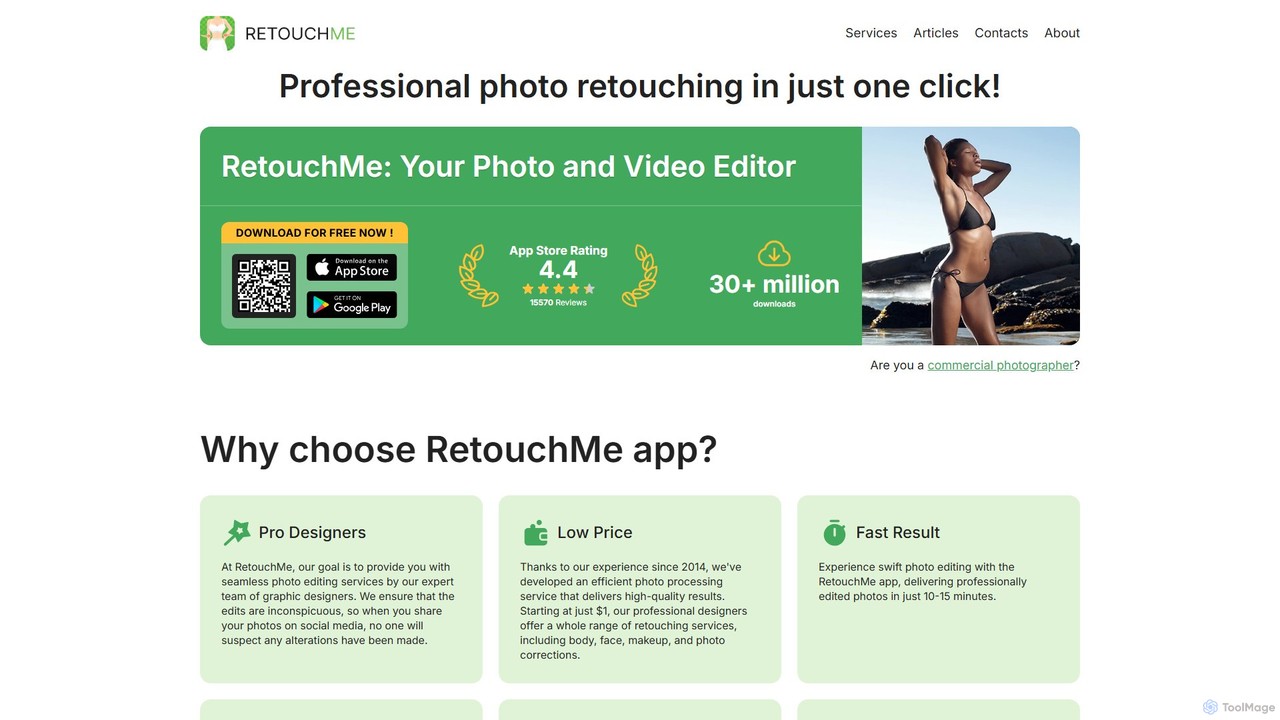
Photo & Video Apps use cases

1

Enhancing Social Media Posts

Content creators use AI Photo & Video Apps to quickly edit and enhance photos and videos for platforms like Instagram, TikTok, and YouTube Shorts. AI features automatically adjust lighting, apply trending filters, remove distractions, or generate short, engaging video clips from static images, significantly reducing post-production time and ensuring visually appealing content for their audience.

2

Automating Personal Photo Album Curation

Individuals leverage these apps to intelligently organize and improve their personal photo and video libraries. AI can automatically tag faces, categorize events, remove blurry or duplicate images, and even suggest creative edits or compile highlight reels from vacation photos, making it easier to relive memories and share them with family and friends without manual sorting.

3

Quick Product Visuals for E-commerce

Small business owners and e-commerce sellers utilize AI Photo & Video Apps on their mobile devices to create professional-looking product images. Features like AI background removal, automatic lighting correction, and consistent styling help them quickly prepare high-quality visuals for online listings, saving time and the cost of professional photography.

4

Travel Vlogging and Storytelling On-the-Go

Travel enthusiasts and vloggers use these mobile apps to edit and produce captivating travel content directly from their smartphones. AI can stabilize shaky footage, automatically cut and stitch clips into a cohesive narrative, add royalty-free music, and apply cinematic color grades, enabling them to share their adventures in real-time without needing a laptop.

5

Real Estate Property Visuals

Real estate agents employ AI Photo & Video Apps to quickly enhance property photos and videos taken with their phones. AI can correct lens distortions, brighten interiors, remove unwanted objects from a scene, and even generate virtual staging elements, presenting properties in the best possible light to potential buyers directly from their mobile device.

6

Event Highlight Video Creation

Event organizers or attendees use these apps to automatically compile photos and videos from parties, weddings, or corporate events into dynamic highlight reels. AI identifies key moments, selects the best shots, adds appropriate music and transitions, and produces a shareable video in minutes, preserving the essence of the event effortlessly.

Photo & Video Apps FAQ

What are AI Photo & Video Apps?

AI Photo & Video Apps are mobile applications that integrate artificial intelligence to automate and enhance various aspects of visual content creation and editing. They go beyond traditional manual tools by using AI for tasks such as intelligent object recognition, automatic image enhancement, generative art filters, and smart video compilation, making complex processes accessible and efficient on smartphones and tablets.

How to choose the best AI Photo & Video App for my needs?

To choose the best app, first identify your primary use case: do you need advanced editing, generative AI, or simple enhancements? Consider the specific AI features offered, the app's user-friendliness on mobile, and its compatibility with your device. Evaluate the pricing model (free, subscription, one-time purchase) and check for integration capabilities with social media or cloud storage services. Reading user reviews can also provide valuable insights.

What specific AI features do these apps offer?

These apps offer a range of AI features, including AI-powered image enhancement (e.g., auto-correction, upscaling, noise reduction), smart editing tools (e.g., one-tap background removal, object deletion, facial retouching), generative capabilities (e.g., turning text into images, applying artistic styles), and automated video creation (e.g., compiling clips, adding music, stabilizing footage). Many also include intelligent content organization and search.

How do AI Photo & Video Apps differ from traditional mobile editing apps?

The key difference lies in automation and intelligence. Traditional apps require manual adjustments for most edits, while AI apps automate complex tasks, often achieving superior results with minimal user input. AI apps can understand content context, recognize objects, and even generate new elements, offering more advanced and efficient solutions for enhancement, creation, and organization compared to their non-AI counterparts.

Who can benefit most from using AI Photo & Video Apps?

A wide range of users can benefit. Content creators and social media influencers can rapidly produce high-quality visuals. Casual users can effortlessly improve personal photos and videos. Small businesses and marketers can create professional-looking promotional materials on a budget. Anyone seeking to streamline their visual content workflow, enhance media quality, or explore creative possibilities directly from their mobile device will find these apps highly valuable.