ToolMage
Sign in

Best 3 App Builder AI tools for No Code

Popular App Builder AI tools in No Code include Superapp, Bilt, and AppBuzz, helping you work more efficiently.

Superapp
Freemium

Superapp

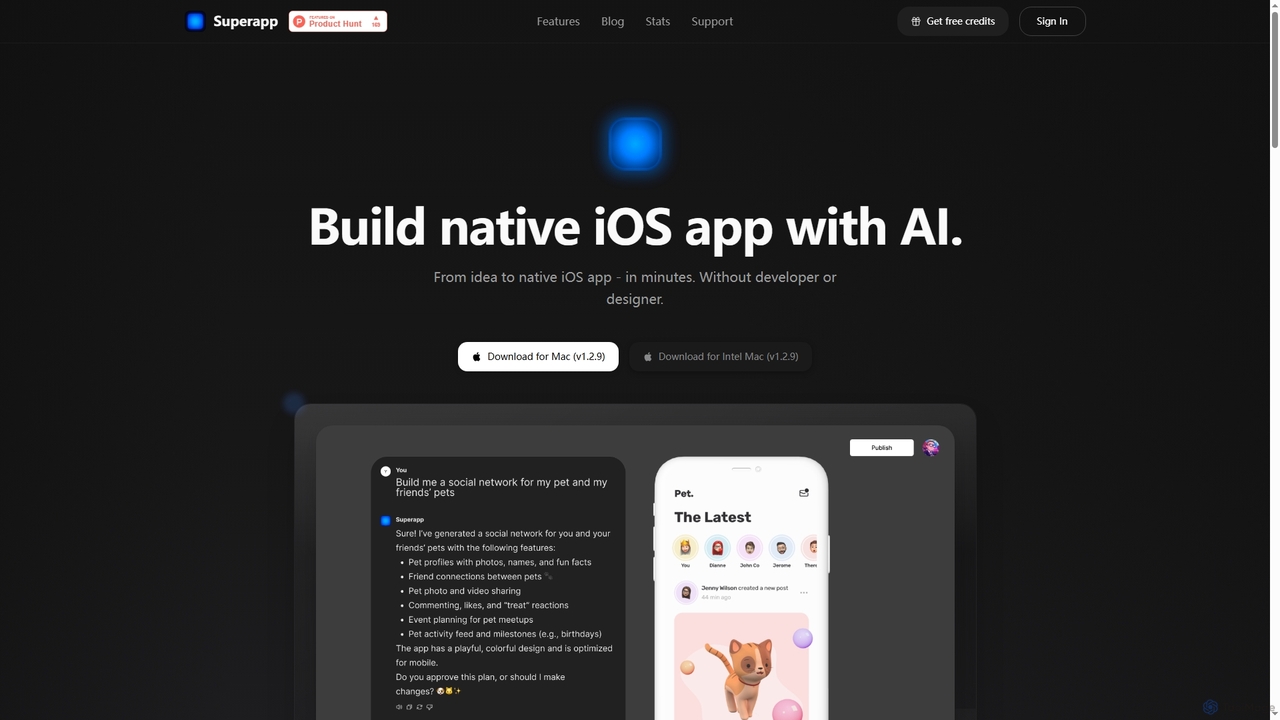
Superapp is an AI-powered desktop application for Mac that enables anyone, regardless of technical skill, to build native iOS applications from an idea to a fully functional app in minutes. It generates high-quality Swift code, integrates with Supabase for backend, and includes a built-in design system, making app development accessible and efficient for founders and non-developers.

Ios Development
Visits 61KFavorites 101Likes 106

About App Builder

AI App Builders are a specialized category of no-code platforms that enable users to create fully functional web and mobile applications through a visual interface. These tools leverage drag-and-drop components, pre-built templates, and AI-assisted logic builders to translate ideas into interactive software without writing traditional code. They empower entrepreneurs, business users, and designers to build, test, and launch applications like internal tools, customer portals, or Minimum Viable Products (MVPs) with significant speed and reduced cost. Many modern app builders incorporate AI to generate UI from text prompts, suggest database schemas, or automate workflow creation.

Core Features

  • Visual Drag-and-Drop Editor: Assemble your application's interface by dragging and dropping pre-made elements like buttons, forms, and lists.
  • Database and Data Management: Visually create and manage databases, define data relationships, and control user permissions without writing SQL.
  • Workflow and Logic Automation: Define application behavior and business logic using visual flowcharts to automate processes when users interact with the app.
  • API & Third-Party Integrations: Connect your application to external services like payment gateways, CRMs, or social media platforms to extend its functionality.
  • One-Click Deployment: Publish your web or mobile application to the public or for internal use with a single click, handling hosting and server management automatically.

Use Cases

AI App Builders are widely used by startups to rapidly develop and iterate on MVPs to validate business ideas with minimal investment. Businesses of all sizes use them to create custom internal tools, such as inventory management systems, employee directories, or project approval dashboards, replacing inefficient spreadsheets. Agencies and freelancers also leverage these platforms to build client applications, like customer portals or booking systems, much faster than with traditional development.

How to Choose

When selecting an AI App Builder, first consider the target platform: do you need a responsive web app, a native iOS/Android app, or a Progressive Web App (PWA)? Evaluate the platform's scalability to ensure it can handle your expected user growth and data volume. Assess its integration capabilities to confirm it can connect with your existing software stack. Finally, examine the level of design customization and the pricing model to ensure it aligns with your brand requirements and budget.

Featured tool rankings

App Builder use cases

1

Develop a Startup MVP

A non-technical founder wants to validate a new business idea for a local service marketplace. Instead of hiring a costly development team, they use an AI App Builder. They select a marketplace template, customize the branding, and use the visual database tool to set up user profiles for service providers and customers. With the logic builder, they create a workflow for booking requests, payments, and reviews. In under two weeks, they launch a functional MVP to test market demand and gather user feedback, significantly reducing initial investment and time-to-market.

2

Create a Custom Internal Tool

An operations manager at a manufacturing company needs a better way to track equipment maintenance schedules, replacing a chaotic system of spreadsheets and emails. Using an AI App Builder, they design a simple application. It includes a database of all equipment, forms for maintenance technicians to log their work and report issues, and automated email notifications for upcoming service dates. The app is built and deployed for internal use in just a few days, providing a centralized, real-time view of equipment status, improving maintenance efficiency, and reducing downtime.

3

Build a Client Portal for an Agency

A digital marketing agency wants to improve client communication and project transparency. They use an AI App Builder to create a secure client portal. Each client gets a unique login to a personalized dashboard where they can view project timelines, access key performance reports, approve creative assets, and communicate with their account manager. The portal integrates with their existing project management and analytics tools via API, ensuring data is always up-to-date. This self-service portal reduces the number of status update emails and enhances the client's experience and trust in the agency.

4

Digitize a Manual Paper-Based Process

A small construction company manages site safety inspections using paper forms, leading to lost data and slow reporting. A project manager, with no coding skills, uses an AI App Builder to create a mobile inspection app. Technicians can now fill out digital checklists on their phones, take photos of hazards, and submit reports instantly from the field. The app automatically timestamps submissions, stores all data in a central database, and generates a PDF report that is emailed to the safety officer. This digital solution eliminates paperwork, improves data accuracy, and enables faster response to safety issues.

5

Create an Event Management App

An event organizer for a large annual conference needs a mobile app for attendees. Using an AI App Builder, their team creates an app featuring a full event schedule, speaker profiles with session details, an interactive venue map, and a real-time announcement feed. They also build a feature for attendees to create personalized schedules and network with each other. The app is published to both the Apple App Store and Google Play Store through the builder's deployment service. This provides a professional and engaging experience for attendees without the high cost of custom app development.

6

Build a Community or Membership Platform

A fitness coach wants to create an exclusive online community for their clients. They use an AI App Builder to create a membership web app. The app requires users to sign up and pay a subscription fee for access. Inside, members can access exclusive workout videos, download meal plans, track their progress, and participate in a community forum. The coach can easily upload new content and manage members from a simple admin dashboard. This platform helps the coach monetize their expertise and build a stronger, more engaged community around their brand.

App Builder FAQ

What is an AI App Builder?

An AI App Builder is a type of no-code development platform that allows individuals to create web and mobile applications without writing any code. It uses a visual, drag-and-drop interface to design the user interface (UI) and visual workflows to define the application's logic. Many modern builders incorporate AI to accelerate the process, for example, by generating an app layout from a text description, suggesting database structures, or helping to create complex logic automatically. They are designed to empower non-technical users to build and launch software quickly.

What's the difference between an App Builder and a Website Builder?

The key difference lies in functionality and purpose. A Website Builder is primarily for creating static or content-focused websites, like blogs, portfolios, and marketing sites. An App Builder is designed to create interactive, data-driven applications. Key distinctions include:

  • Data Management: App Builders have robust database capabilities for users to create, read, update, and delete data.
  • User Logins & Roles: They typically offer built-in user authentication and the ability to define different roles and permissions.
  • Complex Logic: App Builders allow for creating complex workflows and business logic that go beyond simple page navigation.
In short, you use a website builder to display information, and an app builder to create a tool that performs tasks.

How do I choose the right AI App Builder?

Choosing the right builder depends on your project's specific needs. Consider these factors:

  • Platform Target: Determine if you need a native mobile app (iOS/Android), a responsive web app, or a Progressive Web App (PWA). Not all builders support all types.
  • Scalability: Assess the platform's ability to handle a growing number of users and data. Check their pricing tiers and performance limits.
  • Integration Needs: List the external tools (like Stripe, Mailchimp, or Google Maps) you need to connect with and verify the builder supports them via native integrations or APIs.
  • Customization and Control: Evaluate how much control you have over the design and functionality. Some platforms are simpler but more restrictive, while others offer greater flexibility, sometimes allowing for custom code.
Start by clearly defining your app's core features and user flow, then compare platforms against those requirements.

What are the limitations of no-code App Builders?

While powerful, no-code app builders have some limitations. Performance for very large-scale applications with millions of users might not match that of custom-coded solutions. Deep customization can be restricted; you are often limited to the components and design options provided by the platform. There is also a risk of 'platform lock-in,' where migrating your application and data to another service can be difficult or impossible. Finally, for highly specialized or algorithmically complex features, you might still need to integrate custom code or use a more traditional development approach.

Who should use a no-code App Builder?

No-code App Builders are ideal for a wide range of users. This includes:

  • Entrepreneurs and Founders: To quickly build and test Minimum Viable Products (MVPs) without a large technical team.
  • Business Analysts and Operations Managers: To create custom internal tools and automate workflows, solving specific business problems.
  • Product Managers: To prototype and iterate on new product ideas with functional, interactive models.
  • Small Business Owners: To build customer-facing applications like booking systems or loyalty programs without a large budget.
  • 'Citizen Developers' within large organizations who are empowered to build solutions for their own departments.
Essentially, anyone with a clear idea for an application but without the time or skills for traditional coding can benefit.