ToolMage
Sign in

Best 1 Animation AI tools for Photo & Image

Popular Animation AI tools in Photo & Image include AI Hug, helping you work more efficiently.

AI Hug
Freemium

AI Hug

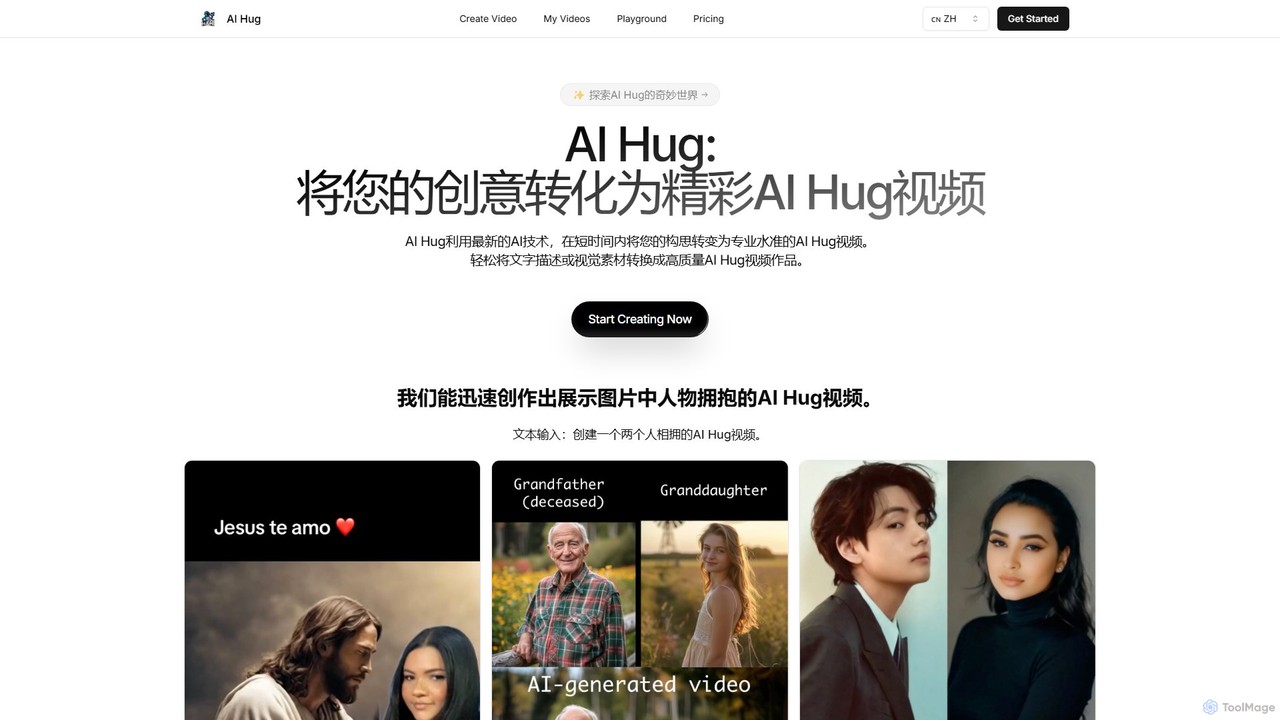
AI Hug is a unique AI video generator that transforms your photos and text descriptions into heartwarming videos of people hugging. It's designed to create emotionally resonant content, allowing users to animate old photos, visualize connections with loved ones, or create engaging social media videos. With a simple interface and powerful AI, anyone can produce high-quality, realistic animated videos in minutes, without any technical skills.

Social Media
Visits 5.3KFavorites 158Likes 140

About Animation

AI Animation tools are a category of artificial intelligence applications designed to automate and streamline the creation of animated content. These tools utilize advanced algorithms, often drawing from image and video processing techniques, to generate dynamic visuals from various inputs like text, images, or audio. They empower creators to produce engaging motion graphics, character animations, and short videos with unprecedented speed and efficiency, transforming static visuals into captivating narratives.

Core Features

  • Text-to-Animation: Generates animated sequences or motion graphics directly from textual prompts or scripts.
  • Character Rigging & Animation: Automates the process of creating skeletal structures for characters and generating realistic movements.
  • Style Transfer & Enhancement: Applies specific artistic styles to existing animations or enhances visual quality.
  • Lip-Sync & Facial Animation: Automatically synchronizes character mouth movements with spoken audio and generates expressive facial gestures.
  • Scene Generation: Creates animated backgrounds, environments, or entire scenes based on descriptions or reference images.

Use Cases

Content creators can quickly produce animated social media posts, explainer videos, or short films without extensive animation skills. Marketing teams leverage these tools to create dynamic advertisements and product demonstrations that capture audience attention. Educators can transform static lesson materials into interactive animated presentations, making learning more engaging and accessible.

How to Choose

When selecting an AI animation tool, consider the specific type of animation you need (e.g., 2D, 3D, character, motion graphics) and the desired output quality. Evaluate its ease of use, the range of customization options, and the available input methods (text, image, audio). Integration with existing creative workflows and the pricing model, including subscription tiers and usage limits, are also crucial factors.

Animation use cases

1

Creating Explainer Videos for Marketing

Marketing professionals can use AI animation tools to quickly generate engaging explainer videos for new products or services. By inputting scripts and visual assets, the AI automates character movements, scene transitions, and voice-over synchronization, significantly reducing production time and costs compared to traditional animation studios.

2

Developing Game Character Animations

Game developers can leverage AI animation to rapidly prototype and iterate on character movements. Instead of manual rigging and keyframing, AI can generate walk cycles, idle animations, and combat sequences from simple descriptions or motion capture data, accelerating the game development pipeline and allowing for more diverse character actions.

3

Producing Educational Content

Educators and e-learning content creators can transform complex concepts into digestible animated lessons. AI tools can animate diagrams, illustrate historical events, or bring abstract ideas to life, making educational materials more visually appealing and easier for students to understand and retain information.

4

Generating Social Media Motion Graphics

Social media managers and content creators can use AI animation to produce eye-catching motion graphics and short animated clips for platforms like Instagram, TikTok, and YouTube Shorts. These tools enable quick creation of trending visual content, brand announcements, or animated infographics, helping to increase engagement and reach.

5

Visualizing Architectural Designs

Architects and urban planners can utilize AI animation to create dynamic walkthroughs and fly-throughs of their designs. By feeding 3D models into AI animation software, they can generate realistic animated presentations that showcase spatial relationships, lighting conditions, and user experience within proposed structures, aiding in client presentations and approvals.

6

Automating Lip-Sync for Dubbing

Video producers and localization teams can employ AI animation for automated lip-syncing when dubbing content into multiple languages. The AI analyzes the new audio track and adjusts character mouth movements to match the spoken words, ensuring a natural and believable viewing experience without tedious manual adjustments.

Animation FAQ

What are AI Animation tools?

AI Animation tools are software applications that use artificial intelligence to automate and assist in the creation of animated content. They can generate motion graphics, character animations, and video sequences from various inputs like text, images, or audio, significantly speeding up the animation process and making it accessible to a wider range of creators.

How do AI Animation tools differ from traditional animation software?

Traditional animation software requires extensive manual input for drawing, keyframing, and rigging, demanding specialized skills and significant time. AI Animation tools, conversely, automate many of these complex tasks using algorithms, allowing users to generate animations with less effort and expertise. While traditional methods offer ultimate control, AI tools prioritize speed, efficiency, and accessibility.

What are the core capabilities of AI Animation software?

AI Animation software typically offers capabilities such as text-to-animation generation, automated character rigging and movement, style transfer for visual effects, and intelligent lip-syncing. Some advanced tools can also generate entire animated scenes or apply complex physics simulations, enabling users to create diverse animated content efficiently.

Who can benefit from using AI Animation tools?

A wide range of individuals and professionals can benefit, including content creators, marketers, educators, game developers, and small businesses. These tools are particularly valuable for those who need to produce animated content quickly, have limited animation experience, or operate on tight budgets, enabling them to create professional-looking animations without extensive resources.

How do I choose the best AI Animation tool for my needs?

To choose the best AI Animation tool, consider your specific animation goals (e.g., 2D character, 3D motion graphics, explainer videos) and your technical skill level. Evaluate the tool's output quality, ease of use, available features (like text-to-animation or character rigging), and integration with other software. Also, compare pricing models, including free tiers, subscription costs, and usage limits, to find one that fits your budget and workflow.