
ToolMage
Sign in

Best 1 Image Analysis AI tools for Photo & Image

Popular Image Analysis AI tools in Photo & Image include wedetect, helping you work more efficiently.

wedetect
Free

wedetect

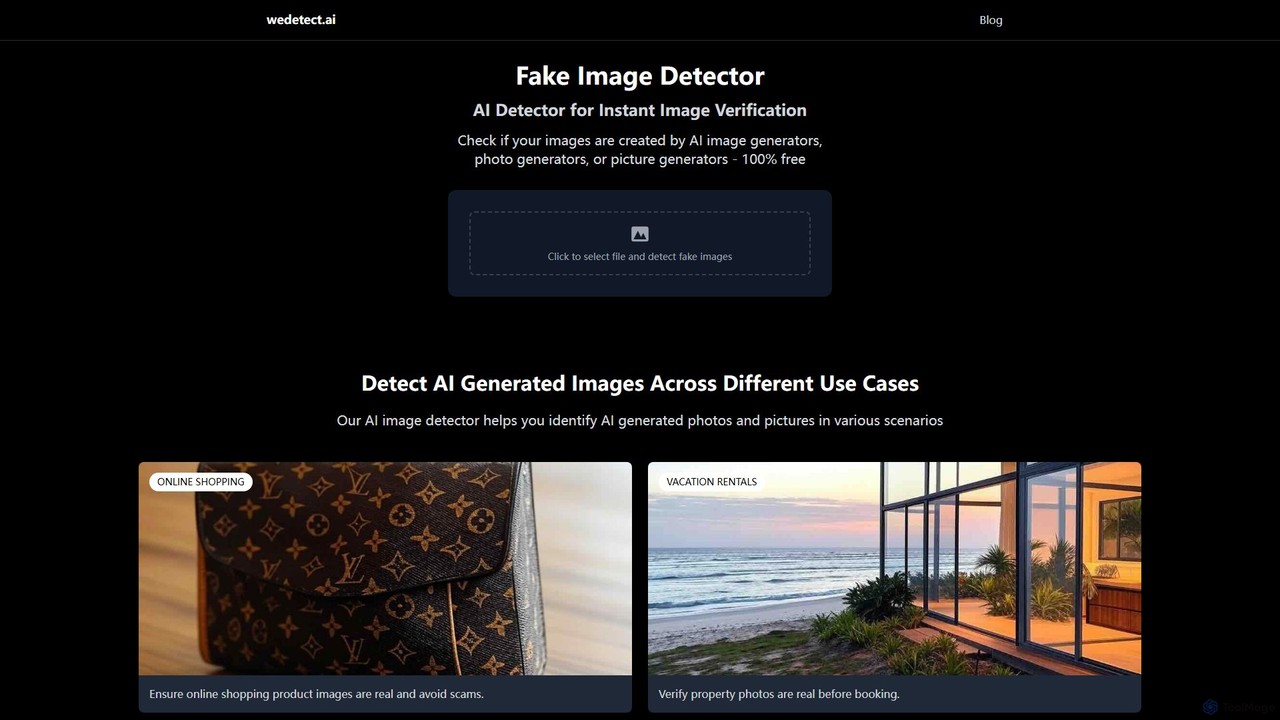
wedetect is a powerful and free AI image detector designed to instantly verify the authenticity of images. By uploading a photo, users can quickly determine if it was generated by an AI model. This tool is crucial for combating misinformation, detecting fake profiles, verifying product images in e-commerce, and ensuring the integrity of visual content across various platforms. It serves as a first line of defense against synthetic media for individuals, journalists, and businesses.

Image Analysis
Visits 8.3KFavorites 111Likes 102

About Image Analysis

Image Analysis tools are a specialized category of AI software designed to interpret and extract meaningful information from visual data. Unlike image editors that modify pixels, these tools analyze the content of an image to identify objects, people, text, and patterns. They transform unstructured visual inputs into structured, actionable data, enabling automation and data-driven insights. This capability turns static images into a valuable source of intelligence for various industries.

Core Features

  • Object Detection: Identifies and locates multiple objects within an image, often providing bounding boxes and confidence scores.
  • Image Classification: Assigns one or more predefined labels to an entire image, such as 'landscape' or 'animal'.
  • Optical Character Recognition (OCR): Extracts and converts printed or handwritten text from images into machine-readable format.
  • Facial Analysis: Detects faces and analyzes attributes like emotion or performs identity verification.
  • Content Moderation: Automatically flags images containing inappropriate, unsafe, or unwanted content based on defined policies.

Use Cases

Image Analysis is critical in sectors like retail for automated inventory management and visual search. In healthcare, it assists radiologists in detecting anomalies in medical scans. Security firms use it for real-time surveillance and access control, while social media platforms rely on it for content moderation and brand monitoring.

How to Choose

When selecting an Image Analysis tool, evaluate its accuracy for your specific use case (e.g., medical vs. retail). Consider its integration capabilities via API, processing speed for real-time needs, and scalability for handling large volumes of images. Also, scrutinize the provider's data privacy and security policies, especially when dealing with sensitive visual information.

Image Analysis use cases

1

Automated Retail Product Tagging

E-commerce managers use image analysis to automatically scan thousands of new product photos. The AI identifies attributes like color, style, material, and product type (e.g., 'red, long-sleeve, cotton shirt'). This data is used to generate descriptive tags and populate product filters, saving hundreds of hours of manual work and improving the customer's search experience on the website.

2

Medical Imaging Support for Radiologists

Radiologists and medical professionals utilize specialized image analysis tools to screen medical scans such as MRIs, CT scans, and X-rays. The AI can highlight potential anomalies, tumors, or fractures that may be subtle to the human eye. This serves as a 'second opinion,' helping to prioritize cases, reduce diagnostic errors, and accelerate the review process for large patient caseloads.

3

Social Media Content Moderation

Community managers and platform safety teams for large online platforms deploy image analysis to automatically scan user-generated content. The system flags images containing violence, nudity, or other policy violations in real-time. This allows human moderators to focus on reviewing flagged content, significantly reducing their exposure to harmful material and enabling faster enforcement of community guidelines.

4

Construction Site Safety Monitoring

Safety officers on construction sites use image analysis systems connected to on-site cameras. The AI monitors video feeds to detect safety hazards, such as workers not wearing hard hats or entering restricted zones. It can send real-time alerts to supervisors, enabling immediate intervention and helping to prevent accidents before they happen.

5

Agricultural Crop Health Assessment

Agronomists and large-scale farm operators use image analysis on data from drones or satellites. The AI processes multispectral imagery to identify areas of stress, disease, or pest infestation within a crop field. This allows for targeted application of water, fertilizer, or pesticides, optimizing resource use and improving overall crop yield.

6

Automated Document Processing and Data Entry

Financial institutions and administrative departments use image analysis with advanced OCR to process invoices, receipts, and forms. The tool scans a document image, extracts key information like invoice number, date, and amount, and automatically enters it into a database or accounting system. This eliminates manual data entry, reduces errors, and speeds up payment cycles.

Image Analysis FAQ

What is AI Image Analysis?

AI Image Analysis is the use of artificial intelligence to automatically interpret and understand the content of an image. Instead of just processing pixels, these tools extract data by identifying objects, recognizing faces, reading text (OCR), and detecting patterns. They essentially turn unstructured visual information into structured, usable data for applications like automation, security, and research.

How do I choose the right Image Analysis tool?

To choose the right tool, focus on four key areas. First, assess the model's accuracy for your specific task (e.g., medical vs. general object detection). Second, evaluate its integration capabilities through APIs and SDKs. Third, consider its performance, including processing speed and scalability for your image volume. Finally, review the data security and privacy policies, especially if handling sensitive images.

What is the difference between Image Analysis and Image Editing tools?

The key difference is their purpose. Image Analysis tools are designed to understand and extract information from an image without changing it. Their output is data or insights. In contrast, Image Editing tools are designed to modify or enhance an image's visual appearance. Their output is a new, altered image. Analysis is about interpretation, while editing is about manipulation.

What are the main functions of Image Analysis tools?

Core functions typically include:

  • Object Detection: Finding and locating specific items in a picture.
  • Image Classification: Categorizing the entire image (e.g., 'beach' or 'city').
  • OCR (Optical Character Recognition): Reading text from images.
  • Facial Recognition: Identifying or verifying people.
  • Content Moderation: Flagging inappropriate or unsafe content.
Who benefits from using Image Analysis tools?

A wide range of professionals benefit from these tools. This includes e-commerce managers for product tagging, medical professionals for analyzing scans, security teams for surveillance, social media platforms for content moderation, and data scientists for extracting insights from large visual datasets. Essentially, anyone who needs to derive structured data from images at scale can benefit.