ToolMage
Sign in

Best 1 Desktop Software for Utilities

Popular Desktop Software in Utilities include Notlok, helping you work more efficiently.

Notlok
Paid

Notlok

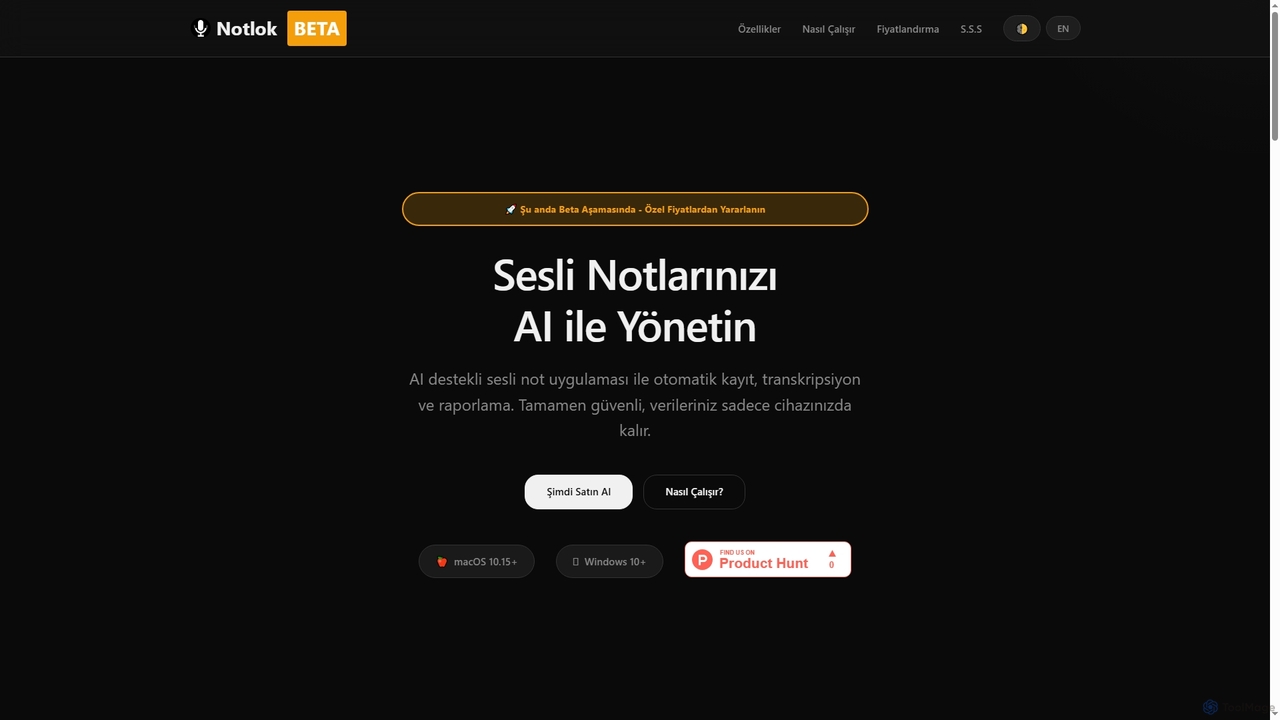
Notlok is an AI-powered desktop application for macOS and Windows that provides secure, offline voice note transcription and direct system audio recording. It leverages Whisper AI models to convert spoken content from over 99 languages into text, ensuring user data remains entirely on the local device.

Voice Notes
Visits 10.1KFavorites 168Likes 165

About Desktop Software

Desktop Software refers to AI-powered applications designed to be installed and run directly on a user's computer, such as Windows, macOS, or Linux. These tools leverage local computing resources, including CPU and GPU, to execute AI models and perform complex tasks. They offer enhanced performance, greater data privacy, and often robust offline capabilities, making them ideal for resource-intensive operations and sensitive data handling. This category provides a dedicated and stable environment for specialized AI functionalities.

Core Features

  • Local AI Model Execution: Run AI models directly on your hardware for faster processing and reduced latency.
  • Offline Functionality: Perform AI tasks without an internet connection, ensuring uninterrupted workflow.
  • Deep System Integration: Seamlessly access local files, hardware, and system resources for comprehensive AI applications.
  • Enhanced Performance: Utilize dedicated GPU and CPU power for rapid processing of complex AI algorithms.
  • Data Privacy & Security: Process sensitive information locally, minimizing exposure to cloud-based data breaches.

Applicable Scenarios

AI desktop software is particularly valuable for professionals requiring high performance, data security, or offline access. This includes professional content creators using AI for video editing or graphic design, data scientists processing large, confidential datasets, and software developers leveraging AI for local code analysis and generation. They are also essential for users in environments with limited or no internet connectivity.

How to Choose

When selecting AI desktop software, consider its compatibility with your operating system and hardware specifications, especially GPU requirements for AI tasks. Evaluate the specific AI models and features offered, ensuring they align with your workflow needs, whether for offline processing or hybrid cloud integration. Prioritize tools with strong data privacy controls if handling sensitive information, and assess the learning curve and community support for long-term usability.

Desktop Software use cases

1

Local AI-Powered Video Editing

Video editors use desktop AI software to perform complex tasks like intelligent object tracking, automatic scene detection, or noise reduction directly on their local machine. This leverages powerful local GPUs for real-time processing of high-resolution footage, ensuring data privacy for unreleased content and faster rendering without relying on cloud upload/download speeds.

2

AI-Powered Video Editing & Production

Professional video editors and content creators can use desktop AI software to automate tedious tasks directly within their editing suites. This includes automatically generating captions, removing background noise, enhancing footage quality, or creating AI-driven transitions. By leveraging local processing power, editors achieve faster rendering times and maintain full control over their media assets, significantly streamlining post-production workflows and improving output quality.

3

Local Data Analysis & Visualization

Data scientists, researchers, and financial analysts can process large, sensitive datasets (e.g., medical records, financial reports) using desktop AI models. This allows for pattern recognition, anomaly detection, and the generation of interactive visualizations without uploading data to the cloud. The benefit is enhanced data security and privacy, as all processing occurs locally, along with faster analysis of massive files and immediate insights, crucial for compliance-heavy industries.

4

Secure Document Analysis & Summarization

Legal professionals or researchers utilize AI desktop tools to analyze large volumes of confidential documents offline. The software can identify key clauses, summarize lengthy reports, or extract specific data points, all while keeping sensitive information securely on the local device, complying with strict data governance policies.

5

Offline Code Generation & Debugging

Software developers employ AI desktop environments for local code generation, refactoring suggestions, and debugging assistance. By running AI models directly on their workstation, they can iterate rapidly on proprietary codebases, receive immediate feedback, and maintain intellectual property security without transmitting code to external servers.

6

Offline AI Art Generation & Design

Graphic designers, concept artists, and illustrators can generate high-resolution images, textures, or design elements using local generative AI models like Stable Diffusion. This allows for rapid iteration and customization without internet dependency, ensuring creative freedom and privacy for proprietary designs. Artists can experiment with various styles and prompts, producing unique visual assets in any environment, from a studio to a remote location with no connectivity.

7

Automated Document Processing & OCR

Legal professionals, administrative staff, and archivists can use desktop OCR and NLP tools to scan and extract specific information from hundreds of physical or digital documents (e.g., invoices, contracts). This allows for automated categorization, indexing, and data extraction, all processed locally. The result is significant time savings in data entry, improved accuracy, and secure handling of confidential documents, as sensitive information never leaves the local machine.

8

High-Fidelity 3D Model Generation & Texturing

Game developers and 3D artists use AI desktop applications to accelerate the creation of detailed 3D models, generate realistic textures, or optimize mesh geometry. The direct access to local GPU power enables rapid iteration and high-quality output for complex assets, crucial for demanding visual projects in gaming or animation.

9

Personalized Local AI Assistant

Individuals can set up a personalized AI assistant on their desktop for tasks like local file organization, quick information retrieval from personal documents, or automating repetitive system operations. This ensures all personal data and interactions remain private and are processed instantly without cloud dependency.

10

AI-Assisted Software Development

Software developers and programmers can utilize AI coding assistants integrated into their Integrated Development Environments (IDEs), often running locally or with local model support. These tools provide real-time code suggestions, detect potential bugs, and offer refactoring recommendations. By keeping code analysis and generation local, developers benefit from increased coding speed, fewer errors, and more efficient development cycles, while maintaining the privacy of their proprietary codebase.

11

Advanced Audio Production & Mastering

Music producers and audio engineers leverage AI desktop software for sophisticated audio processing, such as intelligent vocal isolation, automatic mastering, or creative sound design. The low-latency, high-performance local processing is critical for real-time audio manipulation and ensures the privacy of unreleased tracks.

12

Personalized AI Voice Synthesis & Audio Production

Podcasters, audiobook narrators, and game developers can generate custom voiceovers, character dialogues, or sound effects using desktop AI voice synthesis software. These tools allow fine-tuning of tone, pitch, and emotion locally for high-quality audio production. The ability to process and render audio on a local machine ensures professional-grade content, reduces the need for external voice actors, and provides creative control over audio assets, all while maintaining project confidentiality.

Desktop Software FAQ

What is AI Desktop Software?

AI Desktop Software refers to artificial intelligence applications that are installed and run directly on a user's local computer, rather than being accessed via a web browser or cloud service. They leverage the computer's own processing power (CPU, GPU) to execute AI models, offering benefits like enhanced performance, offline functionality, and greater data privacy. These tools are ideal for tasks requiring significant local computation or sensitive data handling.

What is AI Desktop Software?

AI Desktop Software refers to artificial intelligence applications that are installed and run directly on a user's personal computer, rather than being cloud-based. They leverage the local CPU and GPU for processing, offering advantages like offline functionality, enhanced data privacy, and often superior performance for intensive tasks. These tools are a specialized category within AI utilities.

How does AI Desktop Software differ from web-based AI tools?

The primary difference lies in execution location. Desktop software runs locally on your machine, utilizing its hardware for processing. This often results in higher performance, especially for resource-intensive tasks, and allows for offline operation. Web-based AI tools, conversely, run in the cloud, requiring an internet connection and relying on remote servers for computation. While web tools offer greater accessibility and less local resource consumption, desktop software provides enhanced data privacy and deeper system integration.

How does AI Desktop Software differ from cloud-based AI tools?

The primary difference lies in execution location. AI Desktop Software processes data locally, ensuring privacy and often faster performance for large files, especially without an internet connection. Cloud-based AI tools, conversely, rely on remote servers, offering scalability and accessibility from any device but requiring internet and potentially raising data privacy concerns for sensitive information.

What are the main advantages of using AI Desktop Software?

Key advantages include robust data privacy, as sensitive information remains on your local machine. They also offer high performance by directly utilizing your computer's hardware, leading to faster processing for complex AI models. Additionally, many provide offline functionality, allowing work without an internet connection, and deeper integration with your operating system.

What are the main advantages of using AI Desktop Software?

AI Desktop Software offers several key advantages. Firstly, it provides enhanced performance by directly utilizing local CPU and GPU resources, leading to faster processing for complex AI tasks. Secondly, it ensures greater data privacy and security, as sensitive data is processed locally and not uploaded to external servers. Thirdly, many desktop AI tools offer robust offline functionality, allowing users to work without an internet connection. Finally, they often provide deeper system integration, enabling seamless interaction with local files and hardware.

What kind of hardware is needed for AI Desktop Software?

For optimal performance with AI Desktop Software, specific hardware components are often crucial. A powerful multi-core CPU is beneficial for general processing, but a dedicated Graphics Processing Unit (GPU), typically from NVIDIA (with CUDA cores) or AMD, is usually the most critical component for accelerating AI model inference and training. Sufficient RAM (16GB or more) and fast storage (SSD) are also important to handle large datasets and models efficiently. The exact requirements vary significantly depending on the complexity of the AI tasks and the specific software.

Who typically benefits most from using AI Desktop Software?

Professionals requiring high performance, strict data privacy, or offline capabilities benefit most. This includes creative professionals (video editors, graphic designers, 3D artists), data scientists handling sensitive datasets, software developers working with proprietary code, and anyone needing dedicated, resource-intensive AI processing without cloud dependency.

What should I consider when choosing AI Desktop Software?

When choosing, evaluate your hardware specifications (CPU, GPU, RAM) to ensure compatibility and optimal performance. Consider your specific workflow needs, such as offline access or deep system integration. Prioritize tools with strong data privacy features if you handle sensitive information. Also, look into the software's update frequency, community support, and licensing model.

Can AI Desktop Software integrate with cloud AI services?

Yes, many AI Desktop Software solutions offer hybrid models that combine local processing with cloud AI services. This allows them to leverage the strengths of both environments: local processing for speed, privacy, and offline access, and cloud services for accessing more powerful or specialized AI models, large-scale data synchronization, or collaborative features. For example, a desktop video editor might use local AI for basic enhancements but connect to a cloud service for advanced AI-driven content generation or upscaling.