ToolMage
Sign in

Best 1 File Finder AI tools for Utilities

Popular File Finder AI tools in Utilities include ZorexEye, helping you work more efficiently.

ZorexEye
Free

ZorexEye

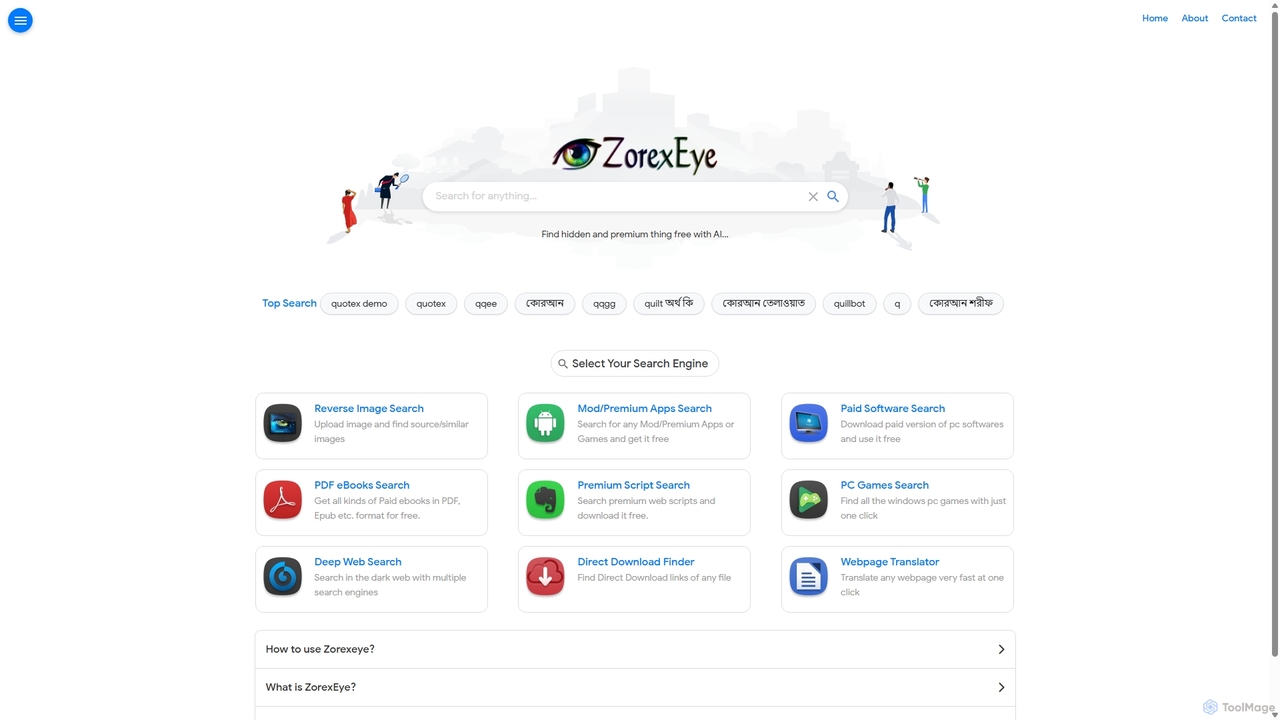
ZorexEye is an AI-powered search engine designed to find direct download links for premium apps, software, ebooks, and other digital files for free. It filters Google search results to provide clean, ad-free, and direct access, simplifying the process of finding hidden or hard-to-locate content.

Resource Finder
Visits 14.3KFavorites 118Likes 139

About File Finder

AI File Finders are advanced utilities designed to locate files based on their content and context, not just their names. These tools use technologies like Natural Language Processing (NLP) and semantic analysis to understand the meaning behind your search query. This allows you to find documents, images, and other files by asking questions or describing what you're looking for, dramatically speeding up information retrieval from local drives and connected cloud services. They effectively turn your personal or company file system into a searchable knowledge base.

Core Features

  • Semantic Search: Finds files based on conceptual meaning and context, rather than exact keyword matches.
  • Content Indexing: Scans the full text of documents (PDFs, DOCX), and even text within images using OCR, to make them searchable.
  • Natural Language Queries: Allows you to search using conversational questions, such as "find the marketing report from last quarter".
  • Cross-Platform Search: Integrates with local drives, external storage, and cloud services like Google Drive or Dropbox for unified search.
  • Smart Filtering: Offers advanced filtering options based on file type, date, author, or AI-generated tags.

Use Cases

AI File Finders are particularly valuable for knowledge workers, researchers, legal professionals, and developers who manage large volumes of digital documents. For instance, a lawyer can quickly find all documents related to a specific legal concept across thousands of case files, or a researcher can locate relevant data in hundreds of academic papers by simply asking a research question.

How to Choose

When selecting an AI File Finder, consider the scope and speed of its indexing capabilities—what file types and cloud services does it support? Evaluate the accuracy of its semantic search and its ability to understand complex queries. Also, review its integration options with your existing workflow and, most importantly, its privacy policy, especially whether indexing happens locally on your device or in the cloud.

File Finder use cases

1

Legal E-Discovery and Case Research

A paralegal or lawyer working on a complex litigation case needs to find all documents mentioning a specific legal precedent or concept. Instead of manually searching through thousands of PDFs and emails with keyword variations, they use an AI File Finder. They can simply ask, "Find all communications discussing 'breach of fiduciary duty' in the ACME Corp case files." The tool instantly surfaces relevant documents, emails, and even scanned contracts where the phrase is mentioned, saving dozens of hours of manual review.

2

Academic and Scientific Research

A PhD student is writing a literature review and needs to find all papers in their 500+ PDF library that discuss the methodology of 'neural network pruning'. A standard search would miss papers that use synonyms or describe the concept without using the exact term. Using an AI File Finder, they can search for the concept itself. The tool identifies not only papers with the exact phrase but also those discussing 'synaptic stripping' or 'model compression techniques', providing a much more comprehensive set of results for their research.

3

Corporate Knowledge Management

A new project manager at a large corporation needs to find information about a past project called 'Project Phoenix'. They don't know who worked on it or where the files are stored. Using the company's AI File Finder, they search for "Project Phoenix summary and key learnings." The system searches across SharePoint, network drives, and Confluence, returning the final project report, a presentation with the project outcomes, and several email threads discussing the project's challenges, providing a complete overview in minutes.

4

Finding Code Snippets for Developers

A software developer is looking for a specific function that handles payment processing, which they remember writing months ago but can't recall the project or file name. They use an AI File Finder that can index code repositories. They search for "function to process Stripe payments with error handling." The tool searches across their entire local codebase and private GitHub repos, highlighting the exact Python file and function that matches the description, even if the function name was something generic like `process_transaction`.

5

Managing Creative and Design Assets

A graphic designer needs to find all previous project files that used a specific shade of blue for a new client proposal. The files are scattered across different project folders and are not consistently named. Using an AI File Finder with image analysis capabilities, they can search for "designs with dominant sky blue color." The tool analyzes the content of JPEGs, PNGs, and PSD files, returning a visual gallery of all relevant assets, allowing the designer to quickly find inspiration and reuse elements.

6

Organizing Personal Digital Archives

An individual has decades of digital files, including scanned documents, photos, and old university essays stored on multiple hard drives. They need to find a specific rental agreement from 2015 but only remember it was for an apartment on 'Maple Street'. Using a personal AI File Finder, they search "rental agreement Maple Street 2015". The tool's OCR capability reads the text within the scanned PDF of the agreement and instantly locates the correct file, saving them from having to manually open and check hundreds of poorly named documents.

File Finder FAQ

What is an AI File Finder?

An AI File Finder is a type of advanced search utility that uses artificial intelligence, particularly Natural Language Processing (NLP), to find files based on their content and meaning, not just their filenames. Unlike traditional search tools, you can use conversational language or describe what you're looking for. They index the full content of your documents, emails, and even text in images, turning your entire file system into a deeply searchable knowledge base.

How is an AI File Finder different from my computer's built-in search?

The main difference lies in intelligence and scope. A built-in search (like Windows Search or macOS Spotlight) primarily relies on filenames and keyword matching within text files. An AI File Finder goes further by:

  • Understanding Semantics: It grasps the meaning of your query, finding conceptually related files even if they don't contain the exact keywords.
  • Deep Content Indexing: It uses OCR to read text in images and scans complex files like PDFs and presentations more effectively.
  • Natural Language: You can ask questions like a human, rather than thinking in keywords.
  • Cross-Platform Integration: It often connects to cloud storage and other apps, providing a single search point for all your data.

Are AI File Finders secure for my private data?

Security is a critical consideration. Many leading AI File Finders prioritize privacy by performing all indexing and searching locally on your device. This means your files and their content never leave your computer. However, some tools may offer cloud-based features which require syncing data. It's essential to check the privacy policy of any tool you consider. Look for terms like "local-first," "on-device processing," or "end-to-end encryption" to ensure your data remains private.

What types of files can an AI File Finder search through?

This varies by tool, but most advanced AI File Finders support a wide range of formats. Common capabilities include:

  • Documents: Full-text search for PDFs, Word documents (DOCX), spreadsheets (XLSX), and text files.
  • Presentations: Searching slide content in PowerPoint (PPTX) and Keynote files.
  • Images: Using Optical Character Recognition (OCR) to find text within JPEGs, PNGs, and scanned documents.
  • Emails and Notes: Integrating with apps like Outlook, Apple Mail, Obsidian, or Notion.
  • Code Files: Indexing various programming language files for developers.
Always check the specific tool's documentation for a complete list of supported file types and integrations.

Who can benefit most from using an AI File Finder?

While anyone can benefit from faster search, certain professionals find these tools particularly transformative. This includes:

  • Knowledge Workers: Consultants, analysts, and managers who deal with numerous reports, presentations, and emails daily.
  • Researchers & Academics: Individuals who need to sift through vast libraries of research papers, articles, and data sets.
  • Legal Professionals: Lawyers and paralegals who perform e-discovery and need to find specific information across massive case files.
  • Software Developers: Programmers who need to locate functions, variables, or documentation across large codebases.
  • Content Creators: Writers and designers who need to find and reference past work, assets, or research notes.
In essence, anyone whose work involves retrieving information from a large collection of digital files can significantly improve their productivity.