ToolMage
Sign in

Best 3 Online Tools for Utilities

Popular Online Tools in Utilities include VideoCompress, VerseVidSaver, and TurboAITools, helping you work more efficiently.

TurboAITools
Free

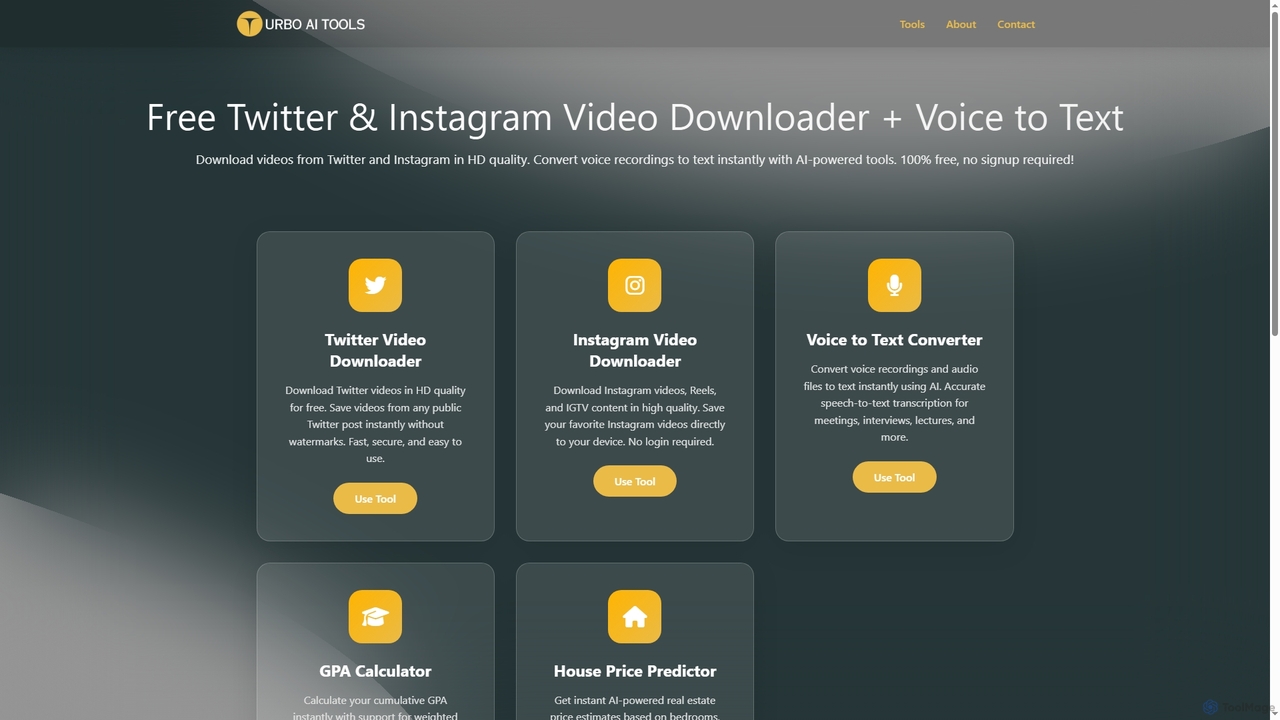
TurboAITools

TurboAITools offers a comprehensive suite of free, AI-powered online utilities designed to simplify digital tasks. It includes tools like Twitter and Instagram video downloaders, an accurate voice-to-text converter, a versatile GPA calculator, and an intelligent house price predictor. Prioritizing user privacy and ease of use, TurboAITools provides fast, registration-free solutions for content creators, students, and real estate enthusiasts alike.

Academic Planning
Visits 5KFavorites 20Likes 27
VerseVidSaver
Free

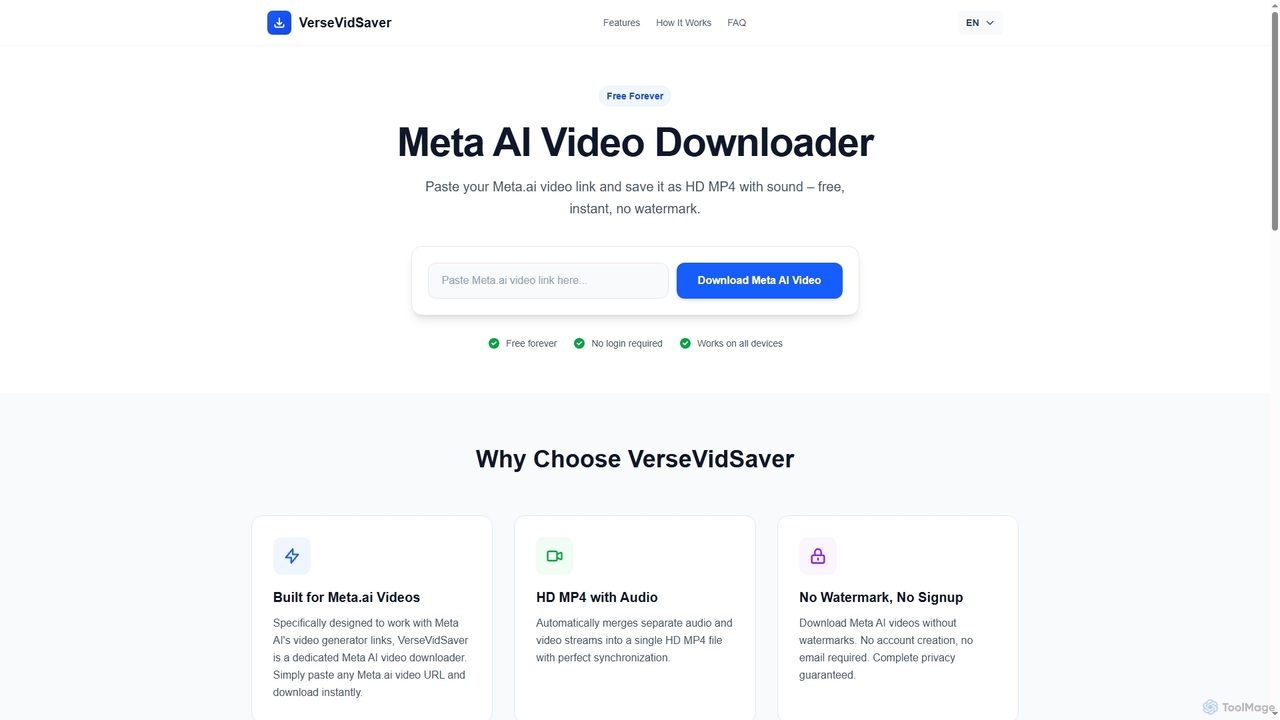
VerseVidSaver

VerseVidSaver is a free online tool specifically designed to download high-definition videos generated by Meta's AI platform. It seamlessly extracts and merges video and audio streams into a single, watermark-free HD MP4 file, offering unlimited downloads without hidden costs.

3D
Visits 255.8KFavorites 32Likes 39
VideoCompress
Free

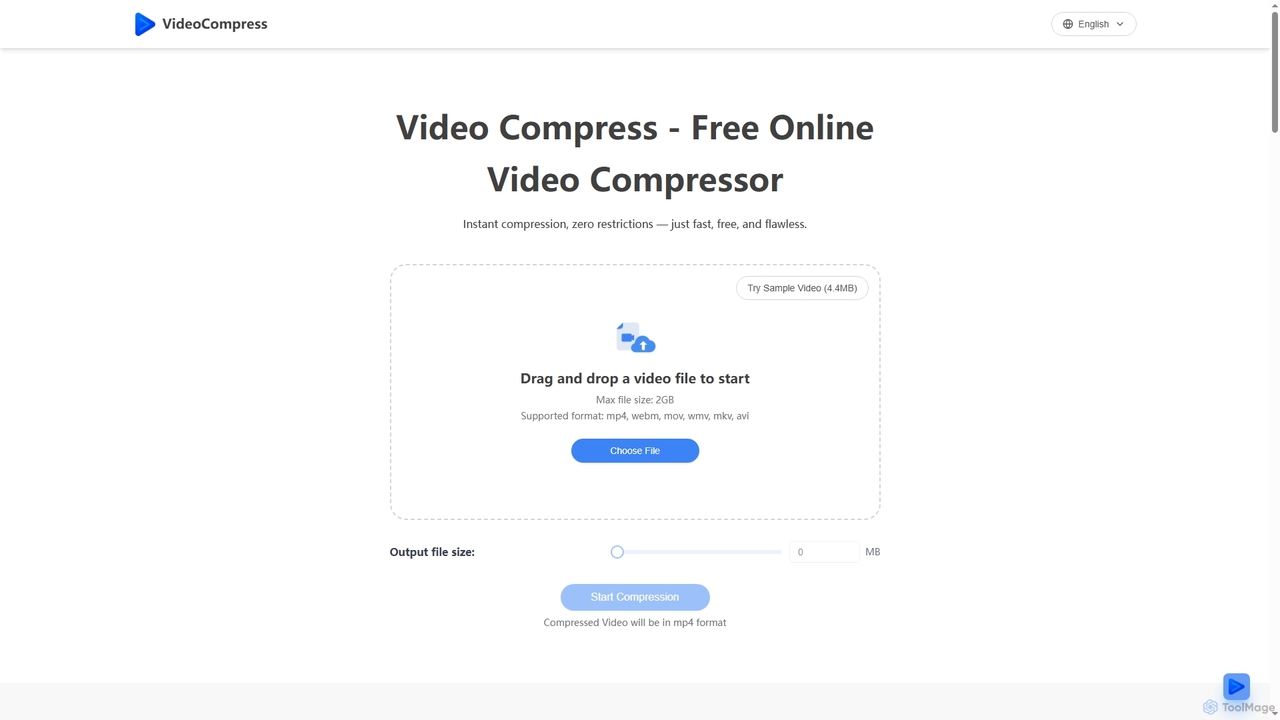
VideoCompress

VideoCompress is a free online tool that efficiently reduces video file sizes by up to 80% using advanced H.265/HEVC encoding, while preserving visual quality. It supports various formats, offers real-time previews, and ensures secure, cloud-based processing for fast, high-quality video optimization.

3D
Visits 1.4MFavorites 124Likes 113

About Online Tools

Online Tools are AI-powered web-based utilities designed to streamline a vast array of tasks directly through a browser interface. Leveraging advanced cloud computing infrastructure and sophisticated artificial intelligence algorithms, these tools offer immediate, on-demand access to powerful functionalities such as intelligent content generation, comprehensive data analysis, and automated workflow management. They significantly enhance individual and team productivity, foster seamless collaboration, and eliminate the need for local software installations, representing a highly flexible and accessible segment within the broader category of practical utilities.

Core Features

  • Cloud Accessibility: Provides universal access to tools and project data from any device with an internet connection, ensuring unparalleled flexibility and mobility for users.
  • AI-Driven Automation: Utilizes artificial intelligence to intelligently automate repetitive tasks, generate high-quality content, or perform complex data analysis with remarkable efficiency and accuracy.
  • Real-time Collaboration: Facilitates seamless teamwork by enabling multiple users to simultaneously work on shared projects, documents, or designs, with instant updates and version control.
  • Cross-Platform Compatibility: Ensures broad operability across various operating systems (Windows, macOS, Linux) and web browsers (Chrome, Firefox, Edge), eliminating common compatibility issues.
  • Instant Updates & Maintenance: Users automatically benefit from the latest features, security patches, and performance enhancements, as updates are managed centrally on the server side without user intervention.

Applicable Scenarios

These AI-powered online tools are invaluable across diverse sectors. Content creators can rapidly generate drafts and ideas, marketers can optimize campaigns with AI-driven insights and analytics, and remote teams can achieve synchronized project management and communication. They simplify complex processes, from crafting compelling marketing copy and generating unique visual assets to analyzing large datasets for strategic decision-making, making advanced capabilities readily accessible to a wider audience without specialized technical expertise.

How to Choose

When selecting an AI-powered online tool, prioritize its specific AI capabilities and ensure they precisely align with your task requirements, whether it's natural language processing, image recognition, or predictive analytics. Thoroughly evaluate its browser compatibility, robust data security protocols, and seamless integration options with other online services and platforms you currently utilize. Additionally, assess the transparency and fairness of the subscription model, the intuitiveness of the user interface, and the responsiveness and quality of customer support to guarantee a smooth, efficient, and productive experience.

Online Tools use cases

1

AI-Powered Content Generation for Marketing Campaigns

Marketing professionals can leverage online AI tools to rapidly generate diverse marketing copy, including social media posts, ad headlines, and email newsletters. By inputting key product features and target audience, the AI can produce multiple creative variations, significantly accelerating content creation cycles and ensuring consistent brand messaging across platforms. This saves hours of manual writing and brainstorming, allowing teams to focus on strategy.

2

Streamlining Data Analysis for Business Intelligence

Business analysts and researchers utilize online AI tools to process and interpret large datasets without complex software installations. These tools can automatically identify trends, summarize key insights, and visualize data, transforming raw information into actionable intelligence. This capability empowers faster decision-making, helps in market trend prediction, and reduces the time spent on manual data manipulation, making advanced analytics accessible.

3

Enhancing Visual Assets with Online AI Image Tools

E-commerce managers and graphic designers use web-based AI tools to enhance product images, remove backgrounds, or upscale low-resolution photos. Instead of manual editing, the AI can perform these tasks in bulk, maintaining high quality and consistency. This drastically reduces post-production time and costs, ensuring visually appealing product listings and marketing materials, which is crucial for online sales and brand perception.

4

Automating Customer Support Responses

Customer service teams deploy online AI chatbots and response generators to handle routine inquiries and provide instant support. By integrating with existing helpdesk systems, these AI tools can understand customer questions and provide accurate, personalized answers 24/7. This frees up human agents to focus on complex issues, improves customer satisfaction through quick resolutions, and reduces operational costs for support departments.

5

Optimizing Project Management and Task Automation

Project managers and team leads utilize online AI tools to automate task assignments, track progress, and predict potential delays. These tools can analyze project data, suggest optimal resource allocation, and even generate summary reports. This leads to more efficient project execution, better resource utilization, and proactive problem-solving, ensuring projects stay on track and within budget, especially for distributed teams.

6

Personalizing Learning Experiences and Research

Students and lifelong learners benefit from online AI tools that personalize study materials, summarize academic papers, or generate practice questions. These tools adapt to individual learning styles and paces, providing tailored content and feedback. This enhances comprehension, accelerates research processes, and makes complex subjects more approachable, fostering a more effective and engaging educational journey for users.

Online Tools FAQ

What are AI-powered Online Tools?

AI-powered Online Tools are web-based applications that integrate artificial intelligence to perform various tasks directly through a browser. Unlike traditional software, they require no installation and leverage cloud computing for processing power. They typically feature capabilities like natural language processing, machine learning, and computer vision to automate complex functions, generate content, analyze data, and enhance user interactions, making advanced technology accessible and flexible for a wide range of users.

How do I choose the best AI-powered online tool for my needs?

To choose the best AI-powered online tool, first define your specific task requirements and the AI capabilities needed (e.g., text generation, image recognition, data prediction). Evaluate the tool's user interface for intuitiveness and ease of use, as well as its browser compatibility and integration options with your existing workflows. Crucially, assess its data security measures and privacy policies. Finally, consider the pricing model, customer support quality, and user reviews to ensure it offers reliable performance and value.

What are the main advantages of using AI-powered Online Tools?

The main advantages of using AI-powered Online Tools include unparalleled accessibility and flexibility, as they can be used from any device with an internet connection without installation. They offer significant efficiency gains through AI-driven automation, reducing manual effort and speeding up complex tasks. Real-time collaboration features enhance teamwork, while cloud-based infrastructure ensures automatic updates and robust data synchronization. These tools democratize access to advanced AI capabilities, making sophisticated solutions available to individuals and businesses of all sizes.

Are AI-powered Online Tools secure for sensitive data?

The security of AI-powered Online Tools varies by provider. Reputable tools employ robust security measures, including end-to-end encryption, secure data centers, and compliance with international data protection regulations like GDPR. However, users should always review the provider's privacy policy and terms of service, especially when handling sensitive data. It's advisable to choose tools from established companies with a strong track record in data security and to understand where your data is stored and how it's processed.

How do AI-powered Online Tools differ from traditional desktop software?

AI-powered Online Tools primarily differ from traditional desktop software in their deployment and operational model. Online tools are web-based, requiring no local installation, and are accessible via a browser, offering cross-device and cross-platform flexibility. They leverage cloud computing for processing, often integrating AI for dynamic, evolving functionalities and automatic updates. Desktop software, conversely, is installed locally, relies on local hardware, and requires manual updates, typically offering offline capabilities but less inherent flexibility and real-time collaboration features.