
ToolMage
Sign in

Best 1 Speech To Text AI tools for Utilities

Popular Speech To Text AI tools in Utilities include TranscriptorPro, helping you work more efficiently.

TranscriptorPro
Freemium

TranscriptorPro

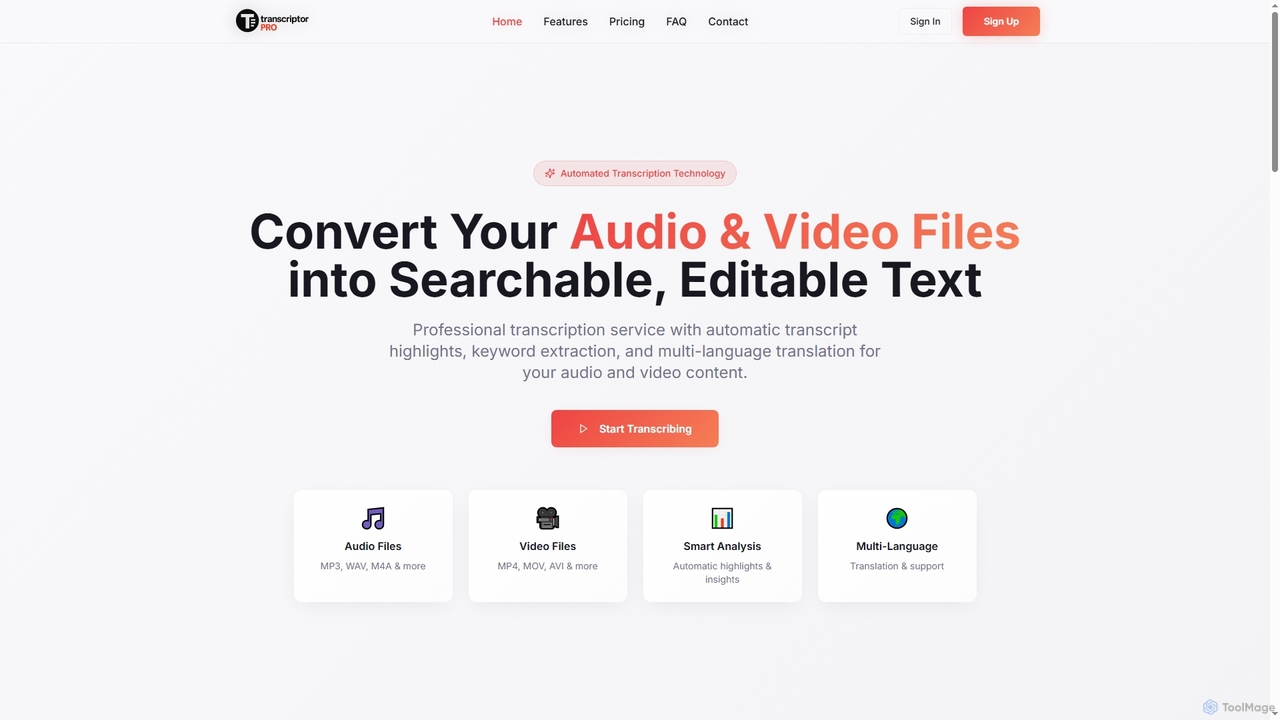
TranscriptorPro is an AI-powered service that converts audio and video files into searchable, editable text. It offers automated transcription with smart highlights, keyword extraction, and multi-language translation, making content accessible and manageable for various professional and personal needs.

Translation
Visits 5.6KFavorites 132Likes 138

About Speech To Text

Speech To Text tools are AI-powered utilities that automatically transcribe spoken language into written text. Leveraging advanced natural language processing and machine learning, these tools accurately convert audio from various sources into editable digital documents. They significantly enhance productivity by automating transcription tasks, making information more accessible and searchable across diverse applications.

Core Features

  • Real-time Transcription: Converts live audio streams into text instantly for immediate use.
  • Multi-language Support: Recognizes and transcribes speech in numerous languages and dialects.
  • Speaker Diarization: Identifies and separates different speakers in a conversation for clarity.
  • Punctuation & Formatting: Automatically adds appropriate punctuation and formats text for readability.
  • Custom Vocabulary: Allows users to add specific terms, names, or jargon for improved accuracy.

Use Cases

These tools are widely adopted in professional settings for meeting minutes, interview transcription, and content creation. They also serve individuals needing to convert voice notes into text or generate captions for videos, streamlining workflows and improving accessibility.

How to Choose

When selecting a Speech To Text tool, consider transcription accuracy, especially for specific accents or technical jargon. Evaluate its language support, real-time capabilities, integration options with existing workflows, and pricing models based on usage volume and features.

Speech To Text use cases

1

Transcribing Meetings and Interviews

Business professionals and researchers utilize Speech To Text tools to convert recorded discussions, conferences, or interviews into searchable text. This eliminates the need for manual note-taking, allowing participants to focus on the conversation. The resulting transcripts facilitate easy review, analysis, and information retrieval, saving significant time in post-meeting documentation and research.

2

Generating Video Subtitles and Captions

Content creators, educators, and media professionals employ Speech To Text tools to automatically generate accurate subtitles and captions for videos. This improves accessibility for hearing-impaired audiences, enhances SEO for online video content, and allows for easy translation into multiple languages, expanding audience reach across platforms like YouTube and educational portals.

3

Automating Customer Service Call Summaries

Call centers and customer support teams leverage Speech To Text technology to transcribe customer interactions. These transcripts enable automated summarization of calls, sentiment analysis, and identification of common issues. This not only improves agent training and compliance monitoring but also provides valuable insights for enhancing overall customer experience and product development.

4

Dictation for Document Creation

Writers, journalists, medical professionals, and legal experts use Speech To Text tools for dictation, converting their spoken words directly into text documents, emails, or reports. This method significantly speeds up the document creation process compared to traditional typing, especially for lengthy texts, allowing for a more natural and efficient workflow.

5

Voice-Controlled Command & Data Entry

Developers integrate Speech To Text capabilities into various applications, enabling hands-free operation and voice-controlled data entry. This is particularly useful in environments where manual input is difficult or unsafe, such as in medical operating rooms, industrial settings, or for users with mobility impairments, enhancing accessibility and operational efficiency.

6

Converting Voice Notes to Text for Organization

Individuals and professionals use Speech To Text tools to transform personal voice memos, ideas, or reminders into organized, searchable text documents. This ensures that valuable insights captured on the go are not lost, making it easier to categorize, retrieve, and act upon spoken information, thereby boosting personal productivity and information management.

Speech To Text FAQ

What are Speech To Text tools?

Speech To Text (STT) tools are AI-powered applications that convert spoken words from audio or video into written text. They utilize advanced algorithms to recognize speech patterns, process natural language, and transcribe it into a digital format, making audio content searchable, editable, and more accessible across various platforms and uses.

How do Speech To Text tools work?

Speech To Text tools primarily employ Automatic Speech Recognition (ASR) technology. Audio input is first processed through acoustic models that map sound waves to phonemes (basic units of sound). Then, language models predict the most likely sequence of words based on context and grammar. Machine learning continually refines accuracy, especially with custom vocabularies and diverse training data.

What are the key benefits of using Speech To Text technology?

The primary benefits of Speech To Text technology include significant time savings by automating manual transcription, improved accessibility for audio and video content through accurate captions and subtitles, enhanced searchability of spoken information, and increased productivity for dictation and note-taking. It also facilitates data analysis from spoken interactions and supports multilingual communication.

How accurate are Speech To Text tools?

The accuracy of Speech To Text tools varies based on several factors, including audio quality, speaker clarity, background noise, and the sophistication of the AI model. Modern tools can achieve high accuracy (often 90% or more) in ideal conditions. However, specialized vocabulary, strong accents, or poor audio quality can reduce precision. Many tools offer editing features to correct any errors.

What is the difference between Speech To Text and Voice Recognition?

Speech To Text (STT) focuses on transcribing spoken words into written text, regardless of who is speaking. Its primary goal is to convert audio content into an editable and searchable textual format. Voice Recognition, often referred to as Speaker Recognition or Voice Biometrics, aims to identify *who* is speaking or verify a speaker's identity, rather than just converting speech to text. While both involve processing speech, their objectives are distinct.