Utilities Best in category 1 results Web Tool AI Tool

Popular AI tools in the Web Tool field of Utilities include sunoaidownload, etc., helping you quickly improve efficiency.

Free
sunoaidownload

sunoaidownload

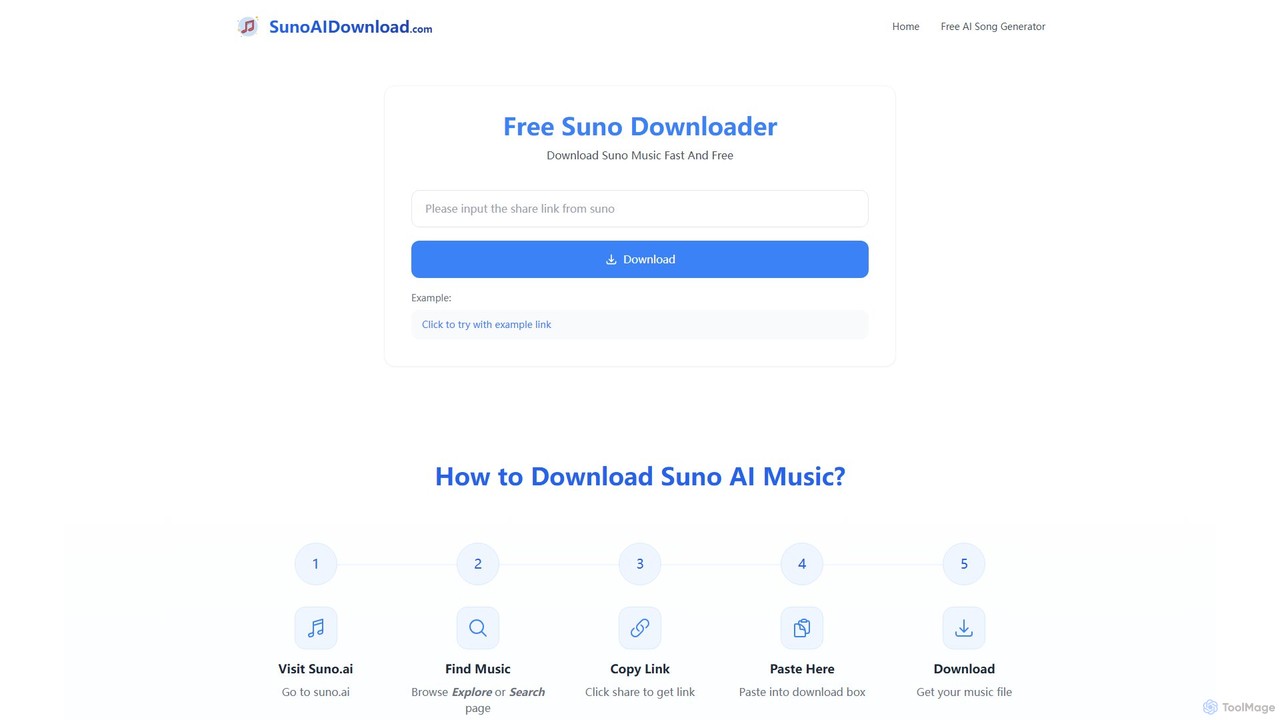
A free online tool designed to help users easily download songs and music created with Suno AI. It …

2.5K

About Web Tool

AI Web Tools are a class of utilities designed to automate and optimize tasks related to website management, analysis, and development. Leveraging machine learning and data analysis, these tools perform complex operations like SEO audits, content parsing, performance monitoring, and competitive intelligence. They empower developers, marketers, and business owners to improve website performance, enhance user experience, and gain strategic insights without extensive manual effort. Unlike highly specialized single-purpose applications, AI Web Tools often provide a comprehensive suite of functionalities for holistic web asset management.

Core Features

  • Automated SEO Analysis: Scans websites to identify optimization opportunities, keyword gaps, and technical issues like broken links or slow pages.
  • Content & Structure Parsing: Extracts structured data from web pages, analyzes content quality, and understands website architecture for data mining or migration.
  • Performance Monitoring: Tracks key metrics such as loading speed, Core Web Vitals, and uptime, providing actionable recommendations for improvement.
  • Competitive Intelligence: Gathers and analyzes data from competitor websites to reveal their SEO strategies, content performance, and backlink profiles.

Use Cases

These tools are frequently used by digital marketing agencies, SEO specialists, web developers, and e-commerce managers. Common applications include conducting regular website health checks, preparing for a site migration, analyzing market trends by scraping competitor data, or automating performance reporting to stakeholders.

How to Choose

When selecting an AI Web Tool, consider the scope of its features (e.g., SEO, performance, data extraction), its data accuracy and update frequency, and its integration capabilities with other platforms like Google Analytics or a CMS. Also, evaluate the clarity of its reporting dashboard and whether its scalability and pricing model align with your business needs.

Web ToolUse Cases

1

Conducting an SEO Audit for a New Client

An SEO specialist at a digital agency needs to quickly assess a new client's website to identify critical issues and formulate an initial strategy. By using an AI Web Tool, they can initiate a full site crawl that automatically detects broken links, missing meta tags, slow-loading pages, and keyword cannibalization issues. The tool generates a comprehensive, data-driven audit report within hours, a process that would manually take days. This allows the specialist to present a clear, prioritized action plan during the client kickoff meeting, demonstrating immediate value and expertise.

2

Analyzing Competitor Website Strategies

A marketing manager for an e-commerce brand wants to understand the online strategy of top competitors. They input competitor URLs into an AI Web Tool. The tool analyzes site structures, identifies top-performing keywords, estimates organic traffic sources, and maps out backlink profiles. The AI can also highlight content gaps by comparing the brand's site against competitors. This provides actionable insights into what content to create and which keywords to target, helping the manager refine their marketing plan to gain a competitive edge.

3

Automating Web Data Extraction for Market Research

A data analyst needs to collect product pricing, reviews, and stock information from dozens of retail websites for a market analysis report. Instead of manual copy-pasting, they configure an AI-powered web scraping tool. The tool can intelligently navigate different site layouts, identify the relevant data points (like price, rating, availability), and extract them into a structured format such as a CSV or JSON file. This automation saves hundreds of hours and provides a clean, consistent dataset for analysis, enabling faster and more accurate market insights.

4

Monitoring Website Performance and Core Web Vitals

A web developer is responsible for maintaining optimal speed and user experience for a high-traffic website. They set up an AI Web Tool to continuously monitor the site's Core Web Vitals, server response times, and resource loading. The tool's AI sends real-time alerts when performance drops below a set threshold, often identifying the root cause, such as a large unoptimized image or a slow third-party script. This proactive approach allows the developer to address performance bottlenecks before they significantly impact user engagement and SEO rankings.

5

Performing a Content Gap Analysis for Strategy

A content strategist aims to discover new topics that can attract organic traffic. They use an AI Web Tool to compare their website's content against several top-ranking competitors. The tool crawls all sites and identifies keywords and topics that competitors rank for but their own site does not cover. The AI then clusters these opportunities by search intent and potential traffic volume. This delivers a prioritized list of high-potential content ideas, ensuring that content creation efforts are focused on areas with the highest probability of ranking and driving relevant traffic.

6

Checking Website Accessibility Before Launch

A frontend developer or QA tester needs to ensure a new website complies with accessibility standards like WCAG before it goes live. They use an AI Web Tool that specializes in accessibility audits. By running the staging URL through the tool, it automatically scans for common issues such as poor color contrast, missing alt text for images, and improper ARIA roles. The tool generates a detailed report with specific code-level recommendations, allowing the developer to efficiently fix accessibility barriers, ensure the site is usable for people with disabilities, and mitigate potential legal risks.

Web ToolFrequently Asked Questions