ToolMage
Sign in

Best 3 Presentation AI tools for Video

Popular Presentation AI tools in Video include Personify, CueCam Presenter, and PPTalker, helping you work more efficiently.

Freemium

Personify

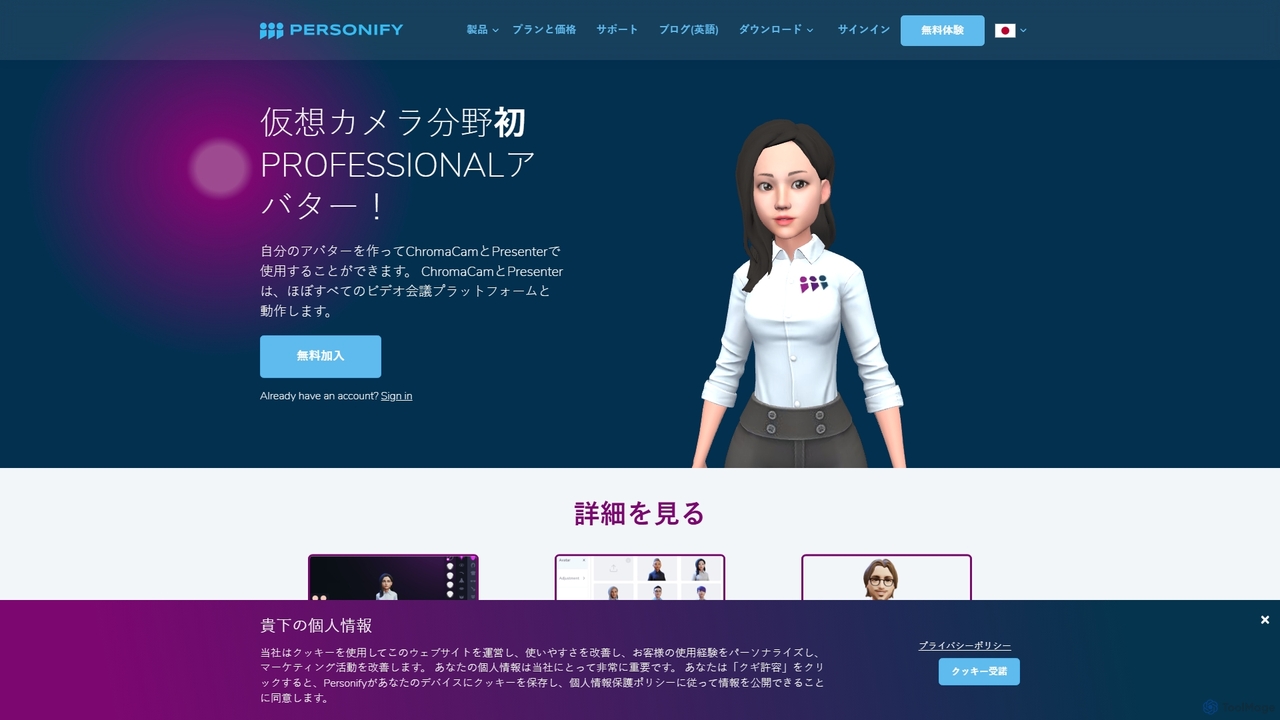
Personify is an AI-powered suite of virtual camera tools, including Presenter and ChromaCam, designed to create immersive and engaging video presentations. It allows users to overlay their video on content, use custom 3D avatars, and replace backgrounds in any video conferencing app.

Virtual Identity
Visits 7.8KFavorites 116Likes 107
Freemium

CueCam Presenter

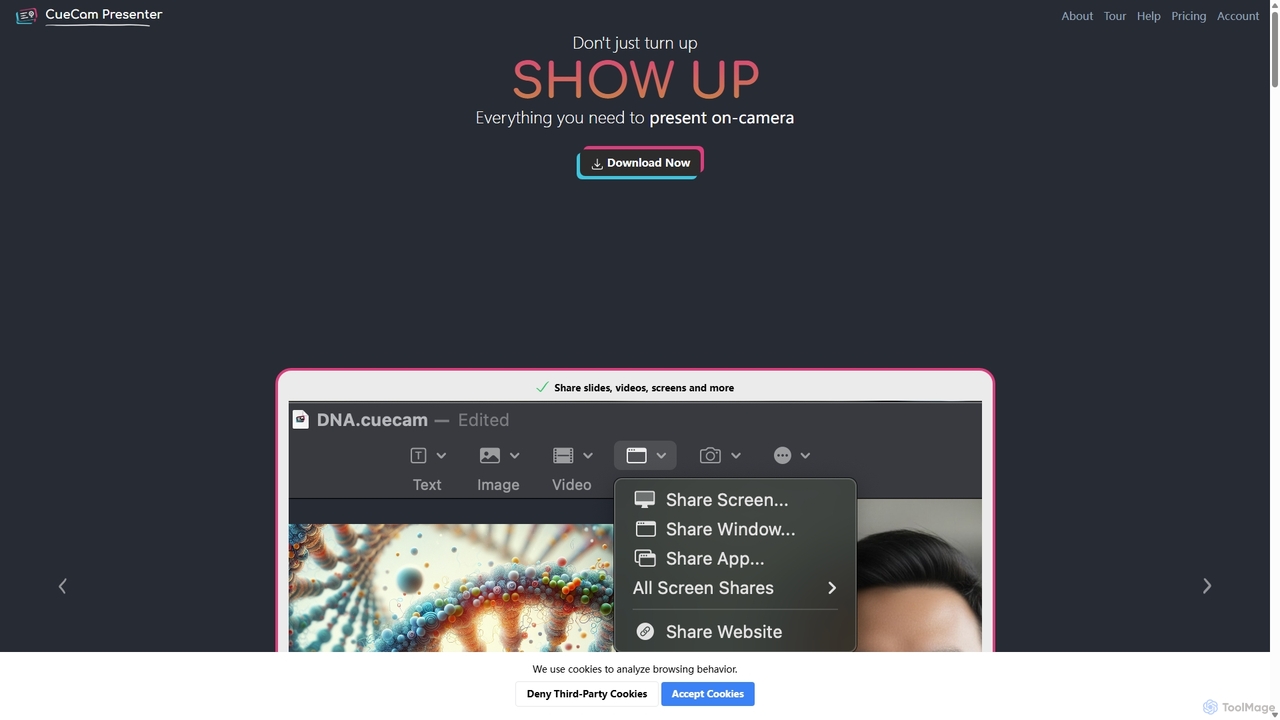
A powerful Mac application that transforms your webcam into a professional presentation studio. It integrates a teleprompter, smart cue cards, screen sharing, and live annotation via iPad. Ideal for remote calls, video recording, and live streaming, it simplifies complex production workflows into a single "next" button.

Live Streaming
Visits 4.7KFavorites 109Likes 95
Freemium

PPTalker

PPTalker is an AI-powered tool that effortlessly transforms PowerPoint presentations into engaging videos. With features like AI-driven voiceovers in multiple languages, smart script generation, and automatic subtitles, it enables users in education, business, and corporate training to create professional-quality video presentations in minutes. Simply upload your slides, choose a voice, and generate a high-resolution video ready for sharing.

Text To Speech
Visits 4.1KFavorites 114Likes 105

About Presentation

AI Presentation tools are a class of software that automates the creation of compelling slide decks and video presentations from simple text prompts or documents. These tools leverage large language models (LLMs) to generate structured content and generative AI to create relevant visuals, layouts, and designs. They significantly reduce the time and effort required for manual design and content organization, allowing users to focus on the core message. Many also offer features to convert the final slides into a video format, often with an AI-powered avatar as the presenter.

Core Features

  • Automated Slide Generation: Instantly creates a complete presentation structure, including titles, bullet points, and content, from a single topic or prompt.
  • AI-Powered Design: Automatically applies professional templates, color palettes, fonts, and layouts consistent with your brand or topic.
  • Content & Script Assistance: Generates speaker notes, summarizes complex information, and can rewrite text for clarity and impact.
  • Visual Asset Creation: Suggests or generates relevant images, icons, and data visualizations to enhance slides.
  • Video & Avatar Export: Transforms static slides into dynamic video presentations, often featuring a realistic AI avatar to narrate the content.

Use Cases

These tools are widely used by business professionals for creating sales pitches and reports, marketers for developing webinar content and product demos, and educators for building engaging lecture materials. They are ideal for any scenario where presentations need to be created quickly without sacrificing quality.

How to Choose

When selecting an AI Presentation tool, consider the quality and variety of design templates, the level of customization available after generation, and its integration capabilities with data sources. Also, evaluate the quality of the AI avatar and voice options if video output is a priority, along with the available export formats (e.g., PPTX, PDF, MP4).

Featured tool rankings

Presentation use cases

1

Rapidly Create Custom Sales Pitches

A sales manager needs to prepare a tailored presentation for a potential client in under an hour. Instead of starting from scratch, they input a prompt detailing the client's industry, pain points, and the proposed solution. The AI tool generates a complete, professionally designed 10-slide deck with relevant industry imagery and data points. The manager makes minor edits and exports it, saving over 90% of the usual creation time and enabling a highly responsive sales process.

2

Automate Employee Onboarding and Training

An HR department is tasked with converting dense company policy documents into accessible training modules for new hires. They upload the documents into an AI presentation tool. The tool automatically summarizes key policies into concise slides, adds illustrative icons, and generates a complete video presentation narrated by a friendly AI avatar. This standardizes the training experience and makes it available on-demand, freeing up HR staff for more interactive sessions.

3

Generate Content for Marketing Webinars

A marketing team is planning a webinar for a new software feature launch. They provide the AI tool with a brief outline of the feature's benefits and target audience. The AI generates a full webinar script and a corresponding slide deck, complete with a compelling introduction, feature explanations, use cases, and a call-to-action slide. This allows the team to focus on promotion and delivery rather than spending days on content creation.

4

Transform Lecture Notes into Engaging Slides

A university professor wants to make their online courses more visually engaging. They upload their text-based lecture notes for a specific topic. The AI presentation tool structures the content into a logical flow of slides, creates diagrams to explain complex concepts, and suggests relevant academic images. The professor can then easily record a voiceover or use an AI avatar to create a complete video lecture for their learning management system.

5

Develop Professional Investor Update Reports

A startup founder needs to create a concise and polished quarterly update for investors. They input key metrics, milestones achieved, and future goals into the AI tool. It generates a clean, data-driven presentation that visualizes financial data in charts and graphs. The founder can then use the tool to create a short video summary presented by an AI avatar, providing a professional and efficient update that respects investors' time.

6

Convert Blog Posts into Social Media Videos

A content creator wants to repurpose their popular blog articles into short-form videos for platforms like LinkedIn and YouTube. They simply paste the article's URL into the AI presentation tool. The AI extracts the key points, creates a series of summary slides with bold visuals, and produces a short, shareable video with an AI voiceover. This strategy dramatically increases the reach of their content by adapting it for different media formats.

Presentation FAQ

What are AI Presentation tools?

AI Presentation tools are applications that use artificial intelligence to automatically generate complete presentations from a user's text input. Unlike manual slide editors, they create the content, structure, design, and visuals for you. Key features include automated slide creation from a prompt, AI-powered design suggestions, and the ability to generate speaker notes or even a full video with an AI presenter.

How do AI Presentation tools differ from PowerPoint or Google Slides?

The main difference lies in the creation process. Traditional tools like PowerPoint are manual canvases where you design each slide yourself. AI Presentation tools are generators; you provide a topic or document, and the AI builds the entire presentation for you. While traditional tools offer deep manual control, AI tools prioritize speed and automation, handling the initial heavy lifting of content structuring and design.

What are the key features to look for in an AI Presentation tool?

When evaluating these tools, look for several key features. A strong tool should offer:

  • Prompt-based Generation: The ability to create a full deck from a simple idea.
  • Customization Options: The flexibility to edit AI-generated content, layouts, and branding.
  • Rich Media Support: Integration of AI-generated images, icons, and data charts.
  • Versatile Export Formats: Options to export as PPTX, PDF, or MP4 video.
  • AI Avatar Quality: If video is important, assess the realism of the avatars and voices.

Can I edit the presentations generated by AI?

Yes, absolutely. A core function of virtually all AI presentation tools is providing a user-friendly editor after the initial generation. This allows you to treat the AI-generated deck as a strong first draft. You can then manually refine text, swap images, adjust the color scheme, reorder slides, and add your own specific data or branding to ensure the final output perfectly matches your requirements.

Who benefits most from using AI Presentation tools?

AI Presentation tools are beneficial for a wide range of users who need to create presentations efficiently. This includes business professionals for sales and internal meetings, marketers for webinars and campaigns, educators and students for lectures and projects, and consultants for client reports. Essentially, anyone who wants to save significant time on slide design and content structuring can benefit greatly.