Accessibility Best in category 1 results Assistivetechnology AI Tool

Popular AI tools in the Assistivetechnology field of Accessibility include Summarize.one, etc., helping you quickly improve efficiency.

Summarize.one

Summarize.one

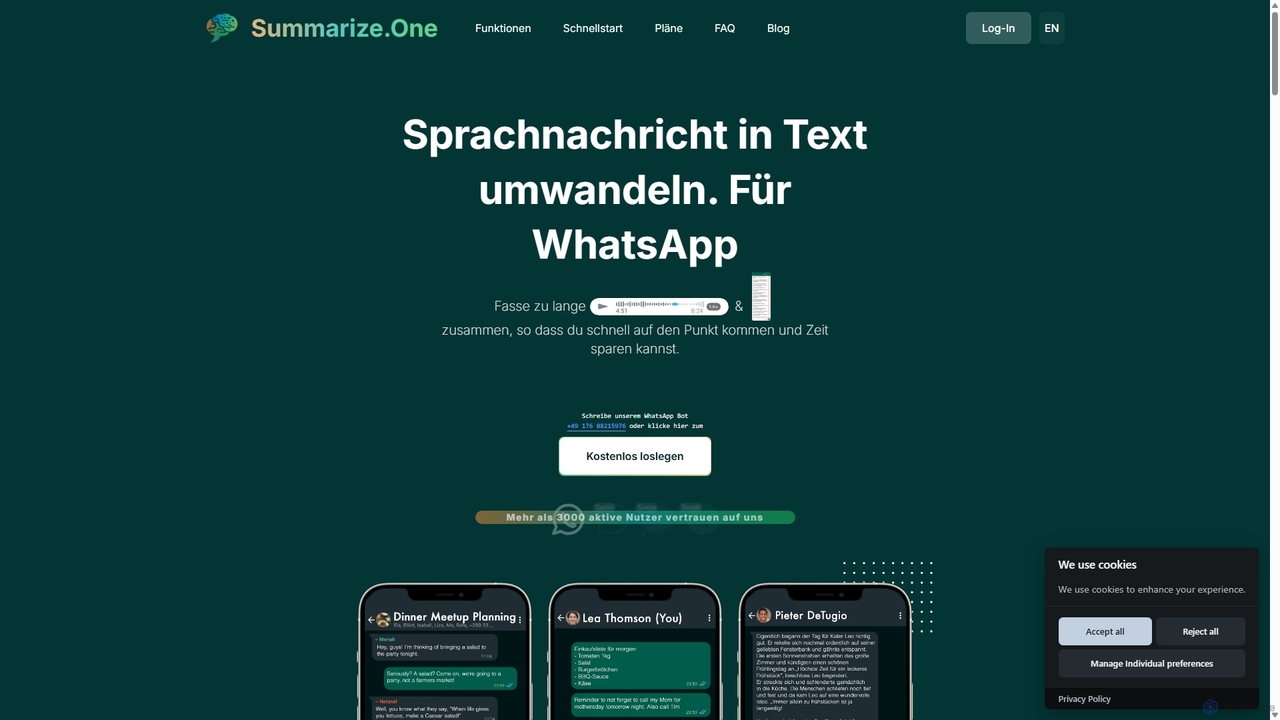
An AI-powered WhatsApp bot that transcribes and summarizes long voice messages and chats. It helps you quickly grasp …

4.5K

About Assistivetechnology

AI Assistive Technology tools are specialized applications designed to help individuals with disabilities perform tasks and interact with the digital and physical world. These tools leverage artificial intelligence, such as machine learning and computer vision, to provide capabilities like real-time text-to-speech, object recognition, and alternative communication methods. Their primary purpose is to enhance independence, improve communication, and create more equitable access to information and daily activities. By offering intelligent and adaptive support, they bridge gaps left by traditional assistive devices.

Core Features

  • Text-to-Speech (TTS) & Speech-to-Text (STT): Converts written content into spoken words for users with visual impairments or reading difficulties, and transcribes spoken language into text for those with hearing or motor impairments.
  • AI-Powered Visual Recognition: Uses a device's camera to identify objects, describe scenes, read text from surfaces, and recognize faces, providing auditory feedback for visually impaired users.
  • Augmentative and Alternative Communication (AAC): Generates speech from text, symbols, or predictive input, enabling individuals with speech impairments to communicate effectively.
  • Cognitive Support & Organization: Provides AI-driven reminders, simplifies complex information, and helps manage daily tasks for users with cognitive disabilities or learning differences.

Applicable Scenarios

These tools are crucial in various settings. In education, they assist students with dyslexia or visual impairments in accessing course materials. In the workplace, they enable employees with motor disabilities to control computers using voice or eye-tracking. For daily living, they help visually impaired individuals navigate public spaces or identify household items, fostering greater independence.

Selection Criteria

When choosing an AI Assistive Technology tool, consider the specific disability it addresses and its accuracy. Evaluate its compatibility with your existing devices (iOS, Android, Windows) and whether it integrates with other essential applications. Assess the user interface for ease of use and customization options. Finally, review the privacy policy, as these tools may process sensitive personal data.

AssistivetechnologyUse Cases

1

Real-time Scene Description for the Visually Impaired

A visually impaired individual uses a smartphone app to navigate an unfamiliar grocery store. By pointing their phone's camera forward, the AI tool audibly describes the surroundings in real-time. It reads aisle signs like 'Aisle 5: Pasta & Sauces,' identifies specific products on the shelf such as 'Brand X Tomato Soup,' and warns of obstacles like a misplaced stocking cart. This empowers the user to shop independently and safely, transforming a challenging task into a manageable one without needing human assistance.

2

Facilitating Communication for Non-Verbal Individuals

A child with non-verbal autism uses a tablet-based AAC (Augmentative and Alternative Communication) app. The app displays a grid of symbols and images representing words and concepts. The AI component learns the child's communication patterns and predicts their next likely word or phrase, making sentence construction faster. When the child taps a sequence of symbols, such as 'I want apple juice,' the app speaks the sentence aloud in a clear voice. This technology provides a vital communication bridge to express needs, thoughts, and feelings.

3

Live Captioning for Deaf and Hard of Hearing Students

A university student who is hard of hearing uses an AI-powered transcription app during a fast-paced lecture. The app, running on their laptop or tablet, listens to the professor's speech and provides a real-time, highly accurate transcript on the screen. The AI can distinguish between speakers and understands complex academic terminology, which is a significant improvement over standard auto-captioning. This allows the student to fully participate in their education, review notes later, and engage with the material on an equal footing with their peers.

4

Reading Support for Individuals with Dyslexia

An employee with dyslexia uses an AI-powered browser extension to make reading digital documents and emails more manageable. The tool can instantly reformat text into a dyslexia-friendly font, adjust line spacing, and highlight text as it's read aloud by a natural-sounding AI voice. It can also provide AI-generated summaries of long articles, allowing the user to grasp the main points quickly. This reduces cognitive load and reading fatigue, enabling the employee to process information as efficiently as their colleagues.

5

Voice Control for Computer Access with Motor Impairments

A writer with a severe motor disability, such as quadriplegia, uses AI-powered voice command software to control their computer. Instead of a mouse and keyboard, they dictate text, open applications, navigate web pages, and even perform complex actions like 'copy the third paragraph and paste it into a new email.' The AI understands natural language and context, making the interaction fluid and efficient. This technology provides full digital access, enabling professional work, social connection, and personal management that would otherwise be impossible.

6

Cognitive Support for Task Management and Scheduling

An adult with ADHD uses an AI-powered personal assistant app to manage their daily schedule and tasks. The user can verbally tell the app their goals for the day, and the AI organizes them into a structured, prioritized list with estimated time slots. It sends intelligent, context-aware reminders, such as 'Leave for your 2 PM appointment now, traffic is heavy.' The app can also break down large projects into smaller, manageable steps, reducing overwhelm and helping the user stay focused and productive throughout the day.

AssistivetechnologyFrequently Asked Questions