Accessibility Best in category 1 results Communication Aid AI Tool

Popular AI tools in the Communication Aid field of Accessibility include slait, etc., helping you quickly improve efficiency.

slait

slait

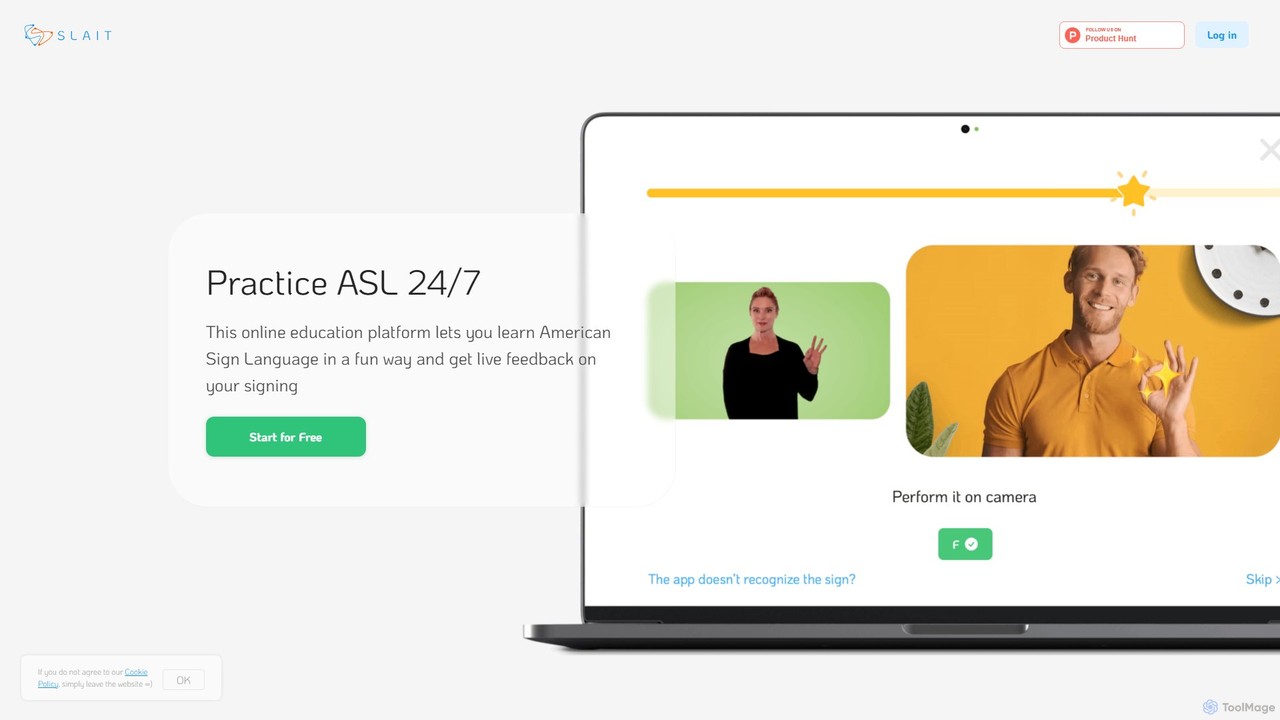
slait is an AI-powered online platform designed for learning American Sign Language (ASL). It offers a unique, interactive …

2.5K

About Communication Aid

Communication Aid tools are AI-powered systems designed to give a voice to individuals with speech or language impairments. These tools utilize advanced text-to-speech (TTS), predictive text, and symbol-based interfaces to convert user inputs into clear, audible speech or structured text. They serve as a critical component of Augmentative and Alternative Communication (AAC), enabling users to express thoughts, needs, and ideas effectively. The integration of AI allows for more natural-sounding voices and intelligent word prediction, significantly speeding up the communication process.

Core Features

  • Natural Text-to-Speech (TTS): Converts typed text into highly realistic and expressive human-like speech.
  • Symbol-to-Speech Conversion: Allows users to select images or symbols that the system translates into spoken words or phrases.
  • Predictive Text and Phrase Banking: AI algorithms suggest words and pre-stored phrases to accelerate message composition.
  • Multi-Modal Input Support: Accommodates various input methods, including touch, eye-tracking, switch control, and head movements.
  • Voice Personalization & Banking: Enables users to create a custom synthetic voice, sometimes by banking their own voice before it's lost.

Applicable Scenarios

These tools are essential for individuals with conditions affecting speech, such as Amyotrophic Lateral Sclerosis (ALS), cerebral palsy, aphasia following a stroke, and non-verbal autism. They are used in daily personal conversations, educational settings to facilitate classroom participation, and in clinical environments for speech therapy and rehabilitation. Professionals like speech-language pathologists and special education teachers frequently integrate these tools into their support plans.

Selection Criteria

When choosing a Communication Aid tool, consider the user's specific physical and cognitive abilities to match the input method and interface complexity. Evaluate the quality and naturalness of the synthesized voice, including options for different ages and genders. Assess device compatibility (iOS, Android, Windows, dedicated hardware) and the robustness of its vocabulary and symbol libraries. Finally, consider the level of customization and support available from the provider.

Communication AidUse Cases

1

Daily Conversation for Non-Verbal Individuals

An individual with Amyotrophic Lateral Sclerosis (ALS) who can no longer speak uses an eye-tracking enabled tablet running a communication aid application. By looking at letters on a virtual keyboard, they compose sentences to express their thoughts and needs. The AI-powered text-to-speech engine then vocalizes these messages in a clear, natural-sounding voice, allowing them to actively participate in family discussions, communicate with caregivers, and maintain social connections. The predictive text feature significantly speeds up typing, reducing fatigue and frustration.

2

Classroom Participation for Students with Autism

A non-verbal student with autism uses a tablet with a symbol-based communication aid app. Instead of typing, the student selects a sequence of symbols (e.g., 'I' + 'want' + 'book') from categorized grids. The app instantly converts this sequence into a complete, spoken sentence. This enables the student to answer the teacher's questions, express preferences during activities, and interact with peers. The visual and structured nature of the symbol interface reduces cognitive load and makes communication more accessible and less stressful for the student.

3

Rebuilding Communication After a Stroke

A stroke survivor experiencing aphasia, which impairs their ability to recall and form words, uses a communication aid on a smartphone. The tool's large, clear buttons for common phrases ('I'm thirsty,' 'I need help') allow for immediate communication of basic needs. For more complex thoughts, the AI-powered word prediction suggests relevant words after only one or two letters are typed, helping them construct sentences they can no longer easily formulate on their own. This supports their rehabilitation process and reduces the isolation often associated with aphasia.

4

Creating a Personalized Digital Voice

A person newly diagnosed with a degenerative condition like Motor Neurone Disease (MND) uses a 'voice banking' feature within a communication aid tool. They record a series of specific phrases and sentences while they can still speak clearly. The AI algorithm processes these recordings to create a unique, personalized synthetic voice that captures the nuances of their own speech. When they later need to use the text-to-speech function, the device speaks with their own voice, preserving a crucial part of their identity and making communication feel more personal and authentic.

5

Quick Communication in Social Settings

A teenager with cerebral palsy, who has difficulty with fine motor control for typing, uses a communication aid with a customizable phrase bank. Before going to a café, they or a caregiver pre-program buttons for 'I'd like a latte, please,' 'Thank you,' and 'Can I have the bill?'. In the noisy, fast-paced environment, they can simply tap a single large button to communicate their order quickly and clearly. This reduces social anxiety, promotes independence, and allows for smoother interactions in everyday community settings.

6

Delivering a Professional Presentation

A university professor with a speech impairment caused by a neurological condition uses a communication aid to deliver lectures. They prepare their entire lecture script beforehand and load it into the application. During the lecture, they use a simple switch control to advance through the script, paragraph by paragraph. The AI TTS engine delivers the content in a consistent, clear, and professional-sounding voice, ensuring that all students can understand the material without being distracted by speech difficulties. This allows the professor to continue their career and share their expertise effectively.

Communication AidFrequently Asked Questions