ToolMage
Sign in

Best 1 Generator for Ai Tools

Popular Generator in Ai Tools include Limbiks, helping you work more efficiently.

Limbiks
Freemium

Limbiks

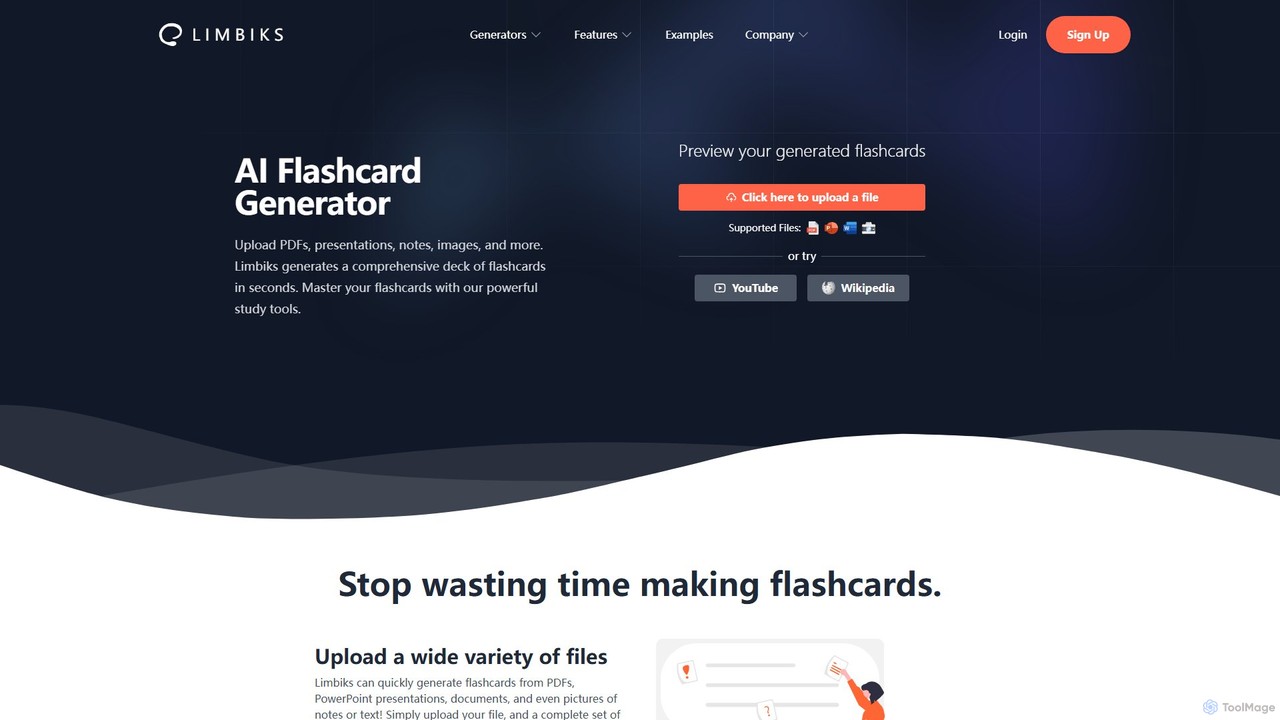
Limbiks is an AI-powered study platform that automatically generates flashcards, multiple-choice questions, practice tests, and personalized study guides from your documents, presentations, images, YouTube videos, or Wikipedia articles. Save hours of manual work and master any subject with advanced tools like spaced repetition, image occlusion, and direct integration with Anki and Quizlet. It supports over 20 languages, making it a versatile tool for students worldwide.

Generator
Visits 19.4KFavorites 95Likes 119

About Generator

AI Generators are a class of tools that use generative models to create new, original content or data from user prompts. These tools are typically powered by advanced neural networks like Transformers or Diffusion Models, enabling them to produce text, images, code, and audio. Their primary value lies in accelerating creative workflows, automating content production, and generating synthetic data for testing. AI Generators create content from scratch, distinguishing them from tools that merely edit existing assets.

Core Features

  • Multi-Modal Output: Capable of generating various content types, including text, images, audio, and code.
  • Prompt-Based Control: Users direct the creation process using natural language descriptions and parameters.
  • Style Customization: Offers options to adjust the style, tone, and specific attributes of the generated output.
  • API Access: Provides programmatic access to integrate generation capabilities into other applications and workflows.

Use Cases

AI Generators are widely used in marketing for creating ad copy and social media visuals, in software development for generating boilerplate code and unit tests, and in design for producing concept art and mockups. They also serve technical roles by creating synthetic data for training machine learning models without compromising user privacy.

How to Choose

When selecting an AI Generator, first identify your primary need—text, image, code, or another format. Evaluate the quality and coherence of the output and the level of control offered over the final result. For automation, check for robust API availability. Finally, compare pricing models, such as subscriptions or pay-per-use, to find one that aligns with your budget and usage volume.

Featured tool rankings

Generator use cases

1

Automating Blog Post Drafts for Content Marketing

A content marketer needs to produce multiple high-quality blog posts weekly to drive traffic and engagement. Using an AI text generator, they input a target keyword, a brief outline, and a desired tone (e.g., professional, witty). The tool generates a structured draft, including an introduction, body paragraphs with subheadings, and a conclusion. This process reduces the initial research and writing time by over 60%, allowing the marketer to focus on refining the content, adding unique insights, and optimizing for SEO, ultimately increasing publishing frequency.

2

Creating Unique Visuals for Social Media Campaigns

A social media manager, lacking extensive design resources, needs to create compelling visuals for daily posts. They use an AI image generator with descriptive prompts like "a minimalist product shot of a skincare bottle on a marble surface with a soft morning light." The AI produces several high-resolution, royalty-free image options in seconds. This allows the manager to maintain a consistent and high-quality aesthetic for their brand's feed without relying on repetitive stock photos, which can lead to higher audience engagement.

3

Generating Synthetic Data for Software Testing

A Quality Assurance (QA) engineer needs a large, diverse dataset to test an application's performance under various conditions, but real user data is protected by privacy laws. Using a synthetic data generator, the engineer defines the schema and statistical properties of the required data (e.g., user profiles, transaction histories). The tool then generates millions of realistic but entirely artificial data records. This enables thorough, scalable testing of edge cases and load performance without any risk of exposing sensitive personal information.

4

Prototyping Game Assets and Concept Art

An indie game developer needs to quickly visualize characters, environments, and items during the early design phase. They use an AI image generator to create dozens of concept art variations based on simple descriptions, such as "elven archer in a dark forest, detailed armor, fantasy style." This allows the developer to rapidly iterate on the game's art style and character designs, saving significant time and cost compared to manually sketching each concept. The generated images serve as a strong foundation for final asset creation by human artists.

5

Composing Background Music for Videos and Podcasts

A video creator needs royalty-free background music that matches the mood of their content. Instead of searching through vast libraries of stock music, they use an AI music generator. They select parameters like genre (e.g., cinematic, lo-fi), mood (e.g., uplifting, suspenseful), and desired duration. The tool generates a unique, custom-length audio track in minutes. This provides a cost-effective and efficient way to enhance the production value of their content with perfectly fitting, original music, avoiding any copyright issues.

6

Generating Code Snippets and Functions for Development

A software developer is tasked with writing a common but tedious function, such as parsing a specific file format or making a complex API call. They describe the function's requirements in natural language to an AI code generator (e.g., "write a Python function that takes a URL and returns the JSON content"). The AI provides a functional, well-structured code snippet instantly. This accelerates the development process, reduces the chance of human error in boilerplate code, and allows the developer to focus on more complex, business-critical logic.

Generator FAQ

What is an AI Generator?

An AI Generator is a tool that uses artificial intelligence, specifically generative models like GANs or Transformers, to create new and original content. Unlike editing software that modifies existing data, these tools produce novel outputs such as text, images, music, or code based on user-provided prompts or parameters. They work by learning patterns from vast amounts of training data and then using that knowledge to synthesize completely new creations that mimic the style and structure of the data they were trained on.

How to choose the right AI Generator?

To choose the right AI Generator, consider these factors:

  • Output Type: First, determine what you need to create. Different tools specialize in text, images, code, audio, or video.
  • Quality and Control: Evaluate the quality of the generated content. Look for tools that offer fine-tuning controls, such as style, tone, or specific parameters, to better match your vision.
  • Ease of Use: Consider the user interface. Some generators are simple and prompt-based, while others offer complex settings for advanced users.
  • Integration and API: If you need to automate content creation, check if the tool provides a reliable API to integrate with your existing workflows.
  • Pricing: Compare pricing models. Some are subscription-based, others charge per use. Choose one that fits your budget and expected volume.
What's the difference between an AI Generator and a search engine?

The core difference lies in their function: creation versus retrieval. A search engine (like Google) finds, organizes, and displays existing information from across the internet in response to a query. It retrieves content that has already been created by humans. In contrast, an AI Generator synthesizes and creates entirely new content that did not exist before. It uses its training data to generate a unique output, such as a new image or a new paragraph of text, rather than finding a pre-existing one.

Are the outputs from AI Generators original and safe to use?

Outputs from AI generators are typically original syntheses, meaning they are not direct copies of any single piece of training data. However, the legal status of AI-generated content, particularly regarding copyright, is still evolving. For commercial use, it is crucial to check the terms of service of the specific tool you are using. Some platforms offer commercially safe outputs and indemnify users against copyright claims, while others may not. Always review the usage rights before deploying generated content in a commercial project to avoid potential legal issues.

What are the main types of AI Generators?

AI Generators can be categorized by the type of content they create. The most common types include:

  • Text Generators: These create written content, from short-form copy like emails and social media posts to long-form articles and reports.
  • Image Generators: These produce visuals, illustrations, and photorealistic images from text descriptions (text-to-image).
  • Code Generators: These assist developers by writing functions, scripts, and boilerplate code in various programming languages.
  • Audio Generators: This category includes text-to-speech tools, voice cloners, and music generators that compose original scores.
  • Video Generators: An emerging category that creates short video clips from text prompts, images, or other video inputs.