ToolMage
Sign in

Best 1 Image Generation AI tools for Ai Tools

Popular Image Generation AI tools in Ai Tools include 123RF, helping you work more efficiently.

123RF
Freemium

123RF

123RF is a comprehensive creative platform offering over 230 million royalty-free stock photos, vectors, videos, audio, and fonts. It integrates powerful AI tools, including an AI Image Generator and Search by Image, to streamline the creative process for individuals and businesses. With flexible subscription plans, credit packages, and a vast library of free content, 123RF empowers creators worldwide to bring their ideas to life.

Image Generation
Visits 5.9MFavorites 147Likes 143

About Image Generation

Image Generation tools are a class of AI applications that create new, original images from textual descriptions or other inputs. They primarily utilize advanced models like Diffusion Models or GANs to translate concepts into visual art, photos, and illustrations. These tools empower creators, marketers, and designers to rapidly visualize ideas, produce unique marketing assets, and generate concept art without manual illustration. Unlike traditional image editors that modify existing pixels, image generators synthesize entirely new visual content from scratch.

Core Features

  • Text-to-Image Generation: Creates detailed images based on written descriptions or prompts.
  • Style Control & Transfer: Applies specific artistic styles (e.g., oil painting, anime, photorealistic) to the output.
  • Image-to-Image Transformation: Modifies an existing image using a text prompt to alter its content or style.
  • Inpainting & Outpainting: Adds, removes, or replaces elements within an image (inpainting) or extends its boundaries (outpainting).
  • High-Resolution Upscaling: Increases the resolution and detail of generated images for professional use.

Use Cases

Image Generation tools are widely used by digital marketers for creating ad creatives, content creators for unique blog illustrations, and game developers for rapid concept art prototyping. Product designers also use them to visualize new product ideas in realistic settings, while artists explore new creative directions. These tools streamline the visual creation process across various industries.

How to Choose

When selecting an Image Generation tool, evaluate the output quality and realism first. Consider the level of control and prompt understanding the AI offers. Assess the variety of available styles and the tool's speed. Finally, carefully review the commercial usage rights and licensing terms, as they vary significantly between platforms and subscription tiers.

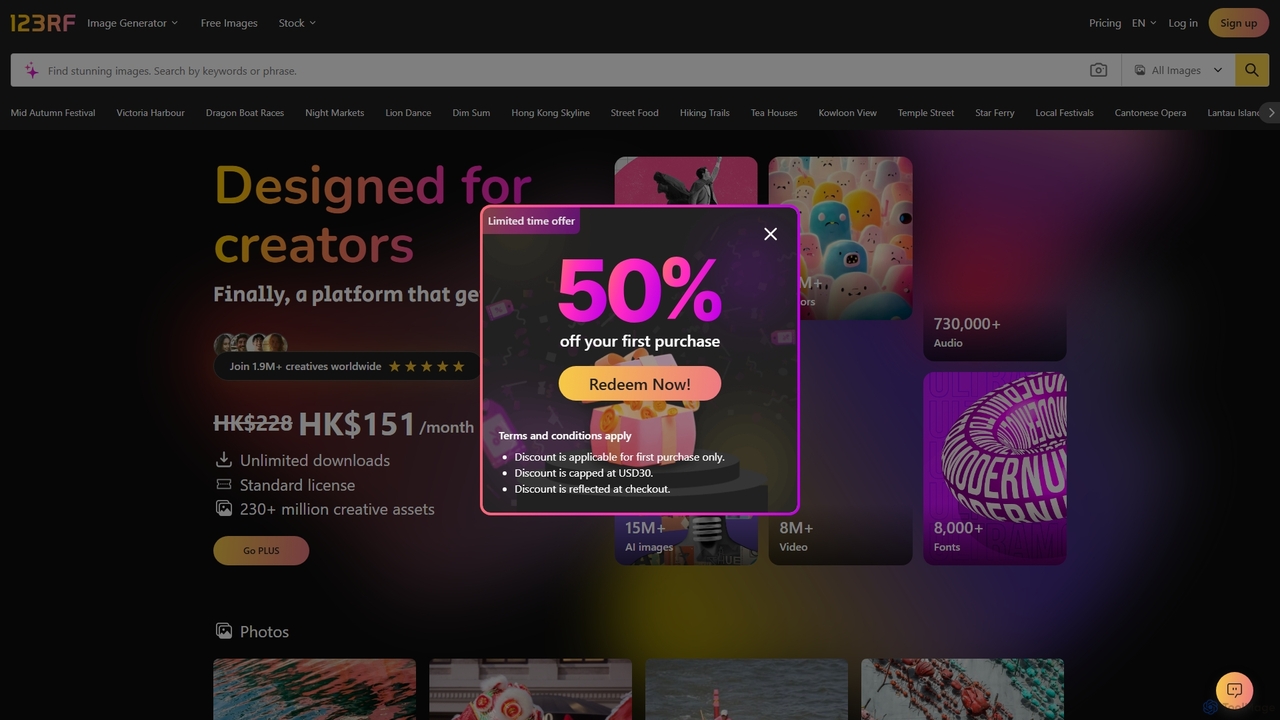
Image Generation use cases

1

Creating Unique Marketing & Ad Creatives

A digital marketer needs to generate a high volume of diverse visuals for A/B testing ad campaigns. Instead of relying on limited stock photos, they use an Image Generation tool. By inputting product descriptions and target audience personas as prompts, they can generate dozens of ad variations with different styles, backgrounds, and compositions. This process significantly reduces reliance on graphic designers for initial concepts, shortens campaign launch times, and allows for data-driven creative optimization based on performance.

2

Concept Art & Character Design for Games/Films

A concept artist in the early stages of a project needs to explore various visual directions for a character. They use an Image Generation tool to quickly iterate on ideas. By writing detailed prompts like "a grizzled space pirate with a cybernetic eye, wearing worn leather armor, in a neon-lit cantina," they can generate multiple design concepts in minutes. This accelerates the ideation process from days to hours, providing a rich visual foundation for further refinement and development by the art team.

3

Generating Editorial Illustrations for Content

A content creator is writing a blog post about an abstract topic like 'the ethics of artificial intelligence'. Finding a suitable, non-generic stock photo is challenging. Using an Image Generation tool, they can craft a prompt that metaphorically represents the article's theme, such as "a balanced scale with a human brain on one side and a glowing microchip on the other, in a minimalist style." The result is a custom, on-brand illustration that enhances storytelling and reader engagement far more effectively than a generic image.

4

Product Prototyping & Visualization

A product designer is brainstorming a new line of ergonomic office chairs. Before committing to expensive 3D modeling, they use an Image Generation tool to create photorealistic concepts. They input prompts like "a sleek, minimalist ergonomic office chair in white mesh, in a bright, modern home office with a wooden desk." This allows the team to quickly visualize and compare different designs in various settings, facilitating faster internal reviews and market research without the initial high cost of traditional prototyping.

5

Creating Fictional Worlds & Storyboards

An author is developing a fantasy novel and needs to visualize key locations to maintain consistency. They use an Image Generation tool to bring their world to life. By prompting "a bustling medieval port city built into the side of a cliff, with airships docked at high towers, cinematic lighting," they can generate a series of images that serve as a visual reference. This not only aids the writing process by making the world more tangible but can also be used to create a visual bible for potential adaptations or to communicate the vision to a cover artist.

6

Personalized Art & Interior Design Mockups

An interior designer wants to show a client how a custom piece of art could look in their living room. Instead of searching for existing art, they use an Image Generation tool. They take a photo of the client's room and use image-to-image features with a prompt like "abstract oil painting with shades of blue and gold, in a minimalist style, on the empty wall." This generates a realistic mockup, offering a highly personalized service that helps clients visualize the final result and make confident decisions before commissioning an artist.

Image Generation FAQ

What is an AI Image Generator?

An AI Image Generator is a tool that creates entirely new images from text descriptions, a process known as text-to-image synthesis. It uses complex AI models, like diffusion models, to understand the concepts in your text and translate them into visual content. Unlike a photo editor which modifies existing images, a generator produces original artwork, photorealistic scenes, and illustrations from scratch, based solely on your prompts.

How to choose the right AI Image Generator?

Choosing the right tool depends on your needs. Consider these factors:

  • Output Quality: Evaluate the realism, detail, and artistic coherence of the images it produces.
  • Control & Customization: Look for tools with advanced prompting features, style controls, and parameters like negative prompts or seed numbers.
  • Speed and Cost: Assess the generation speed and understand the pricing model, whether it's a subscription or a credit-based system.
  • Commercial Use License: If you plan to use images for business, verify that the tool's license permits commercial use.
What's the difference between AI Image Generators and AI Image Editors?

The core difference lies in their primary function: creation versus modification. AI Image Generators create new images from scratch based on text prompts. Their purpose is to synthesize something that doesn't exist. AI Image Editors, on the other hand, use AI to manipulate or enhance existing images. Their functions include tasks like removing backgrounds, upscaling resolution, or applying smart filters. While some tools blend these capabilities (e.g., using a generator for inpainting), their fundamental purposes are distinct.

Can I use AI-generated images for commercial purposes?

This depends entirely on the terms of service of the specific AI Image Generator you use. Some platforms grant users full ownership and commercial rights to the images they create, especially on paid plans. Others may have restrictions, particularly on free tiers, or may claim some rights to the generated content. It is crucial to read and understand the licensing agreement of any tool before using its output for marketing, products, or any business-related activities. The legal landscape regarding copyright for AI-generated works is also still evolving.

What kind of text prompts produce the best results?

Effective prompts are specific, descriptive, and layered with detail. To get the best results, try to include several key elements:

  • Subject: Clearly define the main person, object, or creature.
  • Style: Specify the artistic style (e.g., 'photorealistic', 'Van Gogh painting', 'anime', '3D render').
  • Composition: Describe the shot type (e.g., 'close-up portrait', 'wide-angle landscape').
  • Lighting & Mood: Add details like 'cinematic lighting', 'golden hour', or 'dark and moody'.
  • Details: Include specific colors, textures, and background elements. Using negative prompts to exclude unwanted elements can also significantly improve quality.