ToolMage
Sign in

Best 1 No Code AI tools for Ai Tools

Popular No Code AI tools in Ai Tools include Flarelight, helping you work more efficiently.

Flarelight
Freemium

Flarelight

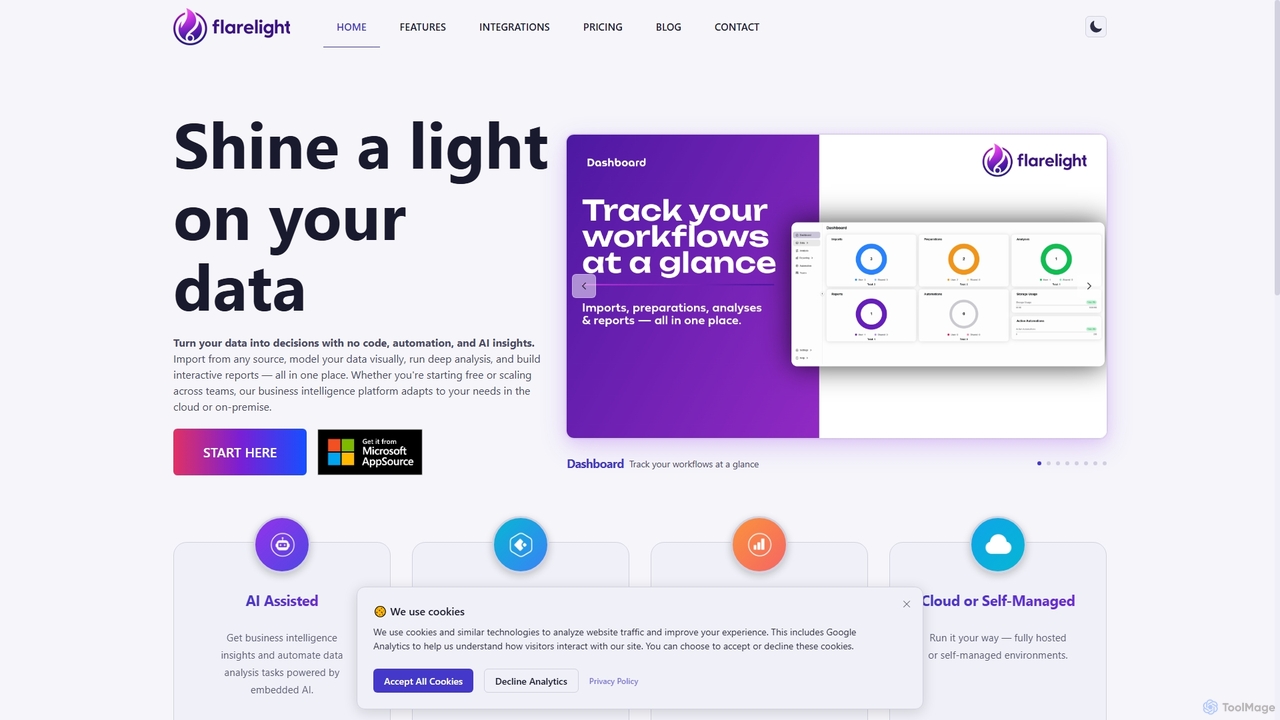
Flarelight is an AI-powered, no-code business intelligence platform for data analysis and visualization. It allows users to import data from any source, prepare it visually, perform deep analysis, and build interactive reports. The all-in-one tool supports both cloud and on-premise deployment, featuring workflow automation and natural language configuration to turn complex data into actionable decisions.

No Code
Visits 6.5KFavorites 167Likes 160

About No Code

No Code tools are a category of AI-powered platforms that enable users to build applications, websites, and automated workflows without writing a single line of code. Leveraging visual interfaces, drag-and-drop functionalities, and pre-built templates, these tools democratize software development. They empower business users, entrepreneurs, and creators to rapidly prototype and deploy digital solutions, significantly reducing development time and technical barriers. Within the broader AI tools landscape, No Code platforms often integrate AI capabilities for enhanced automation, data analysis, and intelligent decision-making, making complex technology accessible to a wider audience.

Core Features

  • Visual Development Interface: Provides intuitive drag-and-drop editors for designing user interfaces and defining logic.
  • Pre-built Templates & Components: Offers ready-to-use modules and templates for common application types, accelerating development.
  • Workflow Automation: Enables users to create automated sequences for tasks, data processing, and system integrations without coding.
  • Database & Data Management: Simplifies the creation and management of databases, allowing non-technical users to handle data structures.
  • Integration Capabilities: Supports seamless connections with various third-party services, APIs, and AI models to extend functionality.

Use Cases

No Code tools are widely adopted across various sectors for rapid application development, process automation, and digital transformation. They are particularly valuable for small and medium-sized businesses, marketing teams, and individual entrepreneurs looking to quickly launch MVPs, automate internal operations, or create custom customer-facing solutions without relying on extensive IT resources.

How to Choose

When selecting a No Code platform, consider the specific type of application you intend to build (web, mobile, automation), the complexity of your data models, and the required integrations. Evaluate the platform's scalability, community support, pricing structure, and the learning curve for your team. Prioritize tools that offer robust security features and clear data ownership policies to ensure compliance and protect sensitive information.

No Code use cases

1

Building Custom Internal Tools for Operations

Operations managers can utilize No Code platforms to design and deploy bespoke internal tools, such as project management dashboards, inventory trackers, or CRM systems. By visually configuring forms, workflows, and data tables, they can automate routine tasks like data entry, approval processes, and report generation, significantly improving operational efficiency and reducing manual errors without needing developer support.

2

Launching a Minimum Viable Product (MVP)

Entrepreneurs and startups can rapidly develop and launch Minimum Viable Products (MVPs) for web or mobile applications using No Code tools. This allows them to validate business ideas, gather early user feedback, and iterate quickly without significant upfront investment in coding. Features like user authentication, payment gateways, and basic data storage can be integrated with minimal effort, accelerating market entry.

3

Automating Marketing Campaigns and Lead Nurturing

Marketing teams can leverage No Code platforms to automate complex marketing workflows, from lead capture and segmentation to personalized email sequences and social media scheduling. By connecting various marketing tools and databases, they can create intelligent automation rules that trigger specific actions based on user behavior, enhancing engagement and improving conversion rates without coding expertise.

4

Creating Interactive Customer Portals

Businesses can build custom, interactive customer portals where clients can manage their accounts, view order history, submit support tickets, or access exclusive content. No Code tools provide the flexibility to design user-friendly interfaces and integrate with existing backend systems, offering a seamless self-service experience that reduces the burden on customer support teams and enhances customer satisfaction.

5

Developing Data Collection and Reporting Applications

Researchers, analysts, and field teams can use No Code platforms to create custom data collection forms and applications for surveys, audits, or field reports. These tools allow for easy data input, storage, and visualization, enabling quick analysis and report generation. This streamlines the data gathering process, ensures data consistency, and facilitates informed decision-making without complex programming.

6

Streamlining HR Onboarding and Offboarding Processes

HR departments can design automated onboarding and offboarding workflows using No Code tools. This includes creating digital forms for new hire information, automating document signing, assigning training modules, and managing access permissions. Such automation ensures a consistent, efficient, and compliant process, reducing administrative overhead and improving the employee experience from day one.

No Code FAQ

What are No Code tools and how do they relate to AI?

No Code tools are platforms that enable users to build software applications and automated processes through visual interfaces, without writing traditional programming code. They democratize development by abstracting away technical complexities. Their relation to AI is often through integration: many No Code platforms allow users to easily incorporate AI models for tasks like natural language processing, image recognition, or predictive analytics into their applications, making AI capabilities accessible to non-developers.

How do No Code platforms differ from Low Code platforms?

No Code platforms are designed for business users with little to no programming knowledge, offering purely visual development with pre-built components. Low Code platforms, while also using visual interfaces, require some coding knowledge for customization, integration, and complex logic, making them suitable for professional developers looking to accelerate development. No Code aims for complete abstraction, while Low Code offers more flexibility for developers.

What are the main benefits of using No Code tools for businesses?

The primary benefits of No Code tools for businesses include significantly faster development cycles, allowing for rapid prototyping and deployment of solutions. They reduce reliance on expensive developer resources, lowering IT costs. No Code empowers business users to build their own tools, fostering innovation and agility. This leads to increased operational efficiency, better resource allocation, and quicker adaptation to market changes, ultimately driving digital transformation.

What types of applications can be built with No Code tools?

No Code tools are versatile and can be used to build a wide range of applications. This includes internal tools like CRM systems, project management dashboards, and HR portals; customer-facing applications such as simple e-commerce sites, booking systems, and membership portals; and automated workflows for marketing, sales, and operations. While powerful, they are generally best suited for applications that don't require highly complex, custom algorithms or extremely high-performance computing.

What should I consider when choosing a No Code platform for my project?

When choosing a No Code platform, first define your project's specific requirements, including the type of application, necessary integrations, and expected user load. Evaluate the platform's feature set, scalability, and ease of use. Consider the vendor's support, community, and pricing model, including potential hidden costs. Also, assess data security, compliance, and the platform's ability to export or migrate your data, ensuring long-term flexibility and ownership.