ToolMage
Sign in

Best 1 Prompt Generation AI tools for Ai Tools

Popular Prompt Generation AI tools in Ai Tools include Parlay Ideas, helping you work more efficiently.

Parlay Ideas
Freemium

Parlay Ideas

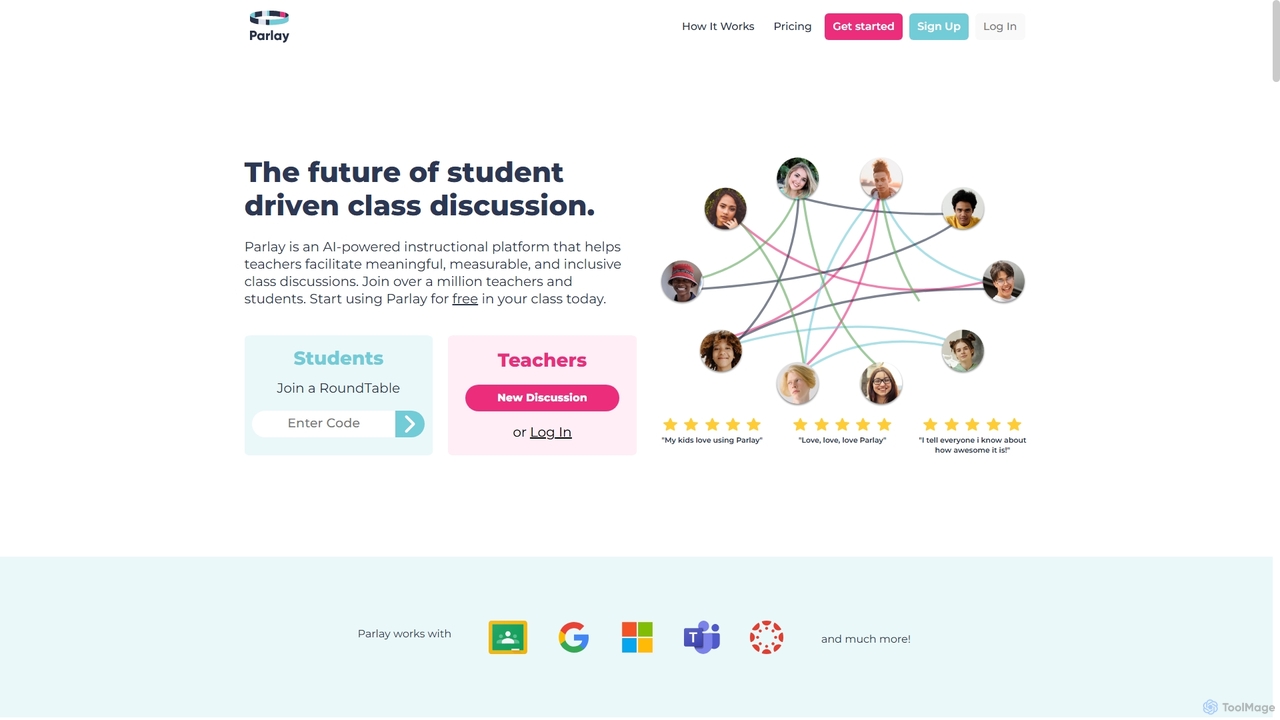
Parlay Ideas is an AI-powered instructional platform designed for educators to facilitate meaningful, measurable, and inclusive class discussions. It enhances student engagement through structured written and verbal activities, AI-generated prompts, and a vast library of topics, fostering critical thinking and collaborative learning in any classroom setting.

Prompt Generation
Visits 28.7KFavorites 122Likes 126

About Prompt Generation

Prompt Generation tools are specialized utilities designed to help users construct, refine, and optimize text-based instructions for generative AI models. These tools function by providing structured interfaces, keyword suggestions, and parameter controls, transforming a simple idea into a detailed and effective prompt. Their primary value lies in unlocking the full potential of AI systems like image generators and large language models, enabling the creation of more precise, complex, and stylistically consistent outputs. By simplifying the process of prompt engineering, they make advanced AI capabilities more accessible to both beginners and experts.

Core Features

  • Structured Prompt Building: Provides a guided interface to add subjects, actions, styles, and technical parameters in the correct syntax.
  • Keyword & Style Suggestions: Recommends relevant terms, artist names, lighting effects, and camera settings to enhance the prompt.
  • Parameter Management: Allows for easy adjustment of weights, negative prompts, aspect ratios, and other model-specific settings.
  • Prompt Variation: Automatically generates multiple variations of a base prompt to explore different creative directions quickly.
  • Prompt Library & Community: Offers access to a collection of pre-made, effective prompts and a platform for users to share their creations.

Use Cases

These tools are widely used by digital artists, graphic designers, and content creators to produce high-quality AI-generated images for marketing, concept art, and social media. Marketers and copywriters use them to craft nuanced prompts for generating diverse ad copy, blog posts, and scripts. Developers and researchers also leverage them to formulate precise instructions for code generation and data analysis tasks.

How to Choose

When selecting a Prompt Generation tool, first consider its compatibility with the AI models you use (e.g., Midjourney, Stable Diffusion, DALL-E 3, GPT-4). Evaluate the user interface—whether you prefer a simple tag-based builder or a more advanced visual editor. Assess the depth of features, such as the quality of keyword suggestions and the level of control over technical parameters. Finally, consider the availability of a prompt library or community features, which can be valuable for inspiration and learning.

Prompt Generation use cases

1

Crafting Photorealistic Marketing Imagery

A marketing manager for an e-commerce brand needs to create unique lifestyle images for a new line of watches. Instead of organizing an expensive photoshoot, they use a Prompt Generation tool. They start with a base description like 'a luxury watch on a wrist.' The tool helps them add specific details such as 'close-up shot,' 'Nikon Z7, 85mm f/1.8 lens,' 'soft morning light,' and 'background of a rustic wooden cafe table.' The generator structures these elements into an optimized prompt for a photorealistic AI model, producing a series of high-resolution, commercially viable images in minutes, saving significant time and budget.

2

Developing Consistent Character Concepts for Games

A concept artist at a game studio is tasked with designing a new sci-fi hero. To maintain consistency across various poses and expressions, they use a Prompt Generation tool to build a detailed 'base prompt.' This prompt includes core character attributes like 'female cyborg, silver hair, glowing blue eyes, carbon fiber armor.' The tool then allows them to easily create variations by adding actions like 'running through a neon-lit city' or emotions like 'determined expression,' while keeping the character's core design locked. This process streamlines the iteration process and ensures all concept art adheres to a unified visual identity.

3

Structuring Complex Queries for Code Generation

A software developer is building a Python script to analyze data from a CSV file. They use a Prompt Generation tool to structure a precise request for a code-generating LLM. The tool helps them break down the task into clear components: specifying the programming language (Python), the required libraries (Pandas), the input format (CSV file with columns 'date', 'sales'), and the desired output (a function that calculates monthly average sales and returns a JSON object). This structured prompt eliminates ambiguity, resulting in the AI generating clean, accurate, and immediately usable code, reducing debugging time.

4

Exploring Unique Artistic Style Combinations

A digital artist wants to create a piece with a unique visual style that stands out. They use a Prompt Generation tool to experiment with blending different artistic influences. They input a simple subject, 'a lone astronaut in a surreal forest,' and then use the tool's suggestion engine to add stylistic modifiers. They combine 'in the style of Hayao Miyazaki' with 'elements of H.R. Giger's biomechanical art' and 'lighting inspired by Rembrandt.' The tool helps manage the weight of each influence, allowing the artist to generate dozens of stylistic hybrids and discover a novel aesthetic for their project.

5

Generating Diverse Ad Copy for A/B Testing

A digital marketer is launching a campaign for a new productivity app. To find the most effective messaging, they need to create multiple ad copy variations for A/B testing. Using a Prompt Generation tool, they define the core message: 'an AI-powered app that organizes your tasks.' The tool then helps them generate prompts for an LLM that target different user personas by adding modifiers like 'for busy professionals,' 'for students,' or 'with a humorous tone.' This results in a wide range of headlines and descriptions, enabling the marketer to efficiently test which angle resonates best with their audience.

6

Refining Prompts for Academic Literature Reviews

An academic researcher is using an LLM to summarize recent studies on climate change. To get accurate and relevant information, their prompts must be highly specific. They use a Prompt Generation tool to construct a detailed query. The prompt specifies the exact scope ('summarize key findings from peer-reviewed papers published between 2020 and 2023 on the impact of arctic ice melt on sea levels'), the required format ('provide a bulleted list of conclusions with citations'), and a negative prompt ('exclude opinion pieces and non-scientific articles'). This precision ensures the AI's output is focused, reliable, and directly useful for their research.

Prompt Generation FAQ

What are Prompt Generation tools?

Prompt Generation tools are applications designed to help users create more effective and detailed text instructions, known as prompts, for generative AI models. They provide a structured way to add elements like subjects, styles, technical parameters, and negative keywords. Instead of simple guesswork, these tools guide you through building a comprehensive prompt, significantly increasing the chances of getting the desired output from AI systems like Midjourney or GPT-4. They essentially act as an assistant for prompt engineering.

How do I choose the right Prompt Generation tool?

Choosing the right tool depends on your specific needs. Consider these four factors:

  • Model Compatibility: Ensure the tool supports the AI models you use (e.g., Stable Diffusion, Midjourney, DALL-E).
  • User Interface: Decide if you prefer a simple tag-based builder for quick creation or a more advanced interface with fine-tuned controls.
  • Feature Depth: Look for features that match your skill level, such as basic keyword suggestions for beginners or complex parameter weighting for experts.
  • Community & Resources: A tool with a built-in library of example prompts or an active community can be a great source of inspiration and learning.
What is the difference between using a Prompt Generator and just typing a prompt?

While you can always type a prompt directly, a Prompt Generator offers several advantages. It provides structure, preventing you from forgetting important details like lighting, composition, or style. It suggests creative keywords and parameters you might not have considered, expanding your creative possibilities. For complex models like Midjourney, it correctly formats the syntax for parameters like aspect ratio (--ar) or weights (::). Essentially, a generator transforms prompt creation from an intuitive art into a more systematic and repeatable process, leading to better and more consistent results.

Who should use a Prompt Generation tool?

Prompt Generation tools are beneficial for a wide range of users. Beginners find them helpful for learning the fundamentals of good prompt structure and discovering what's possible with AI. Intermediate and advanced users, such as digital artists, marketers, writers, and developers, use them to streamline their workflow, experiment with complex ideas efficiently, and maintain consistency across multiple generations. Anyone who regularly uses generative AI and wants to achieve more predictable, high-quality results can benefit from using one.

Can Prompt Generation tools really improve my AI image results?

Yes, significantly. The quality of an AI-generated image is directly tied to the quality of its prompt. Prompt Generation tools help you move beyond simple descriptions (e.g., 'a cat') to highly detailed instructions (e.g., 'a photorealistic portrait of a fluffy Siberian cat, soft window lighting, shallow depth of field, Canon EOS R5'). By helping you add specifics about camera settings, artistic styles, lighting, and composition, these tools give you much greater control over the final image, leading to more professional, artistic, and accurate results.