ToolMage
Sign in

Best 1 Quality Assurance AI tools for Ai Tools

Popular Quality Assurance AI tools in Ai Tools include AI Web Test Aitida, helping you work more efficiently.

AI Web Test Aitida
Freemium

AI Web Test Aitida

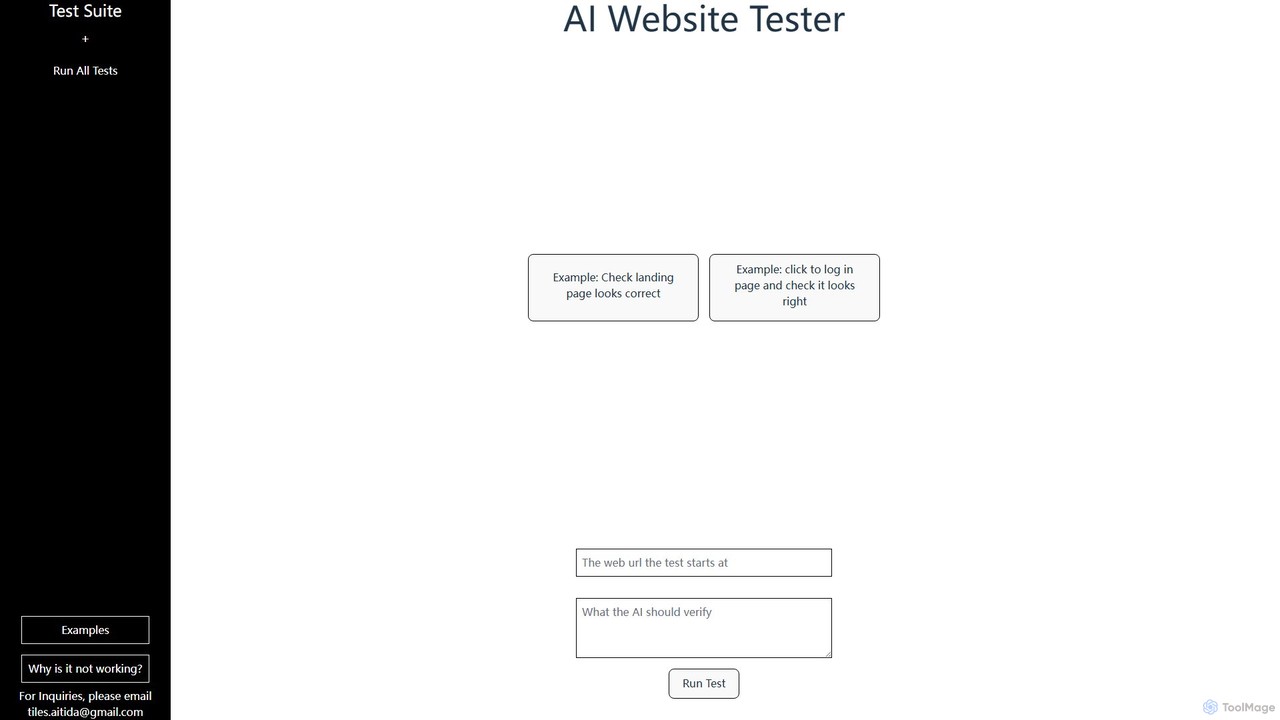
AI Web Test Aitida is an AI-powered platform for automated website testing. It simplifies quality assurance by allowing users to create, run, and manage complex test suites using natural language. The tool specializes in visual regression and end-to-end user flow testing, helping teams catch bugs faster and ensure a flawless user experience across all browsers and devices.

Quality Assurance
Visits 5.5KFavorites 109Likes 124

About Quality Assurance

AI Quality Assurance (QA) tools are a class of software that leverages machine learning to automate and enhance the software testing process. These tools go beyond traditional script-based automation by intelligently analyzing code, predicting potential defects, and generating optimized test cases. They significantly accelerate release cycles, improve software reliability, and allow QA teams to focus on more complex, strategic testing. AI-powered analysis can identify subtle bugs, visual inconsistencies, and performance bottlenecks that are often missed by manual checks.

Core Features

  • Intelligent Test Case Generation: Automatically creates relevant and high-coverage test cases by analyzing application requirements and code changes.
  • Visual Regression Testing: Uses AI to compare UI screenshots and detect unintended visual changes, such as layout shifts or color errors.
  • Self-Healing Test Scripts: Automatically adapts and updates test scripts when the application's UI or underlying code changes, reducing maintenance overhead.
  • Predictive Defect Analysis: Analyzes historical data to predict which areas of the codebase are most likely to contain bugs, helping prioritize testing efforts.
  • Automated Bug Triage: Groups similar bug reports, identifies duplicates, and helps prioritize them based on severity and impact.

Use Cases

AI QA tools are widely used in agile and DevOps environments, particularly in sectors like SaaS, e-commerce, and mobile app development. They are essential for teams implementing Continuous Integration/Continuous Deployment (CI/CD) pipelines to get rapid feedback on code quality. QA engineers, developers, and DevOps teams use them to automate regression testing, API validation, and cross-browser compatibility checks.

How to Choose

When selecting an AI QA tool, consider its integration capabilities with your existing CI/CD pipeline (e.g., Jenkins, GitLab) and bug tracking systems (e.g., Jira). Evaluate its support for your specific technology stack, including programming languages and frameworks. Assess the scope of testing it offers (UI, API, performance) and its ease of use—whether it's a low-code platform for manual testers or a code-intensive framework for automation engineers.

Quality Assurance use cases

1

Automating Visual Regression Testing for E-commerce Sites

A front-end development team for a large e-commerce platform needs to ensure that UI updates do not introduce visual bugs across thousands of product pages and multiple devices. Manually checking every page is impractical. They use an AI QA tool to automatically crawl the website before and after a deployment. The tool captures screenshots and uses computer vision to compare them against a baseline, flagging any pixel-level discrepancies, from misaligned buttons to incorrect font rendering. This process reduces manual testing time by over 90% and catches subtle UI errors that could impact user experience and conversion rates.

2

Optimizing CI/CD Pipelines with Predictive Test Selection

A DevOps team manages a CI/CD pipeline where the full regression test suite takes several hours to run, creating a bottleneck for developers. They integrate an AI QA tool that analyzes the code changes in each new commit. Based on historical data and code dependencies, the AI predicts which specific tests are most likely to be affected by the changes. Instead of running the entire suite, the pipeline executes only this targeted, high-impact subset of tests. This reduces the testing feedback loop from hours to minutes, increasing developer productivity and accelerating the delivery of new features without compromising quality assurance.

3

Intelligent Test Case Generation for New Features

A QA team is tasked with testing a complex new module in a financial software application. Manually creating comprehensive test cases to cover all user flows and edge cases would take weeks. They use an AI QA tool that analyzes the feature's requirements documents and user stories. The AI model understands the logic and generates a suite of test cases, including positive scenarios, negative tests (e.g., invalid inputs), and boundary condition tests. This not only saves significant time but also improves test coverage by identifying scenarios the human team might have overlooked, leading to a more robust and reliable feature release.

4

Automated API Testing and Validation in Microservices

A backend team develops a system based on a microservices architecture, with hundreds of interdependent APIs. Manually testing each API endpoint after a change is error-prone and slow. They employ an AI QA tool that automatically discovers API endpoints from documentation or network traffic. The tool learns the expected request/response structures and generates tests to validate data schemas, check for error codes, and measure response times. It can also create complex integration tests that simulate user journeys across multiple services. This ensures API reliability, prevents breaking changes, and accelerates the development of distributed systems.

5

Reducing Test Maintenance with Self-Healing Scripts

An automation engineer in a fast-paced agile team spends a significant amount of time fixing broken test scripts caused by frequent UI changes. They adopt an AI QA tool with self-healing capabilities. When a UI element's identifier (like an ID or XPath) is changed by a developer, the tool doesn't just fail the test. Instead, its AI analyzes the page, identifies the element based on other attributes (like text, position, or visual appearance), and automatically updates the script with the new identifier. This drastically reduces the maintenance burden, allowing the engineer to focus on creating new tests rather than constantly repairing old ones, thus keeping the automation suite reliable.

6

Generating Realistic Test Data for Secure Testing

A QA engineer needs to test the performance and functionality of a new database feature for a healthcare application. Using real patient data is not an option due to privacy regulations like HIPAA. Manually creating large, realistic datasets is complex and time-consuming. The engineer uses an AI QA tool that analyzes the database schema and existing (anonymized) data patterns. The AI then generates a large volume of synthetic data that maintains statistical properties and referential integrity, mimicking real-world usage. This enables thorough, safe, and compliant testing of database operations without compromising sensitive user information.

Quality Assurance FAQ

What are AI Quality Assurance (QA) tools?

AI Quality Assurance tools are advanced software applications that use artificial intelligence and machine learning to enhance and automate the software testing process. Unlike traditional automation tools that follow rigid scripts, AI QA tools can learn an application's behavior, intelligently generate test cases, predict areas prone to defects, and even fix their own test scripts when the UI changes. Their primary goal is to make testing faster, more efficient, and more effective at finding complex bugs.

How to choose the right AI QA tool?

Choosing the right AI QA tool depends on your specific needs. Consider the following factors:

  • Technology Stack: Ensure the tool supports your programming languages, frameworks (e.g., React, Angular), and platforms (web, mobile, API).
  • Integration: Check if it integrates smoothly with your existing CI/CD tools (like Jenkins or GitLab) and project management software (like Jira).
  • Ease of Use: Decide if you need a low-code/no-code platform for manual testers or a more powerful, code-based framework for automation engineers.
  • Testing Scope: Determine if you need it primarily for UI visual testing, API testing, performance testing, or a combination.
  • Scalability and Pricing: Evaluate the pricing model and whether it can scale with your team's growth and testing demands.
What's the difference between AI-driven testing and traditional test automation?

The main difference lies in intelligence and adaptability. Traditional test automation relies on predefined scripts written by humans. These scripts are rigid; if the application's UI changes, the script breaks and needs manual repair. AI-driven testing, on the other hand, uses machine learning to understand the application, adapt to changes (self-healing), discover new test paths, and analyze results to find patterns. In short, traditional automation executes commands, while AI-driven testing learns, adapts, and optimizes the testing process.

Can AI completely replace human QA testers?

No, AI is unlikely to completely replace human QA testers. AI excels at repetitive, data-intensive tasks like regression testing, visual checks, and running thousands of API tests. However, it lacks the critical thinking, domain expertise, and creativity of a human tester. Humans are still essential for exploratory testing, usability testing, understanding complex user contexts, and making intuitive judgments about application quality. The future of QA is a collaboration where AI tools handle the tedious work, freeing up human testers to focus on high-value, strategic testing activities.

Who can benefit from using AI Quality Assurance tools?

A wide range of roles in the software development lifecycle can benefit:

  • QA Engineers: To automate repetitive regression tests, reduce script maintenance, and achieve higher test coverage.
  • Developers: To get faster feedback on their code quality within the CI/CD pipeline, catching bugs earlier.
  • DevOps Teams: To create more efficient and intelligent testing pipelines that reduce build times and accelerate deployments.
  • Product Managers: To gain higher confidence in the quality and stability of new features before they are released to customers.